Integer output variations : Formatted Output Int « Console « C / ANSI-C

C / ANSI-C
1. assert.h
2. Console
3. ctype.h
4. Data Structure Algorithm
5. Data Type
6. Development
7. File
8. Function
9. Language Basics
10. Macro Preprocessor
11. Math
12. math.h
13. Memory
14. Pointer
15. setjmp.h
16. signal.h
17. Small Application
18. stdio.h
19. stdlib.h
20. String
21. string.h
22. Structure
23. time.h
24. wctype.h
Microsoft Office Word 2007 Tutorial
Java
Java Tutorial
Java Source Code / Java Documentation
Java Open Source
Jar File Download
Java Articles
Java Products
Java by API
C# / C Sharp
C# / CSharp Tutorial
ASP.Net
JavaScript DHTML
JavaScript Tutorial
JavaScript Reference
HTML / CSS
HTML CSS Reference
C Tutorial
C++
C++ Tutorial
PHP
Python
SQL Server / T-SQL
Oracle PL / SQL
Oracle PL/SQL Tutorial
PostgreSQL
SQL / MySQL
MySQL Tutorial
VB.Net
VB.Net Tutorial
C / ANSI-C » Console » Formatted Output IntScreenshots 
Integer output variations

#include <stdio.h>

void main()
{
   int i = 159;
   int j = 3459;
   int k = 45679;
   long li = 567289L;
   long lj = 6789212L;
   long lk = 234562789L;

   printf("\ni = %d   j = %d    k = %d   i = %6.3d   j = %6.3d   k = %6.3d\n",
                                                     i ,j, k, i, j, k);
   printf("\ni = %-d   j = %+d   k = %-d   i = %-6.3d   j = %-6.3d   k ="
                                         " %-6.3d\n",i ,j, k, i, j, k);
   printf("\nli = %d   lj = %d   lk = %d\n", li, lj, lk);
   printf("\nli = %ld   lj = %ld   lk = %ld\n", li, lj, lk);
}


Related examples in the same category
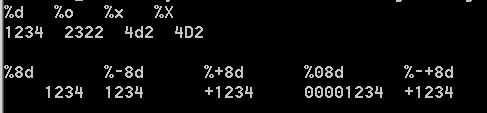
1. Variations on a single integerVariations on a single integer
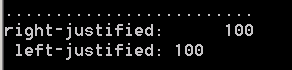
2. Output justifyOutput justify
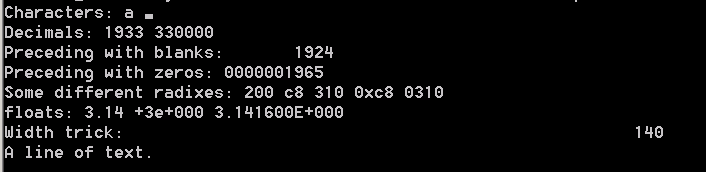
3.  Print formatted data to stdout: how to use printf Print formatted data to stdout: how to use printf
4. Formatted output: int, float and string
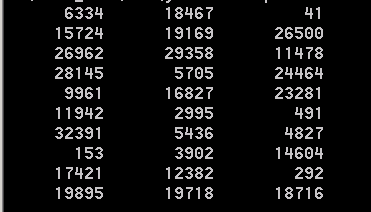
5. Output formatted ramdom integerOutput formatted ramdom integer
w_w_w___._j___av___a2__s.___c__o__m___ | Contact Us
Copyright 2003 - 08 Demo Source and Support. All rights reserved.
All other trademarks are property of their respective owners.