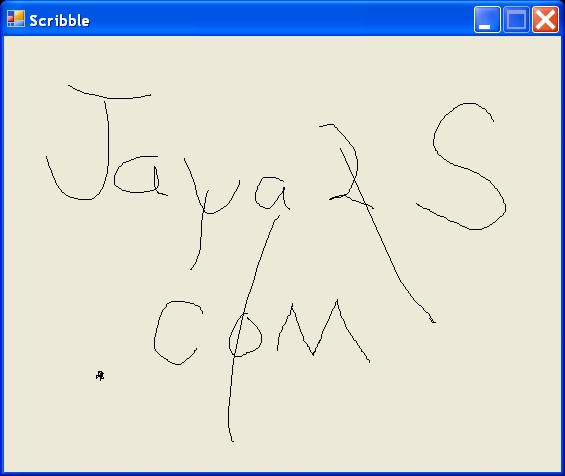
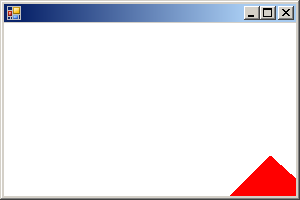
Drag and Draw Demo
/*
GDI+ Programming in C# and VB .NET
by Nick Symmonds
Publisher: Apress
ISBN: 159059035X
*/
using System;
using System.IO;
using System.Drawing;
using System.Drawing.Drawing2D;
using System.Drawing.Imaging;
using System.Collections;
using System.ComponentModel;
using System.Windows.Forms;
using System.Data;
namespace CustomWindow {
/// <summary>
/// </summary>
public class CustomWindow1 : System.Windows.Forms.Form
{
private const int CLOSEDICON = 0;
private const int OPENICON = 1;
private const int DRAWICON = 2;
private const int DRAGICON = 3;
private ImageList mImageList;
private GraphicsPath mOriginalPath;
private GraphicsPath mSmoothPath;
private Point mStartPoint;
private Point mLastPoint;
private Rectangle mInvalidRect;
private Cursor mDrawCursor;
private Cursor mDragCursor;
private Icon mDrawIcon;
private string mRecallFileName;
private bool mAllowDrawing;
private bool mDrawing;
private bool mDraging;
private System.Windows.Forms.MainMenu mainMenu1;
private System.Windows.Forms.MenuItem menuItem1;
private System.Windows.Forms.MenuItem mnuExit;
private System.Windows.Forms.MenuItem menuItem3;
private System.Windows.Forms.MenuItem menuItem2;
private System.Windows.Forms.MenuItem menuItem7;
private System.Windows.Forms.RichTextBox DebugWindow;
private System.Windows.Forms.MenuItem mnuCreate;
private System.Windows.Forms.MenuItem mnuSmooth;
private System.Windows.Forms.MenuItem mnuSaveShape;
private System.Windows.Forms.MenuItem None;
private System.Windows.Forms.MenuItem mnuSpawnForm;
private System.Windows.Forms.MenuItem mnuSpawnSmooth;
private System.Windows.Forms.Splitter PanelSplitter;
private System.Windows.Forms.Panel BasePanel;
private System.Windows.Forms.Panel P1;
private System.Windows.Forms.TreeView PathTree;
private System.Windows.Forms.Splitter TreeSplitter;
private System.ComponentModel.Container components = null;
public CustomWindow1()
{
InitializeComponent();
//Initialize class variables
mDrawIcon = new Icon("draw.ico");
mDrawCursor = new Cursor("Pen.cur");
mDragCursor = new Cursor("drag.cur");
mImageList = new ImageList();
mOriginalPath = new GraphicsPath();
mSmoothPath = new GraphicsPath();
mDrawing = false;
mInvalidRect = Rectangle.Empty;
//Set the screen
this.Icon = mDrawIcon;
this.Size = new Size(800, 600);
this.SetStyle(ControlStyles.AllPaintingInWmPaint,true);
this.SetStyle(ControlStyles.DoubleBuffer,true);
//Set up the image list
mImageList.Images.Add(new Icon("closed.ico"));
mImageList.Images.Add(new Icon("open.ico"));
mImageList.Images.Add(mDrawIcon);
mImageList.Images.Add(new Icon("drag.ico"));
//Set RichTextBox properties
DebugWindow.ReadOnly = true;
DebugWindow.Height = this.Height /8;
DebugWindow.Text = "";
//Set up the splitters
PanelSplitter.Height = 3;
PanelSplitter.BackColor = Color.Blue;
TreeSplitter.BackColor = Color.Blue;
TreeSplitter.Location = new Point(PathTree.Width, 0);
TreeSplitter.Size = new Size(3, this.Height);
// Set properties of TreeView control.
PathTree.Width = this.ClientSize.Width / 6;
PathTree.TabIndex = 0;
PathTree.ImageList = mImageList;
PathTree.MouseDown += new MouseEventHandler(this.TreeMouseDown);
PathTree.MouseMove += new MouseEventHandler(this.TreeMouseMove);
PathTree.AfterCollapse += new TreeViewEventHandler(
this.TreeExpandCollapse);
PathTree.AfterExpand += new TreeViewEventHandler(
this.TreeExpandCollapse);
//Set Drawing Panel Properties
P1.BackColor = Color.Bisque;
P1.AllowDrop = true;
P1.DragEnter += new DragEventHandler(this.PanelDragEnter);
P1.DragDrop += new DragEventHandler(this.PanelDragDrop);
P1.Paint += new PaintEventHandler(this.PanelPaint);
P1.MouseDown += new MouseEventHandler(this.M_Down);
P1.MouseUp += new MouseEventHandler(this.M_Up);
P1.MouseMove += new MouseEventHandler(this.M_Move);
//Set all the border styles to none.
BasePanel.BorderStyle = BorderStyle.None;
P1.BorderStyle = BorderStyle.None;
PathTree.BorderStyle = BorderStyle.None;
DebugWindow.BorderStyle = BorderStyle.None;
//Disable some menu selections
mnuSpawnForm.Enabled = false;
mnuSpawnSmooth.Enabled = false;
}
protected override void Dispose( bool disposing )
{
if( disposing )
{
if (components != null)
{
components.Dispose();
}
}
mOriginalPath.Dispose();
mSmoothPath.Dispose();
base.Dispose( disposing );
}
#region Windows Form Designer generated code
/// <summary>
/// Required method for Designer support - do not modify
/// the contents of this method with the code editor.
/// </summary>
private void InitializeComponent()
{
this.mainMenu1 = new System.Windows.Forms.MainMenu();
this.menuItem1 = new System.Windows.Forms.MenuItem();
this.mnuExit = new System.Windows.Forms.MenuItem();
this.menuItem3 = new System.Windows.Forms.MenuItem();
this.mnuCreate = new System.Windows.Forms.MenuItem();
this.mnuSmooth = new System.Windows.Forms.MenuItem();
this.menuItem2 = new System.Windows.Forms.MenuItem();
this.mnuSaveShape = new System.Windows.Forms.MenuItem();
this.menuItem7 = new System.Windows.Forms.MenuItem();
this.None = new System.Windows.Forms.MenuItem();
this.mnuSpawnForm = new System.Windows.Forms.MenuItem();
this.mnuSpawnSmooth = new System.Windows.Forms.MenuItem();
this.DebugWindow = new System.Windows.Forms.RichTextBox();
this.PanelSplitter = new System.Windows.Forms.Splitter();
this.BasePanel = new System.Windows.Forms.Panel();
this.P1 = new System.Windows.Forms.Panel();
this.PathTree = new System.Windows.Forms.TreeView();
this.TreeSplitter = new System.Windows.Forms.Splitter();
this.BasePanel.SuspendLayout();
this.SuspendLayout();
//
// mainMenu1
//
this.mainMenu1.MenuItems.AddRange(new System.Windows.Forms.MenuItem[] {
this.menuItem1,
this.menuItem3,
this.menuItem7});
//
// menuItem1
//
this.menuItem1.Index = 0;
this.menuItem1.MenuItems.AddRange(new System.Windows.Forms.MenuItem[] {
this.mnuExit});
this.menuItem1.Text = "&File";
//
// mnuExit
//
this.mnuExit.Index = 0;
this.mnuExit.Text = "&Exit";
this.mnuExit.Click += new System.EventHandler(this.mnuExit_Click);
//
// menuItem3
//
this.menuItem3.Index = 1;
this.menuItem3.MenuItems.AddRange(new System.Windows.Forms.MenuItem[] {
this.mnuCreate,
this.mnuSmooth,
this.menuItem2,
this.mnuSaveShape});
this.menuItem3.Text = "&Shape";
//
// mnuCreate
//
this.mnuCreate.Index = 0;
this.mnuCreate.Text = "Create";
this.mnuCreate.Click += new System.EventHandler(this.mnuCreate_Click);
//
// mnuSmooth
//
this.mnuSmooth.Index = 1;
this.mnuSmooth.Text = "Smooth";
this.mnuSmooth.Click += new System.EventHandler(this.mnuSmooth_Click);
//
// menuItem2
//
this.menuItem2.Index = 2;
this.menuItem2.Text = "-";
//
// mnuSaveShape
//
this.mnuSaveShape.Index = 3;
this.mnuSaveShape.Text = "Save Shape";
this.mnuSaveShape.Click += new System.EventHandler(this.mnuSaveShape_Click);
//
// menuItem7
//
this.menuItem7.Index = 2;
this.menuItem7.MenuItems.AddRange(new System.Windows.Forms.MenuItem[] {
this.None});
this.menuItem7.Text = "&Form";
//
// None
//
this.None.Index = 0;
this.None.MenuItems.AddRange(new System.Windows.Forms.MenuItem[] {
this.mnuSpawnForm,
this.mnuSpawnSmooth});
this.None.Text = "Spawn";
this.None.Click += new System.EventHandler(this.mnuSpawnForm_Click);
//
// mnuSpawnForm
//
this.mnuSpawnForm.Index = 0;
this.mnuSpawnForm.Text = "Original";
this.mnuSpawnForm.Click += new System.EventHandler(this.mnuSpawnForm_Click);
//
// mnuSpawnSmooth
//
this.mnuSpawnSmooth.Index = 1;
this.mnuSpawnSmooth.Text = "Smooth";
this.mnuSpawnSmooth.Click += new System.EventHandler(this.mnuSpawnSmooth_Click);
//
// DebugWindow
//
this.DebugWindow.Dock = System.Windows.Forms.DockStyle.Bottom;
this.DebugWindow.Location = new System.Drawing.Point(0, 321);
this.DebugWindow.Name = "DebugWindow";
this.DebugWindow.Size = new System.Drawing.Size(536, 40);
this.DebugWindow.TabIndex = 3;
this.DebugWindow.Text = "";
//
// PanelSplitter
//
this.PanelSplitter.Dock = System.Windows.Forms.DockStyle.Bottom;
this.PanelSplitter.Location = new System.Drawing.Point(0, 313);
this.PanelSplitter.Name = "PanelSplitter";
this.PanelSplitter.Size = new System.Drawing.Size(536, 8);
this.PanelSplitter.TabIndex = 4;
this.PanelSplitter.TabStop = false;
//
// BasePanel
//
this.BasePanel.Controls.AddRange(new System.Windows.Forms.Control[] {
this.TreeSplitter,
this.P1,
this.PathTree});
this.BasePanel.Dock = System.Windows.Forms.DockStyle.Fill;
this.BasePanel.Name = "BasePanel";
this.BasePanel.Size = new System.Drawing.Size(536, 313);
this.BasePanel.TabIndex = 5;
//
// P1
//
this.P1.Dock = System.Windows.Forms.DockStyle.Fill;
this.P1.Location = new System.Drawing.Point(88, 0);
this.P1.Name = "P1";
this.P1.Size = new System.Drawing.Size(448, 313);
this.P1.TabIndex = 3;
//
// PathTree
//
this.PathTree.Dock = System.Windows.Forms.DockStyle.Left;
this.PathTree.ImageIndex = -1;
this.PathTree.Name = "PathTree";
this.PathTree.SelectedImageIndex = -1;
this.PathTree.Size = new System.Drawing.Size(88, 313);
this.PathTree.TabIndex = 2;
//
// TreeSplitter
//
this.TreeSplitter.Location = new System.Drawing.Point(88, 0);
this.TreeSplitter.Name = "TreeSplitter";
this.TreeSplitter.Size = new System.Drawing.Size(8, 313);
this.TreeSplitter.TabIndex = 4;
this.TreeSplitter.TabStop = false;
//
// CustomWindow
//
this.AutoScaleBaseSize = new System.Drawing.Size(5, 13);
this.ClientSize = new System.Drawing.Size(536, 361);
this.Controls.AddRange(new System.Windows.Forms.Control[] {
this.BasePanel,
this.PanelSplitter,
this.DebugWindow});
this.Menu = this.mainMenu1;
this.Name = "CustomWindow";
this.StartPosition = System.Windows.Forms.FormStartPosition.CenterScreen;
this.Text = "Window Generator";
this.Load += new System.EventHandler(this.CustomWindow_Load);
this.BasePanel.ResumeLayout(false);
this.ResumeLayout(false);
}
#endregion
#region Main Entry Point
/// <summary>
/// The main entry point for the application.
/// </summary>
[STAThread]
static void Main()
{
Application.Run(new CustomWindow1());
}
#endregion
private void CustomWindow_Load(object sender, System.EventArgs e)
{
FillTree();
}
private void PanelPaint(object sender, PaintEventArgs e)
{
PaintMe(e.Graphics);
}
private void PaintMe(Graphics G)
{
G.SmoothingMode = SmoothingMode.HighSpeed;
if (mOriginalPath.PointCount > 0)
G.DrawPath(Pens.Black, mOriginalPath);
if (mSmoothPath.PointCount > 0)
{
G.SmoothingMode = SmoothingMode.HighQuality;
G.DrawPath(Pens.Red, mSmoothPath);
}
}
#region Squeek events for Panel
private void M_Down(object sender, MouseEventArgs m)
{
if (mAllowDrawing && m.Button == MouseButtons.Left)
{
mStartPoint = new Point(m.X, m.Y);
mLastPoint = mStartPoint;
mOriginalPath = new GraphicsPath();
mDrawing = true;
DebugWindow.AppendText("Starting Path\n");
DebugWindow.ScrollToCaret();
P1.Invalidate();
}
}
private void M_Up(object sender, MouseEventArgs m)
{
if (mDrawing)
{
mOriginalPath.CloseFigure();
mDrawing = false;
mAllowDrawing = false;
P1.Cursor = Cursors.Default;
if (mOriginalPath.PointCount > 2)
{
mnuSpawnForm.Enabled = true;
DebugWindow.AppendText("Path Points: " +
mOriginalPath.PointCount.ToString() + "\n");
DebugWindow.AppendText("Path Ended\n");
}
else
{
mnuSpawnForm.Enabled = false;
mnuSpawnSmooth.Enabled = false;
DebugWindow.SelectionColor = Color.Red;
DebugWindow.AppendText("!!!INVALID PATH!!!\n");
DebugWindow.SelectionColor = Color.Black;
DebugWindow.AppendText("Path Ended\n");
}
//Draw the paths and make a window.
P1.Invalidate();
}
}
private void M_Move(object sender, MouseEventArgs m)
{
if(mDrawing && m.Button == MouseButtons.Left)
{
mOriginalPath.AddLine(mLastPoint.X, mLastPoint.Y, m.X, m.Y);
mLastPoint.X = m.X;
mLastPoint.Y = m.Y;
mInvalidRect = Rectangle.Truncate(mOriginalPath.GetBounds());
mInvalidRect.Inflate( new Size(2, 2) );
P1.Invalidate(mInvalidRect);
}
}
#endregion
#region Drag-n-Drop events for TreeView and Panel
private void TreeMouseDown(object sender, MouseEventArgs m)
{
if (m.Button == MouseButtons.Left)
mDraging = true;
}
private void TreeMouseMove(object sender, MouseEventArgs m)
{
if (!mDraging)
return;
if (m.Button != MouseButtons.Left)
return;
//Initial condition
if (PathTree.SelectedNode == null)
return;
mRecallFileName = (string)PathTree.SelectedNode.Tag;
//Make sure that there is a filename associated with this node
if (mRecallFileName == string.Empty)
{
mDraging = false;
return;
}
DebugWindow.AppendText("Dragging File: " + mRecallFileName + "\n");
PathTree.DoDragDrop(mRecallFileName ,
DragDropEffects.Copy | DragDropEffects.Move );
}
private void PanelDragEnter(object sender, DragEventArgs e)
{
if (e.Data.GetDataPresent(DataFormats.Text))
e.Effect = DragDropEffects.Copy;
else
e.Effect = DragDropEffects.None;
}
private void PanelDragDrop(object sender, DragEventArgs e)
{
mDraging = false;
mOriginalPath = WindowPath.GetPath(mRecallFileName);
mSmoothPath.Reset();
P1.Invalidate();
mnuSpawnSmooth.Enabled = false;
if (mOriginalPath.PointCount == 0)
DebugWindow.AppendText("Empty Path File: " + mRecallFileName + "\n");
else
{
mnuSpawnForm.Enabled = true;
DebugWindow.AppendText("Path Complete\n");
}
}
private void TreeExpandCollapse(object sender, TreeViewEventArgs e)
{
//No need to detect which node this is since only the base node can be
//expanded or contracted
if (e.Action == TreeViewAction.Collapse)
PathTree.Nodes[0].SelectedImageIndex = CLOSEDICON;
else
PathTree.Nodes[0].SelectedImageIndex = OPENICON;
}
#endregion
#region Menu functions
private void mnuExit_Click(object sender, System.EventArgs e)
{
this.Close();
}
private void mnuSmooth_Click(object sender, System.EventArgs e)
{
//Smooth out the path by reducing lines that make up path
mSmoothPath = SmootherPath(mOriginalPath);
//Translate a little to the side and below
Matrix Q = new Matrix();
Q.Translate(5, 5);
mSmoothPath.Transform(Q);
//Enable the ability to create smooth forms
mnuSpawnSmooth.Enabled = true;
P1.Invalidate();
DebugWindow.AppendText("Original Path Points: " +
mOriginalPath.PointCount.ToString() + "\n");
DebugWindow.SelectionColor = Color.Red;
DebugWindow.AppendText("Smooth Path Points: " +
mSmoothPath.PointCount.ToString() + "\n");
DebugWindow.SelectionColor = Color.Black;
}
private void mnuSpawnForm_Click(object sender, System.EventArgs e)
{
DebugWindow.AppendText("Spawning Window based on original path\n");
MakeWindow(mOriginalPath);
}
private void mnuSpawnSmooth_Click(object sender, System.EventArgs e)
{
DebugWindow.AppendText("Spawning Window based on smoothed path\n");
MakeWindow(mSmoothPath);
}
private void mnuCreate_Click(object sender, System.EventArgs e)
{
P1.Cursor = mDrawCursor;
mSmoothPath.Reset();
mOriginalPath.Reset();
mnuSpawnForm.Enabled = false;
mnuSpawnSmooth.Enabled = false;
mAllowDrawing = true;
P1.Invalidate();
}
private void mnuSaveShape_Click(object sender, System.EventArgs e)
{
SaveMe frm = new SaveMe(mOriginalPath);
frm.ShowDialog();
FillTree();
}
#endregion
#region Helper Functions
/// <doc>
/// Start first with reducing the number of lines in this graphics path
/// 1. read first point
/// 2. if x value of next point = x value of last point then skip
/// 3. if x value of next point != value of last point then...
/// 3a. make line based on these two points
/// 3b. add line to new path
/// 3c. first point = next point
/// 4. repeat 1-3c
/// 5. Repeat 1-4 for both X and Y
/// </doc>
private GraphicsPath SmootherPath(GraphicsPath gp)
{
PathData pd = gp.PathData;
PointF pt1 = new Point(-1, -1);
//First do all values in the X range
GraphicsPath FixedPath_X = new GraphicsPath();
foreach (PointF p in pd.Points)
{
if (pt1.X == -1)
{
pt1 = p;
continue;
}
// If I introduced an error factor here I could smooth it out even more
if (p.X != pt1.X)
{
FixedPath_X.AddLine(pt1, p);
pt1 = p;
}
}
FixedPath_X.CloseFigure();
//Second do all values in the Y range
pd = FixedPath_X.PathData;
pt1 = new Point(-1, -1);
GraphicsPath FixedPath_Y = new GraphicsPath();
foreach (PointF p in pd.Points)
{
if (pt1.Y == -1)
{
pt1 = p;
continue;
}
// If I introduced an error factor here I could smooth it out even more
if (p.Y != pt1.Y)
{
FixedPath_Y.AddLine(pt1, p);
pt1 = p;
}
}
FixedPath_Y.CloseFigure();
return FixedPath_Y;
}
private void MakeWindow(GraphicsPath ArgPath)
{
Form frm = new Form();
GraphicsPath path = (GraphicsPath)ArgPath.Clone();
Matrix Xlate = new Matrix();
//Find the lowest Y value and normalize all Y values to zero
//Find the lowest X value and normalize all X values to zero
//Doing this always gives me some part of a title bar
PointF[] p = path.PathPoints;
int Xoffset = 9999;
int Yoffset = 9999;
foreach (PointF p2 in p)
{
if (p2.X < Xoffset)
Xoffset = (int)p2.X;
if (p2.Y < Yoffset)
Yoffset = (int)p2.Y;
}
Xlate.Translate(-Xoffset, -Yoffset);
path.Transform(Xlate);
// Set the paractical viewing region of the form
frm.Region = new Region(path);
//Set the size of the form
Rectangle frmRect = Rectangle.Truncate(path.GetBounds());
frm.Size = frmRect.Size;
//Set some other parameters
frm.StartPosition = FormStartPosition.CenterParent;
frm.FormBorderStyle = FormBorderStyle.FixedSingle;
//Show as modal because the form will be disposed of
//This is, after all, just and example
frm.ShowDialog();
frm.Dispose();
Xlate.Dispose();
}
private void FillTree()
{
TreeNode BaseNode;
TreeNode NodeX;
string[] AllFileNames = WindowPath.GraphicsPathFileNames;
PathTree.Nodes.Clear();
//Create the base node
BaseNode = new TreeNode("All Window Paths");
BaseNode.ImageIndex = OPENICON;
BaseNode.SelectedImageIndex = BaseNode.ImageIndex;
BaseNode.ExpandAll();
BaseNode.Tag = string.Empty;
//Create each node in the tree under the base node
foreach (string s in AllFileNames)
{
NodeX = new TreeNode();
NodeX.ImageIndex = DRAWICON;
NodeX.SelectedImageIndex = NodeX.ImageIndex;
NodeX.Text = Path.GetFileNameWithoutExtension(s);
NodeX.Tag = s;
BaseNode.Nodes.Add(NodeX);
}
PathTree.Nodes.Add(BaseNode);
}
#endregion
}
public class SaveMe : System.Windows.Forms.Form
{
private GraphicsPath mPath;
private System.Windows.Forms.Button cmdSave;
private System.Windows.Forms.TextBox txtSave;
private System.ComponentModel.Container components = null;
public SaveMe(GraphicsPath p)
{
InitializeComponent();
mPath = p;
this.txtSave.TabIndex = 0;
this.cmdSave.TabIndex = 1;
}
protected override void Dispose( bool disposing )
{
if( disposing )
{
if(components != null)
{
components.Dispose();
}
}
base.Dispose( disposing );
}
#region Windows Form Designer generated code
/// <summary>
/// Required method for Designer support - do not modify
/// the contents of this method with the code editor.
/// </summary>
private void InitializeComponent()
{
this.cmdSave = new System.Windows.Forms.Button();
this.txtSave = new System.Windows.Forms.TextBox();
this.SuspendLayout();
//
// cmdSave
//
this.cmdSave.Location = new System.Drawing.Point(112, 56);
this.cmdSave.Name = "cmdSave";
this.cmdSave.Size = new System.Drawing.Size(72, 32);
this.cmdSave.TabIndex = 0;
this.cmdSave.Text = "&Save";
this.cmdSave.Click += new System.EventHandler(this.cmdSave_Click);
//
// txtSave
//
this.txtSave.Location = new System.Drawing.Point(8, 24);
this.txtSave.Name = "txtSave";
this.txtSave.Size = new System.Drawing.Size(176, 20);
this.txtSave.TabIndex = 1;
this.txtSave.Text = "";
//
// SaveMe
//
this.AutoScaleBaseSize = new System.Drawing.Size(5, 13);
this.ClientSize = new System.Drawing.Size(194, 95);
this.Controls.AddRange(new System.Windows.Forms.Control[] {
this.txtSave,
this.cmdSave});
this.FormBorderStyle = System.Windows.Forms.FormBorderStyle.FixedDialog;
this.MaximizeBox = false;
this.MinimizeBox = false;
this.Name = "SaveMe";
this.StartPosition = System.Windows.Forms.FormStartPosition.CenterScreen;
this.Text = "Choose Saved File Name";
this.Load += new System.EventHandler(this.SaveMe_Load);
this.ResumeLayout(false);
}
#endregion
private void SaveMe_Load(object sender, System.EventArgs e)
{
}
private void cmdSave_Click(object sender, System.EventArgs e)
{
if (txtSave.Text != string.Empty && mPath.PointCount !=0)
WindowPath.SavePath(txtSave.Text + ".pth", mPath);
this.Close();
}
}
public sealed class WindowPath
{
private static GraphicsPath mP;
private static string[] mFileNames;
private static string mIOerror;
/// <summary>
/// Gets GraphicsPath stored in file
/// </summary>
/// <param name="fname"></param>
/// <returns GraphicsPath></returns>
public static GraphicsPath GetPath(string fname)
{
Point BeginP = Point.Empty;
Point EndP = Point.Empty;
Point P = Point.Empty;
string s;
string[] x;
mP = new GraphicsPath();
StreamReader sr = new StreamReader(fname);
sr.BaseStream.Seek(0, SeekOrigin.Begin);
while (sr.Peek() > -1)
{
s = sr.ReadLine();
x = s.Split(new Char[] {','});
P.X = Convert.ToInt32(x[0]);
P.Y = Convert.ToInt32(x[1]);
if (BeginP == Point.Empty)
{
BeginP = P;
continue;
}
EndP = P;
mP.AddLine( BeginP, EndP);
BeginP = EndP;
}
mP.CloseFigure();
return mP;
}
public static void SavePath(string fname, GraphicsPath P)
{
FileStream fs = new FileStream(fname, FileMode.Create);
StreamWriter sw = new StreamWriter(fs);
foreach (PointF p in P.PathPoints)
{
sw.Write(p.X.ToString() + "," + p.Y.ToString() + "\n");
}
sw.Close();
GetFileNames();
}
public static string[] GraphicsPathFileNames
{
get
{
GetFileNames();
return mFileNames;
}
}
public static string LastError
{
get {return mIOerror;}
}
private static void GetFileNames()
{
ArrayList a = new ArrayList();
mIOerror = "";
try
{
mFileNames = Directory.GetFiles(Directory.GetCurrentDirectory());
//We are only interested in the graphics path filenames which end in .pth
for (int k=0; k<mFileNames.Length; k++)
{
if ( Path.GetExtension(mFileNames[k].ToLower()) == ".pth" )
a.Add(Path.GetFileName(mFileNames[k]));
}
//Convert the explicit array to implicit array so I can return string[]
a.TrimToSize();
mFileNames = new string[a.Count];
for (int k=0; k<a.Count; k++)
mFileNames[k] = (string)a[k];
}
catch (ArgumentNullException)
{
mIOerror = "Path is a null reference.";
}
catch (System.Security.SecurityException)
{
mIOerror = "The caller does not have the " +
"required permission.";
}
catch (ArgumentException)
{
mIOerror = "Path is an empty string, " +
"contains only white spaces, " +
"or contains invalid characters.";
}
catch (System.IO.DirectoryNotFoundException)
{
mIOerror = "The path encapsulated in the " +
"Directory object does not exist.";
}
}
}
}
 CustomWindow1.zip( 65 k)
Related examples in the same category