Auto progress bar
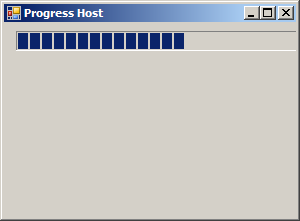
using System;
using System.Collections.Generic;
using System.ComponentModel;
using System.Data;
using System.Drawing;
using System.Text;
using System.Windows.Forms;

public class Form1 : Form
{
  AutoProgress status = new AutoProgress();

  public Form1() {
      this.status = new AutoProgress();
      this.SuspendLayout();
      //
      // status
      //
      this.status.Location = new System.Drawing.Point(12, 8);
      this.status.Name = "status";
      this.status.Size = new System.Drawing.Size(600, 20);
      //
      // Form1
      //
      this.AutoScaleBaseSize = new System.Drawing.Size(5, 14);
      this.ClientSize = new System.Drawing.Size(292, 194);
      this.Controls.Add(this.status);
      this.Font = new System.Drawing.Font("Tahoma", 8.25F, System.Drawing.FontStyle.Regular, System.Drawing.GraphicsUnit.Point, ((byte)(0)));
      this.Name = "Form1";
      this.Text = "Progress Host";
      this.ResumeLayout(false);

      status.Start();

  }
  [STAThread]
  static void Main()
  {
    Application.EnableVisualStyles();
    Application.Run(new Form1());
  }

}

  public class AutoProgress : System.Windows.Forms.UserControl
    {
        internal System.Windows.Forms.ProgressBar myProgressBar;
        internal Timer myTimer;
        private int percentPerSecond = 5;

    public AutoProgress()
    {
            this.myProgressBar = new System.Windows.Forms.ProgressBar();
            this.myTimer = new System.Windows.Forms.Timer(new System.ComponentModel.Container());
            this.SuspendLayout();

            this.myProgressBar.Dock = System.Windows.Forms.DockStyle.Fill;
            this.myProgressBar.Location = new System.Drawing.Point(0, 0);
            this.myProgressBar.Name = "myProgressBar";
            this.myProgressBar.Size = new System.Drawing.Size(164, 42);
            this.myProgressBar.TabIndex = 2;

            this.myTimer.Tick += new System.EventHandler(this.myTimer_Tick);

            this.Controls.Add(this.myProgressBar);
            this.Name = "AutoProgress";
            this.Size = new System.Drawing.Size(164, 42);
            this.ResumeLayout(false);

    }

        public int PercentPerSecond
    {
      get {
        return percentPerSecond;
      }
      set {
                if (value < 0)
                {
                    throw new ArgumentException("Progress cannot go backward.");
                }
                else if (value == 0)
                {
                    throw new ArgumentException("Progress must go on.");
                }
                percentPerSecond = value;
      }
    }

    public void Start()
    {
      myProgressBar.Maximum = 200;

      myTimer.Interval = 100;
      decimal step = Math.Round((decimal)myProgressBar.Maximum * PercentPerSecond / 1000);
      myProgressBar.Step = (int)step;

            myProgressBar.Value = 0;
            myTimer.Start();
        }

        public void Stop()
        {
            myTimer.Stop();
            myProgressBar.Value = 0;
        }

        public void Finish()
        {
            myTimer.Stop();
            myProgressBar.Value = myProgressBar.Maximum;
        }

        private void myTimer_Tick(object sender, EventArgs e)
        {
            myProgressBar.PerformStep();
            if (myProgressBar.Value == myProgressBar.Maximum)
            {
                myProgressBar.Value = 0;
            }
        }
  }
Related examples in the same category