Illustrates encrypting a file : File Cryptography « File Stream « C# / C Sharp

C# / C Sharp
1. 2D Graphics
2. Class Interface
3. Collections Data Structure
4. Components
5. Data Types
6. Database ADO.net
7. Design Patterns
8. Development Class
9. Event
10. File Stream
11. Generics
12. GUI Windows Form
13. Language Basics
14. LINQ
15. Network
16. Office
17. Reflection
18. Regular Expressions
19. Security
20. Services Event
21. Thread
22. Web Services
23. Windows
24. XML
25. XML LINQ
Java
Java Tutorial
Java Source Code / Java Documentation
Java Open Source
Jar File Download
Java Articles
Java Products
Java by API
C# / CSharp Tutorial
ASP.Net
JavaScript DHTML
JavaScript Tutorial
JavaScript Reference
HTML / CSS
HTML CSS Reference
C / ANSI-C
C Tutorial
C++
C++ Tutorial
PHP
Python
SQL Server / T-SQL
Oracle PL / SQL
Oracle PL/SQL Tutorial
PostgreSQL
SQL / MySQL
MySQL Tutorial
VB.Net
VB.Net Tutorial
Flash / Flex / ActionScript
VBA / Excel / Access / Word
Microsoft Office PowerPoint 2007 Tutorial
Microsoft Office Excel 2007 Tutorial
Microsoft Office Word 2007 Tutorial
C# / C Sharp » File Stream » File CryptographyScreenshots 
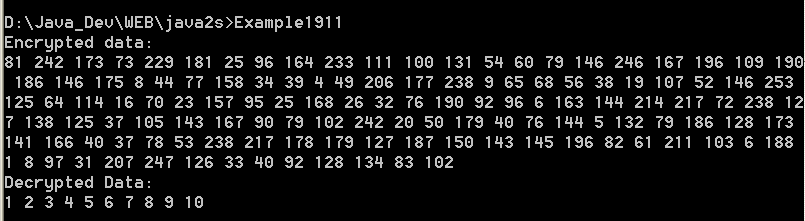
Illustrates encrypting a file

/*
Mastering Visual C# .NET
by Jason Price, Mike Gunderloy

Publisher: Sybex;
ISBN: 0782129110
*/

/*
  Example19_9.cs illustrates encrypting a file
*/

using System;
using System.IO;
using System.Security.Cryptography;

public class Example19_9 
{
    public static void Main() 
    {

        // Create a new file to work with
        FileStream fsOut = File.Create(@"c:\temp\encrypted.txt");

        // Create a new crypto provider
        TripleDESCryptoServiceProvider tdes = 
            new TripleDESCryptoServiceProvider();

        // Create a cryptostream to encrypt to the filestream
        CryptoStream cs = new CryptoStream(fsOut, tdes.CreateEncryptor()
            CryptoStreamMode.Write);

        // Create a StreamWriter to format the output
        StreamWriter sw = new StreamWriter(cs);

        // And write some data
        sw.WriteLine("'Twas brillig, and the slithy toves");
        sw.WriteLine("Did gyre and gimble in the wabe.");
        sw.Flush();
        sw.Close();

        // save the key and IV for future use
        FileStream fsKeyOut = File.Create(@"c:\\temp\encrypted.key");
        
        // use a BinaryWriter to write formatted data to the file
        BinaryWriter bw = new BinaryWriter(fsKeyOut);

        // write data to the file
        bw.Writetdes.Key );
        bw.Writetdes.IV );

        // flush and close
        bw.Flush();
        bw.Close();

    }

}


Related examples in the same category
1. Illustrates asymmetric cryptographyIllustrates asymmetric cryptography
2. Illustrates decrypting a file
3. Illustrates declarative role-based security
4. Illustrates demanding permissions
w_w___w__.j__ava2___s__.___c_o___m__ | Contact Us
Copyright 2003 - 08 Demo Source and Support. All rights reserved.
All other trademarks are property of their respective owners.