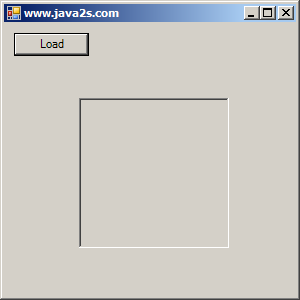
Set Label Border style to FixedSingle
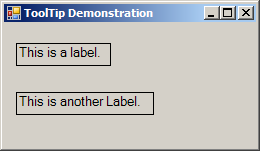
using System;
using System.Collections.Generic;
using System.ComponentModel;
using System.Data;
using System.Drawing;
using System.Text;
using System.Windows.Forms;

public class Form1 : Form
{
   private System.Windows.Forms.Label firstLabel;
   private System.Windows.Forms.Label secondLabel;
   private System.Windows.Forms.ToolTip labelsToolTip;

   public Form1() {
       InitializeComponent();
   }

   private void InitializeComponent()
   {
      this.firstLabel = new System.Windows.Forms.Label();
      this.secondLabel = new System.Windows.Forms.Label();
      this.labelsToolTip = new System.Windows.Forms.ToolTip(new System.ComponentModel.Container());
      this.SuspendLayout();
      //
      // firstLabel
      //
      this.firstLabel.AutoSize = true;
      this.firstLabel.BorderStyle = System.Windows.Forms.BorderStyle.FixedSingle;
      this.firstLabel.Font = new System.Drawing.Font("Microsoft Sans Serif", 10F, System.Drawing.FontStyle.Regular, System.Drawing.GraphicsUnit.Point, ((byte)(0)));
      this.firstLabel.Location = new System.Drawing.Point(12, 20);
      this.firstLabel.Name = "firstLabel";
      this.firstLabel.Size = new System.Drawing.Size(92, 18);
      this.firstLabel.TabIndex = 0;
      this.firstLabel.Text = "This is a label.";
      this.labelsToolTip.SetToolTip(this.firstLabel, "First Label");
      //
      // secondLabel
      //
      this.secondLabel.AutoSize = true;
      this.secondLabel.BorderStyle = System.Windows.Forms.BorderStyle.FixedSingle;
      this.secondLabel.Font = new System.Drawing.Font("Microsoft Sans Serif", 10F, System.Drawing.FontStyle.Regular, System.Drawing.GraphicsUnit.Point, ((byte)(0)));
      this.secondLabel.Location = new System.Drawing.Point(12, 69);
      this.secondLabel.Name = "secondLabel";
      this.secondLabel.Size = new System.Drawing.Size(133, 18);
      this.secondLabel.TabIndex = 1;
      this.secondLabel.Tag = "";
      this.secondLabel.Text = "This is another Label.";
      this.labelsToolTip.SetToolTip(this.secondLabel, "Second Label");
      //
      // ToolTipExampleForm
      //
      this.AutoScaleDimensions = new System.Drawing.SizeF(6F, 13F);
      this.AutoScaleMode = System.Windows.Forms.AutoScaleMode.Font;
      this.ClientSize = new System.Drawing.Size(252, 124);
      this.Controls.Add(this.secondLabel);
      this.Controls.Add(this.firstLabel);
      this.Name = "ToolTipExampleForm";
      this.Text = "ToolTip Demonstration";
      this.ResumeLayout(false);
      this.PerformLayout();

   }

  [STAThread]
  static void Main()
  {
    Application.EnableVisualStyles();
    Application.Run(new Form1());
  }

}
Related examples in the same category