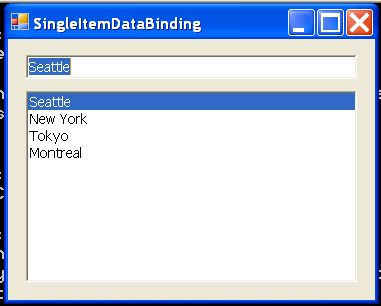
Single Item Data Binding
/*
User Interfaces in C#: Windows Forms and Custom Controls
by Matthew MacDonald

Publisher: Apress
ISBN: 1590590457
*/
using System;
using System.Drawing;
using System.Collections;
using System.ComponentModel;
using System.Windows.Forms;

namespace DataBinding101
{
    /// <summary>
    /// Summary description for SingleItemDataBinding.
    /// </summary>
    public class SingleItemDataBinding : System.Windows.Forms.Form
    {
        internal System.Windows.Forms.ListBox lstCity;
        internal System.Windows.Forms.TextBox txtCity;
        /// <summary>
        /// Required designer variable.
        /// </summary>
        private System.ComponentModel.Container components = null;

        public SingleItemDataBinding()
        {
            //
            // Required for Windows Form Designer support
            //
            InitializeComponent();

            //
            // TODO: Add any constructor code after InitializeComponent call
            //
        }

        /// <summary>
        /// Clean up any resources being used.
        /// </summary>
        protected override void Dispose( bool disposing )
        {
            if( disposing )
            {
                if(components != null)
                {
                    components.Dispose();
                }
            }
            base.Dispose( disposing );
        }

        #region Windows Form Designer generated code
        /// <summary>
        /// Required method for Designer support - do not modify
        /// the contents of this method with the code editor.
        /// </summary>
        private void InitializeComponent()
        {
            this.lstCity = new System.Windows.Forms.ListBox();
            this.txtCity = new System.Windows.Forms.TextBox();
            this.SuspendLayout();
            //
            // lstCity
            //
            this.lstCity.Anchor = (((System.Windows.Forms.AnchorStyles.Top | System.Windows.Forms.AnchorStyles.Bottom)
                | System.Windows.Forms.AnchorStyles.Left)
                | System.Windows.Forms.AnchorStyles.Right);
            this.lstCity.IntegralHeight = false;
            this.lstCity.Location = new System.Drawing.Point(12, 40);
            this.lstCity.Name = "lstCity";
            this.lstCity.Size = new System.Drawing.Size(224, 148);
            this.lstCity.TabIndex = 3;
            //
            // txtCity
            //
            this.txtCity.Anchor = ((System.Windows.Forms.AnchorStyles.Top | System.Windows.Forms.AnchorStyles.Left)
                | System.Windows.Forms.AnchorStyles.Right);
            this.txtCity.Location = new System.Drawing.Point(12, 12);
            this.txtCity.Name = "txtCity";
            this.txtCity.Size = new System.Drawing.Size(224, 21);
            this.txtCity.TabIndex = 2;
            this.txtCity.Text = "";
            //
            // SingleItemDataBinding
            //
            this.AutoScaleBaseSize = new System.Drawing.Size(5, 14);
            this.ClientSize = new System.Drawing.Size(248, 202);
            this.Controls.AddRange(new System.Windows.Forms.Control[] {
                                                                          this.lstCity,
                                                                          this.txtCity});
            this.Font = new System.Drawing.Font("Tahoma", 8.25F, System.Drawing.FontStyle.Regular, System.Drawing.GraphicsUnit.Point, ((System.Byte)(0)));
            this.Name = "SingleItemDataBinding";
            this.Text = "SingleItemDataBinding";
            this.Load += new System.EventHandler(this.SingleItemDataBinding_Load);
            this.ResumeLayout(false);

        }
        #endregion

        private void SingleItemDataBinding_Load(object sender, System.EventArgs e)
        {
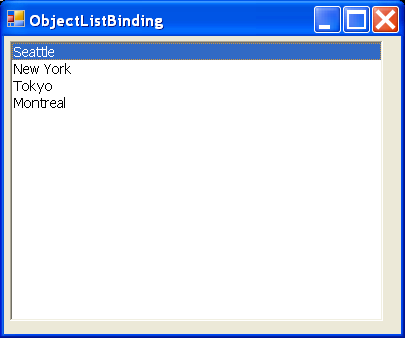
             string[] cityChoices = {"Seattle", "New York", "Tokyo", "Montreal"};
            lstCity.DataSource = cityChoices;
            txtCity.DataBindings.Add("Text", cityChoices, "");
        }

        [STAThread]
        static void Main()
        {
            Application.Run(new SingleItemDataBinding());
        }
    }
}
Related examples in the same category