Implement validation logic on custom objects and then bind to them(Mouse-over to see the validation error message).
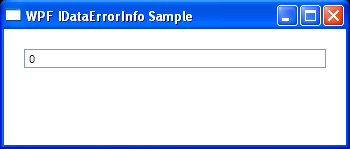
<Window x:Class="WpfApplication1.Window1"
        xmlns="http://schemas.microsoft.com/winfx/2006/xaml/presentation"
        xmlns:x="http://schemas.microsoft.com/winfx/2006/xaml"
        Title="WPF IDataErrorInfo Sample" Width="350" Height="150"
        xmlns:src="clr-namespace:WpfApplication1">

    <Window.Resources>
        <src:Employee x:Key="data"/>
        <Style x:Key="textBoxInError" TargetType="TextBox">
            <Style.Triggers>
                <Trigger Property="Validation.HasError" Value="true">
                    <Setter Property="ToolTip"
                            Value="{Binding RelativeSource={x:Static RelativeSource.Self},
                        Path=(Validation.Errors)[0].ErrorContent}"/>
                </Trigger>
            </Style.Triggers>
        </Style>
    </Window.Resources>

    <StackPanel Margin="20">
        <TextBox Style="{StaticResource textBoxInError}">
            <TextBox.Text>
                <Binding Path="Age" Source="{StaticResource data}"
                         ValidatesOnExceptions="True"
                         UpdateSourceTrigger="PropertyChanged">
                    <Binding.ValidationRules>
                        <DataErrorValidationRule/>
                    </Binding.ValidationRules>
                </Binding>
            </TextBox.Text>
        </TextBox>
    </StackPanel>
</Window>
//File:Window.xaml.cs
using System;
using System.Collections.Generic;
using System.Linq;
using System.Text;
using System.Windows;
using System.Windows.Controls;
using System.Windows.Data;
using System.Windows.Documents;
using System.Windows.Input;
using System.Windows.Media;
using System.Windows.Media.Imaging;
using System.Windows.Navigation;
using System.Windows.Shapes;
using System.ComponentModel;

namespace WpfApplication1
{
    public partial class Window1 : Window
    {
        public Window1()
        {
            InitializeComponent();
        }
    }
    public class Employee : IDataErrorInfo
    {
        private int age;

        public int Age
        {
            get { return age; }
            set { age = value; }
        }

        public string Error
        {
            get
            {
                return null;
            }
        }

        public string this[string name]
        {
            get
            {
                string result = null;

                if (name == "Age")
                {
                    if (this.age < 0 || this.age > 50)
                    {
                        result = "Age must not be less than 0 or greater than 50.";
                    }
                }
                return result;
            }
        }
    }
}
Related examples in the same category
