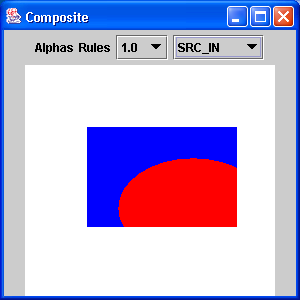
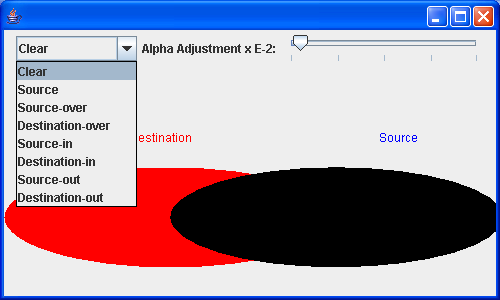
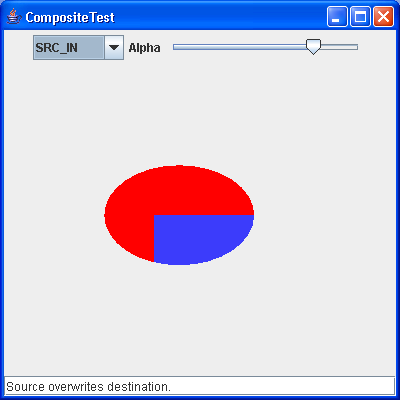
Composite Effects
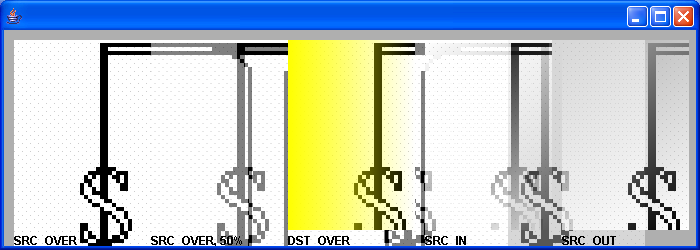
/*
 * Copyright (c) 2000 David Flanagan. All rights reserved. This code is from the
 * book Java Examples in a Nutshell, 2nd Edition. It is provided AS-IS, WITHOUT
 * ANY WARRANTY either expressed or implied. You may study, use, and modify it
 * for any non-commercial purpose. You may distribute it non-commercially as
 * long as you retain this notice. For a commercial use license, or to purchase
 * the book (recommended), visit http://www.davidflanagan.com/javaexamples2.
 */

import java.awt.AlphaComposite;
import java.awt.Color;
import java.awt.Font;
import java.awt.GradientPaint;
import java.awt.Graphics;
import java.awt.Graphics2D;
import java.awt.Image;
import java.awt.Rectangle;
import java.awt.Shape;
import java.awt.event.WindowAdapter;
import java.awt.event.WindowEvent;
import java.awt.geom.Area;
import java.awt.geom.Ellipse2D;
import java.awt.image.BufferedImage;

import javax.swing.JFrame;
import javax.swing.JPanel;

public class CompositeEffects extends JPanel{
  Image cover; // The image we'll be displaying, and its size

  static final int COVERWIDTH = 127, COVERHEIGHT = 190;

  /** This constructor loads the cover image */
  public CompositeEffects() {
    java.net.URL imageurl = this.getClass().getResource("java2s.gif");
    cover = new javax.swing.ImageIcon(imageurl).getImage();
  }

  // These are basic GraphicsExample methods
  public String getName() {
    return "Composite Effects";
  }

  public int getWidth() {
    return 6 * COVERWIDTH + 70;
  }

  public int getHeight() {
    return COVERHEIGHT + 35;
  }

  /** Draw the example */
  public void paint(Graphics g1) {
    Graphics2D g = (Graphics2D)g1;

    // fill the background
    g.setPaint(new Color(175, 175, 175));
    g.fillRect(0, 0, getWidth(), getHeight());

    // Set text attributes
    g.setColor(Color.black);
    g.setFont(new Font("SansSerif", Font.BOLD, 12));

    // Draw the unmodified image
    g.translate(10, 10);
    g.drawImage(cover, 0, 0, this);
    g.drawString("SRC_OVER", 0, COVERHEIGHT + 15);

    // Draw the cover again, using AlphaComposite to make the opaque
    // colors of the image 50% translucent
    g.translate(COVERWIDTH + 10, 0);
    g.setComposite(AlphaComposite
        .getInstance(AlphaComposite.SRC_OVER, 0.5f));
    g.drawImage(cover, 0, 0, this);

    // Restore the pre-defined default Composite for the screen, so
    // opaque colors stay opaque.
    g.setComposite(AlphaComposite.SrcOver);
    // Label the effect
    g.drawString("SRC_OVER, 50%", 0, COVERHEIGHT + 15);

    // Now get an offscreen image to work with. In order to achieve
    // certain compositing effects, the drawing surface must support
    // transparency. Onscreen drawing surfaces cannot, so we have to do the
    // compositing in an offscreen image that is specially created to have
    // an "alpha channel", then copy the final result to the screen.
    BufferedImage offscreen = new BufferedImage(COVERWIDTH, COVERHEIGHT,
        BufferedImage.TYPE_INT_ARGB);

    // First, fill the image with a color gradient background that varies
    // left-to-right from opaque to transparent yellow
    Graphics2D osg = offscreen.createGraphics();
    osg.setPaint(new GradientPaint(0, 0, Color.yellow, COVERWIDTH, 0,
        new Color(255, 255, 0, 0)));
    osg.fillRect(0, 0, COVERWIDTH, COVERHEIGHT);

    // Now copy the cover image on top of this, but use the DstOver rule
    // which draws it "underneath" the existing pixels, and allows the
    // image to show depending on the transparency of those pixels.
    osg.setComposite(AlphaComposite.DstOver);
    osg.drawImage(cover, 0, 0, this);

    // And display this composited image on the screen. Note that the
    // image is opaque and that none of the screen background shows through
    g.translate(COVERWIDTH + 10, 0);
    g.drawImage(offscreen, 0, 0, this);
    g.drawString("DST_OVER", 0, COVERHEIGHT + 15);

    // Now start over and do a new effect with the off-screen image.
    // First, fill the offscreen image with a new color gradient. We
    // don't care about the colors themselves; we just want the
    // translucency of the background to vary. We use opaque black to
    // transparent black. Note that since we've already used this offscreen
    // image, we set the composite to Src, we can fill the image and
    // ignore anything that is already there.
    osg.setComposite(AlphaComposite.Src);
    osg.setPaint(new GradientPaint(0, 0, Color.black, COVERWIDTH,
        COVERHEIGHT, new Color(0, 0, 0, 0)));
    osg.fillRect(0, 0, COVERWIDTH, COVERHEIGHT);

    // Now set the compositing type to SrcIn, so colors come from the
    // source, but translucency comes from the destination
    osg.setComposite(AlphaComposite.SrcIn);

    // Draw our loaded image into the off-screen image, compositing it.
    osg.drawImage(cover, 0, 0, this);

    // And then copy our off-screen image to the screen. Note that the
    // image is translucent and some of the image shows through.
    g.translate(COVERWIDTH + 10, 0);
    g.drawImage(offscreen, 0, 0, this);
    g.drawString("SRC_IN", 0, COVERHEIGHT + 15);

    // If we do the same thing but use SrcOut, then the resulting image
    // will have the inverted translucency values of the destination
    osg.setComposite(AlphaComposite.Src);
    osg.setPaint(new GradientPaint(0, 0, Color.black, COVERWIDTH,
        COVERHEIGHT, new Color(0, 0, 0, 0)));
    osg.fillRect(0, 0, COVERWIDTH, COVERHEIGHT);
    osg.setComposite(AlphaComposite.SrcOut);
    osg.drawImage(cover, 0, 0, this);
    g.translate(COVERWIDTH + 10, 0);
    g.drawImage(offscreen, 0, 0, this);
    g.drawString("SRC_OUT", 0, COVERHEIGHT + 15);

    // Here's a cool effect; it has nothing to do with compositing, but
    // uses an arbitrary shape to clip the image. It uses Area to combine
    // shapes into more complicated ones.
    g.translate(COVERWIDTH + 10, 0);
    Shape savedClip = g.getClip(); // Save current clipping region
    // Create a shape to use as the new clipping region.
    // Begin with an ellipse
    Area clip = new Area(new Ellipse2D.Float(0, 0, COVERWIDTH, COVERHEIGHT));
    // Intersect with a rectangle, truncating the ellipse.
    clip.intersect(new Area(new Rectangle(5, 5, COVERWIDTH - 10,
        COVERHEIGHT - 10)));
    // Then subtract an ellipse from the bottom of the truncated ellipse.
    clip.subtract(new Area(new Ellipse2D.Float(COVERWIDTH / 2 - 40,
        COVERHEIGHT - 20, 80, 40)));
    // Use the resulting shape as the new clipping region
    g.clip(clip);
    // Then draw the image through this clipping region
    g.drawImage(cover, 0, 0, this);
    // Restore the old clipping region so we can label the effect
    g.setClip(savedClip);
    g.drawString("Clipping", 0, COVERHEIGHT + 15);
  }
  public static void main(String[] a){
      JFrame f = new JFrame();
      f.addWindowListener(new WindowAdapter() {
      public void windowClosing(WindowEvent e) {
        System.exit(0);
      }
      });
      f.setContentPane(new CompositeEffects());
      f.setSize(700,250);
      f.setVisible(true);
  }
}
Related examples in the same category