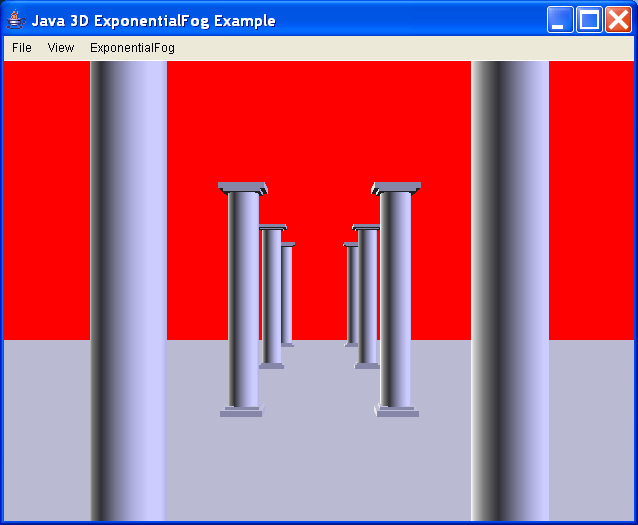
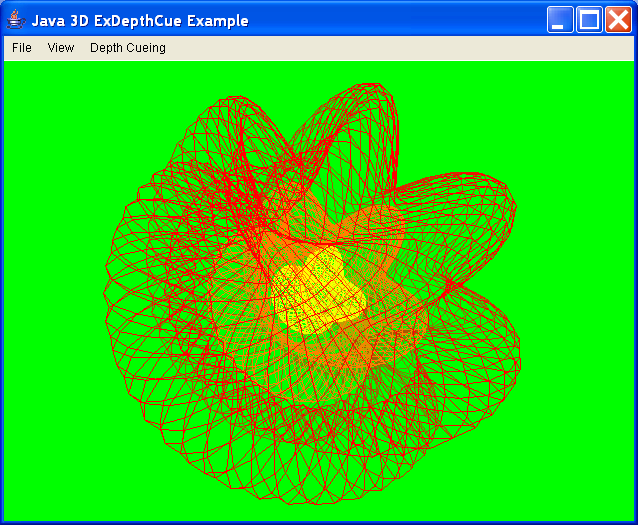
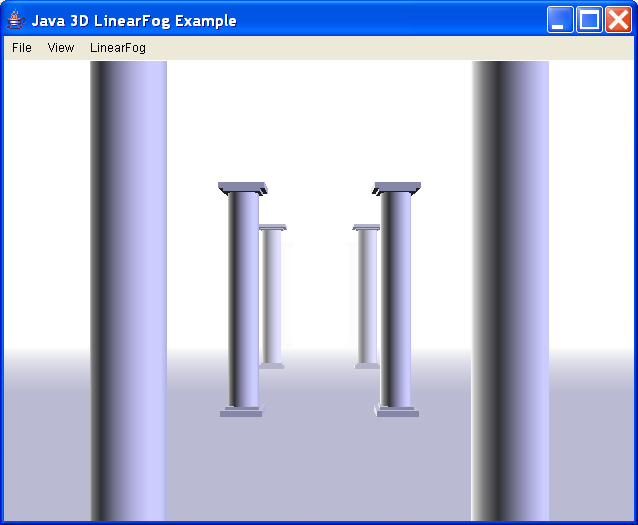
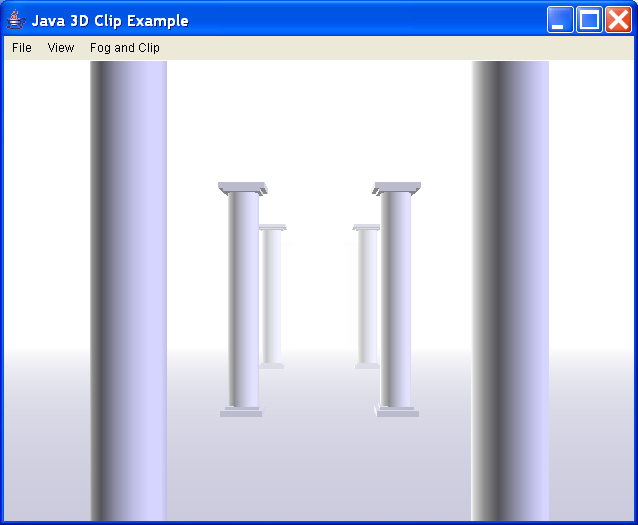
ExClip - illustrate use of linear fog with a clip node
//
//CLASS
//ExClip - illustrate use of linear fog with a clip node
//
//LESSON
//Add a LinearFog node to apply fog of varying thickness, then
//add a Clip node to set the back clip plane at the back fog distance.
//
//SEE ALSO
//ExExponentialFog
//ExLinearFog
//
//AUTHOR
//David R. Nadeau / San Diego Supercomputer Center
//
import java.applet.Applet;
import java.awt.AWTEvent;
import java.awt.BorderLayout;
import java.awt.CheckboxMenuItem;
import java.awt.Component;
import java.awt.Cursor;
import java.awt.Frame;
import java.awt.Menu;
import java.awt.MenuBar;
import java.awt.event.ActionEvent;
import java.awt.event.ActionListener;
import java.awt.event.InputEvent;
import java.awt.event.ItemEvent;
import java.awt.event.ItemListener;
import java.awt.event.MouseEvent;
import java.awt.event.WindowEvent;
import java.awt.event.WindowListener;
import java.io.File;
import java.util.Enumeration;
import java.util.EventListener;
import javax.media.j3d.AmbientLight;
import javax.media.j3d.Appearance;
import javax.media.j3d.Background;
import javax.media.j3d.Behavior;
import javax.media.j3d.BoundingSphere;
import javax.media.j3d.BranchGroup;
import javax.media.j3d.Canvas3D;
import javax.media.j3d.Clip;
import javax.media.j3d.DirectionalLight;
import javax.media.j3d.Fog;
import javax.media.j3d.GeometryArray;
import javax.media.j3d.Group;
import javax.media.j3d.IndexedQuadArray;
import javax.media.j3d.IndexedTriangleStripArray;
import javax.media.j3d.Light;
import javax.media.j3d.LinearFog;
import javax.media.j3d.Link;
import javax.media.j3d.Material;
import javax.media.j3d.Shape3D;
import javax.media.j3d.SharedGroup;
import javax.media.j3d.Texture;
import javax.media.j3d.TextureAttributes;
import javax.media.j3d.Transform3D;
import javax.media.j3d.TransformGroup;
import javax.media.j3d.WakeupCriterion;
import javax.media.j3d.WakeupOnAWTEvent;
import javax.media.j3d.WakeupOnElapsedFrames;
import javax.media.j3d.WakeupOr;
import javax.vecmath.Color3f;
import javax.vecmath.Matrix4d;
import javax.vecmath.Point3d;
import javax.vecmath.Point3f;
import javax.vecmath.Vector3d;
import javax.vecmath.Vector3f;
import com.sun.j3d.utils.geometry.Primitive;
import com.sun.j3d.utils.image.TextureLoader;
import com.sun.j3d.utils.universe.PlatformGeometry;
import com.sun.j3d.utils.universe.SimpleUniverse;
import com.sun.j3d.utils.universe.Viewer;
import com.sun.j3d.utils.universe.ViewingPlatform;
public class ExClip extends Java3DFrame {
//--------------------------------------------------------------
// SCENE CONTENT
//--------------------------------------------------------------
//
// Nodes (updated via menu)
//
private Clip clip = null;
private LinearFog fog = null;
private Background background = null;
//
// Build scene
//
public Group buildScene() {
// Get the current color
Color3f color = (Color3f) colors[currentColor].value;
float front = ((Float) fronts[currentFront].value).floatValue();
float back = ((Float) backs[currentBack].value).floatValue();
// Turn off the example headlight
setHeadlightEnable(false);
// Default to walk navigation
setNavigationType(Walk);
// Create the scene group
Group scene = new Group();
// BEGIN EXAMPLE TOPIC
// Create influencing bounds
BoundingSphere worldBounds = new BoundingSphere(new Point3d(0.0, 0.0,
0.0), // Center
1000.0); // Extent
// Set the fog color, front & back distances, and
// its influencing bounds
fog = new LinearFog();
fog.setColor(color);
fog.setFrontDistance(front);
fog.setBackDistance(back);
fog.setCapability(Fog.ALLOW_COLOR_WRITE);
fog.setCapability(LinearFog.ALLOW_DISTANCE_WRITE);
fog.setInfluencingBounds(worldBounds);
scene.addChild(fog);
// Add a clip node with it's clip distance (back
// distance) set to the fog's back distance. This
// insures that shapes are clipped off, and not drawn,
// from the fog back (maximum density) onwards into
// the distance.
clip = new Clip();
clip.setBackDistance(back);
clip.setCapability(Clip.ALLOW_BACK_DISTANCE_WRITE);
clip.setApplicationBounds(worldBounds);
scene.addChild(clip);
// END EXAMPLE TOPIC
// Set the background color and its application bounds
// Usually, the background color should match the fog color
// or the results look odd.
background = new Background();
background.setColor(color);
background.setApplicationBounds(worldBounds);
background.setCapability(Background.ALLOW_COLOR_WRITE);
scene.addChild(background);
// Build foreground geometry
scene.addChild(new ColumnScene(this));
return scene;
}
//--------------------------------------------------------------
// USER INTERFACE
//--------------------------------------------------------------
//
// Main
//
public static void main(String[] args) {
ExClip ex = new ExClip();
ex.initialize(args);
ex.buildUniverse();
ex.showFrame();
}
// Coupled background and fog color
private boolean coupledBackgroundOnOff = true;
private CheckboxMenuItem coupledBackgroundOnOffMenu = null;
// Color menu choices
private NameValue[] colors = { new NameValue("White", White),
new NameValue("Gray", Gray), new NameValue("Dark Gray", DarkGray),
new NameValue("Black", Black), new NameValue("Red", Red),
new NameValue("Dark Red", DarkRed), new NameValue("Green", Green),
new NameValue("Dark Green", DarkGreen),
new NameValue("Blue", Blue), new NameValue("Dark Blue", DarkBlue), };
private int currentColor = 0;
private int currentBackgroundColor = currentColor;
private CheckboxMenu colorMenu;
private CheckboxMenu backgroundColorMenu;
// Front distance menu choices
private NameValue[] fronts = {
new NameValue("At front (0.0)", new Float(0.0f)),
new NameValue("Near distance (2.0)", new Float(2.0f)),
new NameValue("Mid distance (12.0)", new Float(12.0f)),
new NameValue("Far distance (22.0)", new Float(22.0f)), };
private int currentFront = 0;
private CheckboxMenu frontMenu;
// Back distance menu choices
private NameValue[] backs = {
new NameValue("At front (0.0)", new Float(0.0f)),
new NameValue("Near distance (2.0)", new Float(2.0f)),
new NameValue("Mid distance (12.0)", new Float(12.0f)),
new NameValue("Far distance (22.0)", new Float(22.0f)), };
private int currentBack = 3;
private CheckboxMenu backMenu;
// Coupled clip and fog back distance
private boolean coupledClipBackOnOff = true;
private CheckboxMenuItem coupledClipBackOnOffMenu = null;
// Clip back distance menu choices
private NameValue[] clipBacks = {
new NameValue("At front (0.0)", new Float(0.0f)),
new NameValue("Near distance (2.0)", new Float(2.0f)),
new NameValue("Mid distance (12.0)", new Float(12.0f)),
new NameValue("Far distance (22.0)", new Float(22.0f)), };
private int currentClipBack = 3;
private CheckboxMenu clipBackMenu;
//
// Initialize the GUI (application and applet)
//
public void initialize(String[] args) {
// Initialize the window, menubar, etc.
super.initialize(args);
exampleFrame.setTitle("Java 3D Clip Example");
//
// Add a menubar menu to change node parameters
// Coupled background color
// Background color -->
// Fog color -->
// Fog front distance -->
// Fog back distance -->
// Coupled clip back distance
// Clip back distance -->
//
Menu m = new Menu("Fog and Clip");
coupledBackgroundOnOffMenu = new CheckboxMenuItem(
"Couple background color", coupledBackgroundOnOff);
coupledBackgroundOnOffMenu.addItemListener(this);
m.add(coupledBackgroundOnOffMenu);
backgroundColorMenu = new CheckboxMenu("Background color", colors,
currentBackgroundColor, this);
m.add(backgroundColorMenu);
backgroundColorMenu.setEnabled(!coupledBackgroundOnOff);
colorMenu = new CheckboxMenu("Fog color", colors, currentColor, this);
m.add(colorMenu);
frontMenu = new CheckboxMenu("Fog front distance", fronts,
currentFront, this);
m.add(frontMenu);
backMenu = new CheckboxMenu("Fog back distance", backs, currentBack,
this);
m.add(backMenu);
coupledClipBackOnOffMenu = new CheckboxMenuItem(
"Couple clip back distance", coupledClipBackOnOff);
coupledClipBackOnOffMenu.addItemListener(this);
m.add(coupledClipBackOnOffMenu);
clipBackMenu = new CheckboxMenu("Clip back distance", clipBacks,
currentClipBack, this);
clipBackMenu.setEnabled(!coupledClipBackOnOff);
m.add(clipBackMenu);
exampleMenuBar.add(m);
}
//
// Handle checkboxes and menu choices
//
public void checkboxChanged(CheckboxMenu menu, int check) {
if (menu == backgroundColorMenu) {
// Change the background color
currentBackgroundColor = check;
Color3f color = (Color3f) colors[check].value;
background.setColor(color);
return;
}
if (menu == colorMenu) {
// Change the fog color
currentColor = check;
Color3f color = (Color3f) colors[check].value;
fog.setColor(color);
// If background is coupled, set the background color
if (coupledBackgroundOnOff) {
currentBackgroundColor = currentColor;
backgroundColorMenu.setCurrent(check);
background.setColor(color);
}
return;
}
if (menu == frontMenu) {
// Change the fog front distance
currentFront = check;
float front = ((Float) fronts[currentFront].value).floatValue();
fog.setFrontDistance(front);
return;
}
if (menu == backMenu) {
// Change the fog back distance
currentBack = check;
float back = ((Float) backs[currentBack].value).floatValue();
fog.setBackDistance(back);
if (coupledClipBackOnOff) {
float clipBack = ((Float) clipBacks[currentClipBack].value)
.floatValue();
clipBackMenu.setCurrent(check);
clip.setBackDistance(clipBack);
}
return;
}
if (menu == clipBackMenu) {
// Change the clip back distance
currentClipBack = check;
float clipBack = ((Float) clipBacks[currentClipBack].value)
.floatValue();
clip.setBackDistance(clipBack);
return;
}
// Handle all other checkboxes
super.checkboxChanged(menu, check);
}
public void itemStateChanged(ItemEvent event) {
Object src = event.getSource();
// Check if it is the coupled background choice
if (src == coupledBackgroundOnOffMenu) {
coupledBackgroundOnOff = coupledBackgroundOnOffMenu.getState();
if (coupledBackgroundOnOff) {
currentBackgroundColor = currentColor;
backgroundColorMenu.setCurrent(currentColor);
Color3f color = (Color3f) colors[currentColor].value;
background.setColor(color);
backgroundColorMenu.setEnabled(false);
} else {
backgroundColorMenu.setEnabled(true);
}
}
// Check if it is the coupled clip back distance choice
if (src == coupledClipBackOnOffMenu) {
coupledClipBackOnOff = coupledClipBackOnOffMenu.getState();
if (coupledClipBackOnOff) {
currentClipBack = currentBack;
clipBackMenu.setCurrent(currentClipBack);
float clipBack = ((Float) clipBacks[currentClipBack].value)
.floatValue();
clip.setBackDistance(clipBack);
clipBackMenu.setEnabled(false);
} else {
clipBackMenu.setEnabled(true);
}
}
// Handle all other checkboxes
super.itemStateChanged(event);
}
}
//
//CLASS
//ColumnScene - shapes and lights for a scene with gothic columns
//
//DESCRIPTION
//This class builds a scene containing a stone floor, a set of
//marble columns, plus appropriate lighting. The scene is used in
//several of the examples to provide content to affect with lights,
//background colors and images, and so forth.
//
//SEE ALSO
//ExExponentialFog
//ExLinearFog
//
//AUTHOR
//David R. Nadeau / San Diego Supercomputer Center
//
class ColumnScene extends Group {
//--------------------------------------------------------------
// SCENE CONTENT
//--------------------------------------------------------------
// Construction parameters
private final static float ColumnHeight = 3.0f;
private final static float ColumnRadius = 0.2f;
private final static float ColumnDepthSpacing = 6.0f;
private final static float ColumnSideOffset = 1.0f;
private final static int NumberOfColumns = 4;
private final static float WalkwayWidth = 3.0f;
private final static float WalkwayDepth = ((float) NumberOfColumns - 1)
* ColumnDepthSpacing + 4.0f * WalkwayWidth;
private final static float LawnWidth = 4.0f * WalkwayWidth;
private final static float LawnDepth = WalkwayDepth;
private Texture columnTex = null;
//
// Build a single column in a shared group
//
private SharedGroup buildSharedColumn() {
Appearance columnApp = new Appearance();
Material columnMat = new Material();
columnMat.setAmbientColor(0.6f, 0.6f, 0.6f);
columnMat.setDiffuseColor(1.0f, 1.0f, 1.0f);
columnMat.setSpecularColor(0.0f, 0.0f, 0.0f);
columnApp.setMaterial(columnMat);
TextureAttributes columnTexAtt = new TextureAttributes();
columnTexAtt.setTextureMode(TextureAttributes.MODULATE);
columnTexAtt.setPerspectiveCorrectionMode(TextureAttributes.NICEST);
columnApp.setTextureAttributes(columnTexAtt);
if (columnTex != null)
columnApp.setTexture(columnTex);
GothicColumn columnShape = new GothicColumn(ColumnHeight, // height
ColumnRadius, // radius
GothicColumn.BUILD_TOP, // flags
columnApp); // appearance
// BEGIN EXAMPLE TOPIC
// Build a shared group to hold the column shape
SharedGroup column = new SharedGroup();
column.addChild(columnShape);
// END EXAMPLE TOPIC
return column;
}
//
// Used a column in a shared group and link to it
// several times to build a double row of columns
//
private Group buildColumns(SharedGroup column) {
Group group = new Group();
// Place columns
float x = -ColumnSideOffset;
float y = -1.6f;
float z = ColumnDepthSpacing;
float xSpacing = 2.0f * ColumnSideOffset;
float zSpacing = -ColumnDepthSpacing;
// BEGIN EXAMPLE TOPIC
Vector3f trans = new Vector3f();
Transform3D tr = new Transform3D();
TransformGroup tg;
for (int i = 0; i < NumberOfColumns; i++) {
// Left link
trans.set(x, y, z);
tr.set(trans);
tg = new TransformGroup(tr);
tg.addChild(new Link(column));
group.addChild(tg);
// Right link
trans.set(x + xSpacing, y, z);
tr.set(trans);
tg = new TransformGroup(tr);
tg.addChild(new Link(column));
group.addChild(tg);
z += zSpacing;
}
// END EXAMPLE TOPIC
return group;
}
//
// Build a scene containing multiple columns
//
public ColumnScene(Component observer) {
BoundingSphere worldBounds = new BoundingSphere(new Point3d(0.0, 0.0,
0.0), // Center
1000.0); // Extent
// Add a few lights
AmbientLight ambient = new AmbientLight();
ambient.setEnable(true);
ambient.setColor(new Color3f(0.2f, 0.2f, 0.2f));
ambient.setInfluencingBounds(worldBounds);
addChild(ambient);
DirectionalLight dir1 = new DirectionalLight();
dir1.setEnable(true);
dir1.setColor(new Color3f(1.0f, 1.0f, 1.0f));
dir1.setDirection(new Vector3f(0.8f, -0.35f, 0.5f));
dir1.setInfluencingBounds(worldBounds);
addChild(dir1);
DirectionalLight dir2 = new DirectionalLight();
dir2.setEnable(true);
dir2.setColor(new Color3f(0.75f, 0.75f, 1.0f));
dir2.setDirection(new Vector3f(-0.7f, -0.35f, -0.5f));
dir2.setInfluencingBounds(worldBounds);
addChild(dir2);
// Load textures
TextureLoader texLoader = new TextureLoader("grass06.jpg", observer);
Texture grassTex = texLoader.getTexture();
if (grassTex == null)
System.err.println("Cannot load grass06.jpg texture");
else {
grassTex.setBoundaryModeS(Texture.WRAP);
grassTex.setBoundaryModeT(Texture.WRAP);
grassTex.setMinFilter(Texture.NICEST);
grassTex.setMagFilter(Texture.NICEST);
grassTex.setMipMapMode(Texture.BASE_LEVEL);
grassTex.setEnable(true);
}
texLoader = new TextureLoader("marble10.jpg", observer);
Texture walkTex = texLoader.getTexture();
if (walkTex == null)
System.err.println("Cannot load marble10.jpg texture");
else {
walkTex.setBoundaryModeS(Texture.WRAP);
walkTex.setBoundaryModeT(Texture.WRAP);
walkTex.setMinFilter(Texture.NICEST);
walkTex.setMagFilter(Texture.NICEST);
walkTex.setMipMapMode(Texture.BASE_LEVEL);
walkTex.setEnable(true);
}
texLoader = new TextureLoader("granite07rev.jpg", observer);
columnTex = texLoader.getTexture();
if (columnTex == null)
System.err.println("Cannot load granite07rev.jpg texture");
else {
columnTex.setBoundaryModeS(Texture.WRAP);
columnTex.setBoundaryModeT(Texture.WRAP);
columnTex.setMinFilter(Texture.NICEST);
columnTex.setMagFilter(Texture.NICEST);
columnTex.setMipMapMode(Texture.BASE_LEVEL);
columnTex.setEnable(true);
}
//
// Build the ground
// +-----+---+-----+
// | | | |
// | G | W | G |
// | | | |
// +-----+---+-----+
//
// where "G" is grass, and "W" is a walkway between columns
//
Vector3f trans = new Vector3f();
Transform3D tr = new Transform3D();
TransformGroup tg;
// Walkway appearance
Appearance walkApp = new Appearance();
Material walkMat = new Material();
walkMat.setAmbientColor(0.5f, 0.5f, 0.5f);
walkMat.setDiffuseColor(1.0f, 1.0f, 1.0f);
walkMat.setSpecularColor(0.0f, 0.0f, 0.0f);
walkApp.setMaterial(walkMat);
TextureAttributes walkTexAtt = new TextureAttributes();
walkTexAtt.setTextureMode(TextureAttributes.MODULATE);
walkTexAtt.setPerspectiveCorrectionMode(TextureAttributes.NICEST);
tr.setIdentity();
tr.setScale(new Vector3d(1.0, 6.0, 1.0));
walkTexAtt.setTextureTransform(tr);
walkApp.setTextureAttributes(walkTexAtt);
if (walkTex != null)
walkApp.setTexture(walkTex);
// Grass appearance
Appearance grassApp = new Appearance();
Material grassMat = new Material();
grassMat.setAmbientColor(0.5f, 0.5f, 0.5f);
grassMat.setDiffuseColor(1.0f, 1.0f, 1.0f);
grassMat.setSpecularColor(0.0f, 0.0f, 0.0f);
grassApp.setMaterial(grassMat);
TextureAttributes grassTexAtt = new TextureAttributes();
grassTexAtt.setTextureMode(TextureAttributes.MODULATE);
grassTexAtt.setPerspectiveCorrectionMode(TextureAttributes.NICEST);
tr.setIdentity();
tr.setScale(new Vector3d(2.0, 8.0, 1.0));
grassTexAtt.setTextureTransform(tr);
grassApp.setTextureAttributes(grassTexAtt);
if (grassTex != null)
grassApp.setTexture(grassTex);
// Left grass
trans.set(-LawnWidth / 2.0f - WalkwayWidth / 2.0f, -1.6f, 0.0f);
tr.set(trans);
tg = new TransformGroup(tr);
ElevationGrid grass1 = new ElevationGrid(2, // X dimension
2, // Z dimension
LawnWidth, // X spacing
LawnDepth, // Z spacing
grassApp); // appearance
tg.addChild(grass1);
addChild(tg);
// Right grass
trans.set(LawnWidth / 2.0f + WalkwayWidth / 2.0f, -1.6f, 0.0f);
tr.set(trans);
tg = new TransformGroup(tr);
ElevationGrid grass2 = new ElevationGrid(2, // X dimension
2, // Z dimension
LawnWidth, // X spacing
LawnDepth, // Z spacing
grassApp); // appearance
tg.addChild(grass2);
addChild(tg);
// Walkway
trans.set(0.0f, -1.6f, 0.0f);
tr.set(trans);
tg = new TransformGroup(tr);
ElevationGrid walk = new ElevationGrid(2, // X dimension
2, // Z dimension
WalkwayWidth, // X spacing
WalkwayDepth, // Z spacing
walkApp); // appearance
tg.addChild(walk);
addChild(tg);
//
// Build several columns on the floor
//
SharedGroup column = buildSharedColumn();
Group columns = buildColumns(column);
addChild(columns);
}
}
//
//CLASS
//GothicColumn - Gothic-style column used in example scenes
//
//DESCRIPTION
//This class builds a Gothic-column architectural column.
//
//SEE ALSO
//?
//
//AUTHOR
//David R. Nadeau / San Diego Supercomputer Center
//
//
class GothicColumn extends Primitive {
//
// Construction Flags
//
public final static int BUILD_TAPERED_CROWN = 0x1;
public final static int BUILD_TOP = 0x2;
public final static int BUILD_BOTTOM = 0x4;
//
// 3D nodes
//
private Appearance mainAppearance = null;
//
// Construct a column
//
public GothicColumn(float height, float radius, Appearance app) {
this(height, radius, 0, app);
}
public GothicColumn(float height, float radius, int flags, Appearance app) {
mainAppearance = app;
// Compute sizes and positions based upon the
// desired main column radius
// Base box
float baseWidth = 2.7f * radius;
float baseDepth = baseWidth;
float baseHeight = 0.75f * radius / 2.0f;
// Base box #2
float base2Width = 0.8f * baseWidth;
float base2Depth = base2Width;
float base2Height = baseHeight / 2.0f;
// Tapered crown
float crownWidth1 = 2.0f * 0.707f * radius;
float crownDepth1 = crownWidth1;
float crownWidth2 = 1.0f * base2Width;
float crownDepth2 = 1.0f * base2Depth;
float crownHeight = 2.0f * baseHeight;
// Box above tapered crown
float crown2Width = 1.1f * base2Width;
float crown2Depth = 1.1f * base2Depth;
float crown2Height = base2Height;
// Final crown box
float crown3Width = 1.1f * baseWidth;
float crown3Depth = 1.1f * baseDepth;
float crown3Height = baseHeight;
// Cylindrical column
// Extend it up and into the tapered crown
float columnHeight = height - baseHeight - base2Height - crown2Height
- crown3Height;
float columnRadius = radius;
float baseY = baseHeight / 2.0f;
float base2Y = baseHeight + base2Height / 2.0f;
float columnY = baseHeight + base2Height + columnHeight / 2.0f;
float crown2Y = baseHeight + base2Height + columnHeight + crown2Height
/ 2.0f;
float crown3Y = baseHeight + base2Height + columnHeight + crown2Height
+ crown3Height / 2.0f;
float crownY = crown2Y - crown2Height / 2.0f - crownHeight / 2.0f;
// Column base box
int fl = BUILD_TOP;
if ((flags & BUILD_BOTTOM) != 0)
fl |= BUILD_BOTTOM;
addBox(baseWidth, baseHeight, baseDepth, baseY, fl);
// Column base box #2 (no bottom)
addBox(base2Width, base2Height, base2Depth, base2Y, BUILD_TOP);
// Main column (no top or bottom)
addCylinder(columnRadius, columnHeight, columnY);
// Column crown tapered box (no top or bottom)
if ((flags & BUILD_TAPERED_CROWN) != 0) {
addBox(crownWidth1, crownHeight, crownDepth1, crownY, crownWidth2,
crownDepth2, 0);
}
// Box above tapered crown (no top)
addBox(crown2Width, crown2Height, crown2Depth, crown2Y, BUILD_BOTTOM);
// Final crown box
fl = BUILD_BOTTOM;
if ((flags & BUILD_TOP) != 0)
fl |= BUILD_TOP;
addBox(crown3Width, crown3Height, crown3Depth, crown3Y, fl);
}
//
// Add an untapered box
//
private void addBox(float width, float height, float depth, float y) {
addBox(width, height, depth, y, width, depth, 0);
}
private void addBox(float width, float height, float depth, float y,
int flags) {
addBox(width, height, depth, y, width, depth, flags);
}
private void addBox(float width, float height, float depth, float y,
float width2, float depth2) {
addBox(width, height, depth, y, width2, depth2, 0);
}
//
// Add a tapered box
//
private void addBox(float width, float height, float depth, float y,
float width2, float depth2, int flags) {
float[] coordinates = {
// around the bottom
-width / 2.0f, -height / 2.0f, depth / 2.0f, width / 2.0f,
-height / 2.0f, depth / 2.0f, width / 2.0f, -height / 2.0f,
-depth / 2.0f, -width / 2.0f, -height / 2.0f, -depth / 2.0f,
// around the top
-width2 / 2.0f, height / 2.0f, depth2 / 2.0f, width2 / 2.0f,
height / 2.0f, depth2 / 2.0f, width2 / 2.0f, height / 2.0f,
-depth2 / 2.0f, -width2 / 2.0f, height / 2.0f, -depth2 / 2.0f, };
int[] fullCoordinateIndexes = { 0, 1, 5, 4, // front
1, 2, 6, 5, // right
2, 3, 7, 6, // back
3, 0, 4, 7, // left
4, 5, 6, 7, // top
3, 2, 1, 0, // bottom
};
float v = -(width2 - width) / height;
float[] normals = { 0.0f, v, 1.0f, // front
1.0f, v, 0.0f, // right
0.0f, v, -1.0f, // back
-1.0f, v, 0.0f, // left
0.0f, 1.0f, 0.0f, // top
0.0f, -1.0f, 0.0f, // bottom
};
int[] fullNormalIndexes = { 0, 0, 0, 0, // front
1, 1, 1, 1, // right
2, 2, 2, 2, // back
3, 3, 3, 3, // left
4, 4, 4, 4, // top
5, 5, 5, 5, // bottom
};
float[] textureCoordinates = { 0.0f, 0.0f, 1.0f, 0.0f, 1.0f, 1.0f,
0.0f, 1.0f, };
int[] fullTextureCoordinateIndexes = { 0, 1, 2, 3, // front
0, 1, 2, 3, // right
0, 1, 2, 3, // back
0, 1, 2, 3, // left
0, 1, 2, 3, // top
0, 1, 2, 3, // bottom
};
// Select indexes needed
int[] coordinateIndexes;
int[] normalIndexes;
int[] textureCoordinateIndexes;
if (flags == 0) {
// build neither top or bottom
coordinateIndexes = new int[4 * 4];
textureCoordinateIndexes = new int[4 * 4];
normalIndexes = new int[4 * 4];
for (int i = 0; i < 4 * 4; i++) {
coordinateIndexes[i] = fullCoordinateIndexes[i];
textureCoordinateIndexes[i] = fullTextureCoordinateIndexes[i];
normalIndexes[i] = fullNormalIndexes[i];
}
} else if ((flags & (BUILD_TOP | BUILD_BOTTOM)) == (BUILD_TOP | BUILD_BOTTOM)) {
// build top and bottom
coordinateIndexes = fullCoordinateIndexes;
textureCoordinateIndexes = fullTextureCoordinateIndexes;
normalIndexes = fullNormalIndexes;
} else if ((flags & BUILD_TOP) != 0) {
// build top but not bottom
coordinateIndexes = new int[5 * 4];
textureCoordinateIndexes = new int[5 * 4];
normalIndexes = new int[5 * 4];
for (int i = 0; i < 5 * 4; i++) {
coordinateIndexes[i] = fullCoordinateIndexes[i];
textureCoordinateIndexes[i] = fullTextureCoordinateIndexes[i];
normalIndexes[i] = fullNormalIndexes[i];
}
} else {
// build bottom but not top
coordinateIndexes = new int[5 * 4];
textureCoordinateIndexes = new int[5 * 4];
normalIndexes = new int[5 * 4];
for (int i = 0; i < 4 * 4; i++) {
coordinateIndexes[i] = fullCoordinateIndexes[i];
textureCoordinateIndexes[i] = fullTextureCoordinateIndexes[i];
normalIndexes[i] = fullNormalIndexes[i];
}
for (int i = 5 * 4; i < 6 * 4; i++) {
coordinateIndexes[i - 4] = fullCoordinateIndexes[i];
textureCoordinateIndexes[i - 4] = fullTextureCoordinateIndexes[i];
normalIndexes[i - 4] = fullNormalIndexes[i];
}
}
IndexedQuadArray quads = new IndexedQuadArray(coordinates.length, // number
// of
// vertexes
GeometryArray.COORDINATES | // vertex coordinates given
GeometryArray.NORMALS | // normals given
GeometryArray.TEXTURE_COORDINATE_2, // texture
// coordinates given
coordinateIndexes.length); // number of coordinate indexes
quads.setCoordinates(0, coordinates);
quads.setCoordinateIndices(0, coordinateIndexes);
quads.setNormals(0, normals);
quads.setNormalIndices(0, normalIndexes);
quads.setTextureCoordinates(0, textureCoordinates);
quads.setTextureCoordinateIndices(0, textureCoordinateIndexes);
Shape3D box = new Shape3D(quads, mainAppearance);
Vector3f trans = new Vector3f(0.0f, y, 0.0f);
Transform3D tr = new Transform3D();
tr.set(trans); // translate
TransformGroup tg = new TransformGroup(tr);
tg.addChild(box);
addChild(tg);
}
private final static int NSTEPS = 16;
private void addCylinder(float radius, float height, float y) {
//
// Compute coordinates, normals, and texture coordinates
// around the top and bottom of a cylinder
//
float[] coordinates = new float[NSTEPS * 2 * 3]; // xyz
float[] normals = new float[NSTEPS * 2 * 3]; // xyz vector
float[] textureCoordinates = new float[NSTEPS * 2 * 2]; // st
float angle = 0.0f;
float deltaAngle = 2.0f * (float) Math.PI / ((float) NSTEPS - 1);
float s = 0.0f;
float deltaS = 1.0f / ((float) NSTEPS - 1);
int n = 0;
int tn = 0;
float h2 = height / 2.0f;
for (int i = 0; i < NSTEPS; i++) {
// bottom
normals[n + 0] = (float) Math.cos(angle);
normals[n + 1] = 0.0f;
normals[n + 2] = -(float) Math.sin(angle);
coordinates[n + 0] = radius * normals[n + 0];
coordinates[n + 1] = -h2;
coordinates[n + 2] = radius * normals[n + 2];
textureCoordinates[tn + 0] = s;
textureCoordinates[tn + 1] = 0.0f;
n += 3;
tn += 2;
// top
normals[n + 0] = normals[n - 3];
normals[n + 1] = 0.0f;
normals[n + 2] = normals[n - 1];
coordinates[n + 0] = coordinates[n - 3];
coordinates[n + 1] = h2;
coordinates[n + 2] = coordinates[n - 1];
textureCoordinates[tn + 0] = s;
textureCoordinates[tn + 1] = 1.0f;
n += 3;
tn += 2;
angle += deltaAngle;
s += deltaS;
}
//
// Compute coordinate indexes, normal indexes, and texture
// coordinate indexes awround the sides of a cylinder.
// For this application, we don't need top or bottom, so
// skip them.
//
int[] indexes = new int[NSTEPS * 4];
n = 0;
int p = 0; // panel count
for (int i = 0; i < NSTEPS - 1; i++) {
indexes[n + 0] = p; // bottom left
indexes[n + 1] = p + 2; // bottom right (next panel)
indexes[n + 2] = p + 3; // top right (next panel)
indexes[n + 3] = p + 1; // top left
n += 4;
p += 2;
}
indexes[n + 0] = p; // bottom left
indexes[n + 1] = 0; // bottom right (next panel)
indexes[n + 2] = 1; // top right (next panel)
indexes[n + 3] = p + 1; // top left
IndexedQuadArray quads = new IndexedQuadArray(coordinates.length / 3, // number
// of
// vertexes
GeometryArray.COORDINATES | // format
GeometryArray.NORMALS
| GeometryArray.TEXTURE_COORDINATE_2, indexes.length); // number
// of
// indexes
quads.setCoordinates(0, coordinates);
quads.setTextureCoordinates(0, textureCoordinates);
quads.setNormals(0, normals);
quads.setCoordinateIndices(0, indexes);
quads.setTextureCoordinateIndices(0, indexes);
quads.setNormalIndices(0, indexes);
Shape3D shape = new Shape3D(quads, mainAppearance);
Vector3f trans = new Vector3f(0.0f, y, 0.0f);
Transform3D tr = new Transform3D();
tr.set(trans); // translate
TransformGroup tg = new TransformGroup(tr);
tg.addChild(shape);
addChild(tg);
}
//
// Control the appearance
//
public void setAppearance(Appearance app) {
mainAppearance = app;
}
//
// Provide info on the shape and geometry
//
public Shape3D getShape(int partid) {
return null;
}
public int getNumTriangles() {
return 0;
}
public int getNumVertices() {
return 2;
}
/*
* (non-Javadoc)
*
* @see com.sun.j3d.utils.geometry.Primitive#getAppearance(int)
*/
public Appearance getAppearance(int arg0) {
// TODO Auto-generated method stub
return null;
}
}
//
//CLASS
//ElevationGrid - a 3D terrain grid built from a list of heights
//
//DESCRIPTION
//This class creates a 3D terrain on a grid whose X and Z dimensions,
//and row/column spacing are parameters, along with a list of heights
//(elevations), one per grid row/column pair.
//
class ElevationGrid extends Primitive {
// Parameters
protected int xDimension = 0, zDimension = 0;
protected double xSpacing = 0.0, zSpacing = 0.0;
protected double[] heights = null;
// 3D nodes
private Appearance mainAppearance = null;
private Shape3D shape = null;
private IndexedTriangleStripArray tristrip = null;
//
// Construct an elevation grid
//
public ElevationGrid() {
xDimension = 2;
zDimension = 2;
xSpacing = 1.0;
zSpacing = 1.0;
mainAppearance = null;
zeroHeights();
rebuild();
}
public ElevationGrid(int xDim, int zDim) {
xDimension = xDim;
zDimension = zDim;
xSpacing = 1.0;
zSpacing = 1.0;
mainAppearance = null;
zeroHeights();
rebuild();
}
public ElevationGrid(int xDim, int zDim, Appearance app) {
xDimension = xDim;
zDimension = zDim;
xSpacing = 1.0;
zSpacing = 1.0;
mainAppearance = app;
zeroHeights();
rebuild();
}
public ElevationGrid(int xDim, int zDim, double xSpace, double zSpace) {
xDimension = xDim;
zDimension = zDim;
xSpacing = xSpace;
zSpacing = zSpace;
mainAppearance = null;
zeroHeights();
rebuild();
}
public ElevationGrid(int xDim, int zDim, double xSpace, double zSpace,
Appearance app) {
xDimension = xDim;
zDimension = zDim;
xSpacing = xSpace;
zSpacing = zSpace;
mainAppearance = app;
zeroHeights();
rebuild();
}
public ElevationGrid(int xDim, int zDim, double[] h) {
this(xDim, zDim, 1.0, 1.0, h, null);
}
public ElevationGrid(int xDim, int zDim, double[] h, Appearance app) {
this(xDim, zDim, 1.0, 1.0, h, app);
}
public ElevationGrid(int xDim, int zDim, double xSpace, double zSpace,
double[] h) {
this(xDim, zDim, xSpace, zSpace, h, null);
}
public ElevationGrid(int xDim, int zDim, double xSpace, double zSpace,
double[] h, Appearance app) {
xDimension = xDim;
zDimension = zDim;
xSpacing = xSpace;
zSpacing = zSpace;
mainAppearance = app;
if (h == null)
zeroHeights();
else {
heights = new double[h.length];
for (int i = 0; i < h.length; i++)
heights[i] = h[i];
}
rebuild();
}
private void zeroHeights() {
int n = xDimension * zDimension;
heights = new double[n];
for (int i = 0; i < n; i++)
heights[i] = 0.0;
}
private void rebuild() {
// Build a shape
if (shape == null) {
shape = new Shape3D();
shape.setCapability(Shape3D.ALLOW_APPEARANCE_WRITE);
shape.setCapability(Shape3D.ALLOW_GEOMETRY_WRITE);
shape.setAppearance(mainAppearance);
addChild(shape);
} else {
shape.setAppearance(mainAppearance);
}
if (xDimension < 2 || zDimension < 2 || heights == null
|| heights.length < 4) {
tristrip = null;
shape.setGeometry(null);
return;
}
// Create a list of coordinates, one per grid row/column
double[] coordinates = new double[xDimension * zDimension * 3];
double x, z;
int n = 0, k = 0;
z = ((double) (zDimension - 1)) * zSpacing / 2.0; // start at front edge
for (int i = 0; i < zDimension; i++) {
x = -((double) (xDimension - 1)) * xSpacing / 2.0;// start at left
// edge
for (int j = 0; j < xDimension; j++) {
coordinates[n++] = x;
coordinates[n++] = heights[k++];
coordinates[n++] = z;
x += xSpacing;
}
z -= zSpacing;
}
// Create a list of normals, one per grid row/column
float[] normals = new float[xDimension * zDimension * 3];
Vector3f one = new Vector3f(0.0f, 0.0f, 0.0f);
Vector3f two = new Vector3f(0.0f, 0.0f, 0.0f);
Vector3f norm = new Vector3f(0.0f, 0.0f, 0.0f);
n = 0;
k = 0;
for (int i = 0; i < zDimension - 1; i++) {
for (int j = 0; j < xDimension - 1; j++) {
// Vector to right in X
one.set((float) xSpacing,
(float) (heights[k + 1] - heights[k]), 0.0f);
// Vector back in Z
two.set(0.0f, (float) (heights[k + xDimension] - heights[k]),
(float) -zSpacing);
// Cross them to get the normal
norm.cross(one, two);
normals[n++] = norm.x;
normals[n++] = norm.y;
normals[n++] = norm.z;
k++;
}
// Last normal in row is a copy of the previous one
normals[n] = normals[n - 3]; // X
normals[n + 1] = normals[n - 2]; // Y
normals[n + 2] = normals[n - 1]; // Z
n += 3;
k++;
}
// Last row of normals is a copy of the previous row
for (int j = 0; j < xDimension; j++) {
normals[n] = normals[n - xDimension * 3]; // X
normals[n + 1] = normals[n - xDimension * 3 + 1]; // Y
normals[n + 2] = normals[n - xDimension * 3 + 2]; // Z
n += 3;
}
// Create a list of texture coordinates, one per grid row/column
float[] texcoordinates = new float[xDimension * zDimension * 2];
float deltaS = 1.0f / (float) (xDimension - 1);
float deltaT = 1.0f / (float) (zDimension - 1);
float s = 0.0f;
float t = 0.0f;
n = 0;
for (int i = 0; i < zDimension; i++) {
s = 0.0f;
for (int j = 0; j < xDimension; j++) {
texcoordinates[n++] = s;
texcoordinates[n++] = t;
s += deltaS;
}
t += deltaT;
}
// Create a list of triangle strip indexes. Each strip goes
// down one row (X direction) of the elevation grid.
int[] indexes = new int[xDimension * (zDimension - 1) * 2];
int[] stripCounts = new int[zDimension - 1];
n = 0;
k = 0;
for (int i = 0; i < zDimension - 1; i++) {
stripCounts[i] = xDimension * 2;
for (int j = 0; j < xDimension; j++) {
indexes[n++] = k + xDimension;
indexes[n++] = k;
k++;
}
}
// Create geometry for collection of triangle strips, one
// strip per row of the elevation grid
tristrip = new IndexedTriangleStripArray(coordinates.length,
GeometryArray.COORDINATES | GeometryArray.NORMALS
| GeometryArray.TEXTURE_COORDINATE_2, indexes.length,
stripCounts);
tristrip.setCoordinates(0, coordinates);
tristrip.setNormals(0, normals);
tristrip.setTextureCoordinates(0, texcoordinates);
tristrip.setCoordinateIndices(0, indexes);
tristrip.setNormalIndices(0, indexes);
tristrip.setTextureCoordinateIndices(0, indexes);
// Set the geometry for the shape
shape.setGeometry(tristrip);
}
//
// Control the appearance
//
public void setAppearance(Appearance app) {
mainAppearance = app;
if (shape != null)
shape.setAppearance(mainAppearance);
}
//
// Control grid parameters
//
public void setHeights(double[] h) {
if (h == null)
zeroHeights();
else {
heights = new double[h.length];
for (int i = 0; i < h.length; i++)
heights[i] = h[i];
}
rebuild();
}
public double[] getHeights() {
return heights;
}
public void setXDimension(int xDim) {
xDimension = xDim;
rebuild();
}
public int getXDimension() {
return xDimension;
}
public void setZDimension(int zDim) {
zDimension = zDim;
rebuild();
}
public int getZDimension() {
return zDimension;
}
public void setXSpacing(double xSpace) {
xSpacing = xSpace;
rebuild();
}
public double getXSpacing() {
return xSpacing;
}
public void setZSpacing(double zSpace) {
zSpacing = zSpace;
rebuild();
}
public double getZSpacing() {
return zSpacing;
}
//
// Provide info on the shape and geometry
//
public Shape3D getShape(int partid) {
return shape;
}
public int getNumTriangles() {
return xDimension * zDimension * 2;
}
public int getNumVertices() {
return xDimension * zDimension;
}
/*
* (non-Javadoc)
*
* @see com.sun.j3d.utils.geometry.Primitive#getAppearance(int)
*/
public Appearance getAppearance(int arg0) {
// TODO Auto-generated method stub
return null;
}
}
/**
* The Example class is a base class extended by example applications. The class
* provides basic features to create a top-level frame, add a menubar and
* Canvas3D, build the universe, set up "examine" and "walk" style navigation
* behaviors, and provide hooks so that subclasses can add 3D content to the
* example's universe.
* <P>
* Using this Example class simplifies the construction of example applications,
* enabling the author to focus upon 3D content and not the busywork of creating
* windows, menus, and universes.
*
* @version 1.0, 98/04/16
* @author David R. Nadeau, San Diego Supercomputer Center
*/
class Java3DFrame extends Applet implements WindowListener, ActionListener,
ItemListener, CheckboxMenuListener {
// Navigation types
public final static int Walk = 0;
public final static int Examine = 1;
// Should the scene be compiled?
private boolean shouldCompile = true;
// GUI objects for our subclasses
protected Java3DFrame example = null;
protected Frame exampleFrame = null;
protected MenuBar exampleMenuBar = null;
protected Canvas3D exampleCanvas = null;
protected TransformGroup exampleViewTransform = null;
protected TransformGroup exampleSceneTransform = null;
protected boolean debug = false;
// Private GUI objects and state
private boolean headlightOnOff = true;
private int navigationType = Examine;
private CheckboxMenuItem headlightMenuItem = null;
private CheckboxMenuItem walkMenuItem = null;
private CheckboxMenuItem examineMenuItem = null;
private DirectionalLight headlight = null;
private ExamineViewerBehavior examineBehavior = null;
private WalkViewerBehavior walkBehavior = null;
//--------------------------------------------------------------
// ADMINISTRATION
//--------------------------------------------------------------
/**
* The main program entry point when invoked as an application. Each example
* application that extends this class must define their own main.
*
* @param args
* a String array of command-line arguments
*/
public static void main(String[] args) {
Java3DFrame ex = new Java3DFrame();
ex.initialize(args);
ex.buildUniverse();
ex.showFrame();
}
/**
* Constructs a new Example object.
*
* @return a new Example that draws no 3D content
*/
public Java3DFrame() {
// Do nothing
}
/**
* Initializes the application when invoked as an applet.
*/
public void init() {
// Collect properties into String array
String[] args = new String[2];
// NOTE: to be done still...
this.initialize(args);
this.buildUniverse();
this.showFrame();
// NOTE: add something to the browser page?
}
/**
* Initializes the Example by parsing command-line arguments, building an
* AWT Frame, constructing a menubar, and creating the 3D canvas.
*
* @param args
* a String array of command-line arguments
*/
protected void initialize(String[] args) {
example = this;
// Parse incoming arguments
parseArgs(args);
// Build the frame
if (debug)
System.err.println("Building GUI...");
exampleFrame = new Frame();
exampleFrame.setSize(640, 480);
exampleFrame.setTitle("Java 3D Example");
exampleFrame.setLayout(new BorderLayout());
// Set up a close behavior
exampleFrame.addWindowListener(this);
// Create a canvas
exampleCanvas = new Canvas3D(null);
exampleCanvas.setSize(630, 460);
exampleFrame.add("Center", exampleCanvas);
// Build the menubar
exampleMenuBar = this.buildMenuBar();
exampleFrame.setMenuBar(exampleMenuBar);
// Pack
exampleFrame.pack();
exampleFrame.validate();
// exampleFrame.setVisible( true );
}
/**
* Parses incoming command-line arguments. Applications that subclass this
* class may override this method to support their own command-line
* arguments.
*
* @param args
* a String array of command-line arguments
*/
protected void parseArgs(String[] args) {
for (int i = 0; i < args.length; i++) {
if (args[i].equals("-d"))
debug = true;
}
}
//--------------------------------------------------------------
// SCENE CONTENT
//--------------------------------------------------------------
/**
* Builds the 3D universe by constructing a virtual universe (via
* SimpleUniverse), a view platform (via SimpleUniverse), and a view (via
* SimpleUniverse). A headlight is added and a set of behaviors initialized
* to handle navigation types.
*/
protected void buildUniverse() {
//
// Create a SimpleUniverse object, which builds:
//
// - a Locale using the given hi-res coordinate origin
//
// - a ViewingPlatform which in turn builds:
// - a MultiTransformGroup with which to move the
// the ViewPlatform about
//
// - a ViewPlatform to hold the view
//
// - a BranchGroup to hold avatar geometry (if any)
//
// - a BranchGroup to hold view platform
// geometry (if any)
//
// - a Viewer which in turn builds:
// - a PhysicalBody which characterizes the user's
// viewing preferences and abilities
//
// - a PhysicalEnvironment which characterizes the
// user's rendering hardware and software
//
// - a JavaSoundMixer which initializes sound
// support within the 3D environment
//
// - a View which renders the scene into a Canvas3D
//
// All of these actions could be done explicitly, but
// using the SimpleUniverse utilities simplifies the code.
//
if (debug)
System.err.println("Building scene graph...");
SimpleUniverse universe = new SimpleUniverse(null, // Hi-res coordinate
// for the origin -
// use default
1, // Number of transforms in MultiTransformGroup
exampleCanvas, // Canvas3D into which to draw
null); // URL for user configuration file - use defaults
//
// Get the viewer and create an audio device so that
// sound will be enabled in this content.
//
Viewer viewer = universe.getViewer();
viewer.createAudioDevice();
//
// Get the viewing platform created by SimpleUniverse.
// From that platform, get the inner-most TransformGroup
// in the MultiTransformGroup. That inner-most group
// contains the ViewPlatform. It is this inner-most
// TransformGroup we need in order to:
//
// - add a "headlight" that always aims forward from
// the viewer
//
// - change the viewing direction in a "walk" style
//
// The inner-most TransformGroup's transform will be
// changed by the walk behavior (when enabled).
//
ViewingPlatform viewingPlatform = universe.getViewingPlatform();
exampleViewTransform = viewingPlatform.getViewPlatformTransform();
//
// Create a "headlight" as a forward-facing directional light.
// Set the light's bounds to huge. Since we want the light
// on the viewer's "head", we need the light within the
// TransformGroup containing the ViewPlatform. The
// ViewingPlatform class creates a handy hook to do this
// called "platform geometry". The PlatformGeometry class is
// subclassed off of BranchGroup, and is intended to contain
// a description of the 3D platform itself... PLUS a headlight!
// So, to add the headlight, create a new PlatformGeometry group,
// add the light to it, then add that platform geometry to the
// ViewingPlatform.
//
BoundingSphere allBounds = new BoundingSphere(
new Point3d(0.0, 0.0, 0.0), 100000.0);
PlatformGeometry pg = new PlatformGeometry();
headlight = new DirectionalLight();
headlight.setColor(White);
headlight.setDirection(new Vector3f(0.0f, 0.0f, -1.0f));
headlight.setInfluencingBounds(allBounds);
headlight.setCapability(Light.ALLOW_STATE_WRITE);
pg.addChild(headlight);
viewingPlatform.setPlatformGeometry(pg);
//
// Create the 3D content BranchGroup, containing:
//
// - a TransformGroup who's transform the examine behavior
// will change (when enabled).
//
// - 3D geometry to view
//
// Build the scene root
BranchGroup sceneRoot = new BranchGroup();
// Build a transform that we can modify
exampleSceneTransform = new TransformGroup();
exampleSceneTransform
.setCapability(TransformGroup.ALLOW_TRANSFORM_READ);
exampleSceneTransform
.setCapability(TransformGroup.ALLOW_TRANSFORM_WRITE);
exampleSceneTransform.setCapability(Group.ALLOW_CHILDREN_EXTEND);
//
// Build the scene, add it to the transform, and add
// the transform to the scene root
//
if (debug)
System.err.println(" scene...");
Group scene = this.buildScene();
exampleSceneTransform.addChild(scene);
sceneRoot.addChild(exampleSceneTransform);
//
// Create a pair of behaviors to implement two navigation
// types:
//
// - "examine": a style where mouse drags rotate about
// the scene's origin as if it is an object under
// examination. This is similar to the "Examine"
// navigation type used by VRML browsers.
//
// - "walk": a style where mouse drags rotate about
// the viewer's center as if the viewer is turning
// about to look at a scene they are in. This is
// similar to the "Walk" navigation type used by
// VRML browsers.
//
// Aim the examine behavior at the scene's TransformGroup
// and add the behavior to the scene root.
//
// Aim the walk behavior at the viewing platform's
// TransformGroup and add the behavior to the scene root.
//
// Enable one (and only one!) of the two behaviors
// depending upon the current navigation type.
//
examineBehavior = new ExamineViewerBehavior(exampleSceneTransform, // Transform
// gorup
// to
// modify
exampleFrame); // Parent frame for cusor changes
examineBehavior.setSchedulingBounds(allBounds);
sceneRoot.addChild(examineBehavior);
walkBehavior = new WalkViewerBehavior(exampleViewTransform, // Transform
// group to
// modify
exampleFrame); // Parent frame for cusor changes
walkBehavior.setSchedulingBounds(allBounds);
sceneRoot.addChild(walkBehavior);
if (navigationType == Walk) {
examineBehavior.setEnable(false);
walkBehavior.setEnable(true);
} else {
examineBehavior.setEnable(true);
walkBehavior.setEnable(false);
}
//
// Compile the scene branch group and add it to the
// SimpleUniverse.
//
if (shouldCompile)
sceneRoot.compile();
universe.addBranchGraph(sceneRoot);
reset();
}
/**
* Builds the scene. Example application subclasses should replace this
* method with their own method to build 3D content.
*
* @return a Group containing 3D content to display
*/
public Group buildScene() {
// Build the scene group containing nothing
Group scene = new Group();
return scene;
}
//--------------------------------------------------------------
// SET/GET METHODS
//--------------------------------------------------------------
/**
* Sets the headlight on/off state. The headlight faces forward in the
* direction the viewer is facing. Example applications that add their own
* lights will typically turn the headlight off. A standard menu item
* enables the headlight to be turned on and off via user control.
*
* @param onOff
* a boolean turning the light on (true) or off (false)
*/
public void setHeadlightEnable(boolean onOff) {
headlightOnOff = onOff;
if (headlight != null)
headlight.setEnable(headlightOnOff);
if (headlightMenuItem != null)
headlightMenuItem.setState(headlightOnOff);
}
/**
* Gets the headlight on/off state.
*
* @return a boolean indicating if the headlight is on or off
*/
public boolean getHeadlightEnable() {
return headlightOnOff;
}
/**
* Sets the navigation type to be either Examine or Walk. The Examine
* navigation type sets up behaviors that use mouse drags to rotate and
* translate scene content as if it is an object held at arm's length and
* under examination. The Walk navigation type uses mouse drags to rotate
* and translate the viewer as if they are walking through the content. The
* Examine type is the default.
*
* @param nav
* either Walk or Examine
*/
public void setNavigationType(int nav) {
if (nav == Walk) {
navigationType = Walk;
if (walkMenuItem != null)
walkMenuItem.setState(true);
if (examineMenuItem != null)
examineMenuItem.setState(false);
if (walkBehavior != null)
walkBehavior.setEnable(true);
if (examineBehavior != null)
examineBehavior.setEnable(false);
} else {
navigationType = Examine;
if (walkMenuItem != null)
walkMenuItem.setState(false);
if (examineMenuItem != null)
examineMenuItem.setState(true);
if (walkBehavior != null)
walkBehavior.setEnable(false);
if (examineBehavior != null)
examineBehavior.setEnable(true);
}
}
/**
* Gets the current navigation type, returning either Walk or Examine.
*
* @return either Walk or Examine
*/
public int getNavigationType() {
return navigationType;
}
/**
* Sets whether the scene graph should be compiled or not. Normally this is
* always a good idea. For some example applications that use this Example
* framework, it is useful to disable compilation - particularly when nodes
* and node components will need to be made un-live in order to make
* changes. Once compiled, such components can be made un-live, but they are
* still unchangable unless appropriate capabilities have been set.
*
* @param onOff
* a boolean turning compilation on (true) or off (false)
*/
public void setCompilable(boolean onOff) {
shouldCompile = onOff;
}
/**
* Gets whether the scene graph will be compiled or not.
*
* @return a boolean indicating if scene graph compilation is on or off
*/
public boolean getCompilable() {
return shouldCompile;
}
//These methods will be replaced
// Set the view position and direction
public void setViewpoint(Point3f position, Vector3f direction) {
Transform3D t = new Transform3D();
t.set(new Vector3f(position));
exampleViewTransform.setTransform(t);
// how to set direction?
}
// Reset transforms
public void reset() {
Transform3D trans = new Transform3D();
exampleSceneTransform.setTransform(trans);
trans.set(new Vector3f(0.0f, 0.0f, 10.0f));
exampleViewTransform.setTransform(trans);
setNavigationType(navigationType);
}
//
// Gets the URL (with file: prepended) for the current directory.
// This is a terrible hack needed in the Alpha release of Java3D
// in order to build a full path URL for loading sounds with
// MediaContainer. When MediaContainer is fully implemented,
// it should handle relative path names, but not yet.
//
public String getCurrentDirectory() {
// Create a bogus file so that we can query it's path
File dummy = new File("dummy.tmp");
String dummyPath = dummy.getAbsolutePath();
// strip "/dummy.tmp" from end of dummyPath and put into 'path'
if (dummyPath.endsWith(File.separator + "dummy.tmp")) {
int index = dummyPath.lastIndexOf(File.separator + "dummy.tmp");
if (index >= 0) {
int pathLength = index + 5; // pre-pend 'file:'
char[] charPath = new char[pathLength];
dummyPath.getChars(0, index, charPath, 5);
String path = new String(charPath, 0, pathLength);
path = "file:" + path.substring(5, pathLength);
return path + File.separator;
}
}
return dummyPath + File.separator;
}
//--------------------------------------------------------------
// USER INTERFACE
//--------------------------------------------------------------
/**
* Builds the example AWT Frame menubar. Standard menus and their options
* are added. Applications that subclass this class should build their
* menubar additions within their initialize method.
*
* @return a MenuBar for the AWT Frame
*/
private MenuBar buildMenuBar() {
// Build the menubar
MenuBar menuBar = new MenuBar();
// File menu
Menu m = new Menu("File");
m.addActionListener(this);
m.add("Exit");
menuBar.add(m);
// View menu
m = new Menu("View");
m.addActionListener(this);
m.add("Reset view");
m.addSeparator();
walkMenuItem = new CheckboxMenuItem("Walk");
walkMenuItem.addItemListener(this);
m.add(walkMenuItem);
examineMenuItem = new CheckboxMenuItem("Examine");
examineMenuItem.addItemListener(this);
m.add(examineMenuItem);
if (navigationType == Walk) {
walkMenuItem.setState(true);
examineMenuItem.setState(false);
} else {
walkMenuItem.setState(false);
examineMenuItem.setState(true);
}
m.addSeparator();
headlightMenuItem = new CheckboxMenuItem("Headlight on/off");
headlightMenuItem.addItemListener(this);
headlightMenuItem.setState(headlightOnOff);
m.add(headlightMenuItem);
menuBar.add(m);
return menuBar;
}
/**
* Shows the application's frame, making it and its menubar, 3D canvas, and
* 3D content visible.
*/
public void showFrame() {
exampleFrame.show();
}
/**
* Quits the application.
*/
public void quit() {
System.exit(0);
}
/**
* Handles menu selections.
*
* @param event
* an ActionEvent indicating what menu action requires handling
*/
public void actionPerformed(ActionEvent event) {
String arg = event.getActionCommand();
if (arg.equals("Reset view"))
reset();
else if (arg.equals("Exit"))
quit();
}
/**
* Handles checkbox items on a CheckboxMenu. The Example class has none of
* its own, but subclasses may have some.
*
* @param menu
* which CheckboxMenu needs action
* @param check
* which CheckboxMenu item has changed
*/
public void checkboxChanged(CheckboxMenu menu, int check) {
// None for us
}
/**
* Handles on/off checkbox items on a standard menu.
*
* @param event
* an ItemEvent indicating what requires handling
*/
public void itemStateChanged(ItemEvent event) {
Object src = event.getSource();
boolean state;
if (src == headlightMenuItem) {
state = headlightMenuItem.getState();
headlight.setEnable(state);
} else if (src == walkMenuItem)
setNavigationType(Walk);
else if (src == examineMenuItem)
setNavigationType(Examine);
}
/**
* Handles a window closing event notifying the application that the user
* has chosen to close the application without selecting the "Exit" menu
* item.
*
* @param event
* a WindowEvent indicating the window is closing
*/
public void windowClosing(WindowEvent event) {
quit();
}
public void windowClosed(WindowEvent event) {
}
public void windowOpened(WindowEvent event) {
}
public void windowIconified(WindowEvent event) {
}
public void windowDeiconified(WindowEvent event) {
}
public void windowActivated(WindowEvent event) {
}
public void windowDeactivated(WindowEvent event) {
}
// Well known colors, positions, and directions
public final static Color3f White = new Color3f(1.0f, 1.0f, 1.0f);
public final static Color3f Gray = new Color3f(0.7f, 0.7f, 0.7f);
public final static Color3f DarkGray = new Color3f(0.2f, 0.2f, 0.2f);
public final static Color3f Black = new Color3f(0.0f, 0.0f, 0.0f);
public final static Color3f Red = new Color3f(1.0f, 0.0f, 0.0f);
public final static Color3f DarkRed = new Color3f(0.3f, 0.0f, 0.0f);
public final static Color3f Yellow = new Color3f(1.0f, 1.0f, 0.0f);
public final static Color3f DarkYellow = new Color3f(0.3f, 0.3f, 0.0f);
public final static Color3f Green = new Color3f(0.0f, 1.0f, 0.0f);
public final static Color3f DarkGreen = new Color3f(0.0f, 0.3f, 0.0f);
public final static Color3f Cyan = new Color3f(0.0f, 1.0f, 1.0f);
public final static Color3f Blue = new Color3f(0.0f, 0.0f, 1.0f);
public final static Color3f DarkBlue = new Color3f(0.0f, 0.0f, 0.3f);
public final static Color3f Magenta = new Color3f(1.0f, 0.0f, 1.0f);
public final static Vector3f PosX = new Vector3f(1.0f, 0.0f, 0.0f);
public final static Vector3f NegX = new Vector3f(-1.0f, 0.0f, 0.0f);
public final static Vector3f PosY = new Vector3f(0.0f, 1.0f, 0.0f);
public final static Vector3f NegY = new Vector3f(0.0f, -1.0f, 0.0f);
public final static Vector3f PosZ = new Vector3f(0.0f, 0.0f, 1.0f);
public final static Vector3f NegZ = new Vector3f(0.0f, 0.0f, -1.0f);
public final static Point3f Origin = new Point3f(0.0f, 0.0f, 0.0f);
public final static Point3f PlusX = new Point3f(0.75f, 0.0f, 0.0f);
public final static Point3f MinusX = new Point3f(-0.75f, 0.0f, 0.0f);
public final static Point3f PlusY = new Point3f(0.0f, 0.75f, 0.0f);
public final static Point3f MinusY = new Point3f(0.0f, -0.75f, 0.0f);
public final static Point3f PlusZ = new Point3f(0.0f, 0.0f, 0.75f);
public final static Point3f MinusZ = new Point3f(0.0f, 0.0f, -0.75f);
}
//
//INTERFACE
//CheckboxMenuListener - listen for checkbox change events
//
//DESCRIPTION
//The checkboxChanged method is called by users of this class
//to notify the listener when a checkbox choice has changed on
//a CheckboxMenu class menu.
//
interface CheckboxMenuListener extends EventListener {
public void checkboxChanged(CheckboxMenu menu, int check);
}
/**
* ExamineViewerBehavior
*
* @version 1.0, 98/04/16
*/
/**
* Wakeup on mouse button presses, releases, and mouse movements and generate
* transforms in an "examination style" that enables the user to rotate,
* translation, and zoom an object as if it is held at arm's length. Such an
* examination style is similar to the "Examine" navigation type used by VRML
* browsers.
*
* The behavior maps mouse drags to different transforms depending upon the
* mosue button held down:
*
* Button 1 (left) Horizontal movement --> Y-axis rotation Vertical movement -->
* X-axis rotation
*
* Button 2 (middle) Horizontal movement --> nothing Vertical movement -->
* Z-axis translation
*
* Button 3 (right) Horizontal movement --> X-axis translation Vertical movement
* --> Y-axis translation
*
* To support systems with 2 or 1 mouse buttons, the following alternate
* mappings are supported while dragging with any mouse button held down and
* zero or more keyboard modifiers held down:
*
* No modifiers = Button 1 ALT = Button 2 Meta = Button 3 Control = Button 3
*
* The behavior automatically modifies a TransformGroup provided to the
* constructor. The TransformGroup's transform can be set at any time by the
* application or other behaviors to cause the examine rotation and translation
* to be reset.
*/
// This class is inspired by the MouseBehavior, MouseRotate,
// MouseTranslate, and MouseZoom utility behaviors provided with
// Java 3D. This class differs from those utilities in that it:
//
// (a) encapsulates all three behaviors into one in order to
// enforce a specific "Examine" symantic
//
// (b) supports set/get of the rotation and translation factors
// that control the speed of movement.
//
// (c) supports the "Control" modifier as an alternative to the
// "Meta" modifier not present on PC, Mac, and most non-Sun
// keyboards. This makes button3 behavior usable on PCs,
// Macs, and other systems with fewer than 3 mouse buttons.
class ExamineViewerBehavior extends ViewerBehavior {
// Previous cursor location
protected int previousX = 0;
protected int previousY = 0;
// Saved standard cursor
protected Cursor savedCursor = null;
/**
* Construct an examine behavior that listens to mouse movement and button
* presses to generate rotation and translation transforms written into a
* transform group given later with the setTransformGroup( ) method.
*/
public ExamineViewerBehavior() {
super();
}
/**
* Construct an examine behavior that listens to mouse movement and button
* presses to generate rotation and translation transforms written into a
* transform group given later with the setTransformGroup( ) method.
*
* @param parent
* The AWT Component that contains the area generating mouse
* events.
*/
public ExamineViewerBehavior(Component parent) {
super(parent);
}
/**
* Construct an examine behavior that listens to mouse movement and button
* presses to generate rotation and translation transforms written into the
* given transform group.
*
* @param transformGroup
* The transform group to be modified by the behavior.
*/
public ExamineViewerBehavior(TransformGroup transformGroup) {
super();
subjectTransformGroup = transformGroup;
}
/**
* Construct an examine behavior that listens to mouse movement and button
* presses to generate rotation and translation transforms written into the
* given transform group.
*
* @param transformGroup
* The transform group to be modified by the behavior.
* @param parent
* The AWT Component that contains the area generating mouse
* events.
*/
public ExamineViewerBehavior(TransformGroup transformGroup, Component parent) {
super(parent);
subjectTransformGroup = transformGroup;
}
/**
* Respond to a button1 event (press, release, or drag).
*
* @param mouseEvent
* A MouseEvent to respond to.
*/
public void onButton1(MouseEvent mev) {
if (subjectTransformGroup == null)
return;
int x = mev.getX();
int y = mev.getY();
if (mev.getID() == MouseEvent.MOUSE_PRESSED) {
// Mouse button pressed: record position
previousX = x;
previousY = y;
// Change to a "move" cursor
if (parentComponent != null) {
savedCursor = parentComponent.getCursor();
parentComponent.setCursor(Cursor
.getPredefinedCursor(Cursor.HAND_CURSOR));
}
return;
}
if (mev.getID() == MouseEvent.MOUSE_RELEASED) {
// Mouse button released: do nothing
// Switch the cursor back
if (parentComponent != null)
parentComponent.setCursor(savedCursor);
return;
}
//
// Mouse moved while button down: create a rotation
//
// Compute the delta in X and Y from the previous
// position. Use the delta to compute rotation
// angles with the mapping:
//
// positive X mouse delta --> positive Y-axis rotation
// positive Y mouse delta --> positive X-axis rotation
//
// where positive X mouse movement is to the right, and
// positive Y mouse movement is **down** the screen.
//
int deltaX = x - previousX;
int deltaY = y - previousY;
if (deltaX > UNUSUAL_XDELTA || deltaX < -UNUSUAL_XDELTA
|| deltaY > UNUSUAL_YDELTA || deltaY < -UNUSUAL_YDELTA) {
// Deltas are too huge to be believable. Probably a glitch.
// Don't record the new XY location, or do anything.
return;
}
double xRotationAngle = deltaY * XRotationFactor;
double yRotationAngle = deltaX * YRotationFactor;
//
// Build transforms
//
transform1.rotX(xRotationAngle);
transform2.rotY(yRotationAngle);
// Get and save the current transform matrix
subjectTransformGroup.getTransform(currentTransform);
currentTransform.get(matrix);
translate.set(matrix.m03, matrix.m13, matrix.m23);
// Translate to the origin, rotate, then translate back
currentTransform.setTranslation(origin);
currentTransform.mul(transform1, currentTransform);
currentTransform.mul(transform2, currentTransform);
currentTransform.setTranslation(translate);
// Update the transform group
subjectTransformGroup.setTransform(currentTransform);
previousX = x;
previousY = y;
}
/**
* Respond to a button2 event (press, release, or drag).
*
* @param mouseEvent
* A MouseEvent to respond to.
*/
public void onButton2(MouseEvent mev) {
if (subjectTransformGroup == null)
return;
int x = mev.getX();
int y = mev.getY();
if (mev.getID() == MouseEvent.MOUSE_PRESSED) {
// Mouse button pressed: record position
previousX = x;
previousY = y;
// Change to a "move" cursor
if (parentComponent != null) {
savedCursor = parentComponent.getCursor();
parentComponent.setCursor(Cursor
.getPredefinedCursor(Cursor.MOVE_CURSOR));
}
return;
}
if (mev.getID() == MouseEvent.MOUSE_RELEASED) {
// Mouse button released: do nothing
// Switch the cursor back
if (parentComponent != null)
parentComponent.setCursor(savedCursor);
return;
}
//
// Mouse moved while button down: create a translation
//
// Compute the delta in Y from the previous
// position. Use the delta to compute translation
// distances with the mapping:
//
// positive Y mouse delta --> positive Y-axis translation
//
// where positive X mouse movement is to the right, and
// positive Y mouse movement is **down** the screen.
//
int deltaY = y - previousY;
if (deltaY > UNUSUAL_YDELTA || deltaY < -UNUSUAL_YDELTA) {
// Deltas are too huge to be believable. Probably a glitch.
// Don't record the new XY location, or do anything.
return;
}
double zTranslationDistance = deltaY * ZTranslationFactor;
//
// Build transforms
//
translate.set(0.0, 0.0, zTranslationDistance);
transform1.set(translate);
// Get and save the current transform
subjectTransformGroup.getTransform(currentTransform);
// Translate as needed
currentTransform.mul(transform1, currentTransform);
// Update the transform group
subjectTransformGroup.setTransform(currentTransform);
previousX = x;
previousY = y;
}
/**
* Respond to a button3 event (press, release, or drag).
*
* @param mouseEvent
* A MouseEvent to respond to.
*/
public void onButton3(MouseEvent mev) {
if (subjectTransformGroup == null)
return;
int x = mev.getX();
int y = mev.getY();
if (mev.getID() == MouseEvent.MOUSE_PRESSED) {
// Mouse button pressed: record position
previousX = x;
previousY = y;
// Change to a "move" cursor
if (parentComponent != null) {
savedCursor = parentComponent.getCursor();
parentComponent.setCursor(Cursor
.getPredefinedCursor(Cursor.MOVE_CURSOR));
}
return;
}
if (mev.getID() == MouseEvent.MOUSE_RELEASED) {
// Mouse button released: do nothing
// Switch the cursor back
if (parentComponent != null)
parentComponent.setCursor(savedCursor);
return;
}
//
// Mouse moved while button down: create a translation
//
// Compute the delta in X and Y from the previous
// position. Use the delta to compute translation
// distances with the mapping:
//
// positive X mouse delta --> positive X-axis translation
// positive Y mouse delta --> negative Y-axis translation
//
// where positive X mouse movement is to the right, and
// positive Y mouse movement is **down** the screen.
//
int deltaX = x - previousX;
int deltaY = y - previousY;
if (deltaX > UNUSUAL_XDELTA || deltaX < -UNUSUAL_XDELTA
|| deltaY > UNUSUAL_YDELTA || deltaY < -UNUSUAL_YDELTA) {
// Deltas are too huge to be believable. Probably a glitch.
// Don't record the new XY location, or do anything.
return;
}
double xTranslationDistance = deltaX * XTranslationFactor;
double yTranslationDistance = -deltaY * YTranslationFactor;
//
// Build transforms
//
translate.set(xTranslationDistance, yTranslationDistance, 0.0);
transform1.set(translate);
// Get and save the current transform
subjectTransformGroup.getTransform(currentTransform);
// Translate as needed
currentTransform.mul(transform1, currentTransform);
// Update the transform group
subjectTransformGroup.setTransform(currentTransform);
previousX = x;
previousY = y;
}
/**
* Respond to an elapsed frames event (assuming subclass has set up a wakeup
* criterion for it).
*
* @param time
* A WakeupOnElapsedFrames criterion to respond to.
*/
public void onElapsedFrames(WakeupOnElapsedFrames timeEvent) {
// Can't happen
}
}
/*
*
* Copyright (c) 1998 David R. Nadeau
*
*/
/**
* WalkViewerBehavior is a utility class that creates a "walking style"
* navigation symantic.
*
* The behavior wakes up on mouse button presses, releases, and mouse movements
* and generates transforms in a "walk style" that enables the user to walk
* through a scene, translating and turning about as if they are within the
* scene. Such a walk style is similar to the "Walk" navigation type used by
* VRML browsers.
* <P>
* The behavior maps mouse drags to different transforms depending upon the
* mouse button held down:
* <DL>
* <DT>Button 1 (left)
* <DD>Horizontal movement --> Y-axis rotation
* <DD>Vertical movement --> Z-axis translation
*
* <DT>Button 2 (middle)
* <DD>Horizontal movement --> Y-axis rotation
* <DD>Vertical movement --> X-axis rotation
*
* <DT>Button 3 (right)
* <DD>Horizontal movement --> X-axis translation
* <DD>Vertical movement --> Y-axis translation
* </DL>
*
* To support systems with 2 or 1 mouse buttons, the following alternate
* mappings are supported while dragging with any mouse button held down and
* zero or more keyboard modifiers held down:
* <UL>
* <LI>No modifiers = Button 1
* <LI>ALT = Button 2
* <LI>Meta = Button 3
* <LI>Control = Button 3
* </UL>
* The behavior automatically modifies a TransformGroup provided to the
* constructor. The TransformGroup's transform can be set at any time by the
* application or other behaviors to cause the walk rotation and translation to
* be reset.
* <P>
* While a mouse button is down, the behavior automatically changes the cursor
* in a given parent AWT Component. If no parent Component is given, no cursor
* changes are attempted.
*
* @version 1.0, 98/04/16
* @author David R. Nadeau, San Diego Supercomputer Center
*/
class WalkViewerBehavior extends ViewerBehavior {
// This class is inspired by the MouseBehavior, MouseRotate,
// MouseTranslate, and MouseZoom utility behaviors provided with
// Java 3D. This class differs from those utilities in that it:
//
// (a) encapsulates all three behaviors into one in order to
// enforce a specific "Walk" symantic
//
// (b) supports set/get of the rotation and translation factors
// that control the speed of movement.
//
// (c) supports the "Control" modifier as an alternative to the
// "Meta" modifier not present on PC, Mac, and most non-Sun
// keyboards. This makes button3 behavior usable on PCs,
// Macs, and other systems with fewer than 3 mouse buttons.
// Previous and initial cursor locations
protected int previousX = 0;
protected int previousY = 0;
protected int initialX = 0;
protected int initialY = 0;
// Deadzone size (delta from initial XY for which no
// translate or rotate action is taken
protected static final int DELTAX_DEADZONE = 10;
protected static final int DELTAY_DEADZONE = 10;
// Keep a set of wakeup criterion for animation-generated
// event types.
protected WakeupCriterion[] mouseAndAnimationEvents = null;
protected WakeupOr mouseAndAnimationCriterion = null;
protected WakeupOr savedMouseCriterion = null;
// Saved standard cursor
protected Cursor savedCursor = null;
/**
* Default Rotation and translation scaling factors for animated movements
* (Button 1 press).
*/
public static final double DEFAULT_YROTATION_ANIMATION_FACTOR = 0.0002;
public static final double DEFAULT_ZTRANSLATION_ANIMATION_FACTOR = 0.01;
protected double YRotationAnimationFactor = DEFAULT_YROTATION_ANIMATION_FACTOR;
protected double ZTranslationAnimationFactor = DEFAULT_ZTRANSLATION_ANIMATION_FACTOR;
/**
* Constructs a new walk behavior that converts mouse actions into rotations
* and translations. Rotations and translations are written into a
* TransformGroup that must be set using the setTransformGroup method. The
* cursor will be changed during mouse actions if the parent frame is set
* using the setParentComponent method.
*
* @return a new WalkViewerBehavior that needs its TransformGroup and parent
* Component set
*/
public WalkViewerBehavior() {
super();
}
/**
* Constructs a new walk behavior that converts mouse actions into rotations
* and translations. Rotations and translations are written into a
* TransformGroup that must be set using the setTransformGroup method. The
* cursor will be changed within the given AWT parent Component during mouse
* drags.
*
* @param parent
* a parent AWT Component within which the cursor will change
* during mouse drags
*
* @return a new WalkViewerBehavior that needs its TransformGroup and parent
* Component set
*/
public WalkViewerBehavior(Component parent) {
super(parent);
}
/**
* Constructs a new walk behavior that converts mouse actions into rotations
* and translations. Rotations and translations are written into the given
* TransformGroup. The cursor will be changed during mouse actions if the
* parent frame is set using the setParentComponent method.
*
* @param transformGroup
* a TransformGroup whos transform is read and written by the
* behavior
*
* @return a new WalkViewerBehavior that needs its TransformGroup and parent
* Component set
*/
public WalkViewerBehavior(TransformGroup transformGroup) {
super();
subjectTransformGroup = transformGroup;
}
/**
* Constructs a new walk behavior that converts mouse actions into rotations
* and translations. Rotations and translations are written into the given
* TransformGroup. The cursor will be changed within the given AWT parent
* Component during mouse drags.
*
* @param transformGroup
* a TransformGroup whos transform is read and written by the
* behavior
*
* @param parent
* a parent AWT Component within which the cursor will change
* during mouse drags
*
* @return a new WalkViewerBehavior that needs its TransformGroup and parent
* Component set
*/
public WalkViewerBehavior(TransformGroup transformGroup, Component parent) {
super(parent);
subjectTransformGroup = transformGroup;
}
/**
* Initializes the behavior.
*/
public void initialize() {
super.initialize();
savedMouseCriterion = mouseCriterion; // from parent class
mouseAndAnimationEvents = new WakeupCriterion[4];
mouseAndAnimationEvents[0] = new WakeupOnAWTEvent(
MouseEvent.MOUSE_DRAGGED);
mouseAndAnimationEvents[1] = new WakeupOnAWTEvent(
MouseEvent.MOUSE_PRESSED);
mouseAndAnimationEvents[2] = new WakeupOnAWTEvent(
MouseEvent.MOUSE_RELEASED);
mouseAndAnimationEvents[3] = new WakeupOnElapsedFrames(0);
mouseAndAnimationCriterion = new WakeupOr(mouseAndAnimationEvents);
// Don't use the above criterion until a button 1 down event
}
/**
* Sets the Y rotation animation scaling factor for Y-axis rotations. This
* scaling factor is used to control the speed of Y rotation when button 1
* is pressed and dragged.
*
* @param factor
* the double Y rotation scaling factor
*/
public void setYRotationAnimationFactor(double factor) {
YRotationAnimationFactor = factor;
}
/**
* Gets the current Y animation rotation scaling factor for Y-axis
* rotations.
*
* @return the double Y rotation scaling factor
*/
public double getYRotationAnimationFactor() {
return YRotationAnimationFactor;
}
/**
* Sets the Z animation translation scaling factor for Z-axis translations.
* This scaling factor is used to control the speed of Z translation when
* button 1 is pressed and dragged.
*
* @param factor
* the double Z translation scaling factor
*/
public void setZTranslationAnimationFactor(double factor) {
ZTranslationAnimationFactor = factor;
}
/**
* Gets the current Z animation translation scaling factor for Z-axis
* translations.
*
* @return the double Z translation scaling factor
*/
public double getZTranslationAnimationFactor() {
return ZTranslationAnimationFactor;
}
/**
* Responds to an elapsed frames event. Such an event is generated on every
* frame while button 1 is held down. On each call, this method computes new
* Y-axis rotation and Z-axis translation values and writes them to the
* behavior's TransformGroup. The translation and rotation amounts are
* computed based upon the distance between the current cursor location and
* the cursor location when button 1 was pressed. As this distance
* increases, the translation or rotation amount increases.
*
* @param time
* the WakeupOnElapsedFrames criterion to respond to
*/
public void onElapsedFrames(WakeupOnElapsedFrames timeEvent) {
//
// Time elapsed while button down: create a rotation and
// a translation.
//
// Compute the delta in X and Y from the initial position to
// the previous position. Multiply the delta times a scaling
// factor to compute an offset to add to the current translation
// and rotation. Use the mapping:
//
// positive X mouse delta --> negative Y-axis rotation
// positive Y mouse delta --> positive Z-axis translation
//
// where positive X mouse movement is to the right, and
// positive Y mouse movement is **down** the screen.
//
if (buttonPressed != BUTTON1)
return;
int deltaX = previousX - initialX;
int deltaY = previousY - initialY;
double yRotationAngle = -deltaX * YRotationAnimationFactor;
double zTranslationDistance = deltaY * ZTranslationAnimationFactor;
//
// Build transforms
//
transform1.rotY(yRotationAngle);
translate.set(0.0, 0.0, zTranslationDistance);
// Get and save the current transform matrix
subjectTransformGroup.getTransform(currentTransform);
currentTransform.get(matrix);
// Translate to the origin, rotate, then translate back
currentTransform.setTranslation(origin);
currentTransform.mul(transform1, currentTransform);
// Translate back from the origin by the original translation
// distance, plus the new walk translation... but force walk
// to travel on a plane by ignoring the Y component of a
// transformed translation vector.
currentTransform.transform(translate);
translate.x += matrix.m03; // add in existing X translation
translate.y = matrix.m13; // use Y translation
translate.z += matrix.m23; // add in existing Z translation
currentTransform.setTranslation(translate);
// Update the transform group
subjectTransformGroup.setTransform(currentTransform);
}
/**
* Responds to a button1 event (press, release, or drag). On a press, the
* method adds a wakeup criterion to the behavior's set, callling for the
* behavior to be awoken on each frame. On a button prelease, this criterion
* is removed from the set.
*
* @param mouseEvent
* the MouseEvent to respond to
*/
public void onButton1(MouseEvent mev) {
if (subjectTransformGroup == null)
return;
int x = mev.getX();
int y = mev.getY();
if (mev.getID() == MouseEvent.MOUSE_PRESSED) {
// Mouse button pressed: record position and change
// the wakeup criterion to include elapsed time wakeups
// so we can animate.
previousX = x;
previousY = y;
initialX = x;
initialY = y;
// Swap criterion... parent class will not reschedule us
mouseCriterion = mouseAndAnimationCriterion;
// Change to a "move" cursor
if (parentComponent != null) {
savedCursor = parentComponent.getCursor();
parentComponent.setCursor(Cursor
.getPredefinedCursor(Cursor.HAND_CURSOR));
}
return;
}
if (mev.getID() == MouseEvent.MOUSE_RELEASED) {
// Mouse button released: restore original wakeup
// criterion which only includes mouse activity, not
// elapsed time
mouseCriterion = savedMouseCriterion;
// Switch the cursor back
if (parentComponent != null)
parentComponent.setCursor(savedCursor);
return;
}
previousX = x;
previousY = y;
}
/**
* Responds to a button2 event (press, release, or drag). On a press, the
* method records the initial cursor location. On a drag, the difference
* between the current and previous cursor location provides a delta that
* controls the amount by which to rotate in X and Y.
*
* @param mouseEvent
* the MouseEvent to respond to
*/
public void onButton2(MouseEvent mev) {
if (subjectTransformGroup == null)
return;
int x = mev.getX();
int y = mev.getY();
if (mev.getID() == MouseEvent.MOUSE_PRESSED) {
// Mouse button pressed: record position
previousX = x;
previousY = y;
initialX = x;
initialY = y;
// Change to a "rotate" cursor
if (parentComponent != null) {
savedCursor = parentComponent.getCursor();
parentComponent.setCursor(Cursor
.getPredefinedCursor(Cursor.MOVE_CURSOR));
}
return;
}
if (mev.getID() == MouseEvent.MOUSE_RELEASED) {
// Mouse button released: do nothing
// Switch the cursor back
if (parentComponent != null)
parentComponent.setCursor(savedCursor);
return;
}
//
// Mouse moved while button down: create a rotation
//
// Compute the delta in X and Y from the previous
// position. Use the delta to compute rotation
// angles with the mapping:
//
// positive X mouse delta --> negative Y-axis rotation
// positive Y mouse delta --> negative X-axis rotation
//
// where positive X mouse movement is to the right, and
// positive Y mouse movement is **down** the screen.
//
int deltaX = x - previousX;
int deltaY = 0;
if (Math.abs(y - initialY) > DELTAY_DEADZONE) {
// Cursor has moved far enough vertically to consider
// it intentional, so get it's delta.
deltaY = y - previousY;
}
if (deltaX > UNUSUAL_XDELTA || deltaX < -UNUSUAL_XDELTA
|| deltaY > UNUSUAL_YDELTA || deltaY < -UNUSUAL_YDELTA) {
// Deltas are too huge to be believable. Probably a glitch.
// Don't record the new XY location, or do anything.
return;
}
double xRotationAngle = -deltaY * XRotationFactor;
double yRotationAngle = -deltaX * YRotationFactor;
//
// Build transforms
//
transform1.rotX(xRotationAngle);
transform2.rotY(yRotationAngle);
// Get and save the current transform matrix
subjectTransformGroup.getTransform(currentTransform);
currentTransform.get(matrix);
translate.set(matrix.m03, matrix.m13, matrix.m23);
// Translate to the origin, rotate, then translate back
currentTransform.setTranslation(origin);
currentTransform.mul(transform2, currentTransform);
currentTransform.mul(transform1);
currentTransform.setTranslation(translate);
// Update the transform group
subjectTransformGroup.setTransform(currentTransform);
previousX = x;
previousY = y;
}
/**
* Responds to a button3 event (press, release, or drag). On a drag, the
* difference between the current and previous cursor location provides a
* delta that controls the amount by which to translate in X and Y.
*
* @param mouseEvent
* the MouseEvent to respond to
*/
public void onButton3(MouseEvent mev) {
if (subjectTransformGroup == null)
return;
int x = mev.getX();
int y = mev.getY();
if (mev.getID() == MouseEvent.MOUSE_PRESSED) {
// Mouse button pressed: record position
previousX = x;
previousY = y;
// Change to a "move" cursor
if (parentComponent != null) {
savedCursor = parentComponent.getCursor();
parentComponent.setCursor(Cursor
.getPredefinedCursor(Cursor.MOVE_CURSOR));
}
return;
}
if (mev.getID() == MouseEvent.MOUSE_RELEASED) {
// Mouse button released: do nothing
// Switch the cursor back
if (parentComponent != null)
parentComponent.setCursor(savedCursor);
return;
}
//
// Mouse moved while button down: create a translation
//
// Compute the delta in X and Y from the previous
// position. Use the delta to compute translation
// distances with the mapping:
//
// positive X mouse delta --> positive X-axis translation
// positive Y mouse delta --> negative Y-axis translation
//
// where positive X mouse movement is to the right, and
// positive Y mouse movement is **down** the screen.
//
int deltaX = x - previousX;
int deltaY = y - previousY;
if (deltaX > UNUSUAL_XDELTA || deltaX < -UNUSUAL_XDELTA
|| deltaY > UNUSUAL_YDELTA || deltaY < -UNUSUAL_YDELTA) {
// Deltas are too huge to be believable. Probably a glitch.
// Don't record the new XY location, or do anything.
return;
}
double xTranslationDistance = deltaX * XTranslationFactor;
double yTranslationDistance = -deltaY * YTranslationFactor;
//
// Build transforms
//
translate.set(xTranslationDistance, yTranslationDistance, 0.0);
transform1.set(translate);
// Get and save the current transform
subjectTransformGroup.getTransform(currentTransform);
// Translate as needed
currentTransform.mul(transform1);
// Update the transform group
subjectTransformGroup.setTransform(currentTransform);
previousX = x;
previousY = y;
}
}
//
//CLASS
//CheckboxMenu - build a menu of grouped checkboxes
//
//DESCRIPTION
//The class creates a menu with one or more CheckboxMenuItem's
//and monitors that menu. When a menu checkbox is picked, the
//previous one is turned off (in radio-button style). Then,
//a given listener's checkboxChanged method is called, passing it
//the menu and the item checked.
//
class CheckboxMenu extends Menu implements ItemListener {
// State
protected CheckboxMenuItem[] checks = null;
protected int current = 0;
protected CheckboxMenuListener listener = null;
// Construct
public CheckboxMenu(String name, NameValue[] items,
CheckboxMenuListener listen) {
this(name, items, 0, listen);
}
public CheckboxMenu(String name, NameValue[] items, int cur,
CheckboxMenuListener listen) {
super(name);
current = cur;
listener = listen;
if (items == null)
return;
checks = new CheckboxMenuItem[items.length];
for (int i = 0; i < items.length; i++) {
checks[i] = new CheckboxMenuItem(items[i].name, false);
checks[i].addItemListener(this);
add(checks[i]);
}
checks[cur].setState(true);
}
// Handle checkbox changed events
public void itemStateChanged(ItemEvent event) {
Object src = event.getSource();
for (int i = 0; i < checks.length; i++) {
if (src == checks[i]) {
// Update the checkboxes
checks[current].setState(false);
current = i;
checks[current].setState(true);
if (listener != null)
listener.checkboxChanged(this, i);
return;
}
}
}
// Methods to get and set state
public int getCurrent() {
return current;
}
public void setCurrent(int cur) {
if (cur < 0 || cur >= checks.length)
return; // ignore out of range choices
if (checks == null)
return;
checks[current].setState(false);
current = cur;
checks[current].setState(true);
}
public CheckboxMenuItem getSelectedCheckbox() {
if (checks == null)
return null;
return checks[current];
}
public void setSelectedCheckbox(CheckboxMenuItem item) {
if (checks == null)
return;
for (int i = 0; i < checks.length; i++) {
if (item == checks[i]) {
checks[i].setState(false);
current = i;
checks[i].setState(true);
}
}
}
}
/**
* ViewerBehavior
*
* @version 1.0, 98/04/16
*/
/**
* Wakeup on mouse button presses, releases, and mouse movements and generate
* transforms for a transform group. Classes that extend this class impose
* specific symantics, such as "Examine" or "Walk" viewing, similar to the
* navigation types used by VRML browsers.
*
* To support systems with 2 or 1 mouse buttons, the following alternate
* mappings are supported while dragging with any mouse button held down and
* zero or more keyboard modifiers held down:
*
* No modifiers = Button 1 ALT = Button 2 Meta = Button 3 Control = Button 3
*
* The behavior automatically modifies a TransformGroup provided to the
* constructor. The TransformGroup's transform can be set at any time by the
* application or other behaviors to cause the viewer's rotation and translation
* to be reset.
*/
// This class is inspired by the MouseBehavior, MouseRotate,
// MouseTranslate, and MouseZoom utility behaviors provided with
// Java 3D. This class differs from those utilities in that it:
//
// (a) encapsulates all three behaviors into one in order to
// enforce a specific viewing symantic
//
// (b) supports set/get of the rotation and translation factors
// that control the speed of movement.
//
// (c) supports the "Control" modifier as an alternative to the
// "Meta" modifier not present on PC, Mac, and most non-Sun
// keyboards. This makes button3 behavior usable on PCs,
// Macs, and other systems with fewer than 3 mouse buttons.
abstract class ViewerBehavior extends Behavior {
// Keep track of the transform group who's transform we modify
// during mouse motion.
protected TransformGroup subjectTransformGroup = null;
// Keep a set of wakeup criterion for different mouse-generated
// event types.
protected WakeupCriterion[] mouseEvents = null;
protected WakeupOr mouseCriterion = null;
// Track which button was last pressed
protected static final int BUTTONNONE = -1;
protected static final int BUTTON1 = 0;
protected static final int BUTTON2 = 1;
protected static final int BUTTON3 = 2;
protected int buttonPressed = BUTTONNONE;
// Keep a few Transform3Ds for use during event processing. This
// avoids having to allocate new ones on each event.
protected Transform3D currentTransform = new Transform3D();
protected Transform3D transform1 = new Transform3D();
protected Transform3D transform2 = new Transform3D();
protected Matrix4d matrix = new Matrix4d();
protected Vector3d origin = new Vector3d(0.0, 0.0, 0.0);
protected Vector3d translate = new Vector3d(0.0, 0.0, 0.0);
// Unusual X and Y delta limits.
protected static final int UNUSUAL_XDELTA = 400;
protected static final int UNUSUAL_YDELTA = 400;
protected Component parentComponent = null;
/**
* Construct a viewer behavior that listens to mouse movement and button
* presses to generate rotation and translation transforms written into a
* transform group given later with the setTransformGroup( ) method.
*/
public ViewerBehavior() {
super();
}
/**
* Construct a viewer behavior that listens to mouse movement and button
* presses to generate rotation and translation transforms written into a
* transform group given later with the setTransformGroup( ) method.
*
* @param parent
* The AWT Component that contains the area generating mouse
* events.
*/
public ViewerBehavior(Component parent) {
super();
parentComponent = parent;
}
/**
* Construct a viewer behavior that listens to mouse movement and button
* presses to generate rotation and translation transforms written into the
* given transform group.
*
* @param transformGroup
* The transform group to be modified by the behavior.
*/
public ViewerBehavior(TransformGroup transformGroup) {
super();
subjectTransformGroup = transformGroup;
}
/**
* Construct a viewer behavior that listens to mouse movement and button
* presses to generate rotation and translation transforms written into the
* given transform group.
*
* @param transformGroup
* The transform group to be modified by the behavior.
* @param parent
* The AWT Component that contains the area generating mouse
* events.
*/
public ViewerBehavior(TransformGroup transformGroup, Component parent) {
super();
subjectTransformGroup = transformGroup;
parentComponent = parent;
}
/**
* Set the transform group modified by the viewer behavior. Setting the
* transform group to null disables the behavior until the transform group
* is again set to an existing group.
*
* @param transformGroup
* The new transform group to be modified by the behavior.
*/
public void setTransformGroup(TransformGroup transformGroup) {
subjectTransformGroup = transformGroup;
}
/**
* Get the transform group modified by the viewer behavior.
*/
public TransformGroup getTransformGroup() {
return subjectTransformGroup;
}
/**
* Sets the parent component who's cursor will be changed during mouse
* drags. If no component is given is given to the constructor, or set via
* this method, no cursor changes will be done.
*
* @param parent
* the AWT Component, such as a Frame, within which cursor
* changes should take place during mouse drags
*/
public void setParentComponent(Component parent) {
parentComponent = parent;
}
/*
* Gets the parent frame within which the cursor changes during mouse drags.
*
* @return the AWT Component, such as a Frame, within which cursor changes
* should take place during mouse drags. Returns null if no parent is set.
*/
public Component getParentComponent() {
return parentComponent;
}
/**
* Initialize the behavior.
*/
public void initialize() {
// Wakeup when the mouse is dragged or when a mouse button
// is pressed or released.
mouseEvents = new WakeupCriterion[3];
mouseEvents[0] = new WakeupOnAWTEvent(MouseEvent.MOUSE_DRAGGED);
mouseEvents[1] = new WakeupOnAWTEvent(MouseEvent.MOUSE_PRESSED);
mouseEvents[2] = new WakeupOnAWTEvent(MouseEvent.MOUSE_RELEASED);
mouseCriterion = new WakeupOr(mouseEvents);
wakeupOn(mouseCriterion);
}
/**
* Process a new wakeup. Interpret mouse button presses, releases, and mouse
* drags.
*
* @param criteria
* The wakeup criteria causing the behavior wakeup.
*/
public void processStimulus(Enumeration criteria) {
WakeupCriterion wakeup = null;
AWTEvent[] event = null;
int whichButton = BUTTONNONE;
// Process all pending wakeups
while (criteria.hasMoreElements()) {
wakeup = (WakeupCriterion) criteria.nextElement();
if (wakeup instanceof WakeupOnAWTEvent) {
event = ((WakeupOnAWTEvent) wakeup).getAWTEvent();
// Process all pending events
for (int i = 0; i < event.length; i++) {
if (event[i].getID() != MouseEvent.MOUSE_PRESSED
&& event[i].getID() != MouseEvent.MOUSE_RELEASED
&& event[i].getID() != MouseEvent.MOUSE_DRAGGED)
// Ignore uninteresting mouse events
continue;
//
// Regretably, Java event handling (or perhaps
// underlying OS event handling) doesn't always
// catch button bounces (redundant presses and
// releases), or order events so that the last
// drag event is delivered before a release.
// This means we can get stray events that we
// filter out here.
//
if (event[i].getID() == MouseEvent.MOUSE_PRESSED
&& buttonPressed != BUTTONNONE)
// Ignore additional button presses until a release
continue;
if (event[i].getID() == MouseEvent.MOUSE_RELEASED
&& buttonPressed == BUTTONNONE)
// Ignore additional button releases until a press
continue;
if (event[i].getID() == MouseEvent.MOUSE_DRAGGED
&& buttonPressed == BUTTONNONE)
// Ignore drags until a press
continue;
MouseEvent mev = (MouseEvent) event[i];
int modifiers = mev.getModifiers();
//
// Unfortunately, the underlying event handling
// doesn't do a "grab" operation when a mouse button
// is pressed. This means that once a button is
// pressed, if another mouse button or a keyboard
// modifier key is pressed, the delivered mouse event
// will show that a different button is being held
// down. For instance:
//
// Action Event
// Button 1 press Button 1 press
// Drag with button 1 down Button 1 drag
// ALT press -
// Drag with ALT & button 1 down Button 2 drag
// Button 1 release Button 2 release
//
// The upshot is that we can get a button press
// without a matching release, and the button
// associated with a drag can change mid-drag.
//
// To fix this, we watch for an initial button
// press, and thenceforth consider that button
// to be the one held down, even if additional
// buttons get pressed, and despite what is
// reported in the event. Only when a button is
// released, do we end such a grab.
//
if (buttonPressed == BUTTONNONE) {
// No button is pressed yet, figure out which
// button is down now and how to direct events
if (((modifiers & InputEvent.BUTTON3_MASK) != 0)
|| (((modifiers & InputEvent.BUTTON1_MASK) != 0) && ((modifiers & InputEvent.CTRL_MASK) == InputEvent.CTRL_MASK))) {
// Button 3 activity (META or CTRL down)
whichButton = BUTTON3;
} else if ((modifiers & InputEvent.BUTTON2_MASK) != 0) {
// Button 2 activity (ALT down)
whichButton = BUTTON2;
} else {
// Button 1 activity (no modifiers down)
whichButton = BUTTON1;
}
// If the event is to press a button, then
// record that that button is now down
if (event[i].getID() == MouseEvent.MOUSE_PRESSED)
buttonPressed = whichButton;
} else {
// Otherwise a button was pressed earlier and
// hasn't been released yet. Assign all further
// events to it, even if ALT, META, CTRL, or
// another button has been pressed as well.
whichButton = buttonPressed;
}
// Distribute the event
switch (whichButton) {
case BUTTON1:
onButton1(mev);
break;
case BUTTON2:
onButton2(mev);
break;
case BUTTON3:
onButton3(mev);
break;
default:
break;
}
// If the event is to release a button, then
// record that that button is now up
if (event[i].getID() == MouseEvent.MOUSE_RELEASED)
buttonPressed = BUTTONNONE;
}
continue;
}
if (wakeup instanceof WakeupOnElapsedFrames) {
onElapsedFrames((WakeupOnElapsedFrames) wakeup);
continue;
}
}
// Reschedule us for another wakeup
wakeupOn(mouseCriterion);
}
/**
* Default X and Y rotation factors, and XYZ translation factors.
*/
public static final double DEFAULT_XROTATION_FACTOR = 0.02;
public static final double DEFAULT_YROTATION_FACTOR = 0.005;
public static final double DEFAULT_XTRANSLATION_FACTOR = 0.02;
public static final double DEFAULT_YTRANSLATION_FACTOR = 0.02;
public static final double DEFAULT_ZTRANSLATION_FACTOR = 0.04;
protected double XRotationFactor = DEFAULT_XROTATION_FACTOR;
protected double YRotationFactor = DEFAULT_YROTATION_FACTOR;
protected double XTranslationFactor = DEFAULT_XTRANSLATION_FACTOR;
protected double YTranslationFactor = DEFAULT_YTRANSLATION_FACTOR;
protected double ZTranslationFactor = DEFAULT_ZTRANSLATION_FACTOR;
/**
* Set the X rotation scaling factor for X-axis rotations.
*
* @param factor
* The new scaling factor.
*/
public void setXRotationFactor(double factor) {
XRotationFactor = factor;
}
/**
* Get the current X rotation scaling factor for X-axis rotations.
*/
public double getXRotationFactor() {
return XRotationFactor;
}
/**
* Set the Y rotation scaling factor for Y-axis rotations.
*
* @param factor
* The new scaling factor.
*/
public void setYRotationFactor(double factor) {
YRotationFactor = factor;
}
/**
* Get the current Y rotation scaling factor for Y-axis rotations.
*/
public double getYRotationFactor() {
return YRotationFactor;
}
/**
* Set the X translation scaling factor for X-axis translations.
*
* @param factor
* The new scaling factor.
*/
public void setXTranslationFactor(double factor) {
XTranslationFactor = factor;
}
/**
* Get the current X translation scaling factor for X-axis translations.
*/
public double getXTranslationFactor() {
return XTranslationFactor;
}
/**
* Set the Y translation scaling factor for Y-axis translations.
*
* @param factor
* The new scaling factor.
*/
public void setYTranslationFactor(double factor) {
YTranslationFactor = factor;
}
/**
* Get the current Y translation scaling factor for Y-axis translations.
*/
public double getYTranslationFactor() {
return YTranslationFactor;
}
/**
* Set the Z translation scaling factor for Z-axis translations.
*
* @param factor
* The new scaling factor.
*/
public void setZTranslationFactor(double factor) {
ZTranslationFactor = factor;
}
/**
* Get the current Z translation scaling factor for Z-axis translations.
*/
public double getZTranslationFactor() {
return ZTranslationFactor;
}
/**
* Respond to a button1 event (press, release, or drag).
*
* @param mouseEvent
* A MouseEvent to respond to.
*/
public abstract void onButton1(MouseEvent mouseEvent);
/**
* Respond to a button2 event (press, release, or drag).
*
* @param mouseEvent
* A MouseEvent to respond to.
*/
public abstract void onButton2(MouseEvent mouseEvent);
/**
* Responed to a button3 event (press, release, or drag).
*
* @param mouseEvent
* A MouseEvent to respond to.
*/
public abstract void onButton3(MouseEvent mouseEvent);
/**
* Respond to an elapsed frames event (assuming subclass has set up a wakeup
* criterion for it).
*
* @param time
* A WakeupOnElapsedFrames criterion to respond to.
*/
public abstract void onElapsedFrames(WakeupOnElapsedFrames timeEvent);
}
//
//CLASS
//NameValue - create a handy name-value pair
//
//DESCRIPTION
//It is frequently handy to have one or more name-value pairs
//with which to store named colors, named positions, named textures,
//and so forth. Several of the examples use this class.
//
//AUTHOR
//David R. Nadeau / San Diego Supercomputer Center
//
class NameValue {
public String name;
public Object value;
public NameValue(String n, Object v) {
name = n;
value = v;
}
}
Related examples in the same category