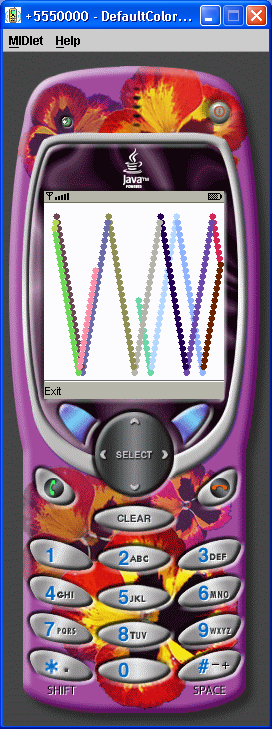
Animation MIDlet 2

/*
J2ME in a Nutshell
By Kim Topley
ISBN: 0-596-00253-X

*/


import javax.microedition.midlet.*;
import javax.microedition.lcdui.*;

public class AnimationMIDlet2 extends AnimationMIDlet {

    // Create an AnimationCanvas2
    protected AnimationMIDlet.AnimationCanvas createAnimationCanvas() {
        return new AnimationCanvas2();
    }

    class AnimationCanvas2 extends AnimationMIDlet.AnimationCanvas {

        // Override superclass paint method to take
        // into account the clipping rectangle
        protected void paint(Graphics g) {
            // Get the clipping rectange
            int clipX = g.getClipX();
            int clipY = g.getClipY();
            int clipWidth = g.getClipWidth();
            int clipHeight = g.getClipHeight();

            // Paint with the background color - only
            // the area within the clipping rectangle
            g.setColor(background);
            g.fillRect(clipX, clipY, clipWidth, clipHeight);

            // Draw all of the blocks
            g.setColor(foreground);
            synchronized (this) {
                for (int i = 0, count = blocks.length; i < count; i++) {
                    g.fillRect(blocks[i].x, blocks[i].y, SIZE, SIZE);
                }
            }
        }

        // Called on expiry of timer.
        public synchronized void moveAllBlocks() {
            // Update the positions and speeds
            // of all of the blocks and repaint
            // only the part of the screen that
            // they occupy
            for (int i = 0, count = blocks.length; i < count; i++) {
                // Request a repaint of the current location
                Block block = blocks[i];
                repaint(block.x, block.y, SIZE, SIZE);

                blocks[i].move();

                // Request a repaint of the new location
                repaint(block.x, block.y, SIZE, SIZE);
            }
        }
    }
}
Related examples in the same category