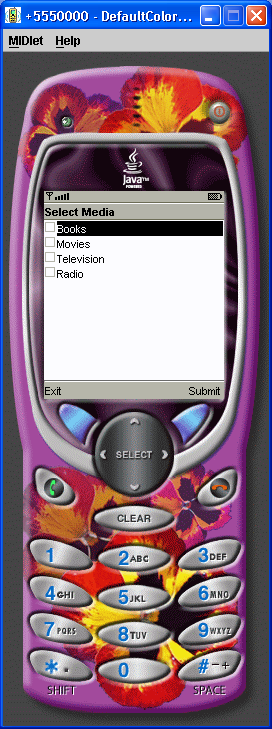
CheckBox Demo
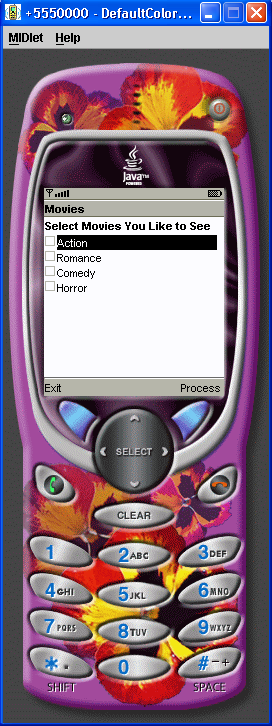
//jad file (please verify the jar size)
/*
MIDlet-Name: CheckBoxes
MIDlet-Version: 1.0
MIDlet-Vendor: MyCompany
MIDlet-Jar-URL: CheckBoxes.jar
MIDlet-1: CheckBoxes, , CheckBoxes
MicroEdition-Configuration: CLDC-1.0
MicroEdition-Profile: MIDP-1.0
MIDlet-JAR-SIZE: 100

*/
import javax.microedition.lcdui.Choice;
import javax.microedition.lcdui.ChoiceGroup;
import javax.microedition.lcdui.Command;
import javax.microedition.lcdui.CommandListener;
import javax.microedition.lcdui.Display;
import javax.microedition.lcdui.Displayable;
import javax.microedition.lcdui.Form;
import javax.microedition.lcdui.StringItem;
import javax.microedition.midlet.MIDlet;


public class CheckBoxes extends MIDlet implements CommandListener {
  private Display display;

  private Form form = new Form("Movies");

  private Command exit = new Command("Exit", Command.EXIT, 1);

  private Command process = new Command("Process", Command.SCREEN, 2);

  private ChoiceGroup movies = new ChoiceGroup("Select Movies You Like to See", Choice.MULTIPLE);

  private int movieIndex;

  public CheckBoxes() {
    display = Display.getDisplay(this);
    movies.append("A", null);
    movies.append("B", null);
    movies.append("C", null);
    movies.append("D", null);

    movieIndex = form.append(movies);
    form.addCommand(exit);
    form.addCommand(process);
    form.setCommandListener(this);
  }

  public void startApp() {
    display.setCurrent(form);
  }

  public void pauseApp() {
  }

  public void destroyApp(boolean unconditional) {
  }

  public void commandAction(Command command, Displayable displayable) {
    if (command == process) {
      boolean picks[] = new boolean[movies.size()];
      StringItem message[] = new StringItem[movies.size()];
      movies.getSelectedFlags(picks);
      for (int i = 0; i < picks.length; i++) {
        if (picks[i]) {
          message[i] = new StringItem("", movies.getString(i) + "\n");
          form.append(message[i]);
        }
      }
      form.delete(movieIndex);
      form.removeCommand(process);
    } else if (command == exit) {
      destroyApp(false);
      notifyDestroyed();
    }
  }
}
Related examples in the same category