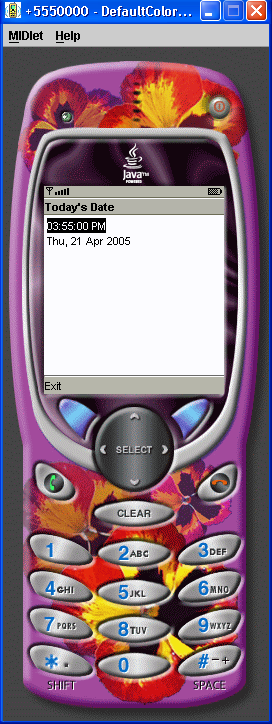
Date Field
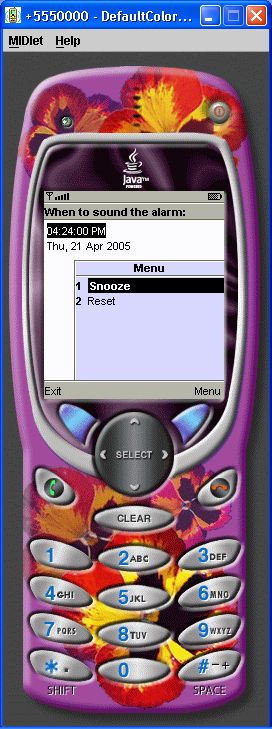
/*--------------------------------------------------
* Snooze.java
*
* Example from the book:     Core J2ME Technology
* Copyright John W. Muchow   http://www.CoreJ2ME.com
* You may use/modify for any non-commercial purpose
*-------------------------------------------------*/
import java.util.*;
import javax.microedition.midlet.*;
import javax.microedition.lcdui.*;
import java.util.Timer;
import java.util.TimerTask;

public class Snooze extends MIDlet implements ItemStateListener, CommandListener
{
  private Display display;          // Reference to display object
  private Form fmMain;              // The main form
  private Command cmSnooze;         // Start the timer
  private Command cmReset;          // Reset to current date/time
  private Command cmExit;           // Exit the MIDlet
  private DateField dfSnoozeTime;   // How long to snooze
  private int dateIndex;            // Index of the DateField on the Form
  private Date currentTime;         // Current time...changes when pressing reset
  private Timer tmSnooze;           // The timer - keeps track of system time
  private SnoozeTimer ttSnooze;     // Called by the timer
  private boolean dateOK = false;   // Was the user input valid?

  public Snooze()
  {
    display = Display.getDisplay(this);

    // The main form
    fmMain = new Form("When to sound the alarm:");

    // Save today's date
    currentTime = new Date();

    // DateField with todays date as a default
    dfSnoozeTime = new DateField("", DateField.DATE_TIME);
    dfSnoozeTime.setDate(currentTime);

    // All the commands/buttons
    cmSnooze = new Command("Snooze", Command.SCREEN, 1);
    cmReset = new Command("Reset", Command.SCREEN, 1);
    cmExit = new Command("Exit", Command.EXIT, 1);

    // Add to form and listen for events
    dateIndex = fmMain.append(dfSnoozeTime);
    fmMain.addCommand(cmSnooze);
    fmMain.addCommand(cmReset);
    fmMain.addCommand(cmExit);
    fmMain.setCommandListener(this);
    fmMain.setItemStateListener(this);
  }

  public void startApp ()
  {
    display.setCurrent(fmMain);
  }

  public void pauseApp()
  { }

  public void destroyApp(boolean unconditional)
  { }

  public void itemStateChanged(Item item)
  {
    if (item == dfSnoozeTime)
    {
      // If the user selected date and/or time that is earlier
      // than today, set a flag. We are using getTime()
      // method of the Date  class, which returns the # of
      // milliseconds since January 1, 1970
      if (dfSnoozeTime.getDate().getTime() < currentTime.getTime())
        dateOK = false;
      else
        dateOK = true;
    }
  }

  public void commandAction(Command c, Displayable s)
  {
    if (c == cmSnooze)
    {
      if (dateOK == false)
      {
        Alert al = new Alert("Unable to set alarm", "Please choose another date and time.", null, null);
        al.setTimeout(Alert.FOREVER);
        al.setType(AlertType.ERROR);
        display.setCurrent(al);
      }
      else
      {
        // Create a new timer
        tmSnooze = new Timer();
        ttSnooze = new SnoozeTimer();

        // Amount of time to delay
        long amount = dfSnoozeTime.getDate().getTime() - currentTime.getTime();
        tmSnooze.schedule(ttSnooze,amount);

        // Remove the commands
        fmMain.removeCommand(cmSnooze);
        fmMain.removeCommand(cmReset);

        // Remove the DateField
        fmMain.delete(dateIndex);

        // Change the Form message
        fmMain.setTitle("Snoozing...");
      }
    }
    else if (c == cmReset)
    {
      // Reset to the current date/time
      dfSnoozeTime.setDate(currentTime = new Date());
    }
    else if (c == cmExit)
    {
      destroyApp(false);
      notifyDestroyed();
    }
  }

  // Handle the timer task
  private class SnoozeTimer extends TimerTask
  {
    public final void run()
    {
      Alert al = new Alert("Time to wake up!");
      al.setTimeout(Alert.FOREVER);
      al.setType(AlertType.ALARM);
      AlertType.ERROR.playSound(display);
      display.setCurrent(al);

      // Cancel this timer task
      cancel();
    }
  }
}
Related examples in the same category