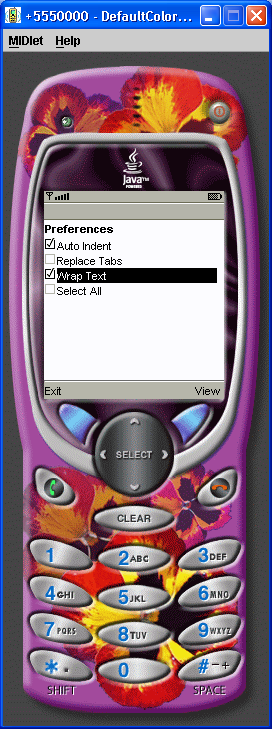
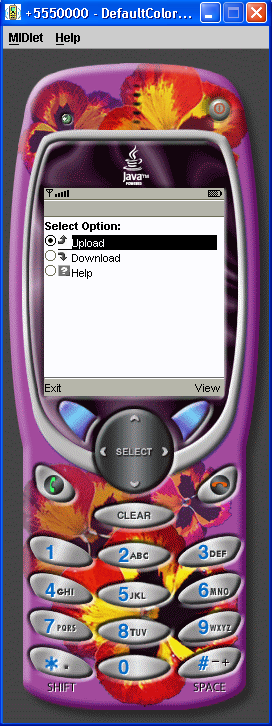
Exclusive ChoiceGroup
/*--------------------------------------------------
* ExclusiveChoiceGroup.java
*
* Example from the book:     Core J2ME Technology
* Copyright John W. Muchow   http://www.CoreJ2ME.com
* You may use/modify for any non-commercial purpose
*-------------------------------------------------*/
import javax.microedition.midlet.*;
import javax.microedition.lcdui.*;

public class ExclusiveChoiceGroup extends MIDlet implements ItemStateListener, CommandListener
{
  private Display display;      // Reference to display object
  private Form fmMain;         // The main form
  private Command cmExit;      // A Command to exit the MIDlet
  private Command cmView;      // View the choice selected
  private ChoiceGroup cgEmail; // Choice group
  private int replyIndex;       // Index of "reply" in choice group
  private int choiceGroupIndex; // Index of choice group on form

  public ExclusiveChoiceGroup()
  {
    display = Display.getDisplay(this);

    // Create an exclusive (radio) choice group
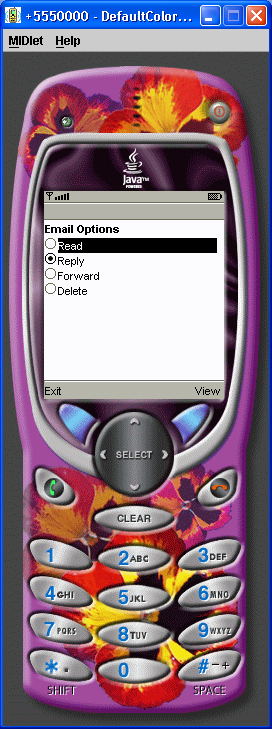
    cgEmail = new ChoiceGroup("Email Options", Choice.EXCLUSIVE);

    // Append options, with no associated images
    cgEmail.append("Read", null);
    replyIndex = cgEmail.append("Reply", null);
    cgEmail.append("Forward", null);
    cgEmail.append("Delete", null);

    // Set "reply" as the default/selected option
    cgEmail.setSelectedIndex(replyIndex, true);

    cmExit = new Command("Exit", Command.EXIT, 1);
    cmView = new Command("View", Command.SCREEN,2);

    // Create Form, add components, listen for events
    fmMain = new Form("");
    choiceGroupIndex = fmMain.append(cgEmail);
    fmMain.addCommand(cmExit);
    fmMain.addCommand(cmView);
    fmMain.setCommandListener(this);
  }

  // Called by application manager to start the MIDlet.
  public void startApp()
  {
    display.setCurrent(fmMain);
  }

  public void pauseApp()
  { }

  public void destroyApp(boolean unconditional)
  { }

  public void commandAction(Command c, Displayable s)
  {
    if (c == cmView)
    {
      // Build a string showing which option was selected
      StringItem stiMessage = new StringItem("You selected: ", cgEmail.getString(cgEmail.getSelectedIndex()));
      fmMain.append(stiMessage);

      // Delete the choice group & view button
      fmMain.delete(choiceGroupIndex);
      fmMain.removeCommand(cmView);
    }
    else if (c == cmExit)
    {
      destroyApp(false);
      notifyDestroyed();
    }
  }

  public void itemStateChanged(Item item)
  {
  }
}
Related examples in the same category