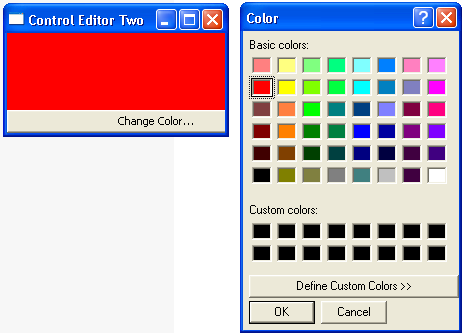
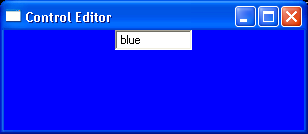
How to create CustomControl in SWT
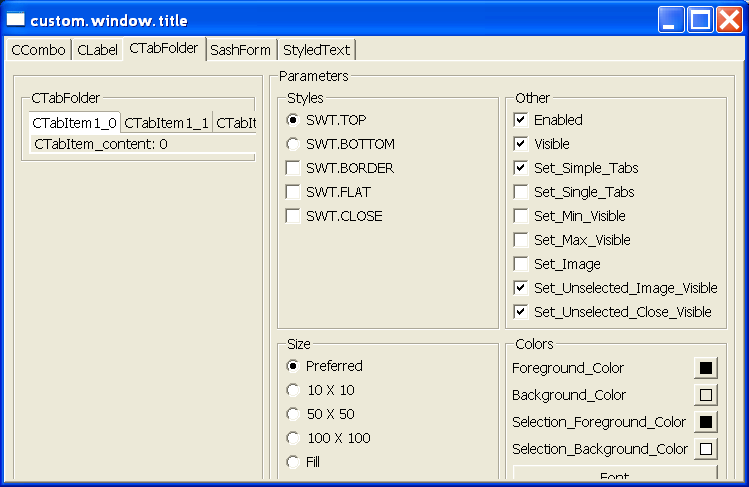
/*******************************************************************************
* Copyright (c) 2000, 2003 IBM Corporation and others.
* All rights reserved. This program and the accompanying materials
* are made available under the terms of the Eclipse Public License v1.0
* which accompanies this distribution, and is available at
* http://www.eclipse.org/legal/epl-v10.html
*
* Contributors:
* IBM Corporation - initial API and implementation
*******************************************************************************/
import java.io.IOException;
import java.io.InputStream;
import java.text.MessageFormat;
import java.util.MissingResourceException;
import java.util.ResourceBundle;
import org.eclipse.swt.SWT;
import org.eclipse.swt.SWTError;
import org.eclipse.swt.custom.CCombo;
import org.eclipse.swt.custom.CLabel;
import org.eclipse.swt.custom.CTabFolder;
import org.eclipse.swt.custom.CTabFolder2Adapter;
import org.eclipse.swt.custom.CTabFolderEvent;
import org.eclipse.swt.custom.CTabItem;
import org.eclipse.swt.custom.SashForm;
import org.eclipse.swt.custom.StyleRange;
import org.eclipse.swt.custom.StyledText;
import org.eclipse.swt.events.ArmEvent;
import org.eclipse.swt.events.ControlAdapter;
import org.eclipse.swt.events.ControlEvent;
import org.eclipse.swt.events.DisposeEvent;
import org.eclipse.swt.events.DisposeListener;
import org.eclipse.swt.events.FocusEvent;
import org.eclipse.swt.events.HelpEvent;
import org.eclipse.swt.events.KeyAdapter;
import org.eclipse.swt.events.KeyEvent;
import org.eclipse.swt.events.MenuAdapter;
import org.eclipse.swt.events.MenuEvent;
import org.eclipse.swt.events.ModifyEvent;
import org.eclipse.swt.events.MouseEvent;
import org.eclipse.swt.events.PaintEvent;
import org.eclipse.swt.events.PaintListener;
import org.eclipse.swt.events.SelectionAdapter;
import org.eclipse.swt.events.SelectionEvent;
import org.eclipse.swt.events.SelectionListener;
import org.eclipse.swt.events.ShellEvent;
import org.eclipse.swt.events.TraverseEvent;
import org.eclipse.swt.events.TreeEvent;
import org.eclipse.swt.events.TypedEvent;
import org.eclipse.swt.events.VerifyEvent;
import org.eclipse.swt.graphics.Color;
import org.eclipse.swt.graphics.Font;
import org.eclipse.swt.graphics.FontData;
import org.eclipse.swt.graphics.GC;
import org.eclipse.swt.graphics.Image;
import org.eclipse.swt.graphics.ImageData;
import org.eclipse.swt.graphics.Point;
import org.eclipse.swt.graphics.RGB;
import org.eclipse.swt.graphics.Rectangle;
import org.eclipse.swt.layout.FillLayout;
import org.eclipse.swt.layout.GridData;
import org.eclipse.swt.layout.GridLayout;
import org.eclipse.swt.printing.PrintDialog;
import org.eclipse.swt.printing.PrinterData;
import org.eclipse.swt.widgets.Button;
import org.eclipse.swt.widgets.Canvas;
import org.eclipse.swt.widgets.Caret;
import org.eclipse.swt.widgets.ColorDialog;
import org.eclipse.swt.widgets.Combo;
import org.eclipse.swt.widgets.Composite;
import org.eclipse.swt.widgets.Control;
import org.eclipse.swt.widgets.CoolBar;
import org.eclipse.swt.widgets.CoolItem;
import org.eclipse.swt.widgets.DirectoryDialog;
import org.eclipse.swt.widgets.Display;
import org.eclipse.swt.widgets.Event;
import org.eclipse.swt.widgets.FileDialog;
import org.eclipse.swt.widgets.FontDialog;
import org.eclipse.swt.widgets.Group;
import org.eclipse.swt.widgets.Item;
import org.eclipse.swt.widgets.Label;
import org.eclipse.swt.widgets.Link;
import org.eclipse.swt.widgets.List;
import org.eclipse.swt.widgets.Listener;
import org.eclipse.swt.widgets.Menu;
import org.eclipse.swt.widgets.MenuItem;
import org.eclipse.swt.widgets.MessageBox;
import org.eclipse.swt.widgets.ProgressBar;
import org.eclipse.swt.widgets.Sash;
import org.eclipse.swt.widgets.Scale;
import org.eclipse.swt.widgets.ScrollBar;
import org.eclipse.swt.widgets.Shell;
import org.eclipse.swt.widgets.Slider;
import org.eclipse.swt.widgets.Spinner;
import org.eclipse.swt.widgets.TabFolder;
import org.eclipse.swt.widgets.TabItem;
import org.eclipse.swt.widgets.Table;
import org.eclipse.swt.widgets.TableColumn;
import org.eclipse.swt.widgets.TableItem;
import org.eclipse.swt.widgets.Text;
import org.eclipse.swt.widgets.ToolBar;
import org.eclipse.swt.widgets.ToolItem;
import org.eclipse.swt.widgets.Tree;
import org.eclipse.swt.widgets.TreeColumn;
import org.eclipse.swt.widgets.TreeItem;
import org.eclipse.swt.widgets.Widget;
public class CustomControlExample extends ControlExample {
/**
* Creates an instance of a CustomControlExample embedded inside the
* supplied parent Composite.
*
* @param parent
* the container of the example
*/
public CustomControlExample(Composite parent) {
super(parent);
}
/**
* Answers the set of example Tabs
*/
Tab[] createTabs() {
return new Tab[] { new CComboTab(this), new CLabelTab(this),
new CTabFolderTab(this), new SashFormTab(this),
new StyledTextTab(this), };
}
/**
* Invokes as a standalone program.
*/
public static void main(String[] args) {
Display display = new Display();
Shell shell = new Shell(display);
shell.setLayout(new FillLayout());
CustomControlExample instance = new CustomControlExample(shell);
shell.setText(getResourceString("custom.window.title"));
setShellSize(display, shell);
shell.open();
while (!shell.isDisposed()) {
if (!display.readAndDispatch())
display.sleep();
}
instance.dispose();
}
}
/*******************************************************************************
* Copyright (c) 2000, 2005 IBM Corporation and others. All rights reserved.
* This program and the accompanying materials are made available under the
* terms of the Eclipse Public License v1.0 which accompanies this distribution,
* and is available at http://www.eclipse.org/legal/epl-v10.html
*
* Contributors: IBM Corporation - initial API and implementation
******************************************************************************/
class ControlExample {
private ShellTab shellTab;
private TabFolder tabFolder;
Image images[];
static final int ciClosedFolder = 0, ciOpenFolder = 1, ciTarget = 2;
static final String[] imageLocations = { "closedFolder.gif",
"openFolder.gif", "target.gif" };
boolean startup = true;
/**
* Creates an instance of a ControlExample embedded inside the supplied
* parent Composite.
*
* @param parent
* the container of the example
*/
public ControlExample(Composite parent) {
initResources();
tabFolder = new TabFolder(parent, SWT.NONE);
Tab[] tabs = createTabs();
for (int i = 0; i < tabs.length; i++) {
TabItem item = new TabItem(tabFolder, SWT.NONE);
item.setText(tabs[i].getTabText());
item.setControl(tabs[i].createTabFolderPage(tabFolder));
item.setData(tabs[i]);
}
startup = false;
}
/**
* Answers the set of example Tabs
*/
Tab[] createTabs() {
return new Tab[] { new ButtonTab(this), new CanvasTab(this),
new ComboTab(this), new CoolBarTab(this), new DialogTab(this),
new GroupTab(this), new LabelTab(this), new LinkTab(this),
new ListTab(this), new MenuTab(this), new ProgressBarTab(this),
new SashTab(this), shellTab = new ShellTab(this),
new SliderTab(this), new SpinnerTab(this),
new TabFolderTab(this), new TableTab(this), new TextTab(this),
new ToolBarTab(this), new TreeTab(this), };
}
/**
* Disposes of all resources associated with a particular instance of the
* ControlExample.
*/
public void dispose() {
/*
* Destroy any shells that may have been created by the Shells tab. When
* a shell is disposed, all child shells are also disposed. Therefore it
* is necessary to check for disposed shells in the shells list to avoid
* disposing a shell twice.
*/
if (shellTab != null)
shellTab.closeAllShells();
shellTab = null;
tabFolder = null;
freeResources();
}
/**
* Frees the resources
*/
void freeResources() {
if (images != null) {
for (int i = 0; i < images.length; ++i) {
final Image image = images[i];
if (image != null)
image.dispose();
}
images = null;
}
}
/**
* Gets a string from the resource bundle. We don't want to crash because of
* a missing String. Returns the key if not found.
*/
static String getResourceString(String key) {
return key;
}
/**
* Gets a string from the resource bundle and binds it with the given
* arguments. If the key is not found, return the key.
*/
static String getResourceString(String key, Object[] args) {
try {
return MessageFormat.format(getResourceString(key), args);
} catch (MissingResourceException e) {
return key;
} catch (NullPointerException e) {
return "!" + key + "!";
}
}
/**
* Loads the resources
*/
void initResources() {
final Class clazz = ControlExample.class;
try {
if (images == null) {
images = new Image[imageLocations.length];
for (int i = 0; i < imageLocations.length; ++i) {
InputStream sourceStream = clazz
.getResourceAsStream(imageLocations[i]);
ImageData source = new ImageData(sourceStream);
ImageData mask = source.getTransparencyMask();
images[i] = new Image(null, source, mask);
try {
sourceStream.close();
} catch (IOException e) {
e.printStackTrace();
}
}
}
return;
} catch (Throwable t) {
}
String error = "Unable to load resources";
freeResources();
throw new RuntimeException(error);
}
/**
* Invokes as a standalone program.
*/
public static void main(String[] args) {
Display display = new Display();
Shell shell = new Shell(display);
shell.setLayout(new FillLayout());
ControlExample instance = new ControlExample(shell);
shell.setText(getResourceString("window.title"));
setShellSize(display, shell);
shell.open();
while (!shell.isDisposed()) {
if (!display.readAndDispatch())
display.sleep();
}
instance.dispose();
}
/**
* Grabs input focus.
*/
public void setFocus() {
tabFolder.setFocus();
}
/**
* Sets the size of the shell to it's "packed" size, unless that makes it
* bigger than the display, in which case set it to 9/10 of display size.
*/
static void setShellSize(Display display, Shell shell) {
Rectangle bounds = display.getBounds();
Point size = shell.computeSize(SWT.DEFAULT, SWT.DEFAULT);
if (size.x > bounds.width)
size.x = bounds.width * 9 / 10;
if (size.y > bounds.height)
size.y = bounds.height * 9 / 10;
shell.setSize(size);
}
}
/*******************************************************************************
* Copyright (c) 2000, 2005 IBM Corporation and others. All rights reserved.
* This program and the accompanying materials are made available under the
* terms of the Eclipse Public License v1.0 which accompanies this distribution,
* and is available at http://www.eclipse.org/legal/epl-v10.html
*
* Contributors: IBM Corporation - initial API and implementation
******************************************************************************/
class ShellTab extends Tab {
/* Style widgets added to the "Style" groups, and "Other" group */
Button noParentButton, parentButton;
Button noTrimButton, closeButton, titleButton, minButton, maxButton,
borderButton, resizeButton, onTopButton, toolButton;
Button createButton, closeAllButton;
Button modelessButton, primaryModalButton, applicationModalButton,
systemModalButton;
Button imageButton;
Group parentStyleGroup, modalStyleGroup;
/* Variables used to track the open shells */
int shellCount = 0;
Shell[] shells = new Shell[4];
/**
* Creates the Tab within a given instance of ControlExample.
*/
ShellTab(ControlExample instance) {
super(instance);
}
/**
* Close all the example shells.
*/
void closeAllShells() {
for (int i = 0; i < shellCount; i++) {
if (shells[i] != null & !shells[i].isDisposed()) {
shells[i].dispose();
}
}
shellCount = 0;
}
/**
* Handle the Create button selection event.
*
* @param event
* org.eclipse.swt.events.SelectionEvent
*/
public void createButtonSelected(SelectionEvent event) {
/*
* Remember the example shells so they can be disposed by the user.
*/
if (shellCount >= shells.length) {
Shell[] newShells = new Shell[shells.length + 4];
System.arraycopy(shells, 0, newShells, 0, shells.length);
shells = newShells;
}
/* Compute the shell style */
int style = SWT.NONE;
if (noTrimButton.getSelection())
style |= SWT.NO_TRIM;
if (closeButton.getSelection())
style |= SWT.CLOSE;
if (titleButton.getSelection())
style |= SWT.TITLE;
if (minButton.getSelection())
style |= SWT.MIN;
if (maxButton.getSelection())
style |= SWT.MAX;
if (borderButton.getSelection())
style |= SWT.BORDER;
if (resizeButton.getSelection())
style |= SWT.RESIZE;
if (onTopButton.getSelection())
style |= SWT.ON_TOP;
if (toolButton.getSelection())
style |= SWT.TOOL;
if (modelessButton.getSelection())
style |= SWT.MODELESS;
if (primaryModalButton.getSelection())
style |= SWT.PRIMARY_MODAL;
if (applicationModalButton.getSelection())
style |= SWT.APPLICATION_MODAL;
if (systemModalButton.getSelection())
style |= SWT.SYSTEM_MODAL;
/* Create the shell with or without a parent */
if (noParentButton.getSelection()) {
shells[shellCount] = new Shell(style);
} else {
Shell shell = tabFolderPage.getShell();
shells[shellCount] = new Shell(shell, style);
}
final Shell currentShell = shells[shellCount];
Button button = new Button(currentShell, SWT.PUSH);
button.setBounds(20, 20, 120, 30);
Button closeButton = new Button(currentShell, SWT.PUSH);
closeButton.setBounds(160, 20, 120, 30);
closeButton.setText(ControlExample.getResourceString("Close"));
closeButton.addListener(SWT.Selection, new Listener() {
public void handleEvent(Event event) {
currentShell.dispose();
}
});
/* Set the size, title, and image, and open the shell */
currentShell.setSize(300, 100);
currentShell.setText(ControlExample.getResourceString("Title")
+ shellCount);
if (imageButton.getSelection())
currentShell.setImage(instance.images[ControlExample.ciTarget]);
hookListeners(currentShell);
currentShell.open();
shellCount++;
}
/**
* Creates the "Control" group.
*/
void createControlGroup() {
/*
* Create the "Control" group. This is the group on the right half of
* each example tab. It consists of the style group, the 'other' group
* and the size group.
*/
controlGroup = new Group(tabFolderPage, SWT.NONE);
controlGroup.setLayout(new GridLayout(2, true));
controlGroup.setLayoutData(new GridData(GridData.HORIZONTAL_ALIGN_FILL
| GridData.VERTICAL_ALIGN_FILL));
controlGroup.setText(ControlExample.getResourceString("Parameters"));
/* Create a group for the decoration style controls */
styleGroup = new Group(controlGroup, SWT.NONE);
styleGroup.setLayout(new GridLayout());
styleGroup.setLayoutData(new GridData(SWT.FILL, SWT.FILL, false, false,
1, 3));
styleGroup.setText(ControlExample
.getResourceString("Decoration_Styles"));
/* Create a group for the modal style controls */
modalStyleGroup = new Group(controlGroup, SWT.NONE);
modalStyleGroup.setLayout(new GridLayout());
modalStyleGroup.setLayoutData(new GridData(
GridData.HORIZONTAL_ALIGN_FILL | GridData.VERTICAL_ALIGN_FILL));
modalStyleGroup.setText(ControlExample
.getResourceString("Modal_Styles"));
/* Create a group for the 'other' controls */
otherGroup = new Group(controlGroup, SWT.NONE);
otherGroup.setLayout(new GridLayout());
otherGroup
.setLayoutData(new GridData(SWT.FILL, SWT.FILL, false, false));
otherGroup.setText(ControlExample.getResourceString("Other"));
/* Create a group for the parent style controls */
parentStyleGroup = new Group(controlGroup, SWT.NONE);
parentStyleGroup.setLayout(new GridLayout());
GridData gridData = new GridData(GridData.HORIZONTAL_ALIGN_FILL);
parentStyleGroup.setLayoutData(gridData);
parentStyleGroup.setText(ControlExample.getResourceString("Parent"));
}
/**
* Creates the "Control" widget children.
*/
void createControlWidgets() {
/* Create the parent style buttons */
noParentButton = new Button(parentStyleGroup, SWT.RADIO);
noParentButton.setText(ControlExample.getResourceString("No_Parent"));
parentButton = new Button(parentStyleGroup, SWT.RADIO);
parentButton.setText(ControlExample.getResourceString("Parent"));
/* Create the decoration style buttons */
noTrimButton = new Button(styleGroup, SWT.CHECK);
noTrimButton.setText("SWT.NO_TRIM");
closeButton = new Button(styleGroup, SWT.CHECK);
closeButton.setText("SWT.CLOSE");
titleButton = new Button(styleGroup, SWT.CHECK);
titleButton.setText("SWT.TITLE");
minButton = new Button(styleGroup, SWT.CHECK);
minButton.setText("SWT.MIN");
maxButton = new Button(styleGroup, SWT.CHECK);
maxButton.setText("SWT.MAX");
borderButton = new Button(styleGroup, SWT.CHECK);
borderButton.setText("SWT.BORDER");
resizeButton = new Button(styleGroup, SWT.CHECK);
resizeButton.setText("SWT.RESIZE");
onTopButton = new Button(styleGroup, SWT.CHECK);
onTopButton.setText("SWT.ON_TOP");
toolButton = new Button(styleGroup, SWT.CHECK);
toolButton.setText("SWT.TOOL");
/* Create the modal style buttons */
modelessButton = new Button(modalStyleGroup, SWT.RADIO);
modelessButton.setText("SWT.MODELESS");
primaryModalButton = new Button(modalStyleGroup, SWT.RADIO);
primaryModalButton.setText("SWT.PRIMARY_MODAL");
applicationModalButton = new Button(modalStyleGroup, SWT.RADIO);
applicationModalButton.setText("SWT.APPLICATION_MODAL");
systemModalButton = new Button(modalStyleGroup, SWT.RADIO);
systemModalButton.setText("SWT.SYSTEM_MODAL");
/* Create the 'other' buttons */
imageButton = new Button(otherGroup, SWT.CHECK);
imageButton.setText(ControlExample.getResourceString("Image"));
/* Create the "create" and "closeAll" buttons */
createButton = new Button(controlGroup, SWT.NONE);
GridData gridData = new GridData(GridData.HORIZONTAL_ALIGN_END);
createButton.setLayoutData(gridData);
createButton.setText(ControlExample.getResourceString("Create_Shell"));
closeAllButton = new Button(controlGroup, SWT.NONE);
gridData = new GridData(GridData.HORIZONTAL_ALIGN_BEGINNING);
closeAllButton.setText(ControlExample
.getResourceString("Close_All_Shells"));
closeAllButton.setLayoutData(gridData);
/* Add the listeners */
createButton.addSelectionListener(new SelectionAdapter() {
public void widgetSelected(SelectionEvent e) {
createButtonSelected(e);
}
});
closeAllButton.addSelectionListener(new SelectionAdapter() {
public void widgetSelected(SelectionEvent e) {
closeAllShells();
}
});
SelectionListener decorationButtonListener = new SelectionAdapter() {
public void widgetSelected(SelectionEvent event) {
decorationButtonSelected(event);
}
};
noTrimButton.addSelectionListener(decorationButtonListener);
closeButton.addSelectionListener(decorationButtonListener);
titleButton.addSelectionListener(decorationButtonListener);
minButton.addSelectionListener(decorationButtonListener);
maxButton.addSelectionListener(decorationButtonListener);
borderButton.addSelectionListener(decorationButtonListener);
resizeButton.addSelectionListener(decorationButtonListener);
applicationModalButton.addSelectionListener(decorationButtonListener);
systemModalButton.addSelectionListener(decorationButtonListener);
/* Set the default state */
noParentButton.setSelection(true);
modelessButton.setSelection(true);
}
/**
* Handle a decoration button selection event.
*
* @param event
* org.eclipse.swt.events.SelectionEvent
*/
public void decorationButtonSelected(SelectionEvent event) {
/*
* Make sure if the modal style is SWT.APPLICATION_MODAL or
* SWT.SYSTEM_MODAL the style SWT.CLOSE is also selected. This is to
* make sure the user can close the shell.
*/
Button widget = (Button) event.widget;
if (widget == applicationModalButton || widget == systemModalButton) {
if (widget.getSelection()) {
closeButton.setSelection(true);
noTrimButton.setSelection(false);
}
return;
}
if (widget == closeButton) {
if (applicationModalButton.getSelection()
|| systemModalButton.getSelection()) {
closeButton.setSelection(true);
}
}
/*
* Make sure if the No Trim button is selected then all other decoration
* buttons are deselected.
*/
if (widget.getSelection() && widget != noTrimButton) {
noTrimButton.setSelection(false);
return;
}
if (widget.getSelection() && widget == noTrimButton) {
if (applicationModalButton.getSelection()
|| systemModalButton.getSelection()) {
noTrimButton.setSelection(false);
return;
}
closeButton.setSelection(false);
titleButton.setSelection(false);
minButton.setSelection(false);
maxButton.setSelection(false);
borderButton.setSelection(false);
resizeButton.setSelection(false);
return;
}
}
/**
* Gets the text for the tab folder item.
*/
String getTabText() {
return "Shell";
}
}
/*******************************************************************************
* Copyright (c) 2000, 2005 IBM Corporation and others. All rights reserved.
* This program and the accompanying materials are made available under the
* terms of the Eclipse Public License v1.0 which accompanies this distribution,
* and is available at http://www.eclipse.org/legal/epl-v10.html
*
* Contributors: IBM Corporation - initial API and implementation
******************************************************************************/
/**
* <code>Tab</code> is the abstract superclass of every page in the example's
* tab folder. Each page in the tab folder describes a control.
*
* A Tab itself is not a control but instead provides a hierarchy with which to
* share code that is common to every page in the folder.
*
* A typical page in a Tab contains a two column composite. The left column
* contains the "Example" group. The right column contains "Control" group. The
* "Control" group contains controls that allow the user to interact with the
* example control. The "Control" group typically contains a "Style", "Other"
* and "Size" group. Subclasses can override these defaults to augment a group
* or stop a group from being created.
*/
abstract class Tab {
/* Common control buttons */
Button borderButton, enabledButton, visibleButton;
Button preferredButton, tooSmallButton, smallButton, largeButton,
fillButton;
/* Common groups and composites */
Composite tabFolderPage;
Group exampleGroup, controlGroup, listenersGroup, otherGroup, sizeGroup,
styleGroup, colorGroup;
/* Controlling instance */
final ControlExample instance;
/* Sizing constants for the "Size" group */
static final int TOO_SMALL_SIZE = 10;
static final int SMALL_SIZE = 50;
static final int LARGE_SIZE = 100;
/* Right-to-left support */
static final boolean RTL_SUPPORT_ENABLE = false;
Group orientationGroup;
Button rtlButton, ltrButton, defaultOrietationButton;
/* Controls and resources for the "Colors" group */
Button foregroundButton, backgroundButton, fontButton;
Image foregroundImage, backgroundImage;
Color foregroundColor, backgroundColor;
Font font;
/* Event logging variables and controls */
Text eventConsole;
boolean logging = false;
boolean[] eventsFilter;
/* Set/Get API controls */
Combo nameCombo;
Label returnTypeLabel;
Button getButton, setButton;
Text setText, getText;
static final String[] EVENT_NAMES = { "None", "KeyDown", "KeyUp",
"MouseDown", "MouseUp", "MouseMove", "MouseEnter", "MouseExit",
"MouseDoubleClick", "Paint", "Move", "Resize", "Dispose",
"Selection", "DefaultSelection", "FocusIn", "FocusOut", "Expand",
"Collapse", "Iconify", "Deiconify", "Close", "Show", "Hide",
"Modify", "Verify", "Activate", "Deactivate", "Help", "DragDetect",
"Arm", "Traverse", "MouseHover", "HardKeyDown", "HardKeyUp",
"MenuDetect", "SetData", "MouseWheel", };
/**
* Creates the Tab within a given instance of ControlExample.
*/
Tab(ControlExample instance) {
this.instance = instance;
}
/**
* Creates the "Control" group. The "Control" group is typically the right
* hand column in the tab.
*/
void createControlGroup() {
/*
* Create the "Control" group. This is the group on the right half of
* each example tab. It consists of the "Style" group, the "Other" group
* and the "Size" group.
*/
controlGroup = new Group(tabFolderPage, SWT.NONE);
controlGroup.setLayout(new GridLayout(2, true));
controlGroup.setLayoutData(new GridData(SWT.FILL, SWT.FILL, false,
false));
controlGroup.setText(ControlExample.getResourceString("Parameters"));
/* Create individual groups inside the "Control" group */
createStyleGroup();
createOtherGroup();
createSetGetGroup();
createSizeGroup();
createColorGroup();
if (RTL_SUPPORT_ENABLE) {
createOrientationGroup();
}
/*
* For each Button child in the style group, add a selection listener
* that will recreate the example controls. If the style group button is
* a RADIO button, ensure that the radio button is selected before
* recreating the example controls. When the user selects a RADIO
* button, the current RADIO button in the group is deselected and the
* new RADIO button is selected automatically. The listeners are
* notified for both these operations but typically only do work when a
* RADIO button is selected.
*/
SelectionListener selectionListener = new SelectionAdapter() {
public void widgetSelected(SelectionEvent event) {
if ((event.widget.getStyle() & SWT.RADIO) != 0) {
if (!((Button) event.widget).getSelection())
return;
}
recreateExampleWidgets();
}
};
Control[] children = styleGroup.getChildren();
for (int i = 0; i < children.length; i++) {
if (children[i] instanceof Button) {
Button button = (Button) children[i];
button.addSelectionListener(selectionListener);
}
}
if (RTL_SUPPORT_ENABLE) {
rtlButton.addSelectionListener(selectionListener);
ltrButton.addSelectionListener(selectionListener);
defaultOrietationButton.addSelectionListener(selectionListener);
}
}
/**
* Append the Set/Get API controls to the "Other" group.
*/
void createSetGetGroup() {
/*
* Create the button to access set/get API functionality.
*/
final String[] methodNames = getMethodNames();
if (methodNames != null) {
Button setGetButton = new Button(otherGroup, SWT.PUSH);
setGetButton.setText(ControlExample.getResourceString("Set_Get"));
setGetButton.setLayoutData(new GridData(SWT.FILL, SWT.CENTER,
false, false));
setGetButton.addSelectionListener(new SelectionAdapter() {
public void widgetSelected(SelectionEvent e) {
Button button = (Button) e.widget;
Point pt = button.getLocation();
pt = e.display.map(button, null, pt);
createSetGetDialog(pt.x, pt.y, methodNames);
}
});
}
}
/**
* Creates the "Control" widget children. Subclasses override this method to
* augment the standard controls created in the "Style", "Other" and "Size"
* groups.
*/
void createControlWidgets() {
}
/**
* Creates the "Colors" group. This is typically a child of the "Control"
* group. Subclasses override this method to customize and set system
* colors.
*/
void createColorGroup() {
/* Create the group */
colorGroup = new Group(controlGroup, SWT.NONE);
colorGroup.setLayout(new GridLayout(2, false));
colorGroup.setLayoutData(new GridData(GridData.HORIZONTAL_ALIGN_FILL
| GridData.VERTICAL_ALIGN_FILL));
colorGroup.setText(ControlExample.getResourceString("Colors"));
new Label(colorGroup, SWT.NONE).setText(ControlExample
.getResourceString("Foreground_Color"));
foregroundButton = new Button(colorGroup, SWT.PUSH);
new Label(colorGroup, SWT.NONE).setText(ControlExample
.getResourceString("Background_Color"));
backgroundButton = new Button(colorGroup, SWT.PUSH);
fontButton = new Button(colorGroup, SWT.PUSH);
fontButton.setText(ControlExample.getResourceString("Font"));
fontButton.setLayoutData(new GridData(GridData.HORIZONTAL_ALIGN_FILL));
Button defaultsButton = new Button(colorGroup, SWT.PUSH);
defaultsButton.setText(ControlExample.getResourceString("Defaults"));
Shell shell = controlGroup.getShell();
final ColorDialog foregroundDialog = new ColorDialog(shell);
final ColorDialog backgroundDialog = new ColorDialog(shell);
final FontDialog fontDialog = new FontDialog(shell);
/* Create images to display current colors */
int imageSize = 12;
Display display = shell.getDisplay();
foregroundImage = new Image(display, imageSize, imageSize);
backgroundImage = new Image(display, imageSize, imageSize);
/* Add listeners to set the colors and font */
foregroundButton.setImage(foregroundImage); // sets the size of the
// button
foregroundButton.addSelectionListener(new SelectionAdapter() {
public void widgetSelected(SelectionEvent event) {
Color oldColor = foregroundColor;
if (oldColor == null) {
Control[] controls = getExampleWidgets();
if (controls.length > 0)
oldColor = controls[0].getForeground();
}
if (oldColor != null)
foregroundDialog.setRGB(oldColor.getRGB()); // seed dialog
// with current
// color
RGB rgb = foregroundDialog.open();
if (rgb == null)
return;
oldColor = foregroundColor; // save old foreground color to
// dispose when done
foregroundColor = new Color(event.display, rgb);
setExampleWidgetForeground();
if (oldColor != null)
oldColor.dispose();
}
});
backgroundButton.setImage(backgroundImage); // sets the size of the
// button
backgroundButton.addSelectionListener(new SelectionAdapter() {
public void widgetSelected(SelectionEvent event) {
Color oldColor = backgroundColor;
if (oldColor == null) {
Control[] controls = getExampleWidgets();
if (controls.length > 0)
oldColor = controls[0].getBackground(); // seed dialog
// with current
// color
}
if (oldColor != null)
backgroundDialog.setRGB(oldColor.getRGB());
RGB rgb = backgroundDialog.open();
if (rgb == null)
return;
oldColor = backgroundColor; // save old background color to
// dispose when done
backgroundColor = new Color(event.display, rgb);
setExampleWidgetBackground();
if (oldColor != null)
oldColor.dispose();
}
});
fontButton.addSelectionListener(new SelectionAdapter() {
public void widgetSelected(SelectionEvent event) {
Font oldFont = font;
if (oldFont == null) {
Control[] controls = getExampleWidgets();
if (controls.length > 0)
oldFont = controls[0].getFont();
}
if (oldFont != null)
fontDialog.setFontList(oldFont.getFontData()); // seed
// dialog
// with
// current
// font
FontData fontData = fontDialog.open();
if (fontData == null)
return;
oldFont = font; // dispose old font when done
font = new Font(event.display, fontData);
setExampleWidgetFont();
setExampleWidgetSize();
if (oldFont != null)
oldFont.dispose();
}
});
defaultsButton.addSelectionListener(new SelectionAdapter() {
public void widgetSelected(SelectionEvent e) {
resetColorsAndFonts();
}
});
shell.addDisposeListener(new DisposeListener() {
public void widgetDisposed(DisposeEvent event) {
if (foregroundImage != null)
foregroundImage.dispose();
if (backgroundImage != null)
backgroundImage.dispose();
if (foregroundColor != null)
foregroundColor.dispose();
if (backgroundColor != null)
backgroundColor.dispose();
if (font != null)
font.dispose();
foregroundColor = null;
backgroundColor = null;
font = null;
}
});
}
/**
* Creates the "Other" group. This is typically a child of the "Control"
* group.
*/
void createOtherGroup() {
/* Create the group */
otherGroup = new Group(controlGroup, SWT.NONE);
otherGroup.setLayout(new GridLayout());
otherGroup
.setLayoutData(new GridData(SWT.FILL, SWT.FILL, false, false));
otherGroup.setText(ControlExample.getResourceString("Other"));
/* Create the controls */
enabledButton = new Button(otherGroup, SWT.CHECK);
enabledButton.setText(ControlExample.getResourceString("Enabled"));
visibleButton = new Button(otherGroup, SWT.CHECK);
visibleButton.setText(ControlExample.getResourceString("Visible"));
/* Add the listeners */
enabledButton.addSelectionListener(new SelectionAdapter() {
public void widgetSelected(SelectionEvent event) {
setExampleWidgetEnabled();
}
});
visibleButton.addSelectionListener(new SelectionAdapter() {
public void widgetSelected(SelectionEvent event) {
setExampleWidgetVisibility();
}
});
/* Set the default state */
enabledButton.setSelection(true);
visibleButton.setSelection(true);
}
/**
* Create the event console popup menu.
*/
void createEventConsolePopup() {
Menu popup = new Menu(eventConsole.getShell(), SWT.POP_UP);
eventConsole.setMenu(popup);
MenuItem cut = new MenuItem(popup, SWT.PUSH);
cut.setText(ControlExample.getResourceString("MenuItem_Cut"));
cut.addListener(SWT.Selection, new Listener() {
public void handleEvent(Event event) {
eventConsole.cut();
}
});
MenuItem copy = new MenuItem(popup, SWT.PUSH);
copy.setText(ControlExample.getResourceString("MenuItem_Copy"));
copy.addListener(SWT.Selection, new Listener() {
public void handleEvent(Event event) {
eventConsole.copy();
}
});
MenuItem paste = new MenuItem(popup, SWT.PUSH);
paste.setText(ControlExample.getResourceString("MenuItem_Paste"));
paste.addListener(SWT.Selection, new Listener() {
public void handleEvent(Event event) {
eventConsole.paste();
}
});
new MenuItem(popup, SWT.SEPARATOR);
MenuItem selectAll = new MenuItem(popup, SWT.PUSH);
selectAll.setText(ControlExample
.getResourceString("MenuItem_SelectAll"));
selectAll.addListener(SWT.Selection, new Listener() {
public void handleEvent(Event event) {
eventConsole.selectAll();
}
});
}
/**
* Creates the "Example" group. The "Example" group is typically the left
* hand column in the tab.
*/
void createExampleGroup() {
exampleGroup = new Group(tabFolderPage, SWT.NONE);
exampleGroup.setLayout(new GridLayout());
exampleGroup
.setLayoutData(new GridData(SWT.FILL, SWT.FILL, true, false));
}
/**
* Creates the "Example" widget children of the "Example" group. Subclasses
* override this method to create the particular example control.
*/
void createExampleWidgets() {
/* Do nothing */
}
/**
* Creates and opens the "Listener selection" dialog.
*/
void createListenerSelectionDialog() {
final Shell dialog = new Shell(tabFolderPage.getShell(),
SWT.DIALOG_TRIM | SWT.APPLICATION_MODAL);
dialog.setText(ControlExample.getResourceString("Select_Listeners"));
dialog.setLayout(new GridLayout(2, false));
final Table table = new Table(dialog, SWT.BORDER | SWT.V_SCROLL
| SWT.CHECK);
GridData data = new GridData(GridData.FILL_BOTH);
data.verticalSpan = 2;
table.setLayoutData(data);
for (int i = 0; i < EVENT_NAMES.length; i++) {
TableItem item = new TableItem(table, SWT.NONE);
item.setText(EVENT_NAMES[i]);
item.setChecked(eventsFilter[i]);
}
final String[] customNames = getCustomEventNames();
for (int i = 0; i < customNames.length; i++) {
TableItem item = new TableItem(table, SWT.NONE);
item.setText(customNames[i]);
item.setChecked(eventsFilter[EVENT_NAMES.length + i]);
}
Button selectAll = new Button(dialog, SWT.PUSH);
selectAll.setText(ControlExample.getResourceString("Select_All"));
selectAll.setLayoutData(new GridData(GridData.HORIZONTAL_ALIGN_FILL));
selectAll.addSelectionListener(new SelectionAdapter() {
public void widgetSelected(SelectionEvent e) {
TableItem[] items = table.getItems();
for (int i = 0; i < EVENT_NAMES.length; i++) {
items[i].setChecked(true);
}
for (int i = 0; i < customNames.length; i++) {
items[EVENT_NAMES.length + i].setChecked(true);
}
}
});
Button deselectAll = new Button(dialog, SWT.PUSH);
deselectAll.setText(ControlExample.getResourceString("Deselect_All"));
deselectAll.setLayoutData(new GridData(GridData.HORIZONTAL_ALIGN_FILL
| GridData.VERTICAL_ALIGN_BEGINNING));
deselectAll.addSelectionListener(new SelectionAdapter() {
public void widgetSelected(SelectionEvent e) {
TableItem[] items = table.getItems();
for (int i = 0; i < EVENT_NAMES.length; i++) {
items[i].setChecked(false);
}
for (int i = 0; i < customNames.length; i++) {
items[EVENT_NAMES.length + i].setChecked(false);
}
}
});
new Label(dialog, SWT.NONE); /* Filler */
Button ok = new Button(dialog, SWT.PUSH);
ok.setText(ControlExample.getResourceString("OK"));
dialog.setDefaultButton(ok);
ok.setLayoutData(new GridData(GridData.HORIZONTAL_ALIGN_FILL));
ok.addSelectionListener(new SelectionAdapter() {
public void widgetSelected(SelectionEvent e) {
TableItem[] items = table.getItems();
for (int i = 0; i < EVENT_NAMES.length; i++) {
eventsFilter[i] = items[i].getChecked();
}
for (int i = 0; i < customNames.length; i++) {
eventsFilter[EVENT_NAMES.length + i] = items[EVENT_NAMES.length
+ i].getChecked();
}
dialog.dispose();
}
});
dialog.pack();
dialog.open();
while (!dialog.isDisposed()) {
if (!dialog.getDisplay().readAndDispatch())
dialog.getDisplay().sleep();
}
}
/**
* Creates the "Listeners" group. The "Listeners" group goes below the
* "Example" and "Control" groups.
*/
void createListenersGroup() {
listenersGroup = new Group(tabFolderPage, SWT.NONE);
listenersGroup.setLayout(new GridLayout(3, false));
listenersGroup.setLayoutData(new GridData(SWT.FILL, SWT.FILL, false,
true, 2, 1));
listenersGroup.setText(ControlExample.getResourceString("Listeners"));
/*
* Create the button to access the 'Listeners' dialog.
*/
Button listenersButton = new Button(listenersGroup, SWT.PUSH);
listenersButton.setText(ControlExample
.getResourceString("Select_Listeners"));
listenersButton.addSelectionListener(new SelectionAdapter() {
public void widgetSelected(SelectionEvent e) {
createListenerSelectionDialog();
recreateExampleWidgets();
}
});
/*
* Create the checkbox to add/remove listeners to/from the example
* widgets.
*/
final Button listenCheckbox = new Button(listenersGroup, SWT.CHECK);
listenCheckbox.setText(ControlExample.getResourceString("Listen"));
listenCheckbox.addSelectionListener(new SelectionAdapter() {
public void widgetSelected(SelectionEvent e) {
logging = listenCheckbox.getSelection();
recreateExampleWidgets();
}
});
/*
* Create the button to clear the text.
*/
Button clearButton = new Button(listenersGroup, SWT.PUSH);
clearButton.setText(ControlExample.getResourceString("Clear"));
clearButton.setLayoutData(new GridData(GridData.HORIZONTAL_ALIGN_END));
clearButton.addSelectionListener(new SelectionAdapter() {
public void widgetSelected(SelectionEvent e) {
eventConsole.setText("");
}
});
/* Initialize the eventsFilter to log all events. */
int customEventCount = getCustomEventNames().length;
eventsFilter = new boolean[EVENT_NAMES.length + customEventCount];
for (int i = 0; i < EVENT_NAMES.length + customEventCount; i++) {
eventsFilter[i] = true;
}
/* Create the event console Text. */
eventConsole = new Text(listenersGroup, SWT.BORDER | SWT.MULTI
| SWT.V_SCROLL | SWT.H_SCROLL);
GridData data = new GridData(GridData.FILL_BOTH);
data.horizontalSpan = 3;
data.heightHint = 80;
eventConsole.setLayoutData(data);
createEventConsolePopup();
eventConsole.addKeyListener(new KeyAdapter() {
public void keyPressed(KeyEvent e) {
if ((e.keyCode == 'A' || e.keyCode == 'a')
&& (e.stateMask & SWT.MOD1) != 0) {
eventConsole.selectAll();
e.doit = false;
}
}
});
}
/**
* Returns a list of set/get API method names (without the set/get prefix)
* that can be used to set/get values in the example control(s).
*/
String[] getMethodNames() {
return null;
}
void createSetGetDialog(int x, int y, String[] methodNames) {
final Shell dialog = new Shell(eventConsole.getShell(), SWT.DIALOG_TRIM
| SWT.RESIZE | SWT.MODELESS);
dialog.setLayout(new GridLayout(2, false));
dialog.setText(getTabText() + " "
+ ControlExample.getResourceString("Set_Get"));
nameCombo = new Combo(dialog, SWT.NONE);
nameCombo.setItems(methodNames);
nameCombo.setText(methodNames[0]);
nameCombo.setVisibleItemCount(methodNames.length);
nameCombo
.setLayoutData(new GridData(SWT.FILL, SWT.CENTER, false, false));
nameCombo.addSelectionListener(new SelectionAdapter() {
public void widgetSelected(SelectionEvent e) {
resetLabels();
}
});
returnTypeLabel = new Label(dialog, SWT.NONE);
returnTypeLabel.setLayoutData(new GridData(SWT.FILL, SWT.BEGINNING,
false, false));
setButton = new Button(dialog, SWT.PUSH);
setButton.setLayoutData(new GridData(SWT.FILL, SWT.BEGINNING, false,
false));
setButton.addSelectionListener(new SelectionAdapter() {
public void widgetSelected(SelectionEvent e) {
setValue();
}
});
setText = new Text(dialog, SWT.SINGLE | SWT.BORDER);
setText.setLayoutData(new GridData(SWT.FILL, SWT.CENTER, false, false));
getButton = new Button(dialog, SWT.PUSH);
getButton.setLayoutData(new GridData(SWT.FILL, SWT.BEGINNING, false,
false));
getButton.addSelectionListener(new SelectionAdapter() {
public void widgetSelected(SelectionEvent e) {
getValue();
}
});
getText = new Text(dialog, SWT.MULTI | SWT.BORDER | SWT.READ_ONLY
| SWT.H_SCROLL | SWT.V_SCROLL);
GridData data = new GridData(SWT.FILL, SWT.FILL, true, true);
data.widthHint = 240;
data.heightHint = 200;
getText.setLayoutData(data);
resetLabels();
dialog.setDefaultButton(setButton);
dialog.pack();
dialog.setLocation(x, y);
dialog.open();
}
void resetLabels() {
String methodRoot = nameCombo.getText();
returnTypeLabel.setText(parameterInfo(methodRoot));
setButton.setText(setMethodName(methodRoot));
getButton.setText("get" + methodRoot);
setText.setText("");
getText.setText("");
getValue();
setText.setFocus();
}
String setMethodName(String methodRoot) {
return "set" + methodRoot;
}
String parameterInfo(String methodRoot) {
String typeName = null;
Class returnType = getReturnType(methodRoot);
boolean isArray = returnType.isArray();
if (isArray) {
typeName = returnType.getComponentType().getName();
} else {
typeName = returnType.getName();
}
String typeNameString = typeName;
int index = typeName.lastIndexOf('.');
if (index != -1 && index + 1 < typeName.length())
typeNameString = typeName.substring(index + 1);
String info = ControlExample.getResourceString("Info_" + typeNameString
+ (isArray ? "A" : ""));
if (isArray) {
typeNameString += "[]";
}
return ControlExample.getResourceString("Parameter_Info", new Object[] {
typeNameString, info });
}
void getValue() {
String methodName = "get" + nameCombo.getText();
getText.setText("");
Control[] controls = getExampleWidgets();
for (int i = 0; i < controls.length; i++) {
try {
java.lang.reflect.Method method = controls[i].getClass()
.getMethod(methodName, null);
Object result = method.invoke(controls[i], null);
if (result == null) {
getText.append("null");
} else if (result.getClass().isArray()) {
Object[] arrayResult = (Object[]) result;
for (int j = 0; j < arrayResult.length; j++) {
getText.append(arrayResult[j].toString() + "\n");
}
} else {
getText.append(result.toString());
}
} catch (Exception e) {
getText.append(e.toString());
}
if (i + 1 < controls.length) {
getText.append("\n\n");
}
}
}
Class getReturnType(String methodRoot) {
Class returnType = null;
String methodName = "get" + methodRoot;
Control[] controls = getExampleWidgets();
try {
java.lang.reflect.Method method = controls[0].getClass().getMethod(
methodName, null);
returnType = method.getReturnType();
} catch (Exception e) {
}
return returnType;
}
void setValue() {
/* The parameter type must be the same as the get method's return type */
String methodRoot = nameCombo.getText();
Class returnType = getReturnType(methodRoot);
String methodName = setMethodName(methodRoot);
String value = setText.getText();
Control[] controls = getExampleWidgets();
for (int i = 0; i < controls.length; i++) {
try {
java.lang.reflect.Method method = controls[i].getClass()
.getMethod(methodName, new Class[] { returnType });
String typeName = returnType.getName();
Object[] parameter = null;
if (typeName.equals("int")) {
parameter = new Object[] { new Integer(value) };
} else if (typeName.equals("long")) {
parameter = new Object[] { new Long(value) };
} else if (typeName.equals("char")) {
parameter = new Object[] { value.length() == 1 ? new Character(
value.charAt(0))
: new Character('\0') };
} else if (typeName.equals("boolean")) {
parameter = new Object[] { new Boolean(value) };
} else if (typeName.equals("java.lang.String")) {
parameter = new Object[] { value };
} else if (typeName.equals("org.eclipse.swt.graphics.Point")) {
String xy[] = value.split(",");
parameter = new Object[] { new Point(new Integer(xy[0])
.intValue(), new Integer(xy[1]).intValue()) };
} else if (typeName.equals("[Ljava.lang.String;")) {
parameter = new Object[] { value.split(",") };
} else {
parameter = parameterForType(typeName, value, controls[i]);
}
method.invoke(controls[i], parameter);
} catch (Exception e) {
getText.setText(e.toString());
}
}
}
Object[] parameterForType(String typeName, String value, Control control) {
return new Object[] { value };
}
void createOrientationGroup() {
/* Create Orientation group */
orientationGroup = new Group(controlGroup, SWT.NONE);
orientationGroup.setLayout(new GridLayout());
orientationGroup.setLayoutData(new GridData(
GridData.HORIZONTAL_ALIGN_FILL | GridData.VERTICAL_ALIGN_FILL));
orientationGroup.setText(ControlExample
.getResourceString("Orientation"));
defaultOrietationButton = new Button(orientationGroup, SWT.RADIO);
defaultOrietationButton.setText(ControlExample
.getResourceString("Default"));
defaultOrietationButton.setSelection(true);
ltrButton = new Button(orientationGroup, SWT.RADIO);
ltrButton.setText("SWT.LEFT_TO_RIGHT");
rtlButton = new Button(orientationGroup, SWT.RADIO);
rtlButton.setText("SWT.RIGHT_TO_LEFT");
}
/**
* Creates the "Size" group. The "Size" group contains controls that allow
* the user to change the size of the example widgets.
*/
void createSizeGroup() {
/* Create the group */
sizeGroup = new Group(controlGroup, SWT.NONE);
sizeGroup.setLayout(new GridLayout());
sizeGroup.setLayoutData(new GridData(GridData.HORIZONTAL_ALIGN_FILL
| GridData.VERTICAL_ALIGN_FILL));
sizeGroup.setText(ControlExample.getResourceString("Size"));
/* Create the controls */
/*
* The preferred size of a widget is the size returned by
* widget.computeSize (SWT.DEFAULT, SWT.DEFAULT). This size is defined
* on a widget by widget basis. Many widgets will attempt to display
* their contents.
*/
preferredButton = new Button(sizeGroup, SWT.RADIO);
preferredButton.setText(ControlExample.getResourceString("Preferred"));
tooSmallButton = new Button(sizeGroup, SWT.RADIO);
tooSmallButton.setText(TOO_SMALL_SIZE + " X " + TOO_SMALL_SIZE);
smallButton = new Button(sizeGroup, SWT.RADIO);
smallButton.setText(SMALL_SIZE + " X " + SMALL_SIZE);
largeButton = new Button(sizeGroup, SWT.RADIO);
largeButton.setText(LARGE_SIZE + " X " + LARGE_SIZE);
fillButton = new Button(sizeGroup, SWT.RADIO);
fillButton.setText(ControlExample.getResourceString("Fill"));
/* Add the listeners */
SelectionAdapter selectionListener = new SelectionAdapter() {
public void widgetSelected(SelectionEvent event) {
if (!((Button) event.widget).getSelection())
return;
setExampleWidgetSize();
}
};
preferredButton.addSelectionListener(selectionListener);
tooSmallButton.addSelectionListener(selectionListener);
smallButton.addSelectionListener(selectionListener);
largeButton.addSelectionListener(selectionListener);
fillButton.addSelectionListener(selectionListener);
/* Set the default state */
preferredButton.setSelection(true);
}
/**
* Creates the "Style" group. The "Style" group contains controls that allow
* the user to change the style of the example widgets. Changing a widget
* "Style" causes the widget to be destroyed and recreated.
*/
void createStyleGroup() {
styleGroup = new Group(controlGroup, SWT.NONE);
styleGroup.setLayout(new GridLayout());
styleGroup.setLayoutData(new GridData(GridData.HORIZONTAL_ALIGN_FILL
| GridData.VERTICAL_ALIGN_FILL));
styleGroup.setText(ControlExample.getResourceString("Styles"));
}
/**
* Creates the tab folder page.
*
* @param tabFolder
* org.eclipse.swt.widgets.TabFolder
* @return the new page for the tab folder
*/
Composite createTabFolderPage(TabFolder tabFolder) {
/*
* Create a two column page.
*/
tabFolderPage = new Composite(tabFolder, SWT.NONE);
tabFolderPage.setLayout(new GridLayout(2, false));
/* Create the "Example" and "Control" groups. */
createExampleGroup();
createControlGroup();
/* Create the "Listeners" group under the "Control" group. */
createListenersGroup();
/* Create and initialize the example and control widgets. */
createExampleWidgets();
hookExampleWidgetListeners();
createControlWidgets();
setExampleWidgetState();
return tabFolderPage;
}
/**
* Disposes the "Example" widgets.
*/
void disposeExampleWidgets() {
Control[] controls = getExampleWidgets();
for (int i = 0; i < controls.length; i++) {
controls[i].dispose();
}
}
void drawImage(Image image, Color color) {
GC gc = new GC(image);
gc.setBackground(color);
Rectangle bounds = image.getBounds();
gc.fillRectangle(0, 0, bounds.width, bounds.height);
gc.drawRectangle(0, 0, bounds.width - 1, bounds.height - 1);
gc.dispose();
}
/**
* Gets the list of custom event names.
*
* @return an array containing custom event names
*/
String[] getCustomEventNames() {
return new String[0];
}
/**
* Gets the default style for a widget
*
* @return the default style bit
*/
int getDefaultStyle() {
if (ltrButton != null && ltrButton.getSelection()) {
return SWT.LEFT_TO_RIGHT;
}
if (rtlButton != null && rtlButton.getSelection()) {
return SWT.RIGHT_TO_LEFT;
}
return SWT.NONE;
}
/**
* Gets the "Example" widget children.
*
* @return an array containing the example widget children
*/
Control[] getExampleWidgets() {
return new Control[0];
}
/**
* Gets the "Example" widget children's items, if any.
*
* @return an array containing the example widget children's items
*/
Item[] getExampleWidgetItems() {
return new Item[0];
}
/**
* Gets the text for the tab folder item.
*
* @return the text for the tab item
*/
String getTabText() {
return "";
}
/**
* Hooks all listeners to all example controls and example control items.
*/
void hookExampleWidgetListeners() {
if (logging) {
Control[] exampleControls = getExampleWidgets();
for (int i = 0; i < exampleControls.length; i++) {
hookListeners(exampleControls[i]);
}
Item[] exampleItems = getExampleWidgetItems();
for (int i = 0; i < exampleItems.length; i++) {
hookListeners(exampleItems[i]);
}
String[] customNames = getCustomEventNames();
for (int i = 0; i < customNames.length; i++) {
if (eventsFilter[EVENT_NAMES.length + i])
hookCustomListener(customNames[i]);
}
}
}
/**
* Hooks the custom listener specified by eventName.
*/
void hookCustomListener(String eventName) {
}
/**
* Hooks all listeners to the specified widget.
*/
void hookListeners(Widget widget) {
if (logging) {
Listener listener = new Listener() {
public void handleEvent(Event event) {
log(event);
}
};
for (int i = 0; i < EVENT_NAMES.length; i++) {
if (eventsFilter[i])
widget.addListener(i, listener);
}
}
}
/**
* Logs an untyped event to the event console.
*/
void log(Event event) {
String toString = EVENT_NAMES[event.type] + " [" + event.type + "]: ";
switch (event.type) {
case SWT.KeyDown:
case SWT.KeyUp:
toString += new KeyEvent(event).toString();
break;
case SWT.MouseDown:
case SWT.MouseUp:
case SWT.MouseMove:
case SWT.MouseEnter:
case SWT.MouseExit:
case SWT.MouseDoubleClick:
case SWT.MouseWheel:
case SWT.MouseHover:
toString += new MouseEvent(event).toString();
break;
case SWT.Paint:
toString += new PaintEvent(event).toString();
break;
case SWT.Move:
case SWT.Resize:
toString += new ControlEvent(event).toString();
break;
case SWT.Dispose:
toString += new DisposeEvent(event).toString();
break;
case SWT.Selection:
case SWT.DefaultSelection:
toString += new SelectionEvent(event).toString();
break;
case SWT.FocusIn:
case SWT.FocusOut:
toString += new FocusEvent(event).toString();
break;
case SWT.Expand:
case SWT.Collapse:
toString += new TreeEvent(event).toString();
break;
case SWT.Iconify:
case SWT.Deiconify:
case SWT.Close:
case SWT.Activate:
case SWT.Deactivate:
toString += new ShellEvent(event).toString();
break;
case SWT.Show:
case SWT.Hide:
toString += (event.widget instanceof Menu) ? new MenuEvent(event)
.toString() : event.toString();
break;
case SWT.Modify:
toString += new ModifyEvent(event).toString();
break;
case SWT.Verify:
toString += new VerifyEvent(event).toString();
break;
case SWT.Help:
toString += new HelpEvent(event).toString();
break;
case SWT.Arm:
toString += new ArmEvent(event).toString();
break;
case SWT.Traverse:
toString += new TraverseEvent(event).toString();
break;
case SWT.HardKeyDown:
case SWT.HardKeyUp:
case SWT.DragDetect:
case SWT.MenuDetect:
default:
toString += event.toString();
}
eventConsole.append(toString);
eventConsole.append("\n");
}
/**
* Logs a string to the event console.
*/
void log(String string) {
eventConsole.append(string);
eventConsole.append("\n");
}
/**
* Logs a typed event to the event console.
*/
void log(String eventName, TypedEvent event) {
eventConsole.append(eventName + ": ");
eventConsole.append(event.toString());
eventConsole.append("\n");
}
/**
* Recreates the "Example" widgets.
*/
void recreateExampleWidgets() {
disposeExampleWidgets();
createExampleWidgets();
hookExampleWidgetListeners();
setExampleWidgetState();
}
/**
* Sets the foreground color, background color, and font of the "Example"
* widgets to their default settings. Subclasses may extend in order to
* reset other colors and fonts to default settings as well.
*/
void resetColorsAndFonts() {
Color oldColor = foregroundColor;
foregroundColor = null;
setExampleWidgetForeground();
if (oldColor != null)
oldColor.dispose();
oldColor = backgroundColor;
backgroundColor = null;
setExampleWidgetBackground();
if (oldColor != null)
oldColor.dispose();
Font oldFont = font;
font = null;
setExampleWidgetFont();
setExampleWidgetSize();
if (oldFont != null)
oldFont.dispose();
}
/**
* Sets the background color of the "Example" widgets.
*/
void setExampleWidgetBackground() {
if (backgroundButton == null)
return; // no background button on this tab
Control[] controls = getExampleWidgets();
for (int i = 0; i < controls.length; i++) {
controls[i].setBackground(backgroundColor);
}
// Set the background button's color to match the color just set.
Color color = backgroundColor;
if (controls.length == 0)
return;
if (color == null)
color = controls[0].getBackground();
drawImage(backgroundImage, color);
backgroundButton.setImage(backgroundImage);
}
/**
* Sets the enabled state of the "Example" widgets.
*/
void setExampleWidgetEnabled() {
Control[] controls = getExampleWidgets();
for (int i = 0; i < controls.length; i++) {
controls[i].setEnabled(enabledButton.getSelection());
}
}
/**
* Sets the font of the "Example" widgets.
*/
void setExampleWidgetFont() {
if (instance.startup)
return;
if (fontButton == null)
return; // no font button on this tab
Control[] controls = getExampleWidgets();
for (int i = 0; i < controls.length; i++) {
Control control = controls[i];
control.setFont(font);
}
}
/**
* Sets the foreground color of the "Example" widgets.
*/
void setExampleWidgetForeground() {
if (foregroundButton == null)
return; // no foreground button on this tab
Control[] controls = getExampleWidgets();
for (int i = 0; i < controls.length; i++) {
controls[i].setForeground(foregroundColor);
}
// Set the foreground button's color to match the color just set.
Color color = foregroundColor;
if (controls.length == 0)
return;
if (color == null)
color = controls[0].getForeground();
drawImage(foregroundImage, color);
foregroundButton.setImage(foregroundImage);
}
/**
* Sets the size of the "Example" widgets.
*/
void setExampleWidgetSize() {
int size = SWT.DEFAULT;
if (preferredButton == null)
return;
if (preferredButton.getSelection())
size = SWT.DEFAULT;
if (tooSmallButton.getSelection())
size = TOO_SMALL_SIZE;
if (smallButton.getSelection())
size = SMALL_SIZE;
if (largeButton.getSelection())
size = LARGE_SIZE;
Control[] controls = getExampleWidgets();
for (int i = 0; i < controls.length; i++) {
GridData gridData;
if (fillButton.getSelection()) {
gridData = new GridData(GridData.FILL_BOTH);
} else {
gridData = new GridData();
gridData.widthHint = size;
gridData.heightHint = size;
}
controls[i].setLayoutData(gridData);
}
tabFolderPage.layout(controls);
}
/**
* Sets the state of the "Example" widgets. Subclasses reimplement this
* method to set "Example" widget state that is specific to the widget.
*/
void setExampleWidgetState() {
setExampleWidgetEnabled();
setExampleWidgetVisibility();
setExampleWidgetBackground();
setExampleWidgetForeground();
setExampleWidgetFont();
setExampleWidgetSize();
// TEMPORARY CODE
// Control [] controls = getExampleWidgets ();
// for (int i=0; i<controls.length; i++) {
// log ("Control=" + controls [i] + ", border width=" + controls
// [i].getBorderWidth ());
// }
}
/**
* Sets the visibility of the "Example" widgets.
*/
void setExampleWidgetVisibility() {
Control[] controls = getExampleWidgets();
for (int i = 0; i < controls.length; i++) {
controls[i].setVisible(visibleButton.getSelection());
}
}
}
/*******************************************************************************
* Copyright (c) 2000, 2005 IBM Corporation and others. All rights reserved.
* This program and the accompanying materials are made available under the
* terms of the Eclipse Public License v1.0 which accompanies this distribution,
* and is available at http://www.eclipse.org/legal/epl-v10.html
*
* Contributors: IBM Corporation - initial API and implementation
******************************************************************************/
class TreeTab extends ScrollableTab {
/* Example widgets and groups that contain them */
Tree tree1, tree2;
TreeItem textNode1, imageNode1;
Group treeGroup, imageTreeGroup, itemGroup;
/* Style widgets added to the "Style" group */
Button checkButton, fullSelectionButton;
/* Other widgets added to the "Other" group */
Button multipleColumns, headerVisibleButton, linesVisibleButton;
/* Controls and resources added to the "Colors" group */
Button itemForegroundButton, itemBackgroundButton, itemFontButton;
Color itemForegroundColor, itemBackgroundColor;
Image itemForegroundImage, itemBackgroundImage;
Font itemFont;
static String[] columnTitles = {
ControlExample.getResourceString("TableTitle_0"),
ControlExample.getResourceString("TableTitle_1"),
ControlExample.getResourceString("TableTitle_2"),
ControlExample.getResourceString("TableTitle_3") };
static String[][] tableData = {
{ ControlExample.getResourceString("TableLine0_0"),
ControlExample.getResourceString("TableLine0_1"),
ControlExample.getResourceString("TableLine0_2"),
ControlExample.getResourceString("TableLine0_3") },
{ ControlExample.getResourceString("TableLine1_0"),
ControlExample.getResourceString("TableLine1_1"),
ControlExample.getResourceString("TableLine1_2"),
ControlExample.getResourceString("TableLine1_3") },
{ ControlExample.getResourceString("TableLine2_0"),
ControlExample.getResourceString("TableLine2_1"),
ControlExample.getResourceString("TableLine2_2"),
ControlExample.getResourceString("TableLine2_3") } };
/**
* Creates the Tab within a given instance of ControlExample.
*/
TreeTab(ControlExample instance) {
super(instance);
}
/**
* Creates the "Colors" group.
*/
void createColorGroup() {
super.createColorGroup();
itemGroup = new Group(colorGroup, SWT.NONE);
itemGroup.setText(ControlExample.getResourceString("Tree_Item_Colors"));
GridData data = new GridData();
data.horizontalSpan = 2;
itemGroup.setLayoutData(data);
itemGroup.setLayout(new GridLayout(2, false));
new Label(itemGroup, SWT.NONE).setText(ControlExample
.getResourceString("Foreground_Color"));
itemForegroundButton = new Button(itemGroup, SWT.PUSH);
new Label(itemGroup, SWT.NONE).setText(ControlExample
.getResourceString("Background_Color"));
itemBackgroundButton = new Button(itemGroup, SWT.PUSH);
itemFontButton = new Button(itemGroup, SWT.PUSH);
itemFontButton.setText(ControlExample.getResourceString("Font"));
itemFontButton.setLayoutData(new GridData(
GridData.HORIZONTAL_ALIGN_FILL));
Shell shell = colorGroup.getShell();
final ColorDialog foregroundDialog = new ColorDialog(shell);
final ColorDialog backgroundDialog = new ColorDialog(shell);
final FontDialog fontDialog = new FontDialog(shell);
int imageSize = 12;
Display display = shell.getDisplay();
itemForegroundImage = new Image(display, imageSize, imageSize);
itemBackgroundImage = new Image(display, imageSize, imageSize);
/* Add listeners to set the colors and font */
itemForegroundButton.setImage(itemForegroundImage);
itemForegroundButton.addSelectionListener(new SelectionAdapter() {
public void widgetSelected(SelectionEvent event) {
Color oldColor = itemForegroundColor;
if (oldColor == null)
oldColor = textNode1.getForeground();
foregroundDialog.setRGB(oldColor.getRGB());
RGB rgb = foregroundDialog.open();
if (rgb == null)
return;
oldColor = itemForegroundColor;
itemForegroundColor = new Color(event.display, rgb);
setItemForeground();
if (oldColor != null)
oldColor.dispose();
}
});
itemBackgroundButton.setImage(itemBackgroundImage);
itemBackgroundButton.addSelectionListener(new SelectionAdapter() {
public void widgetSelected(SelectionEvent event) {
Color oldColor = itemBackgroundColor;
if (oldColor == null)
oldColor = textNode1.getBackground();
backgroundDialog.setRGB(oldColor.getRGB());
RGB rgb = backgroundDialog.open();
if (rgb == null)
return;
oldColor = itemBackgroundColor;
itemBackgroundColor = new Color(event.display, rgb);
setItemBackground();
if (oldColor != null)
oldColor.dispose();
}
});
itemFontButton.addSelectionListener(new SelectionAdapter() {
public void widgetSelected(SelectionEvent event) {
Font oldFont = itemFont;
if (oldFont == null)
oldFont = textNode1.getFont();
fontDialog.setFontList(oldFont.getFontData());
FontData fontData = fontDialog.open();
if (fontData == null)
return;
oldFont = itemFont;
itemFont = new Font(event.display, fontData);
setItemFont();
setExampleWidgetSize();
if (oldFont != null)
oldFont.dispose();
}
});
shell.addDisposeListener(new DisposeListener() {
public void widgetDisposed(DisposeEvent event) {
if (itemBackgroundImage != null)
itemBackgroundImage.dispose();
if (itemForegroundImage != null)
itemForegroundImage.dispose();
if (itemBackgroundColor != null)
itemBackgroundColor.dispose();
if (itemForegroundColor != null)
itemForegroundColor.dispose();
if (itemFont != null)
itemFont.dispose();
itemBackgroundColor = null;
itemForegroundColor = null;
itemFont = null;
}
});
}
/**
* Creates the "Other" group.
*/
void createOtherGroup() {
super.createOtherGroup();
/* Create display controls specific to this example */
multipleColumns = new Button(otherGroup, SWT.CHECK);
multipleColumns.setText(ControlExample
.getResourceString("Multiple_Columns"));
headerVisibleButton = new Button(otherGroup, SWT.CHECK);
headerVisibleButton.setText(ControlExample
.getResourceString("Header_Visible"));
linesVisibleButton = new Button(otherGroup, SWT.CHECK);
linesVisibleButton.setText(ControlExample
.getResourceString("Lines_Visible"));
/* Add the listeners */
multipleColumns.addSelectionListener(new SelectionAdapter() {
public void widgetSelected(SelectionEvent event) {
recreateExampleWidgets();
}
});
headerVisibleButton.addSelectionListener(new SelectionAdapter() {
public void widgetSelected(SelectionEvent event) {
setWidgetHeaderVisible();
}
});
linesVisibleButton.addSelectionListener(new SelectionAdapter() {
public void widgetSelected(SelectionEvent event) {
setWidgetLinesVisible();
}
});
}
/**
* Creates the "Example" group.
*/
void createExampleGroup() {
super.createExampleGroup();
/* Create a group for the text tree */
treeGroup = new Group(exampleGroup, SWT.NONE);
treeGroup.setLayout(new GridLayout());
treeGroup
.setLayoutData(new GridData(GridData.GRAB_HORIZONTAL
| GridData.HORIZONTAL_ALIGN_FILL
| GridData.VERTICAL_ALIGN_FILL));
treeGroup.setText("Tree");
/* Create a group for the image tree */
imageTreeGroup = new Group(exampleGroup, SWT.NONE);
imageTreeGroup.setLayout(new GridLayout());
imageTreeGroup
.setLayoutData(new GridData(GridData.GRAB_HORIZONTAL
| GridData.HORIZONTAL_ALIGN_FILL
| GridData.VERTICAL_ALIGN_FILL));
imageTreeGroup.setText(ControlExample
.getResourceString("Tree_With_Images"));
}
/**
* Creates the "Example" widgets.
*/
void createExampleWidgets() {
/* Compute the widget style */
int style = getDefaultStyle();
if (singleButton.getSelection())
style |= SWT.SINGLE;
if (multiButton.getSelection())
style |= SWT.MULTI;
if (checkButton.getSelection())
style |= SWT.CHECK;
if (fullSelectionButton.getSelection())
style |= SWT.FULL_SELECTION;
if (borderButton.getSelection())
style |= SWT.BORDER;
/* Create the text tree */
tree1 = new Tree(treeGroup, style);
if (multipleColumns.getSelection()) {
for (int i = 0; i < columnTitles.length; i++) {
TreeColumn treeColumn = new TreeColumn(tree1, SWT.NONE);
treeColumn.setText(columnTitles[i]);
}
}
for (int i = 0; i < 4; i++) {
TreeItem item = new TreeItem(tree1, SWT.NONE);
setItemText(item, i, ControlExample.getResourceString("Node_"
+ (i + 1)));
if (i < 3) {
TreeItem subitem = new TreeItem(item, SWT.NONE);
setItemText(subitem, i, ControlExample
.getResourceString("Node_" + (i + 1) + "_1"));
}
}
TreeItem treeRoots[] = tree1.getItems();
TreeItem item = new TreeItem(treeRoots[1], SWT.NONE);
setItemText(item, 1, ControlExample.getResourceString("Node_2_2"));
item = new TreeItem(item, SWT.NONE);
setItemText(item, 1, ControlExample.getResourceString("Node_2_2_1"));
textNode1 = treeRoots[0];
packColumns(tree1);
/* Create the image tree */
tree2 = new Tree(imageTreeGroup, style);
Image image = instance.images[ControlExample.ciClosedFolder];
if (multipleColumns.getSelection()) {
for (int i = 0; i < columnTitles.length; i++) {
TreeColumn treeColumn = new TreeColumn(tree2, SWT.NONE);
treeColumn.setText(columnTitles[i]);
}
}
for (int i = 0; i < 4; i++) {
item = new TreeItem(tree2, SWT.NONE);
setItemText(item, i, ControlExample.getResourceString("Node_"
+ (i + 1)));
item.setImage(image);
if (i < 3) {
TreeItem subitem = new TreeItem(item, SWT.NONE);
setItemText(subitem, i, ControlExample
.getResourceString("Node_" + (i + 1) + "_1"));
subitem.setImage(image);
}
}
treeRoots = tree2.getItems();
item = new TreeItem(treeRoots[1], SWT.NONE);
setItemText(item, 1, ControlExample.getResourceString("Node_2_2"));
item.setImage(image);
item = new TreeItem(item, SWT.NONE);
setItemText(item, 1, ControlExample.getResourceString("Node_2_2_1"));
item.setImage(image);
imageNode1 = treeRoots[0];
packColumns(tree2);
}
void setItemText(TreeItem item, int i, String node) {
int index = i % 3;
if (multipleColumns.getSelection()) {
tableData[index][0] = node;
item.setText(tableData[index]);
} else {
item.setText(node);
}
}
/**
* Creates the "Style" group.
*/
void createStyleGroup() {
super.createStyleGroup();
/* Create the extra widgets */
checkButton = new Button(styleGroup, SWT.CHECK);
checkButton.setText("SWT.CHECK");
fullSelectionButton = new Button(styleGroup, SWT.CHECK);
fullSelectionButton.setText("SWT.FULL_SELECTION");
}
/**
* Gets the "Example" widget children's items, if any.
*
* @return an array containing the example widget children's items
*/
Item[] getExampleWidgetItems() {
/*
* Note: We do not bother collecting the tree items because tree items
* don't have any events. If events are ever added to TreeItem, then
* this needs to change.
*/
Item[] columns1 = tree1.getColumns();
Item[] columns2 = tree2.getColumns();
Item[] allItems = new Item[columns1.length + columns2.length];
System.arraycopy(columns1, 0, allItems, 0, columns1.length);
System.arraycopy(columns2, 0, allItems, columns1.length,
columns2.length);
return allItems;
}
/**
* Gets the "Example" widget children.
*/
Control[] getExampleWidgets() {
return new Control[] { tree1, tree2 };
}
/**
* Returns a list of set/get API method names (without the set/get prefix)
* that can be used to set/get values in the example control(s).
*/
String[] getMethodNames() {
return new String[] { "Selection", "TopItem" };
}
Object[] parameterForType(String typeName, String value, Control control) {
if (typeName.equals("org.eclipse.swt.widgets.TreeItem")) {
TreeItem item = findItem(value, ((Tree) control).getItems());
if (item != null)
return new Object[] { item };
}
if (typeName.equals("[Lorg.eclipse.swt.widgets.TreeItem;")) {
String[] values = value.split(",");
TreeItem[] items = new TreeItem[values.length];
for (int i = 0; i < values.length; i++) {
TreeItem item = findItem(values[i], ((Tree) control).getItems());
if (item == null)
break;
items[i] = item;
}
return new Object[] { items };
}
return super.parameterForType(typeName, value, control);
}
TreeItem findItem(String value, TreeItem[] items) {
for (int i = 0; i < items.length; i++) {
TreeItem item = items[i];
if (item.getText().equals(value))
return item;
item = findItem(value, item.getItems());
if (item != null)
return item;
}
return null;
}
/**
* Gets the text for the tab folder item.
*/
String getTabText() {
return "Tree";
}
void packColumns(Tree tree) {
if (multipleColumns.getSelection()) {
int columnCount = tree.getColumnCount();
for (int i = 0; i < columnCount; i++) {
TreeColumn treeColumn = tree.getColumn(i);
treeColumn.pack();
}
}
}
/**
* Sets the foreground color, background color, and font of the "Example"
* widgets to their default settings. Also sets foreground and background
* color of the Node 1 TreeItems to default settings.
*/
void resetColorsAndFonts() {
super.resetColorsAndFonts();
Color oldColor = itemForegroundColor;
itemForegroundColor = null;
setItemForeground();
if (oldColor != null)
oldColor.dispose();
oldColor = itemBackgroundColor;
itemBackgroundColor = null;
setItemBackground();
if (oldColor != null)
oldColor.dispose();
Font oldFont = font;
itemFont = null;
setItemFont();
setExampleWidgetSize();
if (oldFont != null)
oldFont.dispose();
}
/**
* Sets the state of the "Example" widgets.
*/
void setExampleWidgetState() {
super.setExampleWidgetState();
setItemBackground();
setItemForeground();
setItemFont();
setExampleWidgetSize();
setWidgetHeaderVisible();
setWidgetLinesVisible();
checkButton.setSelection((tree1.getStyle() & SWT.CHECK) != 0);
checkButton.setSelection((tree2.getStyle() & SWT.CHECK) != 0);
fullSelectionButton
.setSelection((tree1.getStyle() & SWT.FULL_SELECTION) != 0);
fullSelectionButton
.setSelection((tree2.getStyle() & SWT.FULL_SELECTION) != 0);
}
/**
* Sets the background color of the Node 1 TreeItems.
*/
void setItemBackground() {
textNode1.setBackground(itemBackgroundColor);
imageNode1.setBackground(itemBackgroundColor);
/* Set the background button's color to match the color just set. */
Color color = itemBackgroundColor;
if (color == null)
color = textNode1.getBackground();
drawImage(itemBackgroundImage, color);
itemBackgroundButton.setImage(itemBackgroundImage);
}
/**
* Sets the foreground color of the Node 1 TreeItems.
*/
void setItemForeground() {
textNode1.setForeground(itemForegroundColor);
imageNode1.setForeground(itemForegroundColor);
/* Set the foreground button's color to match the color just set. */
Color color = itemForegroundColor;
if (color == null)
color = textNode1.getForeground();
drawImage(itemForegroundImage, color);
itemForegroundButton.setImage(itemForegroundImage);
}
/**
* Sets the font of the Node 1 TreeItems.
*/
void setItemFont() {
if (instance.startup)
return;
textNode1.setFont(itemFont);
imageNode1.setFont(itemFont);
}
/**
* Sets the header visible state of the "Example" widgets.
*/
void setWidgetHeaderVisible() {
tree1.setHeaderVisible(headerVisibleButton.getSelection());
tree2.setHeaderVisible(headerVisibleButton.getSelection());
}
/**
* Sets the lines visible state of the "Example" widgets.
*/
void setWidgetLinesVisible() {
tree1.setLinesVisible(linesVisibleButton.getSelection());
tree2.setLinesVisible(linesVisibleButton.getSelection());
}
}
/*******************************************************************************
* Copyright (c) 2000, 2004 IBM Corporation and others. All rights reserved.
* This program and the accompanying materials are made available under the
* terms of the Eclipse Public License v1.0 which accompanies this distribution,
* and is available at http://www.eclipse.org/legal/epl-v10.html
*
* Contributors: IBM Corporation - initial API and implementation
******************************************************************************/
class ToolBarTab extends Tab {
/* Example widgets and groups that contain them */
ToolBar imageToolBar, textToolBar, imageTextToolBar;
Group imageToolBarGroup, textToolBarGroup, imageTextToolBarGroup;
/* Style widgets added to the "Style" group */
Button horizontalButton, verticalButton, flatButton, shadowOutButton,
wrapButton, rightButton;
/* Other widgets added to the "Other" group */
Button comboChildButton;
/**
* Creates the Tab within a given instance of ControlExample.
*/
ToolBarTab(ControlExample instance) {
super(instance);
}
/**
* Creates the "Example" group.
*/
void createExampleGroup() {
super.createExampleGroup();
/* Create a group for the image tool bar */
imageToolBarGroup = new Group(exampleGroup, SWT.NONE);
imageToolBarGroup.setLayout(new GridLayout());
imageToolBarGroup
.setLayoutData(new GridData(GridData.GRAB_HORIZONTAL
| GridData.HORIZONTAL_ALIGN_FILL
| GridData.VERTICAL_ALIGN_FILL));
imageToolBarGroup.setText(ControlExample
.getResourceString("Image_ToolBar"));
/* Create a group for the text tool bar */
textToolBarGroup = new Group(exampleGroup, SWT.NONE);
textToolBarGroup.setLayout(new GridLayout());
textToolBarGroup
.setLayoutData(new GridData(GridData.GRAB_HORIZONTAL
| GridData.HORIZONTAL_ALIGN_FILL
| GridData.VERTICAL_ALIGN_FILL));
textToolBarGroup.setText(ControlExample
.getResourceString("Text_ToolBar"));
/* Create a group for the image and text tool bar */
imageTextToolBarGroup = new Group(exampleGroup, SWT.NONE);
imageTextToolBarGroup.setLayout(new GridLayout());
imageTextToolBarGroup.setLayoutData(new GridData(
GridData.GRAB_HORIZONTAL | GridData.HORIZONTAL_ALIGN_FILL
| GridData.VERTICAL_ALIGN_FILL));
imageTextToolBarGroup.setText(ControlExample
.getResourceString("ImageText_ToolBar"));
}
/**
* Creates the "Example" widgets.
*/
void createExampleWidgets() {
/* Compute the widget style */
int style = getDefaultStyle();
if (horizontalButton.getSelection())
style |= SWT.HORIZONTAL;
if (verticalButton.getSelection())
style |= SWT.VERTICAL;
if (flatButton.getSelection())
style |= SWT.FLAT;
if (wrapButton.getSelection())
style |= SWT.WRAP;
if (borderButton.getSelection())
style |= SWT.BORDER;
if (shadowOutButton.getSelection())
style |= SWT.SHADOW_OUT;
if (rightButton.getSelection())
style |= SWT.RIGHT;
/*
* Create the example widgets.
*
* A tool bar must consist of all image tool items or all text tool
* items but not both.
*/
/* Create the image tool bar */
imageToolBar = new ToolBar(imageToolBarGroup, style);
ToolItem item = new ToolItem(imageToolBar, SWT.PUSH);
item.setImage(instance.images[ControlExample.ciClosedFolder]);
item.setToolTipText("SWT.PUSH");
item = new ToolItem(imageToolBar, SWT.PUSH);
item.setImage(instance.images[ControlExample.ciClosedFolder]);
item.setToolTipText("SWT.PUSH");
item = new ToolItem(imageToolBar, SWT.RADIO);
item.setImage(instance.images[ControlExample.ciOpenFolder]);
item.setToolTipText("SWT.RADIO");
item = new ToolItem(imageToolBar, SWT.RADIO);
item.setImage(instance.images[ControlExample.ciOpenFolder]);
item.setToolTipText("SWT.RADIO");
item = new ToolItem(imageToolBar, SWT.CHECK);
item.setImage(instance.images[ControlExample.ciTarget]);
item.setToolTipText("SWT.CHECK");
item = new ToolItem(imageToolBar, SWT.RADIO);
item.setImage(instance.images[ControlExample.ciClosedFolder]);
item.setToolTipText("SWT.RADIO");
item = new ToolItem(imageToolBar, SWT.RADIO);
item.setImage(instance.images[ControlExample.ciClosedFolder]);
item.setToolTipText("SWT.RADIO");
item = new ToolItem(imageToolBar, SWT.SEPARATOR);
item.setToolTipText("SWT.SEPARATOR");
if (comboChildButton.getSelection()) {
Combo combo = new Combo(imageToolBar, SWT.NONE);
combo.setItems(new String[] { "250", "500", "750" });
combo.setText(combo.getItem(0));
combo.pack();
item.setWidth(combo.getSize().x);
item.setControl(combo);
}
item = new ToolItem(imageToolBar, SWT.DROP_DOWN);
item.setImage(instance.images[ControlExample.ciTarget]);
item.setToolTipText("SWT.DROP_DOWN");
item.addSelectionListener(new DropDownSelectionListener());
/* Create the text tool bar */
textToolBar = new ToolBar(textToolBarGroup, style);
item = new ToolItem(textToolBar, SWT.PUSH);
item.setText(ControlExample.getResourceString("Push"));
item.setToolTipText("SWT.PUSH");
item = new ToolItem(textToolBar, SWT.PUSH);
item.setText(ControlExample.getResourceString("Push"));
item.setToolTipText("SWT.PUSH");
item = new ToolItem(textToolBar, SWT.RADIO);
item.setText(ControlExample.getResourceString("Radio"));
item.setToolTipText("SWT.RADIO");
item = new ToolItem(textToolBar, SWT.RADIO);
item.setText(ControlExample.getResourceString("Radio"));
item.setToolTipText("SWT.RADIO");
item = new ToolItem(textToolBar, SWT.CHECK);
item.setText(ControlExample.getResourceString("Check"));
item.setToolTipText("SWT.CHECK");
item = new ToolItem(textToolBar, SWT.RADIO);
item.setText(ControlExample.getResourceString("Radio"));
item.setToolTipText("SWT.RADIO");
item = new ToolItem(textToolBar, SWT.RADIO);
item.setText(ControlExample.getResourceString("Radio"));
item.setToolTipText("SWT.RADIO");
item = new ToolItem(textToolBar, SWT.SEPARATOR);
item.setToolTipText("SWT.SEPARATOR");
if (comboChildButton.getSelection()) {
Combo combo = new Combo(textToolBar, SWT.NONE);
combo.setItems(new String[] { "250", "500", "750" });
combo.setText(combo.getItem(0));
combo.pack();
item.setWidth(combo.getSize().x);
item.setControl(combo);
}
item = new ToolItem(textToolBar, SWT.DROP_DOWN);
item.setText(ControlExample.getResourceString("Drop_Down"));
item.setToolTipText("SWT.DROP_DOWN");
item.addSelectionListener(new DropDownSelectionListener());
/* Create the image and text tool bar */
imageTextToolBar = new ToolBar(imageTextToolBarGroup, style);
item = new ToolItem(imageTextToolBar, SWT.PUSH);
item.setImage(instance.images[ControlExample.ciClosedFolder]);
item.setText(ControlExample.getResourceString("Push"));
item.setToolTipText("SWT.PUSH");
item = new ToolItem(imageTextToolBar, SWT.PUSH);
item.setImage(instance.images[ControlExample.ciClosedFolder]);
item.setText(ControlExample.getResourceString("Push"));
item.setToolTipText("SWT.PUSH");
item = new ToolItem(imageTextToolBar, SWT.RADIO);
item.setImage(instance.images[ControlExample.ciOpenFolder]);
item.setText(ControlExample.getResourceString("Radio"));
item.setToolTipText("SWT.RADIO");
item = new ToolItem(imageTextToolBar, SWT.RADIO);
item.setImage(instance.images[ControlExample.ciOpenFolder]);
item.setText(ControlExample.getResourceString("Radio"));
item.setToolTipText("SWT.RADIO");
item = new ToolItem(imageTextToolBar, SWT.CHECK);
item.setImage(instance.images[ControlExample.ciTarget]);
item.setText(ControlExample.getResourceString("Check"));
item.setToolTipText("SWT.CHECK");
item = new ToolItem(imageTextToolBar, SWT.RADIO);
item.setImage(instance.images[ControlExample.ciClosedFolder]);
item.setText(ControlExample.getResourceString("Radio"));
item.setToolTipText("SWT.RADIO");
item = new ToolItem(imageTextToolBar, SWT.RADIO);
item.setImage(instance.images[ControlExample.ciClosedFolder]);
item.setText(ControlExample.getResourceString("Radio"));
item.setToolTipText("SWT.RADIO");
item = new ToolItem(imageTextToolBar, SWT.SEPARATOR);
item.setToolTipText("SWT.SEPARATOR");
if (comboChildButton.getSelection()) {
Combo combo = new Combo(imageTextToolBar, SWT.NONE);
combo.setItems(new String[] { "250", "500", "750" });
combo.setText(combo.getItem(0));
combo.pack();
item.setWidth(combo.getSize().x);
item.setControl(combo);
}
item = new ToolItem(imageTextToolBar, SWT.DROP_DOWN);
item.setImage(instance.images[ControlExample.ciTarget]);
item.setText(ControlExample.getResourceString("Drop_Down"));
item.setToolTipText("SWT.DROP_DOWN");
item.addSelectionListener(new DropDownSelectionListener());
/*
* Do not add the selection event for this drop down tool item. Without
* hooking the event, the drop down widget does nothing special when the
* drop down area is selected.
*/
}
/**
* Creates the "Other" group.
*/
void createOtherGroup() {
super.createOtherGroup();
/* Create display controls specific to this example */
comboChildButton = new Button(otherGroup, SWT.CHECK);
comboChildButton.setText(ControlExample
.getResourceString("Combo_child"));
/* Add the listeners */
comboChildButton.addSelectionListener(new SelectionAdapter() {
public void widgetSelected(SelectionEvent event) {
recreateExampleWidgets();
}
});
}
/**
* Creates the "Style" group.
*/
void createStyleGroup() {
super.createStyleGroup();
/* Create the extra widgets */
horizontalButton = new Button(styleGroup, SWT.RADIO);
horizontalButton.setText("SWT.HORIZONTAL");
verticalButton = new Button(styleGroup, SWT.RADIO);
verticalButton.setText("SWT.VERTICAL");
flatButton = new Button(styleGroup, SWT.CHECK);
flatButton.setText("SWT.FLAT");
shadowOutButton = new Button(styleGroup, SWT.CHECK);
shadowOutButton.setText("SWT.SHADOW_OUT");
wrapButton = new Button(styleGroup, SWT.CHECK);
wrapButton.setText("SWT.WRAP");
rightButton = new Button(styleGroup, SWT.CHECK);
rightButton.setText("SWT.RIGHT");
borderButton = new Button(styleGroup, SWT.CHECK);
borderButton.setText("SWT.BORDER");
}
void disposeExampleWidgets() {
super.disposeExampleWidgets();
}
/**
* Gets the "Example" widget children's items, if any.
*
* @return an array containing the example widget children's items
*/
Item[] getExampleWidgetItems() {
Item[] imageToolBarItems = imageToolBar.getItems();
Item[] textToolBarItems = textToolBar.getItems();
Item[] imageTextToolBarItems = imageTextToolBar.getItems();
Item[] allItems = new Item[imageToolBarItems.length
+ textToolBarItems.length + imageTextToolBarItems.length];
System.arraycopy(imageToolBarItems, 0, allItems, 0,
imageToolBarItems.length);
System.arraycopy(textToolBarItems, 0, allItems,
imageToolBarItems.length, textToolBarItems.length);
System.arraycopy(imageTextToolBarItems, 0, allItems,
imageToolBarItems.length + textToolBarItems.length,
imageTextToolBarItems.length);
return allItems;
}
/**
* Gets the "Example" widget children.
*/
Control[] getExampleWidgets() {
return new Control[] { imageToolBar, textToolBar, imageTextToolBar };
}
/**
* Gets the text for the tab folder item.
*/
String getTabText() {
return "ToolBar";
}
/**
* Sets the state of the "Example" widgets.
*/
void setExampleWidgetState() {
super.setExampleWidgetState();
horizontalButton
.setSelection((imageToolBar.getStyle() & SWT.HORIZONTAL) != 0);
verticalButton
.setSelection((imageToolBar.getStyle() & SWT.VERTICAL) != 0);
flatButton.setSelection((imageToolBar.getStyle() & SWT.FLAT) != 0);
wrapButton.setSelection((imageToolBar.getStyle() & SWT.WRAP) != 0);
shadowOutButton
.setSelection((imageToolBar.getStyle() & SWT.SHADOW_OUT) != 0);
borderButton.setSelection((imageToolBar.getStyle() & SWT.BORDER) != 0);
rightButton.setSelection((imageToolBar.getStyle() & SWT.RIGHT) != 0);
}
/**
* Listens to widgetSelected() events on SWT.DROP_DOWN type ToolItems and
* opens/closes a menu when appropriate.
*/
class DropDownSelectionListener extends SelectionAdapter {
private Menu menu = null;
private boolean visible = false;
public void widgetSelected(SelectionEvent event) {
// Create the menu if it has not already been created
if (menu == null) {
// Lazy create the menu.
Shell shell = tabFolderPage.getShell();
menu = new Menu(shell);
for (int i = 0; i < 9; ++i) {
final String text = ControlExample
.getResourceString("DropDownData_" + i);
if (text.length() != 0) {
MenuItem menuItem = new MenuItem(menu, SWT.NONE);
menuItem.setText(text);
/*
* Add a menu selection listener so that the menu is
* hidden when the user selects an item from the drop
* down menu.
*/
menuItem.addSelectionListener(new SelectionAdapter() {
public void widgetSelected(SelectionEvent e) {
setMenuVisible(false);
}
});
} else {
new MenuItem(menu, SWT.SEPARATOR);
}
}
}
/**
* A selection event will be fired when a drop down tool item is
* selected in the main area and in the drop down arrow. Examine the
* event detail to determine where the widget was selected.
*/
if (event.detail == SWT.ARROW) {
/*
* The drop down arrow was selected.
*/
if (visible) {
// Hide the menu to give the Arrow the appearance of being a
// toggle button.
setMenuVisible(false);
} else {
// Position the menu below and vertically aligned with the
// the drop down tool button.
final ToolItem toolItem = (ToolItem) event.widget;
final ToolBar toolBar = toolItem.getParent();
Rectangle toolItemBounds = toolItem.getBounds();
Point point = toolBar.toDisplay(new Point(toolItemBounds.x,
toolItemBounds.y));
menu.setLocation(point.x, point.y + toolItemBounds.height);
setMenuVisible(true);
}
} else {
/*
* Main area of drop down tool item selected. An application
* would invoke the code to perform the action for the tool
* item.
*/
}
}
private void setMenuVisible(boolean visible) {
menu.setVisible(visible);
this.visible = visible;
}
}
}
/*******************************************************************************
* Copyright (c) 2000, 2005 IBM Corporation and others. All rights reserved.
* This program and the accompanying materials are made available under the
* terms of the Eclipse Public License v1.0 which accompanies this distribution,
* and is available at http://www.eclipse.org/legal/epl-v10.html
*
* Contributors: IBM Corporation - initial API and implementation
******************************************************************************/
class TextTab extends ScrollableTab {
/* Example widgets and groups that contain them */
Text text;
Group textGroup;
/* Style widgets added to the "Style" group */
Button wrapButton, readOnlyButton;
/**
* Creates the Tab within a given instance of ControlExample.
*/
TextTab(ControlExample instance) {
super(instance);
}
/**
* Creates the "Example" group.
*/
void createExampleGroup() {
super.createExampleGroup();
/* Create a group for the text widget */
textGroup = new Group(exampleGroup, SWT.NONE);
textGroup.setLayout(new GridLayout());
textGroup
.setLayoutData(new GridData(GridData.GRAB_HORIZONTAL
| GridData.HORIZONTAL_ALIGN_FILL
| GridData.VERTICAL_ALIGN_FILL));
textGroup.setText("Text");
}
/**
* Creates the "Example" widgets.
*/
void createExampleWidgets() {
/* Compute the widget style */
int style = getDefaultStyle();
if (singleButton.getSelection())
style |= SWT.SINGLE;
if (multiButton.getSelection())
style |= SWT.MULTI;
if (horizontalButton.getSelection())
style |= SWT.H_SCROLL;
if (verticalButton.getSelection())
style |= SWT.V_SCROLL;
if (wrapButton.getSelection())
style |= SWT.WRAP;
if (readOnlyButton.getSelection())
style |= SWT.READ_ONLY;
if (borderButton.getSelection())
style |= SWT.BORDER;
/* Create the example widgets */
text = new Text(textGroup, style);
text.setText(ControlExample.getResourceString("Example_string")
+ Text.DELIMITER
+ ControlExample.getResourceString("One_Two_Three"));
}
/**
* Creates the "Style" group.
*/
void createStyleGroup() {
super.createStyleGroup();
/* Create the extra widgets */
wrapButton = new Button(styleGroup, SWT.CHECK);
wrapButton.setText("SWT.WRAP");
readOnlyButton = new Button(styleGroup, SWT.CHECK);
readOnlyButton.setText("SWT.READ_ONLY");
}
/**
* Creates the tab folder page.
*
* @param tabFolder
* org.eclipse.swt.widgets.TabFolder
* @return the new page for the tab folder
*/
Composite createTabFolderPage(TabFolder tabFolder) {
super.createTabFolderPage(tabFolder);
/*
* Add a resize listener to the tabFolderPage so that if the user types
* into the example widget to change its preferred size, and then
* resizes the shell, we recalculate the preferred size correctly.
*/
tabFolderPage.addControlListener(new ControlAdapter() {
public void controlResized(ControlEvent e) {
setExampleWidgetSize();
}
});
return tabFolderPage;
}
/**
* Gets the "Example" widget children.
*/
Control[] getExampleWidgets() {
return new Control[] { text };
}
/**
* Returns a list of set/get API method names (without the set/get prefix)
* that can be used to set/get values in the example control(s).
*/
String[] getMethodNames() {
return new String[] { "DoubleClickEnabled", "EchoChar", "Editable",
"Orientation", "Selection", "Tabs", "Text", "TextLimit",
"TopIndex" };
}
/**
* Gets the text for the tab folder item.
*/
String getTabText() {
return "Text";
}
/**
* Sets the state of the "Example" widgets.
*/
void setExampleWidgetState() {
super.setExampleWidgetState();
wrapButton.setSelection((text.getStyle() & SWT.WRAP) != 0);
readOnlyButton.setSelection((text.getStyle() & SWT.READ_ONLY) != 0);
wrapButton.setEnabled((text.getStyle() & SWT.MULTI) != 0);
horizontalButton.setEnabled((text.getStyle() & SWT.MULTI) != 0);
verticalButton.setEnabled((text.getStyle() & SWT.MULTI) != 0);
}
}
/*******************************************************************************
* Copyright (c) 2000, 2005 IBM Corporation and others. All rights reserved.
* This program and the accompanying materials are made available under the
* terms of the Eclipse Public License v1.0 which accompanies this distribution,
* and is available at http://www.eclipse.org/legal/epl-v10.html
*
* Contributors: IBM Corporation - initial API and implementation
******************************************************************************/
class TableTab extends ScrollableTab {
/* Example widgets and groups that contain them */
Table table1;
Group tableGroup, itemGroup;
/* Style widgets added to the "Style" group */
Button checkButton, fullSelectionButton, hideSelectionButton;
/* Other widgets added to the "Other" group */
Button multipleColumns, moveableColumns, headerVisibleButton,
linesVisibleButton;
/* Controls and resources added to the "Colors" group */
Button itemForegroundButton, itemBackgroundButton, itemFontButton;
Color itemForegroundColor, itemBackgroundColor;
Image itemForegroundImage, itemBackgroundImage;
Font itemFont;
static String[] columnTitles = {
ControlExample.getResourceString("TableTitle_0"),
ControlExample.getResourceString("TableTitle_1"),
ControlExample.getResourceString("TableTitle_2"),
ControlExample.getResourceString("TableTitle_3") };
static String[][] tableData = {
{ ControlExample.getResourceString("TableLine0_0"),
ControlExample.getResourceString("TableLine0_1"),
ControlExample.getResourceString("TableLine0_2"),
ControlExample.getResourceString("TableLine0_3") },
{ ControlExample.getResourceString("TableLine1_0"),
ControlExample.getResourceString("TableLine1_1"),
ControlExample.getResourceString("TableLine1_2"),
ControlExample.getResourceString("TableLine1_3") },
{ ControlExample.getResourceString("TableLine2_0"),
ControlExample.getResourceString("TableLine2_1"),
ControlExample.getResourceString("TableLine2_2"),
ControlExample.getResourceString("TableLine2_3") } };
/**
* Creates the Tab within a given instance of ControlExample.
*/
TableTab(ControlExample instance) {
super(instance);
}
/**
* Creates the "Colors" group.
*/
void createColorGroup() {
super.createColorGroup();
itemGroup = new Group(colorGroup, SWT.NONE);
itemGroup
.setText(ControlExample.getResourceString("Table_Item_Colors"));
GridData data = new GridData();
data.horizontalSpan = 2;
itemGroup.setLayoutData(data);
itemGroup.setLayout(new GridLayout(2, false));
new Label(itemGroup, SWT.NONE).setText(ControlExample
.getResourceString("Foreground_Color"));
itemForegroundButton = new Button(itemGroup, SWT.PUSH);
new Label(itemGroup, SWT.NONE).setText(ControlExample
.getResourceString("Background_Color"));
itemBackgroundButton = new Button(itemGroup, SWT.PUSH);
itemFontButton = new Button(itemGroup, SWT.PUSH);
itemFontButton.setText(ControlExample.getResourceString("Font"));
itemFontButton.setLayoutData(new GridData(
GridData.HORIZONTAL_ALIGN_FILL));
Shell shell = colorGroup.getShell();
final ColorDialog foregroundDialog = new ColorDialog(shell);
final ColorDialog backgroundDialog = new ColorDialog(shell);
final FontDialog fontDialog = new FontDialog(shell);
int imageSize = 12;
Display display = shell.getDisplay();
itemForegroundImage = new Image(display, imageSize, imageSize);
itemBackgroundImage = new Image(display, imageSize, imageSize);
/* Add listeners to set the colors and font */
itemForegroundButton.setImage(itemForegroundImage);
itemForegroundButton.addSelectionListener(new SelectionAdapter() {
public void widgetSelected(SelectionEvent event) {
Color oldColor = itemForegroundColor;
if (oldColor == null)
oldColor = table1.getItem(0).getForeground();
foregroundDialog.setRGB(oldColor.getRGB());
RGB rgb = foregroundDialog.open();
if (rgb == null)
return;
oldColor = itemForegroundColor;
itemForegroundColor = new Color(event.display, rgb);
setItemForeground();
if (oldColor != null)
oldColor.dispose();
}
});
itemBackgroundButton.setImage(itemBackgroundImage);
itemBackgroundButton.addSelectionListener(new SelectionAdapter() {
public void widgetSelected(SelectionEvent event) {
Color oldColor = itemBackgroundColor;
if (oldColor == null)
oldColor = table1.getItem(0).getBackground();
backgroundDialog.setRGB(oldColor.getRGB());
RGB rgb = backgroundDialog.open();
if (rgb == null)
return;
oldColor = itemBackgroundColor;
itemBackgroundColor = new Color(event.display, rgb);
setItemBackground();
if (oldColor != null)
oldColor.dispose();
}
});
itemFontButton.addSelectionListener(new SelectionAdapter() {
public void widgetSelected(SelectionEvent event) {
Font oldFont = itemFont;
if (oldFont == null)
oldFont = table1.getItem(0).getFont();
fontDialog.setFontList(oldFont.getFontData());
FontData fontData = fontDialog.open();
if (fontData == null)
return;
oldFont = itemFont;
itemFont = new Font(event.display, fontData);
setItemFont();
setExampleWidgetSize();
if (oldFont != null)
oldFont.dispose();
}
});
shell.addDisposeListener(new DisposeListener() {
public void widgetDisposed(DisposeEvent event) {
if (itemBackgroundImage != null)
itemBackgroundImage.dispose();
if (itemForegroundImage != null)
itemForegroundImage.dispose();
if (itemBackgroundColor != null)
itemBackgroundColor.dispose();
if (itemForegroundColor != null)
itemForegroundColor.dispose();
if (itemFont != null)
itemFont.dispose();
itemBackgroundColor = null;
itemForegroundColor = null;
itemFont = null;
}
});
}
/**
* Creates the "Other" group.
*/
void createOtherGroup() {
super.createOtherGroup();
/* Create display controls specific to this example */
headerVisibleButton = new Button(otherGroup, SWT.CHECK);
headerVisibleButton.setText(ControlExample
.getResourceString("Header_Visible"));
multipleColumns = new Button(otherGroup, SWT.CHECK);
multipleColumns.setText(ControlExample
.getResourceString("Multiple_Columns"));
multipleColumns.setSelection(true);
moveableColumns = new Button(otherGroup, SWT.CHECK);
moveableColumns.setText(ControlExample
.getResourceString("Moveable_Columns"));
moveableColumns.setSelection(false);
linesVisibleButton = new Button(otherGroup, SWT.CHECK);
linesVisibleButton.setText(ControlExample
.getResourceString("Lines_Visible"));
/* Add the listeners */
headerVisibleButton.addSelectionListener(new SelectionAdapter() {
public void widgetSelected(SelectionEvent event) {
setWidgetHeaderVisible();
}
});
multipleColumns.addSelectionListener(new SelectionAdapter() {
public void widgetSelected(SelectionEvent event) {
recreateExampleWidgets();
}
});
moveableColumns.addSelectionListener(new SelectionAdapter() {
public void widgetSelected(SelectionEvent event) {
setColumnsMoveable();
}
});
linesVisibleButton.addSelectionListener(new SelectionAdapter() {
public void widgetSelected(SelectionEvent event) {
setWidgetLinesVisible();
}
});
}
/**
* Creates the "Example" group.
*/
void createExampleGroup() {
super.createExampleGroup();
/* Create a group for the table */
tableGroup = new Group(exampleGroup, SWT.NONE);
tableGroup.setLayout(new GridLayout());
tableGroup
.setLayoutData(new GridData(GridData.GRAB_HORIZONTAL
| GridData.HORIZONTAL_ALIGN_FILL
| GridData.VERTICAL_ALIGN_FILL));
tableGroup.setText("Table");
}
/**
* Creates the "Example" widgets.
*/
void createExampleWidgets() {
/* Compute the widget style */
int style = getDefaultStyle();
if (singleButton.getSelection())
style |= SWT.SINGLE;
if (multiButton.getSelection())
style |= SWT.MULTI;
if (verticalButton.getSelection())
style |= SWT.V_SCROLL;
if (horizontalButton.getSelection())
style |= SWT.H_SCROLL;
if (checkButton.getSelection())
style |= SWT.CHECK;
if (fullSelectionButton.getSelection())
style |= SWT.FULL_SELECTION;
if (hideSelectionButton.getSelection())
style |= SWT.HIDE_SELECTION;
if (borderButton.getSelection())
style |= SWT.BORDER;
/* Create the table widget */
table1 = new Table(tableGroup, style);
/* Fill the table with data */
if (multipleColumns.getSelection()) {
for (int i = 0; i < columnTitles.length; i++) {
TableColumn tableColumn = new TableColumn(table1, SWT.NONE);
tableColumn.setText(columnTitles[i]);
}
} else {
new TableColumn(table1, SWT.NONE);
}
setColumnsMoveable();
for (int i = 0; i < 16; i++) {
TableItem item = new TableItem(table1, SWT.NONE);
item.setImage(instance.images[i % 3]);
setItemText(item, i, ControlExample.getResourceString("Index") + i);
}
packColumns();
}
void setItemText(TableItem item, int i, String node) {
int index = i % 3;
if (multipleColumns.getSelection()) {
tableData[index][0] = node;
item.setText(tableData[index]);
} else {
item.setText(node);
}
}
/**
* Creates the "Style" group.
*/
void createStyleGroup() {
super.createStyleGroup();
/* Create the extra widgets */
checkButton = new Button(styleGroup, SWT.CHECK);
checkButton.setText("SWT.CHECK");
fullSelectionButton = new Button(styleGroup, SWT.CHECK);
fullSelectionButton.setText("SWT.FULL_SELECTION");
hideSelectionButton = new Button(styleGroup, SWT.CHECK);
hideSelectionButton.setText("SWT.HIDE_SELECTION");
}
/**
* Gets the "Example" widget children's items, if any.
*
* @return an array containing the example widget children's items
*/
Item[] getExampleWidgetItems() {
Item[] columns = table1.getColumns();
Item[] items = table1.getItems();
Item[] allItems = new Item[columns.length + items.length];
System.arraycopy(columns, 0, allItems, 0, columns.length);
System.arraycopy(items, 0, allItems, columns.length, items.length);
return allItems;
}
/**
* Gets the "Example" widget children.
*/
Control[] getExampleWidgets() {
return new Control[] { table1 };
}
/**
* Returns a list of set/get API method names (without the set/get prefix)
* that can be used to set/get values in the example control(s).
*/
String[] getMethodNames() {
return new String[] { "ItemCount", "Selection", "SelectionIndex",
"TopIndex" };
}
String setMethodName(String methodRoot) {
/*
* Override to handle special case of int
* getSelectionIndex()/setSelection(int)
*/
return (methodRoot.equals("SelectionIndex")) ? "setSelection" : "set"
+ methodRoot;
}
Object[] parameterForType(String typeName, String value, Control control) {
if (value.equals(""))
return new Object[] { new TableItem[0] }; // bug in Table?
if (typeName.equals("org.eclipse.swt.widgets.TableItem")) {
TableItem item = findItem(value, ((Table) control).getItems());
if (item != null)
return new Object[] { item };
}
if (typeName.equals("[Lorg.eclipse.swt.widgets.TableItem;")) {
String[] values = value.split(",");
TableItem[] items = new TableItem[values.length];
for (int i = 0; i < values.length; i++) {
items[i] = findItem(values[i], ((Table) control).getItems());
}
return new Object[] { items };
}
return super.parameterForType(typeName, value, control);
}
TableItem findItem(String value, TableItem[] items) {
for (int i = 0; i < items.length; i++) {
TableItem item = items[i];
if (item.getText().equals(value))
return item;
}
return null;
}
/**
* Gets the text for the tab folder item.
*/
String getTabText() {
return "Table";
}
/**
* Sets the foreground color, background color, and font of the "Example"
* widgets to their default settings. Also sets foreground and background
* color of TableItem [0] to default settings.
*/
void resetColorsAndFonts() {
super.resetColorsAndFonts();
Color oldColor = itemForegroundColor;
itemForegroundColor = null;
setItemForeground();
if (oldColor != null)
oldColor.dispose();
oldColor = itemBackgroundColor;
itemBackgroundColor = null;
setItemBackground();
if (oldColor != null)
oldColor.dispose();
Font oldFont = font;
itemFont = null;
setItemFont();
setExampleWidgetSize();
if (oldFont != null)
oldFont.dispose();
}
/**
* Sets the background color of TableItem [0].
*/
void setItemBackground() {
table1.getItem(0).setBackground(itemBackgroundColor);
/* Set the background button's color to match the color just set. */
Color color = itemBackgroundColor;
if (color == null)
color = table1.getItem(0).getBackground();
drawImage(itemBackgroundImage, color);
itemBackgroundButton.setImage(itemBackgroundImage);
}
/**
* Sets the foreground color of TableItem [0].
*/
void setItemForeground() {
table1.getItem(0).setForeground(itemForegroundColor);
/* Set the foreground button's color to match the color just set. */
Color color = itemForegroundColor;
if (color == null)
color = table1.getItem(0).getForeground();
drawImage(itemForegroundImage, color);
itemForegroundButton.setImage(itemForegroundImage);
}
/**
* Sets the font of TableItem 0.
*/
void setItemFont() {
if (instance.startup)
return;
table1.getItem(0).setFont(itemFont);
packColumns();
}
/**
* Sets the font of the "Example" widgets.
*/
void setExampleWidgetFont() {
super.setExampleWidgetFont();
packColumns();
}
void packColumns() {
int columnCount = table1.getColumnCount();
for (int i = 0; i < columnCount; i++) {
TableColumn tableColumn = table1.getColumn(i);
tableColumn.pack();
}
}
/**
* Sets the moveable columns state of the "Example" widgets.
*/
void setColumnsMoveable() {
boolean selection = moveableColumns.getSelection();
TableColumn[] columns = table1.getColumns();
for (int i = 0; i < columns.length; i++) {
columns[i].setMoveable(selection);
}
}
/**
* Sets the state of the "Example" widgets.
*/
void setExampleWidgetState() {
super.setExampleWidgetState();
setItemBackground();
setItemForeground();
setItemFont();
setExampleWidgetSize();
setWidgetHeaderVisible();
setWidgetLinesVisible();
checkButton.setSelection((table1.getStyle() & SWT.CHECK) != 0);
fullSelectionButton
.setSelection((table1.getStyle() & SWT.FULL_SELECTION) != 0);
hideSelectionButton
.setSelection((table1.getStyle() & SWT.HIDE_SELECTION) != 0);
}
/**
* Sets the header visible state of the "Example" widgets.
*/
void setWidgetHeaderVisible() {
table1.setHeaderVisible(headerVisibleButton.getSelection());
}
/**
* Sets the lines visible state of the "Example" widgets.
*/
void setWidgetLinesVisible() {
table1.setLinesVisible(linesVisibleButton.getSelection());
}
}
/*******************************************************************************
* Copyright (c) 2000, 2005 IBM Corporation and others. All rights reserved.
* This program and the accompanying materials are made available under the
* terms of the Eclipse Public License v1.0 which accompanies this distribution,
* and is available at http://www.eclipse.org/legal/epl-v10.html
*
* Contributors: IBM Corporation - initial API and implementation
******************************************************************************/
class TabFolderTab extends Tab {
/* Example widgets and groups that contain them */
TabFolder tabFolder1;
Group tabFolderGroup;
/* Style widgets added to the "Style" group */
Button topButton, bottomButton;
static String[] TabItems1 = {
ControlExample.getResourceString("TabItem1_0"),
ControlExample.getResourceString("TabItem1_1"),
ControlExample.getResourceString("TabItem1_2") };
/**
* Creates the Tab within a given instance of ControlExample.
*/
TabFolderTab(ControlExample instance) {
super(instance);
}
/**
* Creates the "Example" group.
*/
void createExampleGroup() {
super.createExampleGroup();
/* Create a group for the TabFolder */
tabFolderGroup = new Group(exampleGroup, SWT.NONE);
tabFolderGroup.setLayout(new GridLayout());
tabFolderGroup
.setLayoutData(new GridData(GridData.GRAB_HORIZONTAL
| GridData.HORIZONTAL_ALIGN_FILL
| GridData.VERTICAL_ALIGN_FILL));
tabFolderGroup.setText("TabFolder");
}
/**
* Creates the "Example" widgets.
*/
void createExampleWidgets() {
/* Compute the widget style */
int style = getDefaultStyle();
if (topButton.getSelection())
style |= SWT.TOP;
if (bottomButton.getSelection())
style |= SWT.BOTTOM;
if (borderButton.getSelection())
style |= SWT.BORDER;
/* Create the example widgets */
tabFolder1 = new TabFolder(tabFolderGroup, style);
for (int i = 0; i < TabItems1.length; i++) {
TabItem item = new TabItem(tabFolder1, SWT.NONE);
item.setText(TabItems1[i]);
Text content = new Text(tabFolder1, SWT.WRAP | SWT.MULTI);
content.setText(ControlExample.getResourceString("TabItem_content")
+ ": " + i);
item.setControl(content);
}
}
/**
* Creates the "Style" group.
*/
void createStyleGroup() {
super.createStyleGroup();
/* Create the extra widgets */
topButton = new Button(styleGroup, SWT.RADIO);
topButton.setText("SWT.TOP");
topButton.setSelection(true);
bottomButton = new Button(styleGroup, SWT.RADIO);
bottomButton.setText("SWT.BOTTOM");
borderButton = new Button(styleGroup, SWT.CHECK);
borderButton.setText("SWT.BORDER");
/* Add the listeners */
SelectionListener selectionListener = new SelectionAdapter() {
public void widgetSelected(SelectionEvent event) {
if (!((Button) event.widget).getSelection())
return;
recreateExampleWidgets();
}
};
topButton.addSelectionListener(selectionListener);
bottomButton.addSelectionListener(selectionListener);
}
/**
* Gets the "Example" widget children's items, if any.
*
* @return an array containing the example widget children's items
*/
Item[] getExampleWidgetItems() {
return tabFolder1.getItems();
}
/**
* Gets the "Example" widget children.
*/
Control[] getExampleWidgets() {
return new Control[] { tabFolder1 };
}
/**
* Returns a list of set/get API method names (without the set/get prefix)
* that can be used to set/get values in the example control(s).
*/
String[] getMethodNames() {
return new String[] { "Selection", "SelectionIndex" };
}
String setMethodName(String methodRoot) {
/*
* Override to handle special case of int
* getSelectionIndex()/setSelection(int)
*/
return (methodRoot.equals("SelectionIndex")) ? "setSelection" : "set"
+ methodRoot;
}
Object[] parameterForType(String typeName, String value, Control control) {
if (value.equals(""))
return new Object[] { new TabItem[0] };
if (typeName.equals("org.eclipse.swt.widgets.TabItem")) {
TabItem item = findItem(value, ((TabFolder) control).getItems());
if (item != null)
return new Object[] { item };
}
if (typeName.equals("[Lorg.eclipse.swt.widgets.TabItem;")) {
String[] values = value.split(",");
TabItem[] items = new TabItem[values.length];
for (int i = 0; i < values.length; i++) {
items[i] = findItem(values[i], ((TabFolder) control).getItems());
}
return new Object[] { items };
}
return super.parameterForType(typeName, value, control);
}
TabItem findItem(String value, TabItem[] items) {
for (int i = 0; i < items.length; i++) {
TabItem item = items[i];
if (item.getText().equals(value))
return item;
}
return null;
}
/**
* Gets the text for the tab folder item.
*/
String getTabText() {
return "TabFolder";
}
/**
* Sets the state of the "Example" widgets.
*/
void setExampleWidgetState() {
super.setExampleWidgetState();
topButton.setSelection((tabFolder1.getStyle() & SWT.TOP) != 0);
bottomButton.setSelection((tabFolder1.getStyle() & SWT.BOTTOM) != 0);
borderButton.setSelection((tabFolder1.getStyle() & SWT.BORDER) != 0);
}
}
/*******************************************************************************
* Copyright (c) 2000, 2005 IBM Corporation and others. All rights reserved.
* This program and the accompanying materials are made available under the
* terms of the Eclipse Public License v1.0 which accompanies this distribution,
* and is available at http://www.eclipse.org/legal/epl-v10.html
*
* Contributors: IBM Corporation - initial API and implementation
******************************************************************************/
class StyledTextTab extends ScrollableTab {
/* Example widgets and groups that contain them */
StyledText styledText;
Group styledTextGroup, styledTextStyleGroup;
/* Style widgets added to the "Style" group */
Button wrapButton, readOnlyButton, fullSelectionButton;
/* Buttons for adding StyleRanges to StyledText */
Button boldButton, italicButton, redButton, yellowButton, underlineButton,
strikeoutButton;
Image boldImage, italicImage, redImage, yellowImage, underlineImage,
strikeoutImage;
/* Variables for saving state. */
StyleRange[] styleRanges;
/**
* Creates the Tab within a given instance of ControlExample.
*/
StyledTextTab(ControlExample instance) {
super(instance);
}
/**
* Creates a bitmap image.
*/
Image createBitmapImage(Display display, String name) {
InputStream sourceStream = ControlExample.class
.getResourceAsStream(name + ".bmp");
InputStream maskStream = ControlExample.class.getResourceAsStream(name
+ "_mask.bmp");
ImageData source = new ImageData(sourceStream);
ImageData mask = new ImageData(maskStream);
Image result = new Image(display, source, mask);
try {
sourceStream.close();
maskStream.close();
} catch (IOException e) {
e.printStackTrace();
}
return result;
}
/**
* Creates the "Control" widget children.
*/
void createControlWidgets() {
super.createControlWidgets();
/* Add a group for modifying the StyledText widget */
createStyledTextStyleGroup();
}
/**
* Creates the "Example" group.
*/
void createExampleGroup() {
super.createExampleGroup();
/* Create a group for the styled text widget */
styledTextGroup = new Group(exampleGroup, SWT.NONE);
styledTextGroup.setLayout(new GridLayout());
styledTextGroup
.setLayoutData(new GridData(GridData.GRAB_HORIZONTAL
| GridData.HORIZONTAL_ALIGN_FILL
| GridData.VERTICAL_ALIGN_FILL));
styledTextGroup.setText("StyledText");
}
/**
* Creates the "Example" widgets.
*/
void createExampleWidgets() {
/* Compute the widget style */
int style = getDefaultStyle();
if (singleButton.getSelection())
style |= SWT.SINGLE;
if (multiButton.getSelection())
style |= SWT.MULTI;
if (horizontalButton.getSelection())
style |= SWT.H_SCROLL;
if (verticalButton.getSelection())
style |= SWT.V_SCROLL;
if (wrapButton.getSelection())
style |= SWT.WRAP;
if (readOnlyButton.getSelection())
style |= SWT.READ_ONLY;
if (borderButton.getSelection())
style |= SWT.BORDER;
if (fullSelectionButton.getSelection())
style |= SWT.FULL_SELECTION;
/* Create the example widgets */
styledText = new StyledText(styledTextGroup, style);
styledText.setText(ControlExample.getResourceString("Example_string"));
styledText.append("\n");
styledText.append(ControlExample.getResourceString("One_Two_Three"));
if (styleRanges != null) {
styledText.setStyleRanges(styleRanges);
styleRanges = null;
}
}
/**
* Creates the "Style" group.
*/
void createStyleGroup() {
super.createStyleGroup();
/* Create the extra widgets */
wrapButton = new Button(styleGroup, SWT.CHECK);
wrapButton.setText("SWT.WRAP");
readOnlyButton = new Button(styleGroup, SWT.CHECK);
readOnlyButton.setText("SWT.READ_ONLY");
fullSelectionButton = new Button(styleGroup, SWT.CHECK);
fullSelectionButton.setText("SWT.FULL_SELECTION");
}
/**
* Creates the "StyledText Style" group.
*/
void createStyledTextStyleGroup() {
final Display display = controlGroup.getDisplay();
styledTextStyleGroup = new Group(controlGroup, SWT.NONE);
styledTextStyleGroup.setText(ControlExample
.getResourceString("StyledText_Styles"));
styledTextStyleGroup.setLayout(new GridLayout(7, false));
GridData data = new GridData(GridData.HORIZONTAL_ALIGN_FILL);
data.horizontalSpan = 2;
styledTextStyleGroup.setLayoutData(data);
/* Get images */
boldImage = createBitmapImage(display, "bold");
italicImage = createBitmapImage(display, "italic");
redImage = createBitmapImage(display, "red");
yellowImage = createBitmapImage(display, "yellow");
underlineImage = createBitmapImage(display, "underline");
strikeoutImage = createBitmapImage(display, "strikeout");
/* Create controls to modify the StyledText */
Label label = new Label(styledTextStyleGroup, SWT.NONE);
label.setText(ControlExample
.getResourceString("StyledText_Style_Instructions"));
data = new GridData(GridData.FILL_HORIZONTAL);
data.horizontalSpan = 7;
label.setLayoutData(data);
new Label(styledTextStyleGroup, SWT.NONE).setText(ControlExample
.getResourceString("Bold"));
boldButton = new Button(styledTextStyleGroup, SWT.PUSH);
boldButton.setImage(boldImage);
new Label(styledTextStyleGroup, SWT.NONE).setText(ControlExample
.getResourceString("Underline"));
underlineButton = new Button(styledTextStyleGroup, SWT.PUSH);
underlineButton.setImage(underlineImage);
new Label(styledTextStyleGroup, SWT.NONE).setLayoutData(new GridData(
GridData.FILL_HORIZONTAL));
new Label(styledTextStyleGroup, SWT.NONE).setText(ControlExample
.getResourceString("Foreground_Style"));
redButton = new Button(styledTextStyleGroup, SWT.PUSH);
redButton.setImage(redImage);
new Label(styledTextStyleGroup, SWT.NONE).setText(ControlExample
.getResourceString("Italic"));
italicButton = new Button(styledTextStyleGroup, SWT.PUSH);
italicButton.setImage(italicImage);
new Label(styledTextStyleGroup, SWT.NONE).setText(ControlExample
.getResourceString("Strikeout"));
strikeoutButton = new Button(styledTextStyleGroup, SWT.PUSH);
strikeoutButton.setImage(strikeoutImage);
new Label(styledTextStyleGroup, SWT.NONE).setLayoutData(new GridData(
GridData.FILL_HORIZONTAL));
new Label(styledTextStyleGroup, SWT.NONE).setText(ControlExample
.getResourceString("Background_Style"));
yellowButton = new Button(styledTextStyleGroup, SWT.PUSH);
yellowButton.setImage(yellowImage);
SelectionListener styleListener = new SelectionAdapter() {
public void widgetSelected(SelectionEvent e) {
Point sel = styledText.getSelectionRange();
if ((sel == null) || (sel.y == 0))
return;
StyleRange style;
for (int i = sel.x; i < sel.x + sel.y; i++) {
StyleRange range = styledText.getStyleRangeAtOffset(i);
if (range != null) {
style = (StyleRange) range.clone();
style.start = i;
style.length = 1;
} else {
style = new StyleRange(i, 1, null, null, SWT.NORMAL);
}
if (e.widget == boldButton) {
style.fontStyle ^= SWT.BOLD;
} else if (e.widget == italicButton) {
style.fontStyle ^= SWT.ITALIC;
} else if (e.widget == underlineButton) {
style.underline = !style.underline;
} else if (e.widget == strikeoutButton) {
style.strikeout = !style.strikeout;
}
styledText.setStyleRange(style);
}
styledText.setSelectionRange(sel.x + sel.y, 0);
}
};
SelectionListener colorListener = new SelectionAdapter() {
public void widgetSelected(SelectionEvent e) {
Point sel = styledText.getSelectionRange();
if ((sel == null) || (sel.y == 0))
return;
Color fg = null, bg = null;
if (e.widget == redButton) {
fg = display.getSystemColor(SWT.COLOR_RED);
} else if (e.widget == yellowButton) {
bg = display.getSystemColor(SWT.COLOR_YELLOW);
}
StyleRange style;
for (int i = sel.x; i < sel.x + sel.y; i++) {
StyleRange range = styledText.getStyleRangeAtOffset(i);
if (range != null) {
style = (StyleRange) range.clone();
style.start = i;
style.length = 1;
style.foreground = style.foreground != null ? null : fg;
style.background = style.background != null ? null : bg;
} else {
style = new StyleRange(i, 1, fg, bg, SWT.NORMAL);
}
styledText.setStyleRange(style);
}
styledText.setSelectionRange(sel.x + sel.y, 0);
}
};
boldButton.addSelectionListener(styleListener);
italicButton.addSelectionListener(styleListener);
underlineButton.addSelectionListener(styleListener);
strikeoutButton.addSelectionListener(styleListener);
redButton.addSelectionListener(colorListener);
yellowButton.addSelectionListener(colorListener);
yellowButton.addDisposeListener(new DisposeListener() {
public void widgetDisposed(DisposeEvent e) {
boldImage.dispose();
italicImage.dispose();
redImage.dispose();
yellowImage.dispose();
underlineImage.dispose();
strikeoutImage.dispose();
}
});
}
/**
* Creates the tab folder page.
*
* @param tabFolder
* org.eclipse.swt.widgets.TabFolder
* @return the new page for the tab folder
*/
Composite createTabFolderPage(TabFolder tabFolder) {
super.createTabFolderPage(tabFolder);
/*
* Add a resize listener to the tabFolderPage so that if the user types
* into the example widget to change its preferred size, and then
* resizes the shell, we recalculate the preferred size correctly.
*/
tabFolderPage.addControlListener(new ControlAdapter() {
public void controlResized(ControlEvent e) {
setExampleWidgetSize();
}
});
return tabFolderPage;
}
/**
* Disposes the "Example" widgets.
*/
void disposeExampleWidgets() {
/* store the state of the styledText if applicable */
if (styledText != null) {
styleRanges = styledText.getStyleRanges();
}
super.disposeExampleWidgets();
}
/**
* Gets the "Example" widget children.
*/
Control[] getExampleWidgets() {
return new Control[] { styledText };
}
/**
* Returns a list of set/get API method names (without the set/get prefix)
* that can be used to set/get values in the example control(s).
*/
String[] getMethodNames() {
return new String[] { "CaretOffset", "DoubleClickEnabled", "Editable",
"HorizontalIndex", "HorizontalPixel", "Orientation",
"Selection", "Tabs", "Text", "TextLimit", "TopIndex",
"TopPixel", "WordWrap" };
}
/**
* Gets the text for the tab folder item.
*/
String getTabText() {
return "StyledText";
}
/**
* Sets the state of the "Example" widgets.
*/
void setExampleWidgetState() {
super.setExampleWidgetState();
wrapButton.setSelection((styledText.getStyle() & SWT.WRAP) != 0);
readOnlyButton
.setSelection((styledText.getStyle() & SWT.READ_ONLY) != 0);
fullSelectionButton
.setSelection((styledText.getStyle() & SWT.FULL_SELECTION) != 0);
horizontalButton.setEnabled((styledText.getStyle() & SWT.MULTI) != 0);
verticalButton.setEnabled((styledText.getStyle() & SWT.MULTI) != 0);
wrapButton.setEnabled((styledText.getStyle() & SWT.MULTI) != 0);
}
}
/*******************************************************************************
* Copyright (c) 2000, 2004 IBM Corporation and others. All rights reserved.
* This program and the accompanying materials are made available under the
* terms of the Eclipse Public License v1.0 which accompanies this distribution,
* and is available at http://www.eclipse.org/legal/epl-v10.html
*
* Contributors: IBM Corporation - initial API and implementation
******************************************************************************/
class SpinnerTab extends RangeTab {
/* Example widgets and groups that contain them */
Spinner spinner1;
Group spinnerGroup;
/* Style widgets added to the "Style" group */
Button readOnlyButton, wrapButton;
/* Scale widgets added to the "Control" group */
Scale incrementScale, pageIncrementScale, digitsScale;
/**
* Creates the Tab within a given instance of ControlExample.
*/
SpinnerTab(ControlExample instance) {
super(instance);
}
/**
* Creates the "Control" widget children.
*/
void createControlWidgets() {
super.createControlWidgets();
createIncrementGroup();
createPageIncrementGroup();
createDigitsGroup();
}
/**
* Creates the "Example" group.
*/
void createExampleGroup() {
super.createExampleGroup();
/* Create a group for the spinner */
spinnerGroup = new Group(exampleGroup, SWT.NONE);
spinnerGroup.setLayout(new GridLayout());
spinnerGroup
.setLayoutData(new GridData(GridData.GRAB_HORIZONTAL
| GridData.HORIZONTAL_ALIGN_FILL
| GridData.VERTICAL_ALIGN_FILL));
spinnerGroup.setText("Spinner");
}
/**
* Creates the "Example" widgets.
*/
void createExampleWidgets() {
/* Compute the widget style */
int style = getDefaultStyle();
if (readOnlyButton.getSelection())
style |= SWT.READ_ONLY;
if (borderButton.getSelection())
style |= SWT.BORDER;
if (wrapButton.getSelection())
style |= SWT.WRAP;
/* Create the example widgets */
spinner1 = new Spinner(spinnerGroup, style);
}
/**
* Create a group of widgets to control the maximum attribute of the example
* widget.
*/
void createMaximumGroup() {
super.createMaximumGroup();
maximumScale.setMaximum(1000);
maximumScale.setPageIncrement(100);
}
/**
* Create a group of widgets to control the selection attribute of the
* example widget.
*/
void createSelectionGroup() {
super.createSelectionGroup();
selectionScale.setMaximum(1000);
selectionScale.setPageIncrement(100);
}
/**
* Create a group of widgets to control the increment attribute of the
* example widget.
*/
void createIncrementGroup() {
/* Create the group */
Group incrementGroup = new Group(controlGroup, SWT.NONE);
incrementGroup.setLayout(new GridLayout());
incrementGroup.setText(ControlExample.getResourceString("Increment"));
incrementGroup.setLayoutData(new GridData(GridData.FILL_HORIZONTAL));
/* Create the scale widget */
incrementScale = new Scale(incrementGroup, SWT.NONE);
incrementScale.setMaximum(100);
incrementScale.setSelection(1);
incrementScale.setPageIncrement(10);
incrementScale.setIncrement(5);
GridData data = new GridData(GridData.FILL_HORIZONTAL);
data.widthHint = 100;
incrementScale.setLayoutData(data);
/* Add the listeners */
incrementScale.addSelectionListener(new SelectionAdapter() {
public void widgetSelected(SelectionEvent e) {
setWidgetIncrement();
}
});
}
/**
* Create a group of widgets to control the page increment attribute of the
* example widget.
*/
void createPageIncrementGroup() {
/* Create the group */
Group pageIncrementGroup = new Group(controlGroup, SWT.NONE);
pageIncrementGroup.setLayout(new GridLayout());
pageIncrementGroup.setText(ControlExample
.getResourceString("Page_Increment"));
pageIncrementGroup
.setLayoutData(new GridData(GridData.FILL_HORIZONTAL));
/* Create the scale widget */
pageIncrementScale = new Scale(pageIncrementGroup, SWT.NONE);
pageIncrementScale.setMaximum(100);
pageIncrementScale.setSelection(10);
pageIncrementScale.setPageIncrement(10);
pageIncrementScale.setIncrement(5);
GridData data = new GridData(GridData.FILL_HORIZONTAL);
data.widthHint = 100;
pageIncrementScale.setLayoutData(data);
/* Add the listeners */
pageIncrementScale.addSelectionListener(new SelectionAdapter() {
public void widgetSelected(SelectionEvent event) {
setWidgetPageIncrement();
}
});
}
/**
* Create a group of widgets to control the digits attribute of the example
* widget.
*/
void createDigitsGroup() {
/* Create the group */
Group digitsGroup = new Group(controlGroup, SWT.NONE);
digitsGroup.setLayout(new GridLayout());
digitsGroup.setText(ControlExample.getResourceString("Digits"));
digitsGroup.setLayoutData(new GridData(GridData.FILL_HORIZONTAL));
/* Create the scale widget */
digitsScale = new Scale(digitsGroup, SWT.NONE);
digitsScale.setMaximum(8);
digitsScale.setSelection(0);
digitsScale.setPageIncrement(10);
digitsScale.setIncrement(5);
GridData data = new GridData(GridData.FILL_HORIZONTAL);
data.widthHint = 100;
digitsScale.setLayoutData(data);
/* Add the listeners */
digitsScale.addSelectionListener(new SelectionAdapter() {
public void widgetSelected(SelectionEvent e) {
setWidgetDigits();
}
});
}
/**
* Creates the tab folder page.
*
* @param tabFolder
* org.eclipse.swt.widgets.TabFolder
* @return the new page for the tab folder
*/
Composite createTabFolderPage(TabFolder tabFolder) {
super.createTabFolderPage(tabFolder);
/*
* Add a resize listener to the tabFolderPage so that if the user types
* into the example widget to change its preferred size, and then
* resizes the shell, we recalculate the preferred size correctly.
*/
tabFolderPage.addControlListener(new ControlAdapter() {
public void controlResized(ControlEvent e) {
setExampleWidgetSize();
}
});
return tabFolderPage;
}
/**
* Creates the "Style" group.
*/
void createStyleGroup() {
orientationButtons = false;
super.createStyleGroup();
/* Create the extra widgets */
readOnlyButton = new Button(styleGroup, SWT.CHECK);
readOnlyButton.setText("SWT.READ_ONLY");
wrapButton = new Button(styleGroup, SWT.CHECK);
wrapButton.setText("SWT.WRAP");
}
/**
* Gets the "Example" widget children.
*/
Control[] getExampleWidgets() {
return new Control[] { spinner1 };
}
/**
* Gets the text for the tab folder item.
*/
String getTabText() {
return "Spinner";
}
/**
* Sets the state of the "Example" widgets.
*/
void setExampleWidgetState() {
super.setExampleWidgetState();
readOnlyButton.setSelection((spinner1.getStyle() & SWT.READ_ONLY) != 0);
wrapButton.setSelection((spinner1.getStyle() & SWT.WRAP) != 0);
setWidgetIncrement();
setWidgetPageIncrement();
setWidgetDigits();
}
/**
* Sets the increment of the "Example" widgets.
*/
void setWidgetIncrement() {
spinner1.setIncrement(incrementScale.getSelection());
}
/**
* Sets the minimim of the "Example" widgets.
*/
void setWidgetMaximum() {
spinner1.setMaximum(maximumScale.getSelection());
}
/**
* Sets the minimim of the "Example" widgets.
*/
void setWidgetMinimum() {
spinner1.setMinimum(minimumScale.getSelection());
}
/**
* Sets the page increment of the "Example" widgets.
*/
void setWidgetPageIncrement() {
spinner1.setPageIncrement(pageIncrementScale.getSelection());
}
/**
* Sets the digits of the "Example" widgets.
*/
void setWidgetDigits() {
spinner1.setDigits(digitsScale.getSelection());
}
/**
* Sets the selection of the "Example" widgets.
*/
void setWidgetSelection() {
spinner1.setSelection(selectionScale.getSelection());
}
}
/*******************************************************************************
* Copyright (c) 2000, 2005 IBM Corporation and others. All rights reserved.
* This program and the accompanying materials are made available under the
* terms of the Eclipse Public License v1.0 which accompanies this distribution,
* and is available at http://www.eclipse.org/legal/epl-v10.html
*
* Contributors: IBM Corporation - initial API and implementation
******************************************************************************/
class SliderTab extends RangeTab {
/* Example widgets and groups that contain them */
Scale scale1;
Slider slider1;
Group sliderGroup, scaleGroup;
/* Scale widgets added to the "Control" group */
Scale incrementScale, pageIncrementScale, thumbScale;
/**
* Creates the Tab within a given instance of ControlExample.
*/
SliderTab(ControlExample instance) {
super(instance);
}
/**
* Creates the "Control" widget children.
*/
void createControlWidgets() {
super.createControlWidgets();
createThumbGroup();
createIncrementGroup();
createPageIncrementGroup();
}
/**
* Creates the "Example" group.
*/
void createExampleGroup() {
super.createExampleGroup();
/* Create a group for the slider */
sliderGroup = new Group(exampleGroup, SWT.NONE);
sliderGroup.setLayout(new GridLayout());
sliderGroup
.setLayoutData(new GridData(GridData.GRAB_HORIZONTAL
| GridData.HORIZONTAL_ALIGN_FILL
| GridData.VERTICAL_ALIGN_FILL));
sliderGroup.setText("Slider");
/* Create a group for the scale */
scaleGroup = new Group(exampleGroup, SWT.NONE);
scaleGroup.setLayout(new GridLayout());
scaleGroup
.setLayoutData(new GridData(GridData.GRAB_HORIZONTAL
| GridData.HORIZONTAL_ALIGN_FILL
| GridData.VERTICAL_ALIGN_FILL));
scaleGroup.setText("Scale");
}
/**
* Creates the "Example" widgets.
*/
void createExampleWidgets() {
/* Compute the widget style */
int style = getDefaultStyle();
if (horizontalButton.getSelection())
style |= SWT.HORIZONTAL;
if (verticalButton.getSelection())
style |= SWT.VERTICAL;
if (borderButton.getSelection())
style |= SWT.BORDER;
/* Create the example widgets */
scale1 = new Scale(scaleGroup, style);
scale1.setMaximum(100);
scale1.setSelection(50);
scale1.setIncrement(5);
scale1.setPageIncrement(10);
slider1 = new Slider(sliderGroup, style);
slider1.setMaximum(100);
slider1.setSelection(50);
slider1.setIncrement(5);
slider1.setPageIncrement(10);
slider1.setThumb(10);
}
/**
* Create a group of widgets to control the increment attribute of the
* example widget.
*/
void createIncrementGroup() {
/* Create the group */
Group incrementGroup = new Group(controlGroup, SWT.NONE);
incrementGroup.setLayout(new GridLayout());
incrementGroup.setText(ControlExample.getResourceString("Increment"));
incrementGroup.setLayoutData(new GridData(GridData.FILL_HORIZONTAL));
/* Create the scale widget */
incrementScale = new Scale(incrementGroup, SWT.NONE);
incrementScale.setMaximum(100);
incrementScale.setSelection(5);
incrementScale.setPageIncrement(10);
incrementScale.setIncrement(5);
GridData data = new GridData(GridData.FILL_HORIZONTAL);
data.widthHint = 100;
incrementScale.setLayoutData(data);
/* Add the listeners */
incrementScale.addSelectionListener(new SelectionAdapter() {
public void widgetSelected(SelectionEvent e) {
setWidgetIncrement();
}
});
}
/**
* Create a group of widgets to control the page increment attribute of the
* example widget.
*/
void createPageIncrementGroup() {
/* Create the group */
Group pageIncrementGroup = new Group(controlGroup, SWT.NONE);
pageIncrementGroup.setLayout(new GridLayout());
pageIncrementGroup.setText(ControlExample
.getResourceString("Page_Increment"));
pageIncrementGroup
.setLayoutData(new GridData(GridData.FILL_HORIZONTAL));
/* Create the scale widget */
pageIncrementScale = new Scale(pageIncrementGroup, SWT.NONE);
pageIncrementScale.setMaximum(100);
pageIncrementScale.setSelection(10);
pageIncrementScale.setPageIncrement(10);
pageIncrementScale.setIncrement(5);
GridData data = new GridData(GridData.FILL_HORIZONTAL);
data.widthHint = 100;
pageIncrementScale.setLayoutData(data);
/* Add the listeners */
pageIncrementScale.addSelectionListener(new SelectionAdapter() {
public void widgetSelected(SelectionEvent event) {
setWidgetPageIncrement();
}
});
}
/**
* Create a group of widgets to control the thumb attribute of the example
* widget.
*/
void createThumbGroup() {
/* Create the group */
Group thumbGroup = new Group(controlGroup, SWT.NONE);
thumbGroup.setLayout(new GridLayout());
thumbGroup.setText(ControlExample.getResourceString("Thumb"));
thumbGroup.setLayoutData(new GridData(GridData.FILL_HORIZONTAL));
/* Create the scale widget */
thumbScale = new Scale(thumbGroup, SWT.NONE);
thumbScale.setMaximum(100);
thumbScale.setSelection(10);
thumbScale.setPageIncrement(10);
thumbScale.setIncrement(5);
GridData data = new GridData(GridData.FILL_HORIZONTAL);
data.widthHint = 100;
thumbScale.setLayoutData(data);
/* Add the listeners */
thumbScale.addSelectionListener(new SelectionAdapter() {
public void widgetSelected(SelectionEvent event) {
setWidgetThumb();
}
});
}
/**
* Gets the "Example" widget children.
*/
Control[] getExampleWidgets() {
return new Control[] { scale1, slider1 };
}
/**
* Gets the text for the tab folder item.
*/
String getTabText() {
if (SWT.getPlatform().equals("carbon"))
return "S/S";
return "Slider/Scale";
}
/**
* Sets the state of the "Example" widgets.
*/
void setExampleWidgetState() {
super.setExampleWidgetState();
setWidgetIncrement();
setWidgetPageIncrement();
setWidgetThumb();
}
/**
* Sets the increment of the "Example" widgets.
*/
void setWidgetIncrement() {
slider1.setIncrement(incrementScale.getSelection());
scale1.setIncrement(incrementScale.getSelection());
}
/**
* Sets the minimim of the "Example" widgets.
*/
void setWidgetMaximum() {
slider1.setMaximum(maximumScale.getSelection());
scale1.setMaximum(maximumScale.getSelection());
}
/**
* Sets the minimim of the "Example" widgets.
*/
void setWidgetMinimum() {
slider1.setMinimum(minimumScale.getSelection());
scale1.setMinimum(minimumScale.getSelection());
}
/**
* Sets the page increment of the "Example" widgets.
*/
void setWidgetPageIncrement() {
slider1.setPageIncrement(pageIncrementScale.getSelection());
scale1.setPageIncrement(pageIncrementScale.getSelection());
}
/**
* Sets the selection of the "Example" widgets.
*/
void setWidgetSelection() {
slider1.setSelection(selectionScale.getSelection());
scale1.setSelection(selectionScale.getSelection());
}
/**
* Sets the thumb of the "Example" widgets.
*/
void setWidgetThumb() {
slider1.setThumb(thumbScale.getSelection());
}
}
/*******************************************************************************
* Copyright (c) 2000, 2003 IBM Corporation and others. All rights reserved.
* This program and the accompanying materials are made available under the
* terms of the Eclipse Public License v1.0 which accompanies this distribution,
* and is available at http://www.eclipse.org/legal/epl-v10.html
*
* Contributors: IBM Corporation - initial API and implementation
******************************************************************************/
abstract class ScrollableTab extends Tab {
/* Style widgets added to the "Style" group */
Button singleButton, multiButton, horizontalButton, verticalButton,
borderButton;
/**
* Creates the Tab within a given instance of ControlExample.
*/
ScrollableTab(ControlExample instance) {
super(instance);
}
/**
* Creates the "Style" group.
*/
void createStyleGroup() {
super.createStyleGroup();
/* Create the extra widgets */
singleButton = new Button(styleGroup, SWT.RADIO);
singleButton.setText("SWT.SINGLE");
multiButton = new Button(styleGroup, SWT.RADIO);
multiButton.setText("SWT.MULTI");
horizontalButton = new Button(styleGroup, SWT.CHECK);
horizontalButton.setText("SWT.H_SCROLL");
horizontalButton.setSelection(true);
verticalButton = new Button(styleGroup, SWT.CHECK);
verticalButton.setText("SWT.V_SCROLL");
verticalButton.setSelection(true);
borderButton = new Button(styleGroup, SWT.CHECK);
borderButton.setText("SWT.BORDER");
}
/**
* Sets the state of the "Example" widgets.
*/
void setExampleWidgetState() {
super.setExampleWidgetState();
Control[] controls = getExampleWidgets();
if (controls.length != 0) {
singleButton
.setSelection((controls[0].getStyle() & SWT.SINGLE) != 0);
multiButton.setSelection((controls[0].getStyle() & SWT.MULTI) != 0);
horizontalButton
.setSelection((controls[0].getStyle() & SWT.H_SCROLL) != 0);
verticalButton
.setSelection((controls[0].getStyle() & SWT.V_SCROLL) != 0);
borderButton
.setSelection((controls[0].getStyle() & SWT.BORDER) != 0);
}
}
}
/*******************************************************************************
* Copyright (c) 2000, 2005 IBM Corporation and others. All rights reserved.
* This program and the accompanying materials are made available under the
* terms of the Eclipse Public License v1.0 which accompanies this distribution,
* and is available at http://www.eclipse.org/legal/epl-v10.html
*
* Contributors: IBM Corporation - initial API and implementation
******************************************************************************/
class SashTab extends Tab {
/* Example widgets and groups that contain them */
Sash hSash, vSash;
Composite sashComp;
Group sashGroup;
List list1, list2, list3;
Text text;
Button smoothButton;
static String[] ListData0 = {
ControlExample.getResourceString("ListData0_0"),
ControlExample.getResourceString("ListData0_1"),
ControlExample.getResourceString("ListData0_2"),
ControlExample.getResourceString("ListData0_3"),
ControlExample.getResourceString("ListData0_4"),
ControlExample.getResourceString("ListData0_5"),
ControlExample.getResourceString("ListData0_6"),
ControlExample.getResourceString("ListData0_7"),
ControlExample.getResourceString("ListData0_8") };
static String[] ListData1 = {
ControlExample.getResourceString("ListData1_0"),
ControlExample.getResourceString("ListData1_1"),
ControlExample.getResourceString("ListData1_2"),
ControlExample.getResourceString("ListData1_3"),
ControlExample.getResourceString("ListData1_4"),
ControlExample.getResourceString("ListData1_5"),
ControlExample.getResourceString("ListData1_6"),
ControlExample.getResourceString("ListData1_7"),
ControlExample.getResourceString("ListData1_8") };
/* Constants */
static final int SASH_WIDTH = 3;
static final int SASH_LIMIT = 20;
/**
* Creates the Tab within a given instance of ControlExample.
*/
SashTab(ControlExample instance) {
super(instance);
}
/**
* Creates the "Example" group.
*/
void createExampleGroup() {
super.createExampleGroup();
exampleGroup
.setLayoutData(new GridData(SWT.FILL, SWT.FILL, true, true));
exampleGroup.setLayout(new FillLayout());
/* Create a group for the sash widgets */
sashGroup = new Group(exampleGroup, SWT.NONE);
FillLayout layout = new FillLayout();
layout.marginHeight = layout.marginWidth = 5;
sashGroup.setLayout(layout);
sashGroup.setText("Sash");
}
/**
* Creates the "Example" widgets.
*/
void createExampleWidgets() {
/*
* Create the page. This example does not use layouts.
*/
sashComp = new Composite(sashGroup, SWT.BORDER);
/* Create the list and text widgets */
list1 = new List(sashComp, SWT.V_SCROLL | SWT.H_SCROLL | SWT.BORDER);
list1.setItems(ListData0);
list2 = new List(sashComp, SWT.V_SCROLL | SWT.H_SCROLL | SWT.BORDER);
list2.setItems(ListData1);
text = new Text(sashComp, SWT.MULTI | SWT.BORDER);
text.setText(ControlExample.getResourceString("Multi_line"));
/* Create the sashes */
int style = getDefaultStyle();
if (smoothButton.getSelection())
style |= SWT.SMOOTH;
vSash = new Sash(sashComp, SWT.VERTICAL | style);
hSash = new Sash(sashComp, SWT.HORIZONTAL | style);
/* Add the listeners */
hSash.addSelectionListener(new SelectionAdapter() {
public void widgetSelected(SelectionEvent event) {
Rectangle rect = vSash.getParent().getClientArea();
event.y = Math.min(Math.max(event.y, SASH_LIMIT), rect.height
- SASH_LIMIT);
if (event.detail != SWT.DRAG) {
hSash
.setBounds(event.x, event.y, event.width,
event.height);
layout();
}
}
});
vSash.addSelectionListener(new SelectionAdapter() {
public void widgetSelected(SelectionEvent event) {
Rectangle rect = vSash.getParent().getClientArea();
event.x = Math.min(Math.max(event.x, SASH_LIMIT), rect.width
- SASH_LIMIT);
if (event.detail != SWT.DRAG) {
vSash
.setBounds(event.x, event.y, event.width,
event.height);
layout();
}
}
});
sashComp.addControlListener(new ControlAdapter() {
public void controlResized(ControlEvent event) {
resized();
}
});
}
/**
* Creates the "Size" group. The "Size" group contains controls that allow
* the user to change the size of the example widgets.
*/
void createSizeGroup() {
}
/**
* Creates the "Style" group.
*/
void createStyleGroup() {
super.createStyleGroup();
/* Create the extra widgets */
smoothButton = new Button(styleGroup, SWT.CHECK);
smoothButton.setText("SWT.SMOOTH");
}
void disposeExampleWidgets() {
sashComp.dispose();
sashComp = null;
}
/**
* Gets the "Example" widget children.
*/
Control[] getExampleWidgets() {
return new Control[] { hSash, vSash };
}
/**
* Gets the text for the tab folder item.
*/
String getTabText() {
return "Sash";
}
/**
* Layout the list and text widgets according to the new positions of the
* sashes..events.SelectionEvent
*/
void layout() {
Rectangle clientArea = sashComp.getClientArea();
Rectangle hSashBounds = hSash.getBounds();
Rectangle vSashBounds = vSash.getBounds();
list1.setBounds(0, 0, vSashBounds.x, hSashBounds.y);
list2.setBounds(vSashBounds.x + vSashBounds.width, 0, clientArea.width
- (vSashBounds.x + vSashBounds.width), hSashBounds.y);
text.setBounds(0, hSashBounds.y + hSashBounds.height, clientArea.width,
clientArea.height - (hSashBounds.y + hSashBounds.height));
/**
* If the horizontal sash has been moved then the vertical sash is
* either too long or too short and its size must be adjusted.
*/
vSashBounds.height = hSashBounds.y;
vSash.setBounds(vSashBounds);
}
/**
* Sets the size of the "Example" widgets.
*/
void setExampleWidgetSize() {
sashGroup.layout(true);
}
/**
* Sets the state of the "Example" widgets.
*/
void setExampleWidgetState() {
super.setExampleWidgetState();
smoothButton.setSelection((hSash.getStyle() & SWT.SMOOTH) != 0);
}
/**
* Handle the shell resized event.
*/
void resized() {
/* Get the client area for the shell */
Rectangle clientArea = sashComp.getClientArea();
/*
* Make list 1 half the width and half the height of the tab leaving
* room for the sash. Place list 1 in the top left quadrant of the tab.
*/
Rectangle list1Bounds = new Rectangle(0, 0,
(clientArea.width - SASH_WIDTH) / 2,
(clientArea.height - SASH_WIDTH) / 2);
list1.setBounds(list1Bounds);
/*
* Make list 2 half the width and half the height of the tab leaving
* room for the sash. Place list 2 in the top right quadrant of the tab.
*/
list2.setBounds(list1Bounds.width + SASH_WIDTH, 0, clientArea.width
- (list1Bounds.width + SASH_WIDTH), list1Bounds.height);
/*
* Make the text area the full width and half the height of the tab
* leaving room for the sash. Place the text area in the bottom half of
* the tab.
*/
text.setBounds(0, list1Bounds.height + SASH_WIDTH, clientArea.width,
clientArea.height - (list1Bounds.height + SASH_WIDTH));
/* Position the sashes */
vSash.setBounds(list1Bounds.width, 0, SASH_WIDTH, list1Bounds.height);
hSash.setBounds(0, list1Bounds.height, clientArea.width, SASH_WIDTH);
}
}
/*******************************************************************************
* Copyright (c) 2000, 2004 IBM Corporation and others. All rights reserved.
* This program and the accompanying materials are made available under the
* terms of the Eclipse Public License v1.0 which accompanies this distribution,
* and is available at http://www.eclipse.org/legal/epl-v10.html
*
* Contributors: IBM Corporation - initial API and implementation
******************************************************************************/
class SashFormTab extends Tab {
/* Example widgets and groups that contain them */
Group sashFormGroup;
SashForm form;
List list1, list2;
Text text;
/* Style widgets added to the "Style" group */
Button horizontalButton, verticalButton, smoothButton;
static String[] ListData0 = {
ControlExample.getResourceString("ListData0_0"), //$NON-NLS-1$
ControlExample.getResourceString("ListData0_1"), //$NON-NLS-1$
ControlExample.getResourceString("ListData0_2"), //$NON-NLS-1$
ControlExample.getResourceString("ListData0_3"), //$NON-NLS-1$
ControlExample.getResourceString("ListData0_4"), //$NON-NLS-1$
ControlExample.getResourceString("ListData0_5"), //$NON-NLS-1$
ControlExample.getResourceString("ListData0_6"), //$NON-NLS-1$
ControlExample.getResourceString("ListData0_7") }; //$NON-NLS-1$
static String[] ListData1 = {
ControlExample.getResourceString("ListData1_0"), //$NON-NLS-1$
ControlExample.getResourceString("ListData1_1"), //$NON-NLS-1$
ControlExample.getResourceString("ListData1_2"), //$NON-NLS-1$
ControlExample.getResourceString("ListData1_3"), //$NON-NLS-1$
ControlExample.getResourceString("ListData1_4"), //$NON-NLS-1$
ControlExample.getResourceString("ListData1_5"), //$NON-NLS-1$
ControlExample.getResourceString("ListData1_6"), //$NON-NLS-1$
ControlExample.getResourceString("ListData1_7") }; //$NON-NLS-1$
/**
* Creates the Tab within a given instance of ControlExample.
*/
SashFormTab(ControlExample instance) {
super(instance);
}
void createExampleGroup() {
super.createExampleGroup();
/* Create a group for the sashform widget */
sashFormGroup = new Group(exampleGroup, SWT.NONE);
sashFormGroup.setLayout(new GridLayout());
sashFormGroup
.setLayoutData(new GridData(GridData.GRAB_HORIZONTAL
| GridData.HORIZONTAL_ALIGN_FILL
| GridData.VERTICAL_ALIGN_FILL));
sashFormGroup.setText("SashForm");
}
void createExampleWidgets() {
/* Compute the widget style */
int style = getDefaultStyle();
if (horizontalButton.getSelection())
style |= SWT.H_SCROLL;
if (verticalButton.getSelection())
style |= SWT.V_SCROLL;
if (smoothButton.getSelection())
style |= SWT.SMOOTH;
/* Create the example widgets */
form = new SashForm(sashFormGroup, style);
list1 = new List(form, SWT.V_SCROLL | SWT.H_SCROLL | SWT.BORDER);
list1.setItems(ListData0);
list2 = new List(form, SWT.V_SCROLL | SWT.H_SCROLL | SWT.BORDER);
list2.setItems(ListData1);
text = new Text(form, SWT.MULTI | SWT.BORDER);
text.setText(ControlExample.getResourceString("Multi_line")); //$NON-NLS-1$
form.setWeights(new int[] { 1, 1, 1 });
}
/**
* Creates the "Style" group.
*/
void createStyleGroup() {
super.createStyleGroup();
/* Create the extra widgets */
horizontalButton = new Button(styleGroup, SWT.RADIO);
horizontalButton.setText("SWT.HORIZONTAL");
horizontalButton.setSelection(true);
verticalButton = new Button(styleGroup, SWT.RADIO);
verticalButton.setText("SWT.VERTICAL");
verticalButton.setSelection(false);
smoothButton = new Button(styleGroup, SWT.CHECK);
smoothButton.setText("SWT.SMOOTH");
smoothButton.setSelection(false);
}
/**
* Gets the "Example" widget children.
*/
Control[] getExampleWidgets() {
return new Control[] { form };
}
/**
* Gets the text for the tab folder item.
*/
String getTabText() {
return "SashForm"; //$NON-NLS-1$
}
/**
* Sets the state of the "Example" widgets.
*/
void setExampleWidgetState() {
super.setExampleWidgetState();
horizontalButton.setSelection((form.getStyle() & SWT.H_SCROLL) != 0);
verticalButton.setSelection((form.getStyle() & SWT.V_SCROLL) != 0);
smoothButton.setSelection((form.getStyle() & SWT.SMOOTH) != 0);
}
}
/*******************************************************************************
* Copyright (c) 2000, 2004 IBM Corporation and others. All rights reserved.
* This program and the accompanying materials are made available under the
* terms of the Eclipse Public License v1.0 which accompanies this distribution,
* and is available at http://www.eclipse.org/legal/epl-v10.html
*
* Contributors: IBM Corporation - initial API and implementation
******************************************************************************/
abstract class RangeTab extends Tab {
/* Style widgets added to the "Style" group */
Button horizontalButton, verticalButton;
boolean orientationButtons = true;
/* Scale widgets added to the "Control" group */
Scale minimumScale, selectionScale, maximumScale;
/**
* Creates the Tab within a given instance of ControlExample.
*/
RangeTab(ControlExample instance) {
super(instance);
}
/**
* Creates the "Control" widget children.
*/
void createControlWidgets() {
/* Create controls specific to this example */
createMinimumGroup();
createMaximumGroup();
createSelectionGroup();
}
/**
* Create a group of widgets to control the maximum attribute of the example
* widget.
*/
void createMaximumGroup() {
/* Create the group */
Group maximumGroup = new Group(controlGroup, SWT.NONE);
maximumGroup.setLayout(new GridLayout());
maximumGroup.setText(ControlExample.getResourceString("Maximum"));
maximumGroup.setLayoutData(new GridData(GridData.FILL_HORIZONTAL));
/* Create a scale widget */
maximumScale = new Scale(maximumGroup, SWT.NONE);
maximumScale.setMaximum(100);
maximumScale.setSelection(100);
maximumScale.setPageIncrement(10);
maximumScale.setIncrement(5);
GridData data = new GridData(GridData.FILL_HORIZONTAL);
data.widthHint = 100;
maximumScale.setLayoutData(data);
/* Add the listeners */
maximumScale.addSelectionListener(new SelectionAdapter() {
public void widgetSelected(SelectionEvent event) {
setWidgetMaximum();
}
});
}
/**
* Create a group of widgets to control the minimum attribute of the example
* widget.
*/
void createMinimumGroup() {
/* Create the group */
Group minimumGroup = new Group(controlGroup, SWT.NONE);
minimumGroup.setLayout(new GridLayout());
minimumGroup.setText(ControlExample.getResourceString("Minimum"));
minimumGroup.setLayoutData(new GridData(GridData.FILL_HORIZONTAL));
/* Create a scale widget */
minimumScale = new Scale(minimumGroup, SWT.NONE);
minimumScale.setMaximum(100);
minimumScale.setSelection(0);
minimumScale.setPageIncrement(10);
minimumScale.setIncrement(5);
GridData data = new GridData(GridData.FILL_HORIZONTAL);
data.widthHint = 100;
minimumScale.setLayoutData(data);
/* Add the listeners */
minimumScale.addSelectionListener(new SelectionAdapter() {
public void widgetSelected(SelectionEvent event) {
setWidgetMinimum();
}
});
}
/**
* Create a group of widgets to control the selection attribute of the
* example widget.
*/
void createSelectionGroup() {
/* Create the group */
Group selectionGroup = new Group(controlGroup, SWT.NONE);
selectionGroup.setLayout(new GridLayout());
GridData gridData = new GridData(GridData.FILL_HORIZONTAL);
selectionGroup.setLayoutData(gridData);
selectionGroup.setText(ControlExample.getResourceString("Selection"));
/* Create a scale widget */
selectionScale = new Scale(selectionGroup, SWT.NONE);
selectionScale.setMaximum(100);
selectionScale.setSelection(50);
selectionScale.setPageIncrement(10);
selectionScale.setIncrement(5);
GridData data = new GridData(GridData.FILL_HORIZONTAL);
data.widthHint = 100;
selectionScale.setLayoutData(data);
/* Add the listeners */
selectionScale.addSelectionListener(new SelectionAdapter() {
public void widgetSelected(SelectionEvent event) {
setWidgetSelection();
}
});
}
/**
* Creates the "Style" group.
*/
void createStyleGroup() {
super.createStyleGroup();
/* Create the extra widgets */
if (orientationButtons) {
horizontalButton = new Button(styleGroup, SWT.RADIO);
horizontalButton.setText("SWT.HORIZONTAL");
verticalButton = new Button(styleGroup, SWT.RADIO);
verticalButton.setText("SWT.VERTICAL");
}
borderButton = new Button(styleGroup, SWT.CHECK);
borderButton.setText("SWT.BORDER");
}
/**
* Sets the state of the "Example" widgets.
*/
void setExampleWidgetState() {
super.setExampleWidgetState();
setWidgetMinimum();
setWidgetMaximum();
setWidgetSelection();
Control[] controls = getExampleWidgets();
if (controls.length != 0) {
if (orientationButtons) {
horizontalButton
.setSelection((controls[0].getStyle() & SWT.HORIZONTAL) != 0);
verticalButton
.setSelection((controls[0].getStyle() & SWT.VERTICAL) != 0);
}
borderButton
.setSelection((controls[0].getStyle() & SWT.BORDER) != 0);
}
}
/**
* Sets the maximum of the "Example" widgets.
*/
abstract void setWidgetMaximum();
/**
* Sets the minimim of the "Example" widgets.
*/
abstract void setWidgetMinimum();
/**
* Sets the selection of the "Example" widgets.
*/
abstract void setWidgetSelection();
}
/*******************************************************************************
* Copyright (c) 2000, 2003 IBM Corporation and others. All rights reserved.
* This program and the accompanying materials are made available under the
* terms of the Eclipse Public License v1.0 which accompanies this distribution,
* and is available at http://www.eclipse.org/legal/epl-v10.html
*
* Contributors: IBM Corporation - initial API and implementation
******************************************************************************/
class ProgressBarTab extends RangeTab {
/* Example widgets and groups that contain them */
ProgressBar progressBar1;
Group progressBarGroup;
/* Style widgets added to the "Style" group */
Button smoothButton;
Button indeterminateButton;
/**
* Creates the Tab within a given instance of ControlExample.
*/
ProgressBarTab(ControlExample instance) {
super(instance);
}
/**
* Creates the "Example" group.
*/
void createExampleGroup() {
super.createExampleGroup();
/* Create a group for the progress bar */
progressBarGroup = new Group(exampleGroup, SWT.NONE);
progressBarGroup.setLayout(new GridLayout());
progressBarGroup
.setLayoutData(new GridData(GridData.GRAB_HORIZONTAL
| GridData.HORIZONTAL_ALIGN_FILL
| GridData.VERTICAL_ALIGN_FILL));
progressBarGroup.setText("ProgressBar");
}
/**
* Creates the "Example" widgets.
*/
void createExampleWidgets() {
/* Compute the widget style */
int style = getDefaultStyle();
if (horizontalButton.getSelection())
style |= SWT.HORIZONTAL;
if (verticalButton.getSelection())
style |= SWT.VERTICAL;
if (smoothButton.getSelection())
style |= SWT.SMOOTH;
if (borderButton.getSelection())
style |= SWT.BORDER;
if (indeterminateButton.getSelection())
style |= SWT.INDETERMINATE;
/* Create the example widgets */
progressBar1 = new ProgressBar(progressBarGroup, style);
progressBar1.setMaximum(100);
progressBar1.setSelection(50);
}
/**
* Creates the "Style" group.
*/
void createStyleGroup() {
super.createStyleGroup();
/* Create the extra widgets */
smoothButton = new Button(styleGroup, SWT.CHECK);
smoothButton.setText("SWT.SMOOTH");
indeterminateButton = new Button(styleGroup, SWT.CHECK);
indeterminateButton.setText("SWT.INDETERMINATE");
}
/**
* Gets the "Example" widget children.
*/
Control[] getExampleWidgets() {
return new Control[] { progressBar1 };
}
/**
* Gets the text for the tab folder item.
*/
String getTabText() {
return "ProgressBar";
}
/**
* Sets the state of the "Example" widgets.
*/
void setExampleWidgetState() {
super.setExampleWidgetState();
if (indeterminateButton.getSelection()) {
selectionScale.setEnabled(false);
minimumScale.setEnabled(false);
maximumScale.setEnabled(false);
} else {
selectionScale.setEnabled(true);
minimumScale.setEnabled(true);
maximumScale.setEnabled(true);
}
maximumScale.setMaximum(progressBar1.getMaximum());
smoothButton.setSelection((progressBar1.getStyle() & SWT.SMOOTH) != 0);
indeterminateButton
.setSelection((progressBar1.getStyle() & SWT.INDETERMINATE) != 0);
}
/**
* Sets the maximum of the "Example" widgets.
*/
void setWidgetMaximum() {
progressBar1.setMaximum(maximumScale.getSelection());
updateScales();
}
/**
* Sets the minimim of the "Example" widgets.
*/
void setWidgetMinimum() {
progressBar1.setMinimum(minimumScale.getSelection());
updateScales();
}
/**
* Sets the selection of the "Example" widgets.
*/
void setWidgetSelection() {
progressBar1.setSelection(selectionScale.getSelection());
updateScales();
}
/**
* Update the scale widgets to reflect the actual value set on the "Example"
* widget.
*/
void updateScales() {
minimumScale.setSelection(progressBar1.getMinimum());
selectionScale.setSelection(progressBar1.getSelection());
maximumScale.setSelection(progressBar1.getMaximum());
}
}
/*******************************************************************************
* Copyright (c) 2000, 2004 IBM Corporation and others. All rights reserved.
* This program and the accompanying materials are made available under the
* terms of the Eclipse Public License v1.0 which accompanies this distribution,
* and is available at http://www.eclipse.org/legal/epl-v10.html
*
* Contributors: IBM Corporation - initial API and implementation
******************************************************************************/
class MenuTab extends Tab {
/* Widgets added to the "Menu Style", "MenuItem Style" and "Other" groups */
Button barButton, dropDownButton, popUpButton, noRadioGroupButton,
leftToRightButton, rightToLeftButton;
Button checkButton, cascadeButton, pushButton, radioButton,
separatorButton;
Button imagesButton, acceleratorsButton, mnemonicsButton, subMenuButton,
subSubMenuButton;
Button createButton, closeAllButton;
Group menuItemStyleGroup;
/* Variables used to track the open shells */
int shellCount = 0;
Shell[] shells = new Shell[4];
/**
* Creates the Tab within a given instance of ControlExample.
*/
MenuTab(ControlExample instance) {
super(instance);
}
/**
* Close all the example shells.
*/
void closeAllShells() {
for (int i = 0; i < shellCount; i++) {
if (shells[i] != null & !shells[i].isDisposed()) {
shells[i].dispose();
}
}
shellCount = 0;
}
/**
* Handle the Create button selection event.
*
* @param event
* org.eclipse.swt.events.SelectionEvent
*/
public void createButtonSelected(SelectionEvent event) {
/*
* Remember the example shells so they can be disposed by the user.
*/
if (shellCount >= shells.length) {
Shell[] newShells = new Shell[shells.length + 4];
System.arraycopy(shells, 0, newShells, 0, shells.length);
shells = newShells;
}
int orientation = 0;
if (leftToRightButton.getSelection())
orientation |= SWT.LEFT_TO_RIGHT;
if (rightToLeftButton.getSelection())
orientation |= SWT.RIGHT_TO_LEFT;
int radioBehavior = 0;
if (noRadioGroupButton.getSelection())
radioBehavior |= SWT.NO_RADIO_GROUP;
/* Create the shell and menu(s) */
Shell shell = new Shell(SWT.SHELL_TRIM | orientation);
shells[shellCount] = shell;
if (barButton.getSelection()) {
/* Create menu bar. */
Menu menuBar = new Menu(shell, SWT.BAR | radioBehavior);
shell.setMenuBar(menuBar);
hookListeners(menuBar);
if (dropDownButton.getSelection() && cascadeButton.getSelection()) {
/* Create cascade button and drop-down menu in menu bar. */
MenuItem item = new MenuItem(menuBar, SWT.CASCADE);
item.setText(getMenuItemText("Cascade"));
if (imagesButton.getSelection())
item.setImage(instance.images[ControlExample.ciOpenFolder]);
hookListeners(item);
Menu dropDownMenu = new Menu(shell, SWT.DROP_DOWN
| radioBehavior);
item.setMenu(dropDownMenu);
hookListeners(dropDownMenu);
/* Create various menu items, depending on selections. */
createMenuItems(dropDownMenu, subMenuButton.getSelection(),
subSubMenuButton.getSelection());
}
}
if (popUpButton.getSelection()) {
/* Create pop-up menu. */
Menu popUpMenu = new Menu(shell, SWT.POP_UP | radioBehavior);
shell.setMenu(popUpMenu);
hookListeners(popUpMenu);
/* Create various menu items, depending on selections. */
createMenuItems(popUpMenu, subMenuButton.getSelection(),
subSubMenuButton.getSelection());
}
/* Set the size, title and open the shell. */
shell.setSize(300, 100);
shell.setText(ControlExample.getResourceString("Title") + shellCount);
shell.addPaintListener(new PaintListener() {
public void paintControl(PaintEvent e) {
e.gc.drawString(ControlExample
.getResourceString("PopupMenuHere"), 20, 20);
}
});
shell.open();
shellCount++;
}
/**
* Creates the "Control" group.
*/
void createControlGroup() {
/*
* Create the "Control" group. This is the group on the right half of
* each example tab. For MenuTab, it consists of the Menu style group,
* the MenuItem style group and the 'other' group.
*/
controlGroup = new Group(tabFolderPage, SWT.NONE);
controlGroup.setLayout(new GridLayout(2, true));
controlGroup.setLayoutData(new GridData(GridData.HORIZONTAL_ALIGN_FILL
| GridData.VERTICAL_ALIGN_FILL));
controlGroup.setText(ControlExample.getResourceString("Parameters"));
/* Create a group for the menu style controls */
styleGroup = new Group(controlGroup, SWT.NONE);
styleGroup.setLayout(new GridLayout());
styleGroup.setLayoutData(new GridData(GridData.HORIZONTAL_ALIGN_FILL
| GridData.VERTICAL_ALIGN_FILL));
styleGroup.setText(ControlExample.getResourceString("Menu_Styles"));
/* Create a group for the menu item style controls */
menuItemStyleGroup = new Group(controlGroup, SWT.NONE);
menuItemStyleGroup.setLayout(new GridLayout());
menuItemStyleGroup.setLayoutData(new GridData(
GridData.HORIZONTAL_ALIGN_FILL | GridData.VERTICAL_ALIGN_FILL));
menuItemStyleGroup.setText(ControlExample
.getResourceString("MenuItem_Styles"));
/* Create a group for the 'other' controls */
otherGroup = new Group(controlGroup, SWT.NONE);
otherGroup.setLayout(new GridLayout());
otherGroup.setLayoutData(new GridData(GridData.HORIZONTAL_ALIGN_FILL
| GridData.VERTICAL_ALIGN_FILL));
otherGroup.setText(ControlExample.getResourceString("Other"));
}
/**
* Creates the "Control" widget children.
*/
void createControlWidgets() {
/* Create the menu style buttons */
barButton = new Button(styleGroup, SWT.CHECK);
barButton.setText("SWT.BAR");
dropDownButton = new Button(styleGroup, SWT.CHECK);
dropDownButton.setText("SWT.DROP_DOWN");
popUpButton = new Button(styleGroup, SWT.CHECK);
popUpButton.setText("SWT.POP_UP");
noRadioGroupButton = new Button(styleGroup, SWT.CHECK);
noRadioGroupButton.setText("SWT.NO_RADIO_GROUP");
leftToRightButton = new Button(styleGroup, SWT.RADIO);
leftToRightButton.setText("SWT.LEFT_TO_RIGHT");
leftToRightButton.setSelection(true);
rightToLeftButton = new Button(styleGroup, SWT.RADIO);
rightToLeftButton.setText("SWT.RIGHT_TO_LEFT");
/* Create the menu item style buttons */
cascadeButton = new Button(menuItemStyleGroup, SWT.CHECK);
cascadeButton.setText("SWT.CASCADE");
checkButton = new Button(menuItemStyleGroup, SWT.CHECK);
checkButton.setText("SWT.CHECK");
pushButton = new Button(menuItemStyleGroup, SWT.CHECK);
pushButton.setText("SWT.PUSH");
radioButton = new Button(menuItemStyleGroup, SWT.CHECK);
radioButton.setText("SWT.RADIO");
separatorButton = new Button(menuItemStyleGroup, SWT.CHECK);
separatorButton.setText("SWT.SEPARATOR");
/* Create the 'other' buttons */
imagesButton = new Button(otherGroup, SWT.CHECK);
imagesButton.setText(ControlExample.getResourceString("Images"));
acceleratorsButton = new Button(otherGroup, SWT.CHECK);
acceleratorsButton.setText(ControlExample
.getResourceString("Accelerators"));
mnemonicsButton = new Button(otherGroup, SWT.CHECK);
mnemonicsButton.setText(ControlExample.getResourceString("Mnemonics"));
subMenuButton = new Button(otherGroup, SWT.CHECK);
subMenuButton.setText(ControlExample.getResourceString("SubMenu"));
subSubMenuButton = new Button(otherGroup, SWT.CHECK);
subSubMenuButton
.setText(ControlExample.getResourceString("SubSubMenu"));
/*
* Create the "create" and "closeAll" buttons (and a 'filler' label to
* place them)
*/
new Label(controlGroup, SWT.NONE);
createButton = new Button(controlGroup, SWT.NONE);
createButton.setLayoutData(new GridData(GridData.HORIZONTAL_ALIGN_END));
createButton.setText(ControlExample.getResourceString("Create_Shell"));
closeAllButton = new Button(controlGroup, SWT.NONE);
closeAllButton.setLayoutData(new GridData(
GridData.HORIZONTAL_ALIGN_BEGINNING));
closeAllButton.setText(ControlExample
.getResourceString("Close_All_Shells"));
/* Add the listeners */
createButton.addSelectionListener(new SelectionAdapter() {
public void widgetSelected(SelectionEvent e) {
createButtonSelected(e);
}
});
closeAllButton.addSelectionListener(new SelectionAdapter() {
public void widgetSelected(SelectionEvent e) {
closeAllShells();
}
});
subMenuButton.addSelectionListener(new SelectionAdapter() {
public void widgetSelected(SelectionEvent e) {
subSubMenuButton.setEnabled(subMenuButton.getSelection());
}
});
/* Set the default state */
barButton.setSelection(true);
dropDownButton.setSelection(true);
popUpButton.setSelection(true);
cascadeButton.setSelection(true);
checkButton.setSelection(true);
pushButton.setSelection(true);
radioButton.setSelection(true);
separatorButton.setSelection(true);
subSubMenuButton.setEnabled(subMenuButton.getSelection());
}
/* Create various menu items, depending on selections. */
void createMenuItems(Menu menu, boolean createSubMenu,
boolean createSubSubMenu) {
MenuItem item;
if (pushButton.getSelection()) {
item = new MenuItem(menu, SWT.PUSH);
item.setText(getMenuItemText("Push"));
if (acceleratorsButton.getSelection())
item.setAccelerator(SWT.MOD1 + SWT.MOD2 + 'P');
if (imagesButton.getSelection())
item.setImage(instance.images[ControlExample.ciClosedFolder]);
hookListeners(item);
}
if (separatorButton.getSelection()) {
new MenuItem(menu, SWT.SEPARATOR);
}
if (checkButton.getSelection()) {
item = new MenuItem(menu, SWT.CHECK);
item.setText(getMenuItemText("Check"));
if (acceleratorsButton.getSelection())
item.setAccelerator(SWT.MOD1 + SWT.MOD2 + 'C');
if (imagesButton.getSelection())
item.setImage(instance.images[ControlExample.ciOpenFolder]);
hookListeners(item);
}
if (radioButton.getSelection()) {
item = new MenuItem(menu, SWT.RADIO);
item.setText(getMenuItemText("1Radio"));
if (acceleratorsButton.getSelection())
item.setAccelerator(SWT.MOD1 + SWT.MOD2 + '1');
if (imagesButton.getSelection())
item.setImage(instance.images[ControlExample.ciTarget]);
item.setSelection(true);
hookListeners(item);
item = new MenuItem(menu, SWT.RADIO);
item.setText(getMenuItemText("2Radio"));
if (acceleratorsButton.getSelection())
item.setAccelerator(SWT.MOD1 + SWT.MOD2 + '2');
if (imagesButton.getSelection())
item.setImage(instance.images[ControlExample.ciTarget]);
hookListeners(item);
}
if (createSubMenu && cascadeButton.getSelection()) {
/* Create cascade button and drop-down menu for the sub-menu. */
item = new MenuItem(menu, SWT.CASCADE);
item.setText(getMenuItemText("Cascade"));
if (imagesButton.getSelection())
item.setImage(instance.images[ControlExample.ciOpenFolder]);
hookListeners(item);
Menu subMenu = new Menu(menu.getShell(), SWT.DROP_DOWN);
item.setMenu(subMenu);
hookListeners(subMenu);
createMenuItems(subMenu, createSubSubMenu, false);
}
}
String getMenuItemText(String item) {
boolean cascade = item.equals("Cascade");
boolean mnemonic = mnemonicsButton.getSelection();
boolean accelerator = acceleratorsButton.getSelection();
char acceleratorKey = item.charAt(0);
if (mnemonic && accelerator && !cascade) {
return ControlExample.getResourceString(item + "WithMnemonic")
+ "\tCtrl+Shift+" + acceleratorKey;
}
if (accelerator && !cascade) {
return ControlExample.getResourceString(item) + "\tCtrl+Shift+"
+ acceleratorKey;
}
if (mnemonic) {
return ControlExample.getResourceString(item + "WithMnemonic");
}
return ControlExample.getResourceString(item);
}
/**
* Gets the text for the tab folder item.
*/
String getTabText() {
return "Menu";
}
}
/*******************************************************************************
* Copyright (c) 2000, 2005 IBM Corporation and others. All rights reserved.
* This program and the accompanying materials are made available under the
* terms of the Eclipse Public License v1.0 which accompanies this distribution,
* and is available at http://www.eclipse.org/legal/epl-v10.html
*
* Contributors: IBM Corporation - initial API and implementation
******************************************************************************/
class ListTab extends ScrollableTab {
/* Example widgets and groups that contain them */
List list1;
Group listGroup;
static String[] ListData1 = {
ControlExample.getResourceString("ListData1_0"),
ControlExample.getResourceString("ListData1_1"),
ControlExample.getResourceString("ListData1_2"),
ControlExample.getResourceString("ListData1_3"),
ControlExample.getResourceString("ListData1_4"),
ControlExample.getResourceString("ListData1_5"),
ControlExample.getResourceString("ListData1_6"),
ControlExample.getResourceString("ListData1_7"),
ControlExample.getResourceString("ListData1_8") };
/**
* Creates the Tab within a given instance of ControlExample.
*/
ListTab(ControlExample instance) {
super(instance);
}
/**
* Creates the "Example" group.
*/
void createExampleGroup() {
super.createExampleGroup();
/* Create a group for the list */
listGroup = new Group(exampleGroup, SWT.NONE);
listGroup.setLayout(new GridLayout());
listGroup
.setLayoutData(new GridData(GridData.GRAB_HORIZONTAL
| GridData.HORIZONTAL_ALIGN_FILL
| GridData.VERTICAL_ALIGN_FILL));
listGroup.setText("List");
}
/**
* Creates the "Example" widgets.
*/
void createExampleWidgets() {
/* Compute the widget style */
int style = getDefaultStyle();
if (singleButton.getSelection())
style |= SWT.SINGLE;
if (multiButton.getSelection())
style |= SWT.MULTI;
if (horizontalButton.getSelection())
style |= SWT.H_SCROLL;
if (verticalButton.getSelection())
style |= SWT.V_SCROLL;
if (borderButton.getSelection())
style |= SWT.BORDER;
/* Create the example widgets */
list1 = new List(listGroup, style);
list1.setItems(ListData1);
}
/**
* Gets the "Example" widget children.
*/
Control[] getExampleWidgets() {
return new Control[] { list1 };
}
/**
* Returns a list of set/get API method names (without the set/get prefix)
* that can be used to set/get values in the example control(s).
*/
String[] getMethodNames() {
return new String[] { "Items", "Selection", "TopIndex" };
}
/**
* Gets the text for the tab folder item.
*/
String getTabText() {
return "List";
}
}
/*******************************************************************************
* Copyright (c) 2000, 2005 IBM Corporation and others. All rights reserved.
* This program and the accompanying materials are made available under the
* terms of the Eclipse Public License v1.0 which accompanies this distribution,
* and is available at http://www.eclipse.org/legal/epl-v10.html
*
* Contributors: IBM Corporation - initial API and implementation
******************************************************************************/
class LinkTab extends Tab {
/* Example widgets and groups that contain them */
Link link1;
Group linkGroup;
/**
* Creates the Tab within a given instance of ControlExample.
*/
LinkTab(ControlExample instance) {
super(instance);
}
/**
* Creates the "Example" group.
*/
void createExampleGroup() {
super.createExampleGroup();
/* Create a group for the list */
linkGroup = new Group(exampleGroup, SWT.NONE);
linkGroup.setLayout(new GridLayout());
linkGroup
.setLayoutData(new GridData(GridData.GRAB_HORIZONTAL
| GridData.HORIZONTAL_ALIGN_FILL
| GridData.VERTICAL_ALIGN_FILL));
linkGroup.setText("Link");
}
/**
* Creates the "Example" widgets.
*/
void createExampleWidgets() {
/* Compute the widget style */
int style = getDefaultStyle();
if (borderButton.getSelection())
style |= SWT.BORDER;
/* Create the example widgets */
try {
link1 = new Link(linkGroup, style);
link1.setText(ControlExample.getResourceString("LinkText"));
} catch (SWTError e) {
// temporary code for photon
Label label = new Label(linkGroup, SWT.CENTER | SWT.WRAP);
label.setText("Link widget not suported");
}
}
/**
* Creates the "Style" group.
*/
void createStyleGroup() {
super.createStyleGroup();
/* Create the extra widgets */
borderButton = new Button(styleGroup, SWT.CHECK);
borderButton.setText("SWT.BORDER");
}
/**
* Gets the "Example" widget children.
*/
Control[] getExampleWidgets() {
// temporary code for photon
if (link1 != null)
return new Control[] { link1 };
return new Control[] {};
}
/**
* Returns a list of set/get API method names (without the set/get prefix)
* that can be used to set/get values in the example control(s).
*/
String[] getMethodNames() {
return new String[] { "Text" };
}
/**
* Gets the text for the tab folder item.
*/
String getTabText() {
return "Link";
}
}
/*******************************************************************************
* Copyright (c) 2000, 2005 IBM Corporation and others. All rights reserved.
* This program and the accompanying materials are made available under the
* terms of the Eclipse Public License v1.0 which accompanies this distribution,
* and is available at http://www.eclipse.org/legal/epl-v10.html
*
* Contributors: IBM Corporation - initial API and implementation
******************************************************************************/
class LabelTab extends AlignableTab {
/* Example widgets and groups that contain them */
Label label1, label2, label3, label4, label5, label6;
Group textLabelGroup, imageLabelGroup;
/* Style widgets added to the "Style" group */
Button wrapButton, separatorButton, horizontalButton, verticalButton,
shadowInButton, shadowOutButton, shadowNoneButton;
/**
* Creates the Tab within a given instance of ControlExample.
*/
LabelTab(ControlExample instance) {
super(instance);
}
/**
* Creates the "Example" group.
*/
void createExampleGroup() {
super.createExampleGroup();
/* Create a group for the text labels */
textLabelGroup = new Group(exampleGroup, SWT.NONE);
GridLayout gridLayout = new GridLayout();
textLabelGroup.setLayout(gridLayout);
gridLayout.numColumns = 3;
textLabelGroup
.setLayoutData(new GridData(GridData.GRAB_HORIZONTAL
| GridData.HORIZONTAL_ALIGN_FILL
| GridData.VERTICAL_ALIGN_FILL));
textLabelGroup.setText(ControlExample.getResourceString("Text_Labels"));
/* Create a group for the image labels */
imageLabelGroup = new Group(exampleGroup, SWT.SHADOW_NONE);
gridLayout = new GridLayout();
imageLabelGroup.setLayout(gridLayout);
gridLayout.numColumns = 3;
imageLabelGroup
.setLayoutData(new GridData(GridData.GRAB_HORIZONTAL
| GridData.HORIZONTAL_ALIGN_FILL
| GridData.VERTICAL_ALIGN_FILL));
imageLabelGroup.setText(ControlExample
.getResourceString("Image_Labels"));
}
/**
* Creates the "Example" widgets.
*/
void createExampleWidgets() {
/* Compute the widget style */
int style = getDefaultStyle();
if (wrapButton.getSelection())
style |= SWT.WRAP;
if (separatorButton.getSelection())
style |= SWT.SEPARATOR;
if (horizontalButton.getSelection())
style |= SWT.HORIZONTAL;
if (verticalButton.getSelection())
style |= SWT.VERTICAL;
if (shadowInButton.getSelection())
style |= SWT.SHADOW_IN;
if (shadowOutButton.getSelection())
style |= SWT.SHADOW_OUT;
if (shadowNoneButton.getSelection())
style |= SWT.SHADOW_NONE;
if (borderButton.getSelection())
style |= SWT.BORDER;
if (leftButton.getSelection())
style |= SWT.LEFT;
if (centerButton.getSelection())
style |= SWT.CENTER;
if (rightButton.getSelection())
style |= SWT.RIGHT;
/* Create the example widgets */
label1 = new Label(textLabelGroup, style);
label1.setText(ControlExample.getResourceString("One"));
label2 = new Label(textLabelGroup, style);
label2.setText(ControlExample.getResourceString("Two"));
label3 = new Label(textLabelGroup, style);
if (wrapButton.getSelection()) {
label3.setText(ControlExample.getResourceString("Wrap_Text"));
} else {
label3.setText(ControlExample.getResourceString("Three"));
}
label4 = new Label(imageLabelGroup, style);
label4.setImage(instance.images[ControlExample.ciClosedFolder]);
label5 = new Label(imageLabelGroup, style);
label5.setImage(instance.images[ControlExample.ciOpenFolder]);
label6 = new Label(imageLabelGroup, style);
label6.setImage(instance.images[ControlExample.ciTarget]);
}
/**
* Creates the "Style" group.
*/
void createStyleGroup() {
super.createStyleGroup();
/* Create the extra widgets */
wrapButton = new Button(styleGroup, SWT.CHECK);
wrapButton.setText("SWT.WRAP");
separatorButton = new Button(styleGroup, SWT.CHECK);
separatorButton.setText("SWT.SEPARATOR");
horizontalButton = new Button(styleGroup, SWT.RADIO);
horizontalButton.setText("SWT.HORIZONTAL");
verticalButton = new Button(styleGroup, SWT.RADIO);
verticalButton.setText("SWT.VERTICAL");
Group styleSubGroup = new Group(styleGroup, SWT.NONE);
styleSubGroup.setLayout(new GridLayout());
shadowInButton = new Button(styleSubGroup, SWT.RADIO);
shadowInButton.setText("SWT.SHADOW_IN");
shadowOutButton = new Button(styleSubGroup, SWT.RADIO);
shadowOutButton.setText("SWT.SHADOW_OUT");
shadowNoneButton = new Button(styleSubGroup, SWT.RADIO);
shadowNoneButton.setText("SWT.SHADOW_NONE");
borderButton = new Button(styleGroup, SWT.CHECK);
borderButton.setText("SWT.BORDER");
/* Add the listeners */
SelectionListener selectionListener = new SelectionAdapter() {
public void widgetSelected(SelectionEvent event) {
if ((event.widget.getStyle() & SWT.RADIO) != 0) {
if (!((Button) event.widget).getSelection())
return;
}
recreateExampleWidgets();
}
};
shadowInButton.addSelectionListener(selectionListener);
shadowOutButton.addSelectionListener(selectionListener);
shadowNoneButton.addSelectionListener(selectionListener);
}
/**
* Gets the "Example" widget children.
*/
Control[] getExampleWidgets() {
return new Control[] { label1, label2, label3, label4, label5, label6 };
}
/**
* Returns a list of set/get API method names (without the set/get prefix)
* that can be used to set/get values in the example control(s).
*/
String[] getMethodNames() {
return new String[] { "Text" };
}
/**
* Gets the text for the tab folder item.
*/
String getTabText() {
return "Label";
}
/**
* Sets the alignment of the "Example" widgets.
*/
void setExampleWidgetAlignment() {
int alignment = 0;
if (leftButton.getSelection())
alignment = SWT.LEFT;
if (centerButton.getSelection())
alignment = SWT.CENTER;
if (rightButton.getSelection())
alignment = SWT.RIGHT;
label1.setAlignment(alignment);
label2.setAlignment(alignment);
label3.setAlignment(alignment);
label4.setAlignment(alignment);
label5.setAlignment(alignment);
label6.setAlignment(alignment);
}
/**
* Sets the state of the "Example" widgets.
*/
void setExampleWidgetState() {
super.setExampleWidgetState();
boolean isSeparator = (label1.getStyle() & SWT.SEPARATOR) != 0;
wrapButton.setSelection(!isSeparator
&& (label1.getStyle() & SWT.WRAP) != 0);
leftButton.setSelection(!isSeparator
&& (label1.getStyle() & SWT.LEFT) != 0);
centerButton.setSelection(!isSeparator
&& (label1.getStyle() & SWT.CENTER) != 0);
rightButton.setSelection(!isSeparator
&& (label1.getStyle() & SWT.RIGHT) != 0);
shadowInButton.setSelection(isSeparator
&& (label1.getStyle() & SWT.SHADOW_IN) != 0);
shadowOutButton.setSelection(isSeparator
&& (label1.getStyle() & SWT.SHADOW_OUT) != 0);
shadowNoneButton.setSelection(isSeparator
&& (label1.getStyle() & SWT.SHADOW_NONE) != 0);
horizontalButton.setSelection(isSeparator
&& (label1.getStyle() & SWT.HORIZONTAL) != 0);
verticalButton.setSelection(isSeparator
&& (label1.getStyle() & SWT.VERTICAL) != 0);
wrapButton.setEnabled(!isSeparator);
leftButton.setEnabled(!isSeparator);
centerButton.setEnabled(!isSeparator);
rightButton.setEnabled(!isSeparator);
shadowInButton.setEnabled(isSeparator);
shadowOutButton.setEnabled(isSeparator);
shadowNoneButton.setEnabled(isSeparator);
horizontalButton.setEnabled(isSeparator);
verticalButton.setEnabled(isSeparator);
}
}
/*******************************************************************************
* Copyright (c) 2000, 2003 IBM Corporation and others. All rights reserved.
* This program and the accompanying materials are made available under the
* terms of the Eclipse Public License v1.0 which accompanies this distribution,
* and is available at http://www.eclipse.org/legal/epl-v10.html
*
* Contributors: IBM Corporation - initial API and implementation
******************************************************************************/
class GroupTab extends Tab {
Button titleButton;
/* Example widgets and groups that contain them */
Group group1;
Group groupGroup;
/* Style widgets added to the "Style" group */
Button shadowEtchedInButton, shadowEtchedOutButton, shadowInButton,
shadowOutButton, shadowNoneButton;
/**
* Creates the Tab within a given instance of ControlExample.
*/
GroupTab(ControlExample instance) {
super(instance);
}
/**
* Creates the "Other" group.
*/
void createOtherGroup() {
super.createOtherGroup();
/* Create display controls specific to this example */
titleButton = new Button(otherGroup, SWT.CHECK);
titleButton.setText(ControlExample.getResourceString("Title_Text"));
/* Add the listeners */
titleButton.addSelectionListener(new SelectionAdapter() {
public void widgetSelected(SelectionEvent event) {
setTitleText();
}
});
}
/**
* Creates the "Example" group.
*/
void createExampleGroup() {
super.createExampleGroup();
/* Create a group for the Group */
groupGroup = new Group(exampleGroup, SWT.NONE);
groupGroup.setLayout(new GridLayout());
groupGroup
.setLayoutData(new GridData(GridData.GRAB_HORIZONTAL
| GridData.HORIZONTAL_ALIGN_FILL
| GridData.VERTICAL_ALIGN_FILL));
groupGroup.setText("Group");
}
/**
* Creates the "Example" widgets.
*/
void createExampleWidgets() {
/* Compute the widget style */
int style = getDefaultStyle();
if (shadowEtchedInButton.getSelection())
style |= SWT.SHADOW_ETCHED_IN;
if (shadowEtchedOutButton.getSelection())
style |= SWT.SHADOW_ETCHED_OUT;
if (shadowInButton.getSelection())
style |= SWT.SHADOW_IN;
if (shadowOutButton.getSelection())
style |= SWT.SHADOW_OUT;
if (shadowNoneButton.getSelection())
style |= SWT.SHADOW_NONE;
if (borderButton.getSelection())
style |= SWT.BORDER;
/* Create the example widgets */
group1 = new Group(groupGroup, style);
}
/**
* Creates the "Style" group.
*/
void createStyleGroup() {
super.createStyleGroup();
/* Create the extra widgets */
shadowEtchedInButton = new Button(styleGroup, SWT.RADIO);
shadowEtchedInButton.setText("SWT.SHADOW_ETCHED_IN");
shadowEtchedInButton.setSelection(true);
shadowEtchedOutButton = new Button(styleGroup, SWT.RADIO);
shadowEtchedOutButton.setText("SWT.SHADOW_ETCHED_OUT");
shadowInButton = new Button(styleGroup, SWT.RADIO);
shadowInButton.setText("SWT.SHADOW_IN");
shadowOutButton = new Button(styleGroup, SWT.RADIO);
shadowOutButton.setText("SWT.SHADOW_OUT");
shadowNoneButton = new Button(styleGroup, SWT.RADIO);
shadowNoneButton.setText("SWT.SHADOW_NONE");
borderButton = new Button(styleGroup, SWT.CHECK);
borderButton.setText("SWT.BORDER");
/* Add the listeners */
SelectionListener selectionListener = new SelectionAdapter() {
public void widgetSelected(SelectionEvent event) {
if (!((Button) event.widget).getSelection())
return;
recreateExampleWidgets();
}
};
shadowEtchedInButton.addSelectionListener(selectionListener);
shadowEtchedOutButton.addSelectionListener(selectionListener);
shadowInButton.addSelectionListener(selectionListener);
shadowOutButton.addSelectionListener(selectionListener);
shadowNoneButton.addSelectionListener(selectionListener);
}
/**
* Gets the "Example" widget children.
*/
Control[] getExampleWidgets() {
return new Control[] { group1 };
}
/**
* Gets the text for the tab folder item.
*/
String getTabText() {
return "Group";
}
/**
* Sets the title text of the "Example" widgets.
*/
void setTitleText() {
if (titleButton.getSelection()) {
group1.setText(ControlExample.getResourceString("Title_Text"));
} else {
group1.setText("");
}
setExampleWidgetSize();
}
/**
* Sets the state of the "Example" widgets.
*/
void setExampleWidgetState() {
super.setExampleWidgetState();
shadowEtchedInButton
.setSelection((group1.getStyle() & SWT.SHADOW_ETCHED_IN) != 0);
shadowEtchedOutButton
.setSelection((group1.getStyle() & SWT.SHADOW_ETCHED_OUT) != 0);
shadowInButton.setSelection((group1.getStyle() & SWT.SHADOW_IN) != 0);
shadowOutButton.setSelection((group1.getStyle() & SWT.SHADOW_OUT) != 0);
shadowNoneButton
.setSelection((group1.getStyle() & SWT.SHADOW_NONE) != 0);
borderButton.setSelection((group1.getStyle() & SWT.BORDER) != 0);
setTitleText();
}
}
/*******************************************************************************
* Copyright (c) 2000, 2005 IBM Corporation and others. All rights reserved.
* This program and the accompanying materials are made available under the
* terms of the Eclipse Public License v1.0 which accompanies this distribution,
* and is available at http://www.eclipse.org/legal/epl-v10.html
*
* Contributors: IBM Corporation - initial API and implementation
******************************************************************************/
class DialogTab extends Tab {
/* Example widgets and groups that contain them */
Group dialogStyleGroup, resultGroup;
Text textWidget;
/* Style widgets added to the "Style" group */
Combo dialogCombo;
Button createButton;
Button okButton, cancelButton;
Button yesButton, noButton;
Button retryButton;
Button abortButton, ignoreButton;
Button iconErrorButton, iconInformationButton, iconQuestionButton;
Button iconWarningButton, iconWorkingButton;
Button modelessButton, primaryModalButton, applicationModalButton,
systemModalButton;
Button saveButton, openButton, multiButton;
static String[] FilterExtensions = { "*.txt", "*.bat", "*.doc", "*" };
static String[] FilterNames = {
ControlExample.getResourceString("FilterName_0"),
ControlExample.getResourceString("FilterName_1"),
ControlExample.getResourceString("FilterName_2"),
ControlExample.getResourceString("FilterName_3") };
/**
* Creates the Tab within a given instance of ControlExample.
*/
DialogTab(ControlExample instance) {
super(instance);
}
/**
* Handle a button style selection event.
*
* @param event
* the selection event
*/
void buttonStyleSelected(SelectionEvent event) {
/*
* Only certain combinations of button styles are supported for various
* dialogs. Make sure the control widget reflects only valid
* combinations.
*/
boolean ok = okButton.getSelection();
boolean cancel = cancelButton.getSelection();
boolean yes = yesButton.getSelection();
boolean no = noButton.getSelection();
boolean abort = abortButton.getSelection();
boolean retry = retryButton.getSelection();
boolean ignore = ignoreButton.getSelection();
okButton.setEnabled(!(yes || no || retry || abort || ignore));
cancelButton.setEnabled(!(abort || ignore || (yes != no)));
yesButton.setEnabled(!(ok || retry || abort || ignore || (cancel
&& !yes && !no)));
noButton
.setEnabled(!(ok || retry || abort || ignore || (cancel && !yes && !no)));
retryButton.setEnabled(!(ok || yes || no));
abortButton.setEnabled(!(ok || cancel || yes || no));
ignoreButton.setEnabled(!(ok || cancel || yes || no));
createButton
.setEnabled(!(ok || cancel || yes || no || retry || abort || ignore)
|| ok
|| (ok && cancel)
|| (yes && no)
|| (yes && no && cancel)
|| (retry && cancel)
|| (abort && retry && ignore));
}
/**
* Handle the create button selection event.
*
* @param event
* org.eclipse.swt.events.SelectionEvent
*/
void createButtonSelected(SelectionEvent event) {
/* Compute the appropriate dialog style */
int style = getDefaultStyle();
if (okButton.getEnabled() && okButton.getSelection())
style |= SWT.OK;
if (cancelButton.getEnabled() && cancelButton.getSelection())
style |= SWT.CANCEL;
if (yesButton.getEnabled() && yesButton.getSelection())
style |= SWT.YES;
if (noButton.getEnabled() && noButton.getSelection())
style |= SWT.NO;
if (retryButton.getEnabled() && retryButton.getSelection())
style |= SWT.RETRY;
if (abortButton.getEnabled() && abortButton.getSelection())
style |= SWT.ABORT;
if (ignoreButton.getEnabled() && ignoreButton.getSelection())
style |= SWT.IGNORE;
if (iconErrorButton.getEnabled() && iconErrorButton.getSelection())
style |= SWT.ICON_ERROR;
if (iconInformationButton.getEnabled()
&& iconInformationButton.getSelection())
style |= SWT.ICON_INFORMATION;
if (iconQuestionButton.getEnabled()
&& iconQuestionButton.getSelection())
style |= SWT.ICON_QUESTION;
if (iconWarningButton.getEnabled() && iconWarningButton.getSelection())
style |= SWT.ICON_WARNING;
if (iconWorkingButton.getEnabled() && iconWorkingButton.getSelection())
style |= SWT.ICON_WORKING;
if (primaryModalButton.getEnabled()
&& primaryModalButton.getSelection())
style |= SWT.PRIMARY_MODAL;
if (applicationModalButton.getEnabled()
&& applicationModalButton.getSelection())
style |= SWT.APPLICATION_MODAL;
if (systemModalButton.getEnabled() && systemModalButton.getSelection())
style |= SWT.SYSTEM_MODAL;
if (saveButton.getEnabled() && saveButton.getSelection())
style |= SWT.SAVE;
if (openButton.getEnabled() && openButton.getSelection())
style |= SWT.OPEN;
if (multiButton.getEnabled() && multiButton.getSelection())
style |= SWT.MULTI;
/* Open the appropriate dialog type */
String name = dialogCombo.getText();
Shell shell = tabFolderPage.getShell();
if (name.equals(ControlExample.getResourceString("ColorDialog"))) {
ColorDialog dialog = new ColorDialog(shell, style);
dialog.setRGB(new RGB(100, 100, 100));
dialog.setText(ControlExample.getResourceString("Title"));
RGB result = dialog.open();
textWidget.append(ControlExample.getResourceString("ColorDialog")
+ Text.DELIMITER);
textWidget.append(ControlExample.getResourceString("Result",
new String[] { "" + result })
+ Text.DELIMITER + Text.DELIMITER);
return;
}
if (name.equals(ControlExample.getResourceString("DirectoryDialog"))) {
DirectoryDialog dialog = new DirectoryDialog(shell, style);
dialog.setMessage(ControlExample
.getResourceString("Example_string"));
dialog.setText(ControlExample.getResourceString("Title"));
String result = dialog.open();
textWidget.append(ControlExample
.getResourceString("DirectoryDialog")
+ Text.DELIMITER);
textWidget.append(ControlExample.getResourceString("Result",
new String[] { "" + result })
+ Text.DELIMITER + Text.DELIMITER);
return;
}
if (name.equals(ControlExample.getResourceString("FileDialog"))) {
FileDialog dialog = new FileDialog(shell, style);
dialog.setFileName(ControlExample.getResourceString("readme_txt"));
dialog.setFilterNames(FilterNames);
dialog.setFilterExtensions(FilterExtensions);
dialog.setText(ControlExample.getResourceString("Title"));
String result = dialog.open();
textWidget.append(ControlExample.getResourceString("FileDialog")
+ Text.DELIMITER);
textWidget.append(ControlExample.getResourceString("Result",
new String[] { "" + result })
+ Text.DELIMITER + Text.DELIMITER);
return;
}
if (name.equals(ControlExample.getResourceString("FontDialog"))) {
FontDialog dialog = new FontDialog(shell, style);
dialog.setText(ControlExample.getResourceString("Title"));
FontData result = dialog.open();
textWidget.append(ControlExample.getResourceString("FontDialog")
+ Text.DELIMITER);
textWidget.append(ControlExample.getResourceString("Result",
new String[] { "" + result })
+ Text.DELIMITER + Text.DELIMITER);
return;
}
if (name.equals(ControlExample.getResourceString("PrintDialog"))) {
PrintDialog dialog = new PrintDialog(shell, style);
dialog.setText(ControlExample.getResourceString("Title"));
PrinterData result = dialog.open();
textWidget.append(ControlExample.getResourceString("PrintDialog")
+ Text.DELIMITER);
textWidget.append(ControlExample.getResourceString("Result",
new String[] { "" + result })
+ Text.DELIMITER + Text.DELIMITER);
return;
}
if (name.equals(ControlExample.getResourceString("MessageBox"))) {
MessageBox dialog = new MessageBox(shell, style);
dialog.setMessage(ControlExample
.getResourceString("Example_string"));
dialog.setText(ControlExample.getResourceString("Title"));
int result = dialog.open();
textWidget.append(ControlExample.getResourceString("MessageBox")
+ Text.DELIMITER);
/*
* The resulting integer depends on the original dialog style.
* Decode the result and display it.
*/
switch (result) {
case SWT.OK:
textWidget.append(ControlExample.getResourceString("Result",
new String[] { "SWT.OK" }));
break;
case SWT.YES:
textWidget.append(ControlExample.getResourceString("Result",
new String[] { "SWT.YES" }));
break;
case SWT.NO:
textWidget.append(ControlExample.getResourceString("Result",
new String[] { "SWT.NO" }));
break;
case SWT.CANCEL:
textWidget.append(ControlExample.getResourceString("Result",
new String[] { "SWT.CANCEL" }));
break;
case SWT.ABORT:
textWidget.append(ControlExample.getResourceString("Result",
new String[] { "SWT.ABORT" }));
break;
case SWT.RETRY:
textWidget.append(ControlExample.getResourceString("Result",
new String[] { "SWT.RETRY" }));
break;
case SWT.IGNORE:
textWidget.append(ControlExample.getResourceString("Result",
new String[] { "SWT.IGNORE" }));
break;
default:
textWidget.append(ControlExample.getResourceString("Result",
new String[] { "" + result }));
break;
}
textWidget.append(Text.DELIMITER + Text.DELIMITER);
}
}
/**
* Creates the "Control" group.
*/
void createControlGroup() {
/*
* Create the "Control" group. This is the group on the right half of
* each example tab. It consists of the style group, the display group
* and the size group.
*/
controlGroup = new Group(tabFolderPage, SWT.NONE);
GridLayout gridLayout = new GridLayout();
controlGroup.setLayout(gridLayout);
gridLayout.numColumns = 2;
gridLayout.makeColumnsEqualWidth = true;
controlGroup.setLayoutData(new GridData(GridData.HORIZONTAL_ALIGN_FILL
| GridData.VERTICAL_ALIGN_FILL));
controlGroup.setText(ControlExample.getResourceString("Parameters"));
/*
* Create a group to hold the dialog style combo box and create dialog
* button.
*/
dialogStyleGroup = new Group(controlGroup, SWT.NONE);
dialogStyleGroup.setLayout(new GridLayout());
GridData gridData = new GridData(GridData.HORIZONTAL_ALIGN_CENTER);
gridData.horizontalSpan = 2;
dialogStyleGroup.setLayoutData(gridData);
dialogStyleGroup.setText(ControlExample
.getResourceString("Dialog_Type"));
}
/**
* Creates the "Control" widget children.
*/
void createControlWidgets() {
/* Create the combo */
String[] strings = { ControlExample.getResourceString("ColorDialog"),
ControlExample.getResourceString("DirectoryDialog"),
ControlExample.getResourceString("FileDialog"),
ControlExample.getResourceString("FontDialog"),
ControlExample.getResourceString("PrintDialog"),
ControlExample.getResourceString("MessageBox"), };
dialogCombo = new Combo(dialogStyleGroup, SWT.READ_ONLY);
dialogCombo.setItems(strings);
dialogCombo.setText(strings[0]);
dialogCombo.setVisibleItemCount(strings.length);
/* Create the create dialog button */
createButton = new Button(dialogStyleGroup, SWT.NONE);
createButton.setText(ControlExample.getResourceString("Create_Dialog"));
createButton.setLayoutData(new GridData(
GridData.HORIZONTAL_ALIGN_CENTER));
/* Create a group for the various dialog button style controls */
Group buttonStyleGroup = new Group(controlGroup, SWT.NONE);
buttonStyleGroup.setLayout(new GridLayout());
buttonStyleGroup.setLayoutData(new GridData(
GridData.HORIZONTAL_ALIGN_FILL | GridData.VERTICAL_ALIGN_FILL));
buttonStyleGroup.setText(ControlExample
.getResourceString("Button_Styles"));
/* Create the button style buttons */
okButton = new Button(buttonStyleGroup, SWT.CHECK);
okButton.setText("SWT.OK");
cancelButton = new Button(buttonStyleGroup, SWT.CHECK);
cancelButton.setText("SWT.CANCEL");
yesButton = new Button(buttonStyleGroup, SWT.CHECK);
yesButton.setText("SWT.YES");
noButton = new Button(buttonStyleGroup, SWT.CHECK);
noButton.setText("SWT.NO");
retryButton = new Button(buttonStyleGroup, SWT.CHECK);
retryButton.setText("SWT.RETRY");
abortButton = new Button(buttonStyleGroup, SWT.CHECK);
abortButton.setText("SWT.ABORT");
ignoreButton = new Button(buttonStyleGroup, SWT.CHECK);
ignoreButton.setText("SWT.IGNORE");
/* Create a group for the icon style controls */
Group iconStyleGroup = new Group(controlGroup, SWT.NONE);
iconStyleGroup.setLayout(new GridLayout());
iconStyleGroup.setLayoutData(new GridData(
GridData.HORIZONTAL_ALIGN_FILL | GridData.VERTICAL_ALIGN_FILL));
iconStyleGroup.setText(ControlExample.getResourceString("Icon_Styles"));
/* Create the icon style buttons */
iconErrorButton = new Button(iconStyleGroup, SWT.RADIO);
iconErrorButton.setText("SWT.ICON_ERROR");
iconInformationButton = new Button(iconStyleGroup, SWT.RADIO);
iconInformationButton.setText("SWT.ICON_INFORMATION");
iconQuestionButton = new Button(iconStyleGroup, SWT.RADIO);
iconQuestionButton.setText("SWT.ICON_QUESTION");
iconWarningButton = new Button(iconStyleGroup, SWT.RADIO);
iconWarningButton.setText("SWT.ICON_WARNING");
iconWorkingButton = new Button(iconStyleGroup, SWT.RADIO);
iconWorkingButton.setText("SWT.ICON_WORKING");
/* Create a group for the modal style controls */
Group modalStyleGroup = new Group(controlGroup, SWT.NONE);
modalStyleGroup.setLayout(new GridLayout());
modalStyleGroup.setLayoutData(new GridData(
GridData.HORIZONTAL_ALIGN_FILL | GridData.VERTICAL_ALIGN_FILL));
modalStyleGroup.setText(ControlExample
.getResourceString("Modal_Styles"));
/* Create the modal style buttons */
modelessButton = new Button(modalStyleGroup, SWT.RADIO);
modelessButton.setText("SWT.MODELESS");
primaryModalButton = new Button(modalStyleGroup, SWT.RADIO);
primaryModalButton.setText("SWT.PRIMARY_MODAL");
applicationModalButton = new Button(modalStyleGroup, SWT.RADIO);
applicationModalButton.setText("SWT.APPLICATION_MODAL");
systemModalButton = new Button(modalStyleGroup, SWT.RADIO);
systemModalButton.setText("SWT.SYSTEM_MODAL");
/* Create a group for the file dialog style controls */
Group fileDialogStyleGroup = new Group(controlGroup, SWT.NONE);
fileDialogStyleGroup.setLayout(new GridLayout());
fileDialogStyleGroup.setLayoutData(new GridData(
GridData.HORIZONTAL_ALIGN_FILL | GridData.VERTICAL_ALIGN_FILL));
fileDialogStyleGroup.setText(ControlExample
.getResourceString("File_Dialog_Styles"));
/* Create the file dialog style buttons */
openButton = new Button(fileDialogStyleGroup, SWT.RADIO);
openButton.setText("SWT.OPEN");
saveButton = new Button(fileDialogStyleGroup, SWT.RADIO);
saveButton.setText("SWT.SAVE");
multiButton = new Button(fileDialogStyleGroup, SWT.CHECK);
multiButton.setText("SWT.MULTI");
/* Create the orientation group */
if (RTL_SUPPORT_ENABLE) {
createOrientationGroup();
}
/* Add the listeners */
dialogCombo.addSelectionListener(new SelectionAdapter() {
public void widgetSelected(SelectionEvent event) {
dialogSelected(event);
}
});
createButton.addSelectionListener(new SelectionAdapter() {
public void widgetSelected(SelectionEvent event) {
createButtonSelected(event);
}
});
SelectionListener buttonStyleListener = new SelectionAdapter() {
public void widgetSelected(SelectionEvent event) {
buttonStyleSelected(event);
}
};
okButton.addSelectionListener(buttonStyleListener);
cancelButton.addSelectionListener(buttonStyleListener);
yesButton.addSelectionListener(buttonStyleListener);
noButton.addSelectionListener(buttonStyleListener);
retryButton.addSelectionListener(buttonStyleListener);
abortButton.addSelectionListener(buttonStyleListener);
ignoreButton.addSelectionListener(buttonStyleListener);
/* Set default values for style buttons */
okButton.setEnabled(false);
cancelButton.setEnabled(false);
yesButton.setEnabled(false);
noButton.setEnabled(false);
retryButton.setEnabled(false);
abortButton.setEnabled(false);
ignoreButton.setEnabled(false);
iconErrorButton.setEnabled(false);
iconInformationButton.setEnabled(false);
iconQuestionButton.setEnabled(false);
iconWarningButton.setEnabled(false);
iconWorkingButton.setEnabled(false);
saveButton.setEnabled(false);
openButton.setEnabled(false);
openButton.setSelection(true);
multiButton.setEnabled(false);
iconInformationButton.setSelection(true);
modelessButton.setSelection(true);
}
/**
* Creates the "Example" group.
*/
void createExampleGroup() {
super.createExampleGroup();
exampleGroup
.setLayoutData(new GridData(SWT.FILL, SWT.FILL, true, true));
/*
* Create a group for the text widget to display the results returned by
* the example dialogs.
*/
resultGroup = new Group(exampleGroup, SWT.NONE);
resultGroup.setLayout(new GridLayout());
resultGroup.setLayoutData(new GridData(GridData.FILL_BOTH));
resultGroup.setText(ControlExample.getResourceString("Dialog_Result"));
}
/**
* Creates the "Example" widgets.
*/
void createExampleWidgets() {
/*
* Create a multi lined, scrolled text widget for output.
*/
textWidget = new Text(resultGroup, SWT.H_SCROLL | SWT.V_SCROLL
| SWT.BORDER);
GridData gridData = new GridData(GridData.FILL_BOTH);
textWidget.setLayoutData(gridData);
}
/**
* The platform dialogs do not have SWT listeners.
*/
void createListenersGroup() {
}
/**
* Handle a dialog type combo selection event.
*
* @param event
* the selection event
*/
void dialogSelected(SelectionEvent event) {
/* Enable/Disable the buttons */
String name = dialogCombo.getText();
boolean isMessageBox = name.equals(ControlExample
.getResourceString("MessageBox"));
boolean isFileDialog = name.equals(ControlExample
.getResourceString("FileDialog"));
okButton.setEnabled(isMessageBox);
cancelButton.setEnabled(isMessageBox);
yesButton.setEnabled(isMessageBox);
noButton.setEnabled(isMessageBox);
retryButton.setEnabled(isMessageBox);
abortButton.setEnabled(isMessageBox);
ignoreButton.setEnabled(isMessageBox);
iconErrorButton.setEnabled(isMessageBox);
iconInformationButton.setEnabled(isMessageBox);
iconQuestionButton.setEnabled(isMessageBox);
iconWarningButton.setEnabled(isMessageBox);
iconWorkingButton.setEnabled(isMessageBox);
saveButton.setEnabled(isFileDialog);
openButton.setEnabled(isFileDialog);
multiButton.setEnabled(isFileDialog);
/* Unselect the buttons */
if (!isMessageBox) {
okButton.setSelection(false);
cancelButton.setSelection(false);
yesButton.setSelection(false);
noButton.setSelection(false);
retryButton.setSelection(false);
abortButton.setSelection(false);
ignoreButton.setSelection(false);
}
}
/**
* Gets the "Example" widget children.
*/
Control[] getExampleWidgets() {
return new Control[0];
}
/**
* Gets the text for the tab folder item.
*/
String getTabText() {
return "Dialog";
}
/**
* Recreates the "Example" widgets.
*/
void recreateExampleWidgets() {
if (textWidget == null) {
super.recreateExampleWidgets();
}
}
}
/*******************************************************************************
* Copyright (c) 2000, 2004 IBM Corporation and others. All rights reserved.
* This program and the accompanying materials are made available under the
* terms of the Eclipse Public License v1.0 which accompanies this distribution,
* and is available at http://www.eclipse.org/legal/epl-v10.html
*
* Contributors: IBM Corporation - initial API and implementation
******************************************************************************/
class CTabFolderTab extends Tab {
int lastSelectedTab = 0;
/* Example widgets and groups that contain them */
CTabFolder tabFolder1;
Group tabFolderGroup, itemGroup;
/* Style widgets added to the "Style" group */
Button topButton, bottomButton, flatButton, closeButton;
static String[] CTabItems1 = {
ControlExample.getResourceString("CTabItem1_0"),
ControlExample.getResourceString("CTabItem1_1"),
ControlExample.getResourceString("CTabItem1_2") };
/* Controls and resources added to the "Fonts" group */
Button foregroundSelectionButton, backgroundSelectionButton,
itemFontButton;
Image foregroundSelectionImage, backgroundSelectionImage;
Color foregroundSelectionColor, backgroundSelectionColor;
Font itemFont;
/* Other widgets added to the "Other" group */
Button simpleTabButton, singleTabButton, imageButton, showMinButton,
showMaxButton, unselectedCloseButton, unselectedImageButton;
/**
* Creates the Tab within a given instance of ControlExample.
*/
CTabFolderTab(ControlExample instance) {
super(instance);
}
/**
* Creates the "Fonts" group.
*/
void createColorGroup() {
/* Create the group */
colorGroup = new Group(controlGroup, SWT.NONE);
colorGroup.setLayout(new GridLayout(2, false));
colorGroup.setLayoutData(new GridData(GridData.HORIZONTAL_ALIGN_FILL
| GridData.VERTICAL_ALIGN_FILL));
colorGroup.setText(ControlExample.getResourceString("Colors"));
new Label(colorGroup, SWT.NONE).setText(ControlExample
.getResourceString("Foreground_Color"));
foregroundButton = new Button(colorGroup, SWT.PUSH);
new Label(colorGroup, SWT.NONE).setText(ControlExample
.getResourceString("Background_Color"));
backgroundButton = new Button(colorGroup, SWT.PUSH);
new Label(colorGroup, SWT.NONE).setText(ControlExample
.getResourceString("Selection_Foreground_Color"));
foregroundSelectionButton = new Button(colorGroup, SWT.PUSH);
new Label(colorGroup, SWT.NONE).setText(ControlExample
.getResourceString("Selection_Background_Color"));
backgroundSelectionButton = new Button(colorGroup, SWT.PUSH);
fontButton = new Button(colorGroup, SWT.PUSH);
fontButton.setText(ControlExample.getResourceString("Font"));
fontButton.setLayoutData(new GridData(SWT.FILL, SWT.CENTER, false,
false, 2, 1));
itemFontButton = new Button(colorGroup, SWT.PUSH);
itemFontButton.setText(ControlExample.getResourceString("Item_Font"));
itemFontButton.setLayoutData(new GridData(SWT.FILL, SWT.CENTER, false,
false, 2, 1));
Button defaultsButton = new Button(colorGroup, SWT.PUSH);
defaultsButton.setText(ControlExample.getResourceString("Defaults"));
Shell shell = controlGroup.getShell();
final ColorDialog colorDialog = new ColorDialog(shell);
final FontDialog fontDialog = new FontDialog(shell);
/* Create images to display current colors */
int imageSize = 12;
Display display = shell.getDisplay();
foregroundImage = new Image(display, imageSize, imageSize);
backgroundImage = new Image(display, imageSize, imageSize);
foregroundSelectionImage = new Image(display, imageSize, imageSize);
backgroundSelectionImage = new Image(display, imageSize, imageSize);
/* Add listeners to set the colors and font */
foregroundButton.setImage(foregroundImage); // sets the size of the
// button
foregroundButton.addSelectionListener(new SelectionAdapter() {
public void widgetSelected(SelectionEvent event) {
Color oldColor = foregroundColor;
if (oldColor == null) {
Control[] controls = getExampleWidgets();
if (controls.length > 0)
oldColor = controls[0].getForeground();
}
if (oldColor != null)
colorDialog.setRGB(oldColor.getRGB()); // seed dialog with
// current color
RGB rgb = colorDialog.open();
if (rgb == null)
return;
oldColor = foregroundColor; // save old foreground color to
// dispose when done
foregroundColor = new Color(event.display, rgb);
setExampleWidgetForeground();
if (oldColor != null)
oldColor.dispose();
}
});
backgroundButton.setImage(backgroundImage); // sets the size of the
// button
backgroundButton.addSelectionListener(new SelectionAdapter() {
public void widgetSelected(SelectionEvent event) {
Color oldColor = backgroundColor;
if (oldColor == null) {
Control[] controls = getExampleWidgets();
if (controls.length > 0)
oldColor = controls[0].getBackground(); // seed dialog
// with current
// color
}
if (oldColor != null)
colorDialog.setRGB(oldColor.getRGB());
RGB rgb = colorDialog.open();
if (rgb == null)
return;
oldColor = backgroundColor; // save old background color to
// dispose when done
backgroundColor = new Color(event.display, rgb);
setExampleWidgetBackground();
if (oldColor != null)
oldColor.dispose();
}
});
foregroundSelectionButton.setImage(foregroundSelectionImage); // sets
// the
// size
// of
// the
// button
foregroundSelectionButton.addSelectionListener(new SelectionAdapter() {
public void widgetSelected(SelectionEvent event) {
Color oldColor = foregroundSelectionColor;
if (oldColor == null) {
Control[] controls = getExampleWidgets();
if (controls.length > 0)
oldColor = controls[0].getForeground();
}
if (oldColor != null)
colorDialog.setRGB(oldColor.getRGB()); // seed dialog with
// current color
RGB rgb = colorDialog.open();
if (rgb == null)
return;
oldColor = foregroundSelectionColor; // save old foreground
// color to dispose when
// done
foregroundSelectionColor = new Color(event.display, rgb);
setExampleWidgetForeground();
if (oldColor != null)
oldColor.dispose();
}
});
backgroundSelectionButton.setImage(backgroundSelectionImage); // sets
// the
// size
// of
// the
// button
backgroundSelectionButton.addSelectionListener(new SelectionAdapter() {
public void widgetSelected(SelectionEvent event) {
Color oldColor = backgroundSelectionColor;
if (oldColor == null) {
Control[] controls = getExampleWidgets();
if (controls.length > 0)
oldColor = controls[0].getBackground(); // seed dialog
// with current
// color
}
if (oldColor != null)
colorDialog.setRGB(oldColor.getRGB());
RGB rgb = colorDialog.open();
if (rgb == null)
return;
oldColor = backgroundSelectionColor; // save old background
// color to dispose when
// done
backgroundSelectionColor = new Color(event.display, rgb);
setExampleWidgetBackground();
if (oldColor != null)
oldColor.dispose();
}
});
fontButton.addSelectionListener(new SelectionAdapter() {
public void widgetSelected(SelectionEvent event) {
Font oldFont = font;
if (oldFont == null) {
Control[] controls = getExampleWidgets();
if (controls.length > 0)
oldFont = controls[0].getFont();
}
if (oldFont != null)
fontDialog.setFontList(oldFont.getFontData()); // seed
// dialog
// with
// current
// font
FontData fontData = fontDialog.open();
if (fontData == null)
return;
oldFont = font; // dispose old font when done
font = new Font(event.display, fontData);
setExampleWidgetFont();
setExampleWidgetSize();
if (oldFont != null)
oldFont.dispose();
}
});
/* Add listeners to set the colors and font */
itemFontButton.addSelectionListener(new SelectionAdapter() {
public void widgetSelected(SelectionEvent event) {
Font oldFont = itemFont;
if (oldFont == null)
oldFont = tabFolder1.getItem(0).getFont();
fontDialog.setFontList(oldFont.getFontData());
FontData fontData = fontDialog.open();
if (fontData == null)
return;
oldFont = itemFont;
itemFont = new Font(event.display, fontData);
setItemFont();
setExampleWidgetSize();
if (oldFont != null)
oldFont.dispose();
}
});
defaultsButton.addSelectionListener(new SelectionAdapter() {
public void widgetSelected(SelectionEvent e) {
resetColorsAndFonts();
}
});
shell.addDisposeListener(new DisposeListener() {
public void widgetDisposed(DisposeEvent event) {
if (foregroundImage != null)
foregroundImage.dispose();
if (backgroundImage != null)
backgroundImage.dispose();
if (foregroundColor != null)
foregroundColor.dispose();
if (backgroundColor != null)
backgroundColor.dispose();
if (font != null)
font.dispose();
foregroundColor = null;
backgroundColor = null;
font = null;
if (foregroundSelectionImage != null)
foregroundSelectionImage.dispose();
if (backgroundSelectionImage != null)
backgroundSelectionImage.dispose();
if (foregroundSelectionColor != null)
foregroundSelectionColor.dispose();
if (backgroundSelectionColor != null)
backgroundSelectionColor.dispose();
foregroundSelectionColor = null;
backgroundSelectionColor = null;
if (itemFont != null)
itemFont.dispose();
itemFont = null;
}
});
}
/**
* Creates the "Other" group.
*/
void createOtherGroup() {
super.createOtherGroup();
/* Create display controls specific to this example */
simpleTabButton = new Button(otherGroup, SWT.CHECK);
simpleTabButton.setText(ControlExample
.getResourceString("Set_Simple_Tabs"));
simpleTabButton.setSelection(true);
simpleTabButton.addSelectionListener(new SelectionAdapter() {
public void widgetSelected(SelectionEvent event) {
setSimpleTabs();
}
});
singleTabButton = new Button(otherGroup, SWT.CHECK);
singleTabButton.setText(ControlExample
.getResourceString("Set_Single_Tabs"));
singleTabButton.setSelection(false);
singleTabButton.addSelectionListener(new SelectionAdapter() {
public void widgetSelected(SelectionEvent event) {
setSingleTabs();
}
});
showMinButton = new Button(otherGroup, SWT.CHECK);
showMinButton.setText(ControlExample
.getResourceString("Set_Min_Visible"));
showMinButton.setSelection(false);
showMinButton.addSelectionListener(new SelectionAdapter() {
public void widgetSelected(SelectionEvent event) {
setMinimizeVisible();
}
});
showMaxButton = new Button(otherGroup, SWT.CHECK);
showMaxButton.setText(ControlExample
.getResourceString("Set_Max_Visible"));
showMaxButton.setSelection(false);
showMaxButton.addSelectionListener(new SelectionAdapter() {
public void widgetSelected(SelectionEvent event) {
setMaximizeVisible();
}
});
imageButton = new Button(otherGroup, SWT.CHECK);
imageButton.setText(ControlExample.getResourceString("Set_Image"));
imageButton.addSelectionListener(new SelectionAdapter() {
public void widgetSelected(SelectionEvent event) {
setImages();
}
});
unselectedImageButton = new Button(otherGroup, SWT.CHECK);
unselectedImageButton.setText(ControlExample
.getResourceString("Set_Unselected_Image_Visible"));
unselectedImageButton.setSelection(true);
unselectedImageButton.addSelectionListener(new SelectionAdapter() {
public void widgetSelected(SelectionEvent event) {
setUnselectedImageVisible();
}
});
unselectedCloseButton = new Button(otherGroup, SWT.CHECK);
unselectedCloseButton.setText(ControlExample
.getResourceString("Set_Unselected_Close_Visible"));
unselectedCloseButton.setSelection(true);
unselectedCloseButton.addSelectionListener(new SelectionAdapter() {
public void widgetSelected(SelectionEvent event) {
setUnselectedCloseVisible();
}
});
}
/**
* Creates the "Example" group.
*/
void createExampleGroup() {
super.createExampleGroup();
/* Create a group for the CTabFolder */
tabFolderGroup = new Group(exampleGroup, SWT.NONE);
tabFolderGroup.setLayout(new GridLayout());
tabFolderGroup
.setLayoutData(new GridData(GridData.GRAB_HORIZONTAL
| GridData.HORIZONTAL_ALIGN_FILL
| GridData.VERTICAL_ALIGN_FILL));
tabFolderGroup.setText("CTabFolder");
}
/**
* Creates the "Example" widgets.
*/
void createExampleWidgets() {
/* Compute the widget style */
int style = getDefaultStyle();
if (topButton.getSelection())
style |= SWT.TOP;
if (bottomButton.getSelection())
style |= SWT.BOTTOM;
if (borderButton.getSelection())
style |= SWT.BORDER;
if (flatButton.getSelection())
style |= SWT.FLAT;
if (closeButton.getSelection())
style |= SWT.CLOSE;
/* Create the example widgets */
tabFolder1 = new CTabFolder(tabFolderGroup, style);
for (int i = 0; i < CTabItems1.length; i++) {
CTabItem item = new CTabItem(tabFolder1, SWT.NONE);
item.setText(CTabItems1[i]);
Text text = new Text(tabFolder1, SWT.READ_ONLY);
text.setText(ControlExample.getResourceString("CTabItem_content")
+ ": " + i);
item.setControl(text);
}
tabFolder1.addListener(SWT.Selection, new Listener() {
public void handleEvent(Event event) {
lastSelectedTab = tabFolder1.getSelectionIndex();
}
});
tabFolder1.setSelection(lastSelectedTab);
}
/**
* Creates the "Style" group.
*/
void createStyleGroup() {
super.createStyleGroup();
/* Create the extra widgets */
topButton = new Button(styleGroup, SWT.RADIO);
topButton.setText("SWT.TOP");
topButton.setSelection(true);
bottomButton = new Button(styleGroup, SWT.RADIO);
bottomButton.setText("SWT.BOTTOM");
borderButton = new Button(styleGroup, SWT.CHECK);
borderButton.setText("SWT.BORDER");
flatButton = new Button(styleGroup, SWT.CHECK);
flatButton.setText("SWT.FLAT");
closeButton = new Button(styleGroup, SWT.CHECK);
closeButton.setText("SWT.CLOSE");
/* Add the listeners */
SelectionListener selectionListener = new SelectionAdapter() {
public void widgetSelected(SelectionEvent event) {
if ((event.widget.getStyle() & SWT.RADIO) != 0) {
if (!((Button) event.widget).getSelection())
return;
}
recreateExampleWidgets();
}
};
topButton.addSelectionListener(selectionListener);
bottomButton.addSelectionListener(selectionListener);
borderButton.addSelectionListener(selectionListener);
flatButton.addSelectionListener(selectionListener);
closeButton.addSelectionListener(selectionListener);
}
/**
* Gets the list of custom event names.
*
* @return an array containing custom event names
*/
String[] getCustomEventNames() {
return new String[] { "CTabFolderEvent" };
}
/**
* Gets the "Example" widget children's items, if any.
*
* @return an array containing the example widget children's items
*/
Item[] getExampleWidgetItems() {
return tabFolder1.getItems();
}
/**
* Gets the "Example" widget children.
*/
Control[] getExampleWidgets() {
return new Control[] { tabFolder1 };
}
/**
* Gets the text for the tab folder item.
*/
String getTabText() {
return "CTabFolder";
}
/**
* Hooks the custom listener specified by eventName.
*/
void hookCustomListener(final String eventName) {
if (eventName == "CTabFolderEvent") {
tabFolder1.addCTabFolder2Listener(new CTabFolder2Adapter() {
public void close(CTabFolderEvent event) {
log(eventName, event);
}
});
}
}
/**
* Sets the foreground color, background color, and font of the "Example"
* widgets to their default settings. Also sets foreground and background
* color of the Node 1 TreeItems to default settings.
*/
void resetColorsAndFonts() {
Color oldColor = foregroundSelectionColor;
foregroundSelectionColor = null;
if (oldColor != null)
oldColor.dispose();
oldColor = backgroundSelectionColor;
backgroundSelectionColor = null;
if (oldColor != null)
oldColor.dispose();
Font oldFont = itemFont;
itemFont = null;
if (oldFont != null)
oldFont.dispose();
super.resetColorsAndFonts();
}
void setExampleWidgetForeground() {
if (foregroundSelectionButton == null || tabFolder1 == null)
return;
tabFolder1.setSelectionForeground(foregroundSelectionColor);
// Set the foreground button's color to match the color just set.
Color color = foregroundSelectionColor;
if (color == null)
color = tabFolder1.getSelectionForeground();
drawImage(foregroundSelectionImage, color);
foregroundSelectionButton.setImage(foregroundSelectionImage);
super.setExampleWidgetForeground();
}
void setExampleWidgetBackground() {
if (backgroundSelectionButton == null || tabFolder1 == null)
return;
tabFolder1.setSelectionBackground(backgroundSelectionColor);
// Set the background button's color to match the color just set.
Color color = backgroundSelectionColor;
if (color == null)
color = tabFolder1.getSelectionBackground();
drawImage(backgroundSelectionImage, color);
backgroundSelectionButton.setImage(backgroundSelectionImage);
super.setExampleWidgetBackground();
}
void setExampleWidgetFont() {
if (instance.startup)
return;
if (itemFontButton == null)
return; // no font button on this tab
CTabItem[] items = tabFolder1.getItems();
if (items.length > 0) {
items[0].setFont(itemFont);
}
super.setExampleWidgetFont();
}
/**
* Sets the state of the "Example" widgets.
*/
void setExampleWidgetState() {
super.setExampleWidgetState();
setSimpleTabs();
setSingleTabs();
setImages();
setMinimizeVisible();
setMaximizeVisible();
setUnselectedCloseVisible();
setUnselectedImageVisible();
setExampleWidgetSize();
}
/**
* Sets the shape that the CTabFolder will use to render itself.
*/
void setSimpleTabs() {
tabFolder1.setSimple(simpleTabButton.getSelection());
setExampleWidgetSize();
}
/**
* Sets the number of tabs that the CTabFolder should display.
*/
void setSingleTabs() {
tabFolder1.setSingle(singleTabButton.getSelection());
setExampleWidgetSize();
}
/**
* Sets an image into each item of the "Example" widgets.
*/
void setImages() {
boolean setImage = imageButton.getSelection();
CTabItem items[] = tabFolder1.getItems();
for (int i = 0; i < items.length; i++) {
if (setImage) {
items[i]
.setImage(instance.images[ControlExample.ciClosedFolder]);
} else {
items[i].setImage(null);
}
}
setExampleWidgetSize();
}
/**
* Sets the visibility of the minimize button
*/
void setMinimizeVisible() {
tabFolder1.setMinimizeVisible(showMinButton.getSelection());
setExampleWidgetSize();
}
/**
* Sets the visibility of the maximize button
*/
void setMaximizeVisible() {
tabFolder1.setMaximizeVisible(showMaxButton.getSelection());
setExampleWidgetSize();
}
/**
* Sets the visibility of the close button on unselected tabs
*/
void setUnselectedCloseVisible() {
tabFolder1.setUnselectedCloseVisible(unselectedCloseButton
.getSelection());
setExampleWidgetSize();
}
/**
* Sets the visibility of the image on unselected tabs
*/
void setUnselectedImageVisible() {
tabFolder1.setUnselectedImageVisible(unselectedImageButton
.getSelection());
setExampleWidgetSize();
}
/**
* Sets the font of CTabItem 0.
*/
void setItemFont() {
if (instance.startup)
return;
tabFolder1.getItem(0).setFont(itemFont);
setExampleWidgetSize();
}
}
/*******************************************************************************
* Copyright (c) 2000, 2004 IBM Corporation and others. All rights reserved.
* This program and the accompanying materials are made available under the
* terms of the Eclipse Public License v1.0 which accompanies this distribution,
* and is available at http://www.eclipse.org/legal/epl-v10.html
*
* Contributors: IBM Corporation - initial API and implementation
******************************************************************************/
class CoolBarTab extends Tab {
/* Example widgets and group that contains them */
CoolBar coolBar;
CoolItem pushItem, dropDownItem, radioItem, checkItem, textItem;
Group coolBarGroup;
/* Style widgets added to the "Style" group */
Button dropDownButton, flatButton;
/* Other widgets added to the "Other" group */
Button lockedButton;
Point[] sizes;
int[] wrapIndices;
int[] order;
/**
* Creates the Tab within a given instance of ControlExample.
*/
CoolBarTab(ControlExample instance) {
super(instance);
}
/**
* Creates the "Other" group.
*/
void createOtherGroup() {
super.createOtherGroup();
/* Create display controls specific to this example */
lockedButton = new Button(otherGroup, SWT.CHECK);
lockedButton.setText(ControlExample.getResourceString("Locked"));
/* Add the listeners */
lockedButton.addSelectionListener(new SelectionAdapter() {
public void widgetSelected(SelectionEvent event) {
setWidgetLocked();
}
});
}
/**
* Creates the "Example" group.
*/
void createExampleGroup() {
super.createExampleGroup();
coolBarGroup = new Group(exampleGroup, SWT.NONE);
coolBarGroup.setLayout(new GridLayout());
coolBarGroup
.setLayoutData(new GridData(GridData.GRAB_HORIZONTAL
| GridData.HORIZONTAL_ALIGN_FILL
| GridData.VERTICAL_ALIGN_FILL));
coolBarGroup.setText("CoolBar");
}
/**
* Creates the "Example" widgets.
*/
void createExampleWidgets() {
int style = getDefaultStyle(), itemStyle = 0;
/* Compute the widget style */
int toolBarStyle = SWT.FLAT;
if (borderButton.getSelection())
style |= SWT.BORDER;
if (flatButton.getSelection())
style |= SWT.FLAT;
if (dropDownButton.getSelection())
itemStyle |= SWT.DROP_DOWN;
/*
* Create the example widgets.
*/
coolBar = new CoolBar(coolBarGroup, style);
/* create the push button toolbar */
ToolBar toolBar = new ToolBar(coolBar, toolBarStyle);
ToolItem item = new ToolItem(toolBar, SWT.PUSH);
item.setImage(instance.images[ControlExample.ciClosedFolder]);
item.setToolTipText("SWT.PUSH");
item = new ToolItem(toolBar, SWT.PUSH);
item.setImage(instance.images[ControlExample.ciOpenFolder]);
item.setToolTipText("SWT.PUSH");
item = new ToolItem(toolBar, SWT.PUSH);
item.setImage(instance.images[ControlExample.ciTarget]);
item.setToolTipText("SWT.PUSH");
item = new ToolItem(toolBar, SWT.SEPARATOR);
item = new ToolItem(toolBar, SWT.PUSH);
item.setImage(instance.images[ControlExample.ciClosedFolder]);
item.setToolTipText("SWT.PUSH");
item = new ToolItem(toolBar, SWT.PUSH);
item.setImage(instance.images[ControlExample.ciOpenFolder]);
item.setToolTipText("SWT.PUSH");
pushItem = new CoolItem(coolBar, itemStyle);
pushItem.setControl(toolBar);
Point pushSize = toolBar.computeSize(SWT.DEFAULT, SWT.DEFAULT);
pushSize = pushItem.computeSize(pushSize.x, pushSize.y);
pushItem.setSize(pushSize);
pushItem.setMinimumSize(item.getWidth(), pushSize.y);
pushItem.addSelectionListener(new CoolItemSelectionListener());
/* create the dropdown toolbar */
toolBar = new ToolBar(coolBar, toolBarStyle);
item = new ToolItem(toolBar, SWT.DROP_DOWN);
item.setImage(instance.images[ControlExample.ciOpenFolder]);
item.setToolTipText("SWT.DROP_DOWN");
item.addSelectionListener(new DropDownSelectionListener());
item = new ToolItem(toolBar, SWT.DROP_DOWN);
item.setImage(instance.images[ControlExample.ciClosedFolder]);
item.setToolTipText("SWT.DROP_DOWN");
item.addSelectionListener(new DropDownSelectionListener());
dropDownItem = new CoolItem(coolBar, itemStyle);
dropDownItem.setControl(toolBar);
Point dropSize = toolBar.computeSize(SWT.DEFAULT, SWT.DEFAULT);
dropSize = dropDownItem.computeSize(dropSize.x, dropSize.y);
dropDownItem.setSize(dropSize);
dropDownItem.setMinimumSize(item.getWidth(), dropSize.y);
dropDownItem.addSelectionListener(new CoolItemSelectionListener());
/* create the radio button toolbar */
toolBar = new ToolBar(coolBar, toolBarStyle);
item = new ToolItem(toolBar, SWT.RADIO);
item.setImage(instance.images[ControlExample.ciClosedFolder]);
item.setToolTipText("SWT.RADIO");
item = new ToolItem(toolBar, SWT.RADIO);
item.setImage(instance.images[ControlExample.ciClosedFolder]);
item.setToolTipText("SWT.RADIO");
item = new ToolItem(toolBar, SWT.RADIO);
item.setImage(instance.images[ControlExample.ciClosedFolder]);
item.setToolTipText("SWT.RADIO");
radioItem = new CoolItem(coolBar, itemStyle);
radioItem.setControl(toolBar);
Point radioSize = toolBar.computeSize(SWT.DEFAULT, SWT.DEFAULT);
radioSize = radioItem.computeSize(radioSize.x, radioSize.y);
radioItem.setSize(radioSize);
radioItem.setMinimumSize(item.getWidth(), radioSize.y);
radioItem.addSelectionListener(new CoolItemSelectionListener());
/* create the check button toolbar */
toolBar = new ToolBar(coolBar, toolBarStyle);
item = new ToolItem(toolBar, SWT.CHECK);
item.setImage(instance.images[ControlExample.ciClosedFolder]);
item.setToolTipText("SWT.CHECK");
item = new ToolItem(toolBar, SWT.CHECK);
item.setImage(instance.images[ControlExample.ciTarget]);
item.setToolTipText("SWT.CHECK");
item = new ToolItem(toolBar, SWT.CHECK);
item.setImage(instance.images[ControlExample.ciOpenFolder]);
item.setToolTipText("SWT.CHECK");
item = new ToolItem(toolBar, SWT.CHECK);
item.setImage(instance.images[ControlExample.ciTarget]);
item.setToolTipText("SWT.CHECK");
checkItem = new CoolItem(coolBar, itemStyle);
checkItem.setControl(toolBar);
Point checkSize = toolBar.computeSize(SWT.DEFAULT, SWT.DEFAULT);
checkSize = checkItem.computeSize(checkSize.x, checkSize.y);
checkItem.setSize(checkSize);
checkItem.setMinimumSize(item.getWidth(), checkSize.y);
checkItem.addSelectionListener(new CoolItemSelectionListener());
/* create the text */
Text text = new Text(coolBar, SWT.BORDER | SWT.SINGLE);
textItem = new CoolItem(coolBar, itemStyle);
textItem.setControl(text);
Point textSize = text.computeSize(SWT.DEFAULT, SWT.DEFAULT);
textSize = textItem.computeSize(textSize.x, textSize.y);
textItem.setSize(textSize);
textItem.setMinimumSize(textSize);
textItem.addSelectionListener(new CoolItemSelectionListener());
/* if we have saved state, restore it */
if (order != null) {
coolBar.setItemLayout(order, wrapIndices, sizes);
/*
* special case: because setItemLayout will restore the items to the
* sizes the user left them at, the preferred size may not be the
* same as the actual size. Thus we must explicitly set the
* preferred sizes.
*/
pushItem.setPreferredSize(pushSize);
dropDownItem.setPreferredSize(dropSize);
radioItem.setPreferredSize(radioSize);
checkItem.setPreferredSize(checkSize);
textItem.setPreferredSize(textSize);
} else {
coolBar.setWrapIndices(new int[] { 1, 3 });
}
/* add a listener to resize the group box to match the coolbar */
coolBar.addListener(SWT.Resize, new Listener() {
public void handleEvent(Event event) {
exampleGroup.layout();
}
});
}
/**
* Creates the "Style" group.
*/
void createStyleGroup() {
super.createStyleGroup();
/* Create the extra widget */
borderButton = new Button(styleGroup, SWT.CHECK);
borderButton.setText("SWT.BORDER");
flatButton = new Button(styleGroup, SWT.CHECK);
flatButton.setText("SWT.FLAT");
Group itemGroup = new Group(styleGroup, SWT.NONE);
itemGroup.setLayout(new GridLayout());
itemGroup.setLayoutData(new GridData(GridData.HORIZONTAL_ALIGN_FILL
| GridData.VERTICAL_ALIGN_FILL));
itemGroup.setText(ControlExample.getResourceString("Item_Styles"));
dropDownButton = new Button(itemGroup, SWT.CHECK);
dropDownButton.setText("SWT.DROP_DOWN");
dropDownButton.addSelectionListener(new SelectionAdapter() {
public void widgetSelected(SelectionEvent event) {
recreateExampleWidgets();
}
});
}
/**
* Disposes the "Example" widgets.
*/
void disposeExampleWidgets() {
/* store the state of the toolbar if applicable */
if (coolBar != null) {
sizes = coolBar.getItemSizes();
wrapIndices = coolBar.getWrapIndices();
order = coolBar.getItemOrder();
}
super.disposeExampleWidgets();
}
/**
* Gets the "Example" widget children's items, if any.
*
* @return an array containing the example widget children's items
*/
Item[] getExampleWidgetItems() {
return coolBar.getItems();
}
/**
* Gets the "Example" widget children.
*/
Control[] getExampleWidgets() {
return new Control[] { coolBar };
}
/**
* Gets the text for the tab folder item.
*/
String getTabText() {
return "CoolBar";
}
/**
* Sets the state of the "Example" widgets.
*/
void setExampleWidgetState() {
super.setExampleWidgetState();
borderButton.setSelection((coolBar.getStyle() & SWT.BORDER) != 0);
flatButton.setSelection((coolBar.getStyle() & SWT.FLAT) != 0);
dropDownButton
.setSelection((coolBar.getItem(0).getStyle() & SWT.DROP_DOWN) != 0);
setWidgetLocked();
}
/**
* Sets the header visible state of the "Example" widgets.
*/
void setWidgetLocked() {
coolBar.setLocked(lockedButton.getSelection());
}
/**
* Listens to widgetSelected() events on SWT.DROP_DOWN type ToolItems and
* opens/closes a menu when appropriate.
*/
class DropDownSelectionListener extends SelectionAdapter {
private Menu menu = null;
private boolean visible = false;
public void widgetSelected(SelectionEvent event) {
// Create the menu if it has not already been created
if (menu == null) {
// Lazy create the menu.
Shell shell = tabFolderPage.getShell();
menu = new Menu(shell);
menu.addMenuListener(new MenuAdapter() {
public void menuHidden(MenuEvent e) {
visible = false;
}
});
for (int i = 0; i < 9; ++i) {
final String text = ControlExample
.getResourceString("DropDownData_" + i);
if (text.length() != 0) {
MenuItem menuItem = new MenuItem(menu, SWT.NONE);
menuItem.setText(text);
/*
* Add a menu selection listener so that the menu is
* hidden when the user selects an item from the drop
* down menu.
*/
menuItem.addSelectionListener(new SelectionAdapter() {
public void widgetSelected(SelectionEvent e) {
setMenuVisible(false);
}
});
} else {
new MenuItem(menu, SWT.SEPARATOR);
}
}
}
/**
* A selection event will be fired when a drop down tool item is
* selected in the main area and in the drop down arrow. Examine the
* event detail to determine where the widget was selected.
*/
if (event.detail == SWT.ARROW) {
/*
* The drop down arrow was selected.
*/
if (visible) {
// Hide the menu to give the Arrow the appearance of being a
// toggle button.
setMenuVisible(false);
} else {
// Position the menu below and vertically aligned with the
// the drop down tool button.
final ToolItem toolItem = (ToolItem) event.widget;
final ToolBar toolBar = toolItem.getParent();
Rectangle toolItemBounds = toolItem.getBounds();
Point point = toolBar.toDisplay(new Point(toolItemBounds.x,
toolItemBounds.y));
menu.setLocation(point.x, point.y + toolItemBounds.height);
setMenuVisible(true);
}
} else {
/*
* Main area of drop down tool item selected. An application
* would invoke the code to perform the action for the tool
* item.
*/
}
}
private void setMenuVisible(boolean visible) {
menu.setVisible(visible);
this.visible = visible;
}
}
/**
* Listens to widgetSelected() events on SWT.DROP_DOWN type CoolItems and
* opens/closes a menu when appropriate.
*/
class CoolItemSelectionListener extends SelectionAdapter {
private Menu menu = null;
public void widgetSelected(SelectionEvent event) {
/**
* A selection event will be fired when the cool item is selected by
* its gripper or if the drop down arrow (or 'chevron') is selected.
* Examine the event detail to determine where the widget was
* selected.
*/
if (event.detail == SWT.ARROW) {
/*
* If the popup menu is already up (i.e. user pressed arrow
* twice), then dispose it.
*/
if (menu != null) {
menu.dispose();
menu = null;
return;
}
/*
* Get the cool item and convert its bounds to display
* coordinates.
*/
CoolItem coolItem = (CoolItem) event.widget;
Rectangle itemBounds = coolItem.getBounds();
itemBounds.width = event.x - itemBounds.x;
Point pt = coolBar.toDisplay(new Point(itemBounds.x,
itemBounds.y));
itemBounds.x = pt.x;
itemBounds.y = pt.y;
/* Get the toolbar from the cool item. */
ToolBar toolBar = (ToolBar) coolItem.getControl();
ToolItem[] tools = toolBar.getItems();
int toolCount = tools.length;
/*
* Convert the bounds of each tool item to display coordinates,
* and determine which ones are past the bounds of the cool
* item.
*/
int i = 0;
while (i < toolCount) {
Rectangle toolBounds = tools[i].getBounds();
pt = toolBar
.toDisplay(new Point(toolBounds.x, toolBounds.y));
toolBounds.x = pt.x;
toolBounds.y = pt.y;
Rectangle intersection = itemBounds
.intersection(toolBounds);
if (!intersection.equals(toolBounds))
break;
i++;
}
/*
* Create a pop-up menu with items for each of the hidden
* buttons.
*/
menu = new Menu(coolBar);
for (int j = i; j < toolCount; j++) {
ToolItem tool = tools[j];
Image image = tool.getImage();
if (image == null) {
new MenuItem(menu, SWT.SEPARATOR);
} else {
if ((tool.getStyle() & SWT.DROP_DOWN) != 0) {
MenuItem menuItem = new MenuItem(menu, SWT.CASCADE);
menuItem.setImage(image);
String text = tool.getToolTipText();
if (text != null)
menuItem.setText(text);
Menu m = new Menu(menu);
menuItem.setMenu(m);
for (int k = 0; k < 9; ++k) {
text = ControlExample
.getResourceString("DropDownData_" + k);
if (text.length() != 0) {
MenuItem mi = new MenuItem(m, SWT.NONE);
mi.setText(text);
/*
* Application code to perform the action
* for the submenu item would go here.
*/
} else {
new MenuItem(m, SWT.SEPARATOR);
}
}
} else {
MenuItem menuItem = new MenuItem(menu, SWT.NONE);
menuItem.setImage(image);
String text = tool.getToolTipText();
if (text != null)
menuItem.setText(text);
}
/*
* Application code to perform the action for the menu
* item would go here.
*/
}
}
/*
* Display the pop-up menu at the lower left corner of the arrow
* button. Dispose the menu when the user is done with it.
*/
pt = coolBar.toDisplay(new Point(event.x, event.y));
menu.setLocation(pt.x, pt.y);
menu.setVisible(true);
Display display = coolBar.getDisplay();
while (menu != null && !menu.isDisposed() && menu.isVisible()) {
if (!display.readAndDispatch())
display.sleep();
}
if (menu != null) {
menu.dispose();
menu = null;
}
}
}
}
}
/*******************************************************************************
* Copyright (c) 2000, 2005 IBM Corporation and others. All rights reserved.
* This program and the accompanying materials are made available under the
* terms of the Eclipse Public License v1.0 which accompanies this distribution,
* and is available at http://www.eclipse.org/legal/epl-v10.html
*
* Contributors: IBM Corporation - initial API and implementation
******************************************************************************/
class ComboTab extends Tab {
/* Example widgets and groups that contain them */
Combo combo1;
Group comboGroup;
/* Style widgets added to the "Style" group */
Button dropDownButton, readOnlyButton, simpleButton;
static String[] ListData = {
ControlExample.getResourceString("ListData0_0"),
ControlExample.getResourceString("ListData0_1"),
ControlExample.getResourceString("ListData0_2"),
ControlExample.getResourceString("ListData0_3"),
ControlExample.getResourceString("ListData0_4"),
ControlExample.getResourceString("ListData0_5"),
ControlExample.getResourceString("ListData0_6"),
ControlExample.getResourceString("ListData0_7"),
ControlExample.getResourceString("ListData0_8") };
/**
* Creates the Tab within a given instance of ControlExample.
*/
ComboTab(ControlExample instance) {
super(instance);
}
/**
* Creates the "Example" group.
*/
void createExampleGroup() {
super.createExampleGroup();
/* Create a group for the combo box */
comboGroup = new Group(exampleGroup, SWT.NONE);
comboGroup.setLayout(new GridLayout());
comboGroup
.setLayoutData(new GridData(GridData.GRAB_HORIZONTAL
| GridData.HORIZONTAL_ALIGN_FILL
| GridData.VERTICAL_ALIGN_FILL));
comboGroup.setText("Combo");
}
/**
* Creates the "Example" widgets.
*/
void createExampleWidgets() {
/* Compute the widget style */
int style = getDefaultStyle();
if (dropDownButton.getSelection())
style |= SWT.DROP_DOWN;
if (readOnlyButton.getSelection())
style |= SWT.READ_ONLY;
if (simpleButton.getSelection())
style |= SWT.SIMPLE;
/* Create the example widgets */
combo1 = new Combo(comboGroup, style);
combo1.setItems(ListData);
if (ListData.length >= 3) {
combo1.setText(ListData[2]);
}
}
/**
* Creates the tab folder page.
*
* @param tabFolder
* org.eclipse.swt.widgets.TabFolder
* @return the new page for the tab folder
*/
Composite createTabFolderPage(TabFolder tabFolder) {
super.createTabFolderPage(tabFolder);
/*
* Add a resize listener to the tabFolderPage so that if the user types
* into the example widget to change its preferred size, and then
* resizes the shell, we recalculate the preferred size correctly.
*/
tabFolderPage.addControlListener(new ControlAdapter() {
public void controlResized(ControlEvent e) {
setExampleWidgetSize();
}
});
return tabFolderPage;
}
/**
* Creates the "Style" group.
*/
void createStyleGroup() {
super.createStyleGroup();
/* Create the extra widgets */
dropDownButton = new Button(styleGroup, SWT.RADIO);
dropDownButton.setText("SWT.DROP_DOWN");
simpleButton = new Button(styleGroup, SWT.RADIO);
simpleButton.setText("SWT.SIMPLE");
readOnlyButton = new Button(styleGroup, SWT.CHECK);
readOnlyButton.setText("SWT.READ_ONLY");
}
/**
* Gets the "Example" widget children.
*/
Control[] getExampleWidgets() {
return new Control[] { combo1 };
}
/**
* Returns a list of set/get API method names (without the set/get prefix)
* that can be used to set/get values in the example control(s).
*/
String[] getMethodNames() {
return new String[] { "Items", "Orientation", "Selection", "Text",
"TextLimit", "VisibleItemCount" };
}
/**
* Gets the text for the tab folder item.
*/
String getTabText() {
return "Combo";
}
/**
* Sets the state of the "Example" widgets.
*/
void setExampleWidgetState() {
super.setExampleWidgetState();
dropDownButton.setSelection((combo1.getStyle() & SWT.DROP_DOWN) != 0);
simpleButton.setSelection((combo1.getStyle() & SWT.SIMPLE) != 0);
readOnlyButton.setSelection((combo1.getStyle() & SWT.READ_ONLY) != 0);
readOnlyButton.setEnabled(!simpleButton.getSelection());
}
}
/*******************************************************************************
* Copyright (c) 2000, 2005 IBM Corporation and others. All rights reserved.
* This program and the accompanying materials are made available under the
* terms of the Eclipse Public License v1.0 which accompanies this distribution,
* and is available at http://www.eclipse.org/legal/epl-v10.html
*
* Contributors: IBM Corporation - initial API and implementation
******************************************************************************/
class CLabelTab extends AlignableTab {
/* Example widgets and groups that contain them */
CLabel label1, label2, label3;
Group textLabelGroup;
/* Style widgets added to the "Style" group */
Button shadowInButton, shadowOutButton, shadowNoneButton;
/**
* Creates the Tab within a given instance of ControlExample.
*/
CLabelTab(ControlExample instance) {
super(instance);
}
/**
* Creates the "Example" group.
*/
void createExampleGroup() {
super.createExampleGroup();
/* Create a group for the text labels */
textLabelGroup = new Group(exampleGroup, SWT.NONE);
GridLayout gridLayout = new GridLayout();
textLabelGroup.setLayout(gridLayout);
gridLayout.numColumns = 3;
textLabelGroup
.setLayoutData(new GridData(GridData.GRAB_HORIZONTAL
| GridData.HORIZONTAL_ALIGN_FILL
| GridData.VERTICAL_ALIGN_FILL));
textLabelGroup.setText(ControlExample
.getResourceString("Custom_Labels"));
}
/**
* Creates the "Example" widgets.
*/
void createExampleWidgets() {
/* Compute the widget style */
int style = getDefaultStyle();
if (shadowInButton.getSelection())
style |= SWT.SHADOW_IN;
if (shadowNoneButton.getSelection())
style |= SWT.SHADOW_NONE;
if (shadowOutButton.getSelection())
style |= SWT.SHADOW_OUT;
if (leftButton.getSelection())
style |= SWT.LEFT;
if (centerButton.getSelection())
style |= SWT.CENTER;
if (rightButton.getSelection())
style |= SWT.RIGHT;
/* Create the example widgets */
label1 = new CLabel(textLabelGroup, style);
label1.setText(ControlExample.getResourceString("One"));
label1.setImage(instance.images[ControlExample.ciClosedFolder]);
label2 = new CLabel(textLabelGroup, style);
label2.setImage(instance.images[ControlExample.ciTarget]);
label3 = new CLabel(textLabelGroup, style);
label3.setText(ControlExample.getResourceString("Example_string")
+ "\n" + ControlExample.getResourceString("One_Two_Three"));
}
/**
* Creates the "Style" group.
*/
void createStyleGroup() {
super.createStyleGroup();
/* Create the extra widgets */
shadowNoneButton = new Button(styleGroup, SWT.RADIO);
shadowNoneButton.setText("SWT.SHADOW_NONE");
shadowInButton = new Button(styleGroup, SWT.RADIO);
shadowInButton.setText("SWT.SHADOW_IN");
shadowOutButton = new Button(styleGroup, SWT.RADIO);
shadowOutButton.setText("SWT.SHADOW_OUT");
/* Add the listeners */
SelectionListener selectionListener = new SelectionAdapter() {
public void widgetSelected(SelectionEvent event) {
if ((event.widget.getStyle() & SWT.RADIO) != 0) {
if (!((Button) event.widget).getSelection())
return;
}
recreateExampleWidgets();
}
};
shadowInButton.addSelectionListener(selectionListener);
shadowOutButton.addSelectionListener(selectionListener);
shadowNoneButton.addSelectionListener(selectionListener);
}
/**
* Gets the "Example" widget children.
*/
Control[] getExampleWidgets() {
return new Control[] { label1, label2, label3 };
}
/**
* Returns a list of set/get API method names (without the set/get prefix)
* that can be used to set/get values in the example control(s).
*/
String[] getMethodNames() {
return new String[] { "Text" };
}
/**
* Gets the text for the tab folder item.
*/
String getTabText() {
return "CLabel";
}
/**
* Sets the alignment of the "Example" widgets.
*/
void setExampleWidgetAlignment() {
int alignment = 0;
if (leftButton.getSelection())
alignment = SWT.LEFT;
if (centerButton.getSelection())
alignment = SWT.CENTER;
if (rightButton.getSelection())
alignment = SWT.RIGHT;
label1.setAlignment(alignment);
label2.setAlignment(alignment);
label3.setAlignment(alignment);
}
/**
* Sets the state of the "Example" widgets.
*/
void setExampleWidgetState() {
super.setExampleWidgetState();
leftButton.setSelection((label1.getStyle() & SWT.LEFT) != 0);
centerButton.setSelection((label1.getStyle() & SWT.CENTER) != 0);
rightButton.setSelection((label1.getStyle() & SWT.RIGHT) != 0);
shadowInButton.setSelection((label1.getStyle() & SWT.SHADOW_IN) != 0);
shadowOutButton.setSelection((label1.getStyle() & SWT.SHADOW_OUT) != 0);
shadowNoneButton
.setSelection((label1.getStyle() & (SWT.SHADOW_IN | SWT.SHADOW_OUT)) == 0);
}
}
/*******************************************************************************
* Copyright (c) 2000, 2005 IBM Corporation and others. All rights reserved.
* This program and the accompanying materials are made available under the
* terms of the Eclipse Public License v1.0 which accompanies this distribution,
* and is available at http://www.eclipse.org/legal/epl-v10.html
*
* Contributors: IBM Corporation - initial API and implementation
******************************************************************************/
class CComboTab extends Tab {
/* Example widgets and groups that contain them */
CCombo combo1;
Group comboGroup;
/* Style widgets added to the "Style" group */
Button flatButton, readOnlyButton;
static String[] ListData = {
ControlExample.getResourceString("ListData1_0"),
ControlExample.getResourceString("ListData1_1"),
ControlExample.getResourceString("ListData1_2"),
ControlExample.getResourceString("ListData1_3"),
ControlExample.getResourceString("ListData1_4"),
ControlExample.getResourceString("ListData1_5"),
ControlExample.getResourceString("ListData1_6"),
ControlExample.getResourceString("ListData1_7"),
ControlExample.getResourceString("ListData1_8") };
/**
* Creates the Tab within a given instance of ControlExample.
*/
CComboTab(ControlExample instance) {
super(instance);
}
/**
* Creates the "Example" group.
*/
void createExampleGroup() {
super.createExampleGroup();
/* Create a group for the combo box */
comboGroup = new Group(exampleGroup, SWT.NONE);
comboGroup.setLayout(new GridLayout());
comboGroup
.setLayoutData(new GridData(GridData.GRAB_HORIZONTAL
| GridData.HORIZONTAL_ALIGN_FILL
| GridData.VERTICAL_ALIGN_FILL));
comboGroup.setText(ControlExample.getResourceString("Custom_Combo"));
}
/**
* Creates the "Example" widgets.
*/
void createExampleWidgets() {
/* Compute the widget style */
int style = getDefaultStyle();
if (flatButton.getSelection())
style |= SWT.FLAT;
if (readOnlyButton.getSelection())
style |= SWT.READ_ONLY;
if (borderButton.getSelection())
style |= SWT.BORDER;
/* Create the example widgets */
combo1 = new CCombo(comboGroup, style);
combo1.setItems(ListData);
if (ListData.length >= 3) {
combo1.setText(ListData[2]);
}
}
/**
* Creates the "Style" group.
*/
void createStyleGroup() {
super.createStyleGroup();
/* Create the extra widgets */
readOnlyButton = new Button(styleGroup, SWT.CHECK);
readOnlyButton.setText("SWT.READ_ONLY");
borderButton = new Button(styleGroup, SWT.CHECK);
borderButton.setText("SWT.BORDER");
flatButton = new Button(styleGroup, SWT.CHECK);
flatButton.setText("SWT.FLAT");
}
/**
* Gets the "Example" widget children.
*/
Control[] getExampleWidgets() {
return new Control[] { combo1 };
}
/**
* Returns a list of set/get API method names (without the set/get prefix)
* that can be used to set/get values in the example control(s).
*/
String[] getMethodNames() {
return new String[] { "Editable", "Items", "Selection", "Text",
"TextLimit", "VisibleItemCount" };
}
/**
* Gets the text for the tab folder item.
*/
String getTabText() {
return "CCombo";
}
/**
* Sets the state of the "Example" widgets.
*/
void setExampleWidgetState() {
super.setExampleWidgetState();
flatButton.setSelection((combo1.getStyle() & SWT.FLAT) != 0);
readOnlyButton.setSelection((combo1.getStyle() & SWT.READ_ONLY) != 0);
borderButton.setSelection((combo1.getStyle() & SWT.BORDER) != 0);
}
}
/*******************************************************************************
* Copyright (c) 2000, 2005 IBM Corporation and others. All rights reserved.
* This program and the accompanying materials are made available under the
* terms of the Eclipse Public License v1.0 which accompanies this distribution,
* and is available at http://www.eclipse.org/legal/epl-v10.html
*
* Contributors: IBM Corporation - initial API and implementation
******************************************************************************/
class CanvasTab extends Tab {
static int colors[] = { SWT.COLOR_RED, SWT.COLOR_GREEN, SWT.COLOR_BLUE,
SWT.COLOR_MAGENTA, SWT.COLOR_YELLOW, SWT.COLOR_CYAN,
SWT.COLOR_DARK_RED, SWT.COLOR_DARK_GREEN, SWT.COLOR_DARK_BLUE,
SWT.COLOR_DARK_MAGENTA, SWT.COLOR_DARK_YELLOW, SWT.COLOR_DARK_CYAN };
/* Example widgets and groups that contain them */
Canvas canvas;
Group canvasGroup;
/* Style widgets added to the "Style" group */
Button horizontalButton, verticalButton, noBackgroundButton, noFocusButton,
noMergePaintsButton, noRedrawResizeButton;
/* Other widgets added to the "Other" group */
Button caretButton, fillDamageButton;
int paintCount;
int cx, cy;
int maxX, maxY;
/**
* Creates the Tab within a given instance of ControlExample.
*/
CanvasTab(ControlExample instance) {
super(instance);
}
/**
* Creates the "Other" group.
*/
void createOtherGroup() {
super.createOtherGroup();
/* Create display controls specific to this example */
caretButton = new Button(otherGroup, SWT.CHECK);
caretButton.setText(ControlExample.getResourceString("Caret"));
fillDamageButton = new Button(otherGroup, SWT.CHECK);
fillDamageButton
.setText(ControlExample.getResourceString("FillDamage"));
/* Add the listeners */
caretButton.addSelectionListener(new SelectionAdapter() {
public void widgetSelected(SelectionEvent event) {
setCaret();
}
});
}
/**
* Creates the "Example" group.
*/
void createExampleGroup() {
super.createExampleGroup();
/* Create a group for the canvas widget */
canvasGroup = new Group(exampleGroup, SWT.NONE);
canvasGroup.setLayout(new GridLayout());
canvasGroup
.setLayoutData(new GridData(GridData.GRAB_HORIZONTAL
| GridData.HORIZONTAL_ALIGN_FILL
| GridData.VERTICAL_ALIGN_FILL));
canvasGroup.setText("Canvas");
}
/**
* Creates the "Example" widgets.
*/
void createExampleWidgets() {
/* Compute the widget style */
int style = getDefaultStyle();
if (horizontalButton.getSelection())
style |= SWT.H_SCROLL;
if (verticalButton.getSelection())
style |= SWT.V_SCROLL;
if (borderButton.getSelection())
style |= SWT.BORDER;
if (noBackgroundButton.getSelection())
style |= SWT.NO_BACKGROUND;
if (noFocusButton.getSelection())
style |= SWT.NO_FOCUS;
if (noMergePaintsButton.getSelection())
style |= SWT.NO_MERGE_PAINTS;
if (noRedrawResizeButton.getSelection())
style |= SWT.NO_REDRAW_RESIZE;
/* Create the example widgets */
paintCount = 0;
cx = 0;
cy = 0;
canvas = new Canvas(canvasGroup, style);
canvas.addPaintListener(new PaintListener() {
public void paintControl(PaintEvent e) {
paintCount++;
GC gc = e.gc;
if (fillDamageButton.getSelection()) {
Color color = e.display.getSystemColor(colors[paintCount
% colors.length]);
gc.setBackground(color);
gc.fillRectangle(e.x, e.y, e.width, e.height);
}
Point size = canvas.getSize();
gc.drawArc(cx + 1, cy + 1, size.x - 2, size.y - 2, 0, 360);
gc.drawRectangle(cx + (size.x - 10) / 2,
cy + (size.y - 10) / 2, 10, 10);
}
});
canvas.addControlListener(new ControlAdapter() {
public void controlResized(ControlEvent event) {
Point size = canvas.getSize();
maxX = size.x * 3 / 2;
maxY = size.y * 3 / 2;
resizeScrollBars();
}
});
ScrollBar bar = canvas.getHorizontalBar();
if (bar != null) {
bar.addSelectionListener(new SelectionAdapter() {
public void widgetSelected(SelectionEvent event) {
scrollHorizontal((ScrollBar) event.widget);
}
});
}
bar = canvas.getVerticalBar();
if (bar != null) {
bar.addSelectionListener(new SelectionAdapter() {
public void widgetSelected(SelectionEvent event) {
scrollVertical((ScrollBar) event.widget);
}
});
}
}
/**
* Creates the "Style" group.
*/
void createStyleGroup() {
super.createStyleGroup();
/* Create the extra widgets */
horizontalButton = new Button(styleGroup, SWT.CHECK);
horizontalButton.setText("SWT.H_SCROLL");
horizontalButton.setSelection(true);
verticalButton = new Button(styleGroup, SWT.CHECK);
verticalButton.setText("SWT.V_SCROLL");
verticalButton.setSelection(true);
borderButton = new Button(styleGroup, SWT.CHECK);
borderButton.setText("SWT.BORDER");
noBackgroundButton = new Button(styleGroup, SWT.CHECK);
noBackgroundButton.setText("SWT.NO_BACKGROUND");
noFocusButton = new Button(styleGroup, SWT.CHECK);
noFocusButton.setText("SWT.NO_FOCUS");
noMergePaintsButton = new Button(styleGroup, SWT.CHECK);
noMergePaintsButton.setText("SWT.NO_MERGE_PAINTS");
noRedrawResizeButton = new Button(styleGroup, SWT.CHECK);
noRedrawResizeButton.setText("SWT.NO_REDRAW_RESIZE");
}
/**
* Creates the tab folder page.
*
* @param tabFolder
* org.eclipse.swt.widgets.TabFolder
* @return the new page for the tab folder
*/
Composite createTabFolderPage(TabFolder tabFolder) {
super.createTabFolderPage(tabFolder);
/*
* Add a resize listener to the tabFolderPage so that if the user types
* into the example widget to change its preferred size, and then
* resizes the shell, we recalculate the preferred size correctly.
*/
tabFolderPage.addControlListener(new ControlAdapter() {
public void controlResized(ControlEvent e) {
setExampleWidgetSize();
}
});
return tabFolderPage;
}
/**
* Gets the "Example" widget children.
*/
Control[] getExampleWidgets() {
return new Control[] { canvas };
}
/**
* Gets the text for the tab folder item.
*/
String getTabText() {
return "Canvas";
}
/**
* Resizes the maximum and thumb of both scrollbars.
*/
void resizeScrollBars() {
Rectangle clientArea = canvas.getClientArea();
ScrollBar bar = canvas.getHorizontalBar();
if (bar != null) {
bar.setMaximum(maxX);
bar.setThumb(clientArea.width);
bar.setPageIncrement(clientArea.width);
}
bar = canvas.getVerticalBar();
if (bar != null) {
bar.setMaximum(maxY);
bar.setThumb(clientArea.height);
bar.setPageIncrement(clientArea.height);
}
}
/**
* Scrolls the canvas horizontally.
*
* @param scrollBar
*/
void scrollHorizontal(ScrollBar scrollBar) {
Rectangle bounds = canvas.getClientArea();
int x = -scrollBar.getSelection();
if (x + maxX < bounds.width) {
x = bounds.width - maxX;
}
canvas.scroll(x, cy, cx, cy, maxX, maxY, false);
cx = x;
}
/**
* Scrolls the canvas vertically.
*
* @param scrollBar
*/
void scrollVertical(ScrollBar scrollBar) {
Rectangle bounds = canvas.getClientArea();
int y = -scrollBar.getSelection();
if (y + maxY < bounds.height) {
y = bounds.height - maxY;
}
canvas.scroll(cx, y, cx, cy, maxX, maxY, false);
cy = y;
}
/**
* Sets or clears the caret in the "Example" widget.
*/
void setCaret() {
Caret oldCaret = canvas.getCaret();
if (caretButton.getSelection()) {
Caret newCaret = new Caret(canvas, SWT.NONE);
Font font = canvas.getFont();
newCaret.setFont(font);
GC gc = new GC(canvas);
gc.setFont(font);
newCaret.setBounds(1, 1, 1, gc.getFontMetrics().getHeight());
gc.dispose();
canvas.setCaret(newCaret);
canvas.setFocus();
} else {
canvas.setCaret(null);
}
if (oldCaret != null)
oldCaret.dispose();
}
/**
* Sets the state of the "Example" widgets.
*/
void setExampleWidgetState() {
super.setExampleWidgetState();
horizontalButton.setSelection((canvas.getStyle() & SWT.H_SCROLL) != 0);
verticalButton.setSelection((canvas.getStyle() & SWT.V_SCROLL) != 0);
borderButton.setSelection((canvas.getStyle() & SWT.BORDER) != 0);
noBackgroundButton
.setSelection((canvas.getStyle() & SWT.NO_BACKGROUND) != 0);
noFocusButton.setSelection((canvas.getStyle() & SWT.NO_FOCUS) != 0);
noMergePaintsButton
.setSelection((canvas.getStyle() & SWT.NO_MERGE_PAINTS) != 0);
noRedrawResizeButton
.setSelection((canvas.getStyle() & SWT.NO_REDRAW_RESIZE) != 0);
setCaret();
}
}
/*******************************************************************************
* Copyright (c) 2000, 2005 IBM Corporation and others. All rights reserved.
* This program and the accompanying materials are made available under the
* terms of the Eclipse Public License v1.0 which accompanies this distribution,
* and is available at http://www.eclipse.org/legal/epl-v10.html
*
* Contributors: IBM Corporation - initial API and implementation
******************************************************************************/
/**
* <code>ButtonTab</code> is the class that demonstrates SWT buttons.
*/
class ButtonTab extends AlignableTab {
/* Example widgets and groups that contain them */
Button button1, button2, button3, button4, button5, button6;
Group textButtonGroup, imageButtonGroup;
/* Alignment widgets added to the "Control" group */
Button upButton, downButton;
/* Style widgets added to the "Style" group */
Button pushButton, checkButton, radioButton, toggleButton, arrowButton,
flatButton;
/**
* Creates the Tab within a given instance of ControlExample.
*/
ButtonTab(ControlExample instance) {
super(instance);
}
/**
* Creates the "Control" group.
*/
void createControlGroup() {
super.createControlGroup();
/* Create the controls */
upButton = new Button(alignmentGroup, SWT.RADIO);
upButton.setText(ControlExample.getResourceString("Up"));
downButton = new Button(alignmentGroup, SWT.RADIO);
downButton.setText(ControlExample.getResourceString("Down"));
/* Add the listeners */
SelectionListener selectionListener = new SelectionAdapter() {
public void widgetSelected(SelectionEvent event) {
if (!((Button) event.widget).getSelection())
return;
setExampleWidgetAlignment();
}
};
upButton.addSelectionListener(selectionListener);
downButton.addSelectionListener(selectionListener);
}
/**
* Creates the "Example" group.
*/
void createExampleGroup() {
super.createExampleGroup();
/* Create a group for text buttons */
textButtonGroup = new Group(exampleGroup, SWT.NONE);
GridLayout gridLayout = new GridLayout();
textButtonGroup.setLayout(gridLayout);
gridLayout.numColumns = 3;
textButtonGroup
.setLayoutData(new GridData(GridData.GRAB_HORIZONTAL
| GridData.HORIZONTAL_ALIGN_FILL
| GridData.VERTICAL_ALIGN_FILL));
textButtonGroup.setText(ControlExample
.getResourceString("Text_Buttons"));
/* Create a group for the image buttons */
imageButtonGroup = new Group(exampleGroup, SWT.NONE);
gridLayout = new GridLayout();
imageButtonGroup.setLayout(gridLayout);
gridLayout.numColumns = 3;
imageButtonGroup
.setLayoutData(new GridData(GridData.GRAB_HORIZONTAL
| GridData.HORIZONTAL_ALIGN_FILL
| GridData.VERTICAL_ALIGN_FILL));
imageButtonGroup.setText(ControlExample
.getResourceString("Image_Buttons"));
}
/**
* Creates the "Example" widgets.
*/
void createExampleWidgets() {
/* Compute the widget style */
int style = getDefaultStyle();
if (pushButton.getSelection())
style |= SWT.PUSH;
if (checkButton.getSelection())
style |= SWT.CHECK;
if (radioButton.getSelection())
style |= SWT.RADIO;
if (toggleButton.getSelection())
style |= SWT.TOGGLE;
if (flatButton.getSelection())
style |= SWT.FLAT;
if (borderButton.getSelection())
style |= SWT.BORDER;
if (leftButton.getSelection())
style |= SWT.LEFT;
if (rightButton.getSelection())
style |= SWT.RIGHT;
if (arrowButton.getSelection()) {
style |= SWT.ARROW;
if (upButton.getSelection())
style |= SWT.UP;
if (downButton.getSelection())
style |= SWT.DOWN;
} else {
if (centerButton.getSelection())
style |= SWT.CENTER;
}
/* Create the example widgets */
button1 = new Button(textButtonGroup, style);
button1.setText(ControlExample.getResourceString("One"));
button2 = new Button(textButtonGroup, style);
button2.setText(ControlExample.getResourceString("Two"));
button3 = new Button(textButtonGroup, style);
button3.setText(ControlExample.getResourceString("Three"));
button4 = new Button(imageButtonGroup, style);
button4.setImage(instance.images[ControlExample.ciClosedFolder]);
button5 = new Button(imageButtonGroup, style);
button5.setImage(instance.images[ControlExample.ciOpenFolder]);
button6 = new Button(imageButtonGroup, style);
button6.setImage(instance.images[ControlExample.ciTarget]);
}
/**
* Creates the "Style" group.
*/
void createStyleGroup() {
super.createStyleGroup();
/* Create the extra widgets */
pushButton = new Button(styleGroup, SWT.RADIO);
pushButton.setText("SWT.PUSH");
checkButton = new Button(styleGroup, SWT.RADIO);
checkButton.setText("SWT.CHECK");
radioButton = new Button(styleGroup, SWT.RADIO);
radioButton.setText("SWT.RADIO");
toggleButton = new Button(styleGroup, SWT.RADIO);
toggleButton.setText("SWT.TOGGLE");
arrowButton = new Button(styleGroup, SWT.RADIO);
arrowButton.setText("SWT.ARROW");
flatButton = new Button(styleGroup, SWT.CHECK);
flatButton.setText("SWT.FLAT");
borderButton = new Button(styleGroup, SWT.CHECK);
borderButton.setText("SWT.BORDER");
}
/**
* Gets the "Example" widget children.
*/
Control[] getExampleWidgets() {
return new Control[] { button1, button2, button3, button4, button5,
button6 };
}
/**
* Returns a list of set/get API method names (without the set/get prefix)
* that can be used to set/get values in the example control(s).
*/
String[] getMethodNames() {
return new String[] { "Selection", "Text" };
}
/**
* Gets the text for the tab folder item.
*/
String getTabText() {
return "Button";
}
/**
* Sets the alignment of the "Example" widgets.
*/
void setExampleWidgetAlignment() {
int alignment = 0;
if (leftButton.getSelection())
alignment = SWT.LEFT;
if (centerButton.getSelection())
alignment = SWT.CENTER;
if (rightButton.getSelection())
alignment = SWT.RIGHT;
if (upButton.getSelection())
alignment = SWT.UP;
if (downButton.getSelection())
alignment = SWT.DOWN;
button1.setAlignment(alignment);
button2.setAlignment(alignment);
button3.setAlignment(alignment);
button4.setAlignment(alignment);
button5.setAlignment(alignment);
button6.setAlignment(alignment);
}
/**
* Sets the state of the "Example" widgets.
*/
void setExampleWidgetState() {
super.setExampleWidgetState();
if (arrowButton.getSelection()) {
upButton.setEnabled(true);
centerButton.setEnabled(false);
downButton.setEnabled(true);
} else {
upButton.setEnabled(false);
centerButton.setEnabled(true);
downButton.setEnabled(false);
}
upButton.setSelection((button1.getStyle() & SWT.UP) != 0);
downButton.setSelection((button1.getStyle() & SWT.DOWN) != 0);
pushButton.setSelection((button1.getStyle() & SWT.PUSH) != 0);
checkButton.setSelection((button1.getStyle() & SWT.CHECK) != 0);
radioButton.setSelection((button1.getStyle() & SWT.RADIO) != 0);
toggleButton.setSelection((button1.getStyle() & SWT.TOGGLE) != 0);
arrowButton.setSelection((button1.getStyle() & SWT.ARROW) != 0);
flatButton.setSelection((button1.getStyle() & SWT.FLAT) != 0);
borderButton.setSelection((button1.getStyle() & SWT.BORDER) != 0);
}
}
/*******************************************************************************
* Copyright (c) 2000, 2003 IBM Corporation and others. All rights reserved.
* This program and the accompanying materials are made available under the
* terms of the Eclipse Public License v1.0 which accompanies this distribution,
* and is available at http://www.eclipse.org/legal/epl-v10.html
*
* Contributors: IBM Corporation - initial API and implementation
******************************************************************************/
/**
* <code>AlignableTab</code> is the abstract superclass of example controls
* that can be aligned.
*/
abstract class AlignableTab extends Tab {
/* Alignment Controls */
Button leftButton, rightButton, centerButton;
/* Alignment Group */
Group alignmentGroup;
/**
* Creates the Tab within a given instance of ControlExample.
*/
AlignableTab(ControlExample instance) {
super(instance);
}
/**
* Creates the "Control" group.
*/
void createControlGroup() {
super.createControlGroup();
/* Create the group */
alignmentGroup = new Group(controlGroup, SWT.NONE);
alignmentGroup.setLayout(new GridLayout());
alignmentGroup.setLayoutData(new GridData(
GridData.HORIZONTAL_ALIGN_FILL | GridData.VERTICAL_ALIGN_FILL));
alignmentGroup.setText(ControlExample.getResourceString("Alignment"));
/* Create the controls */
leftButton = new Button(alignmentGroup, SWT.RADIO);
leftButton.setText(ControlExample.getResourceString("Left"));
centerButton = new Button(alignmentGroup, SWT.RADIO);
centerButton.setText(ControlExample.getResourceString("Center"));
rightButton = new Button(alignmentGroup, SWT.RADIO);
rightButton.setText(ControlExample.getResourceString("Right"));
/* Add the listeners */
SelectionListener selectionListener = new SelectionAdapter() {
public void widgetSelected(SelectionEvent event) {
if (!((Button) event.widget).getSelection())
return;
setExampleWidgetAlignment();
}
};
leftButton.addSelectionListener(selectionListener);
centerButton.addSelectionListener(selectionListener);
rightButton.addSelectionListener(selectionListener);
}
/**
* Sets the alignment of the "Example" widgets.
*/
abstract void setExampleWidgetAlignment();
/**
* Sets the state of the "Example" widgets.
*/
void setExampleWidgetState() {
super.setExampleWidgetState();
Control[] controls = getExampleWidgets();
if (controls.length != 0) {
leftButton.setSelection((controls[0].getStyle() & SWT.LEFT) != 0);
centerButton
.setSelection((controls[0].getStyle() & SWT.CENTER) != 0);
rightButton.setSelection((controls[0].getStyle() & SWT.RIGHT) != 0);
}
}
}
Related examples in the same category