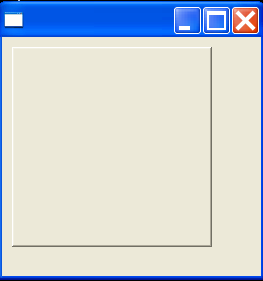
display busy cursor during long running task
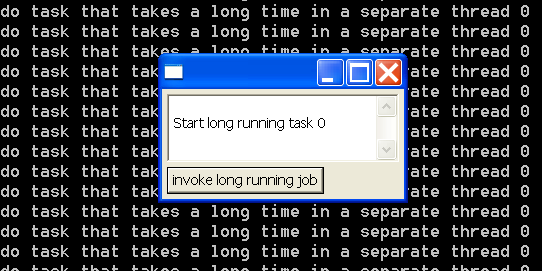
/*
 * BusyIndicator example snippet: display busy cursor during long running task
 *
 * For a list of all SWT example snippets see
 * http://dev.eclipse.org/viewcvs/index.cgi/%7Echeckout%7E/platform-swt-home/dev.html#snippets
 */
import org.eclipse.swt.SWT;
import org.eclipse.swt.custom.BusyIndicator;
import org.eclipse.swt.events.SelectionAdapter;
import org.eclipse.swt.events.SelectionEvent;
import org.eclipse.swt.layout.GridData;
import org.eclipse.swt.layout.GridLayout;
import org.eclipse.swt.widgets.Button;
import org.eclipse.swt.widgets.Display;
import org.eclipse.swt.widgets.Shell;
import org.eclipse.swt.widgets.Text;

public class Snippet130 {

  public static void main(String[] args) {
    final Display display = new Display();
    final Shell shell = new Shell(display);
    shell.setLayout(new GridLayout());
    final Text text = new Text(shell, SWT.MULTI | SWT.BORDER | SWT.V_SCROLL);
    text.setLayoutData(new GridData(GridData.FILL_BOTH));
    final int[] nextId = new int[1];
    Button b = new Button(shell, SWT.PUSH);
    b.setText("invoke long running job");
    b.addSelectionListener(new SelectionAdapter() {
      public void widgetSelected(SelectionEvent e) {
        Runnable longJob = new Runnable() {
          boolean done = false;

          int id;

          public void run() {
            Thread thread = new Thread(new Runnable() {
              public void run() {
                id = nextId[0]++;
                display.syncExec(new Runnable() {
                  public void run() {
                    if (text.isDisposed())
                      return;
                    text
                        .append("\nStart long running task "
                            + id);
                  }
                });
                for (int i = 0; i < 100000; i++) {
                  if (display.isDisposed())
                    return;
                  System.out
                      .println("do task that takes a long time in a separate thread "
                          + id);
                }
                if (display.isDisposed())
                  return;
                display.syncExec(new Runnable() {
                  public void run() {
                    if (text.isDisposed())
                      return;
                    text
                        .append("\nCompleted long running task "
                            + id);
                  }
                });
                done = true;
                display.wake();
              }
            });
            thread.start();
            while (!done && !shell.isDisposed()) {
              if (!display.readAndDispatch())
                display.sleep();
            }
          }
        };
        BusyIndicator.showWhile(display, longJob);
      }
    });
    shell.setSize(250, 150);
    shell.open();
    while (!shell.isDisposed()) {
      if (!display.readAndDispatch())
        display.sleep();
    }
    display.dispose();
  }
}
Related examples in the same category