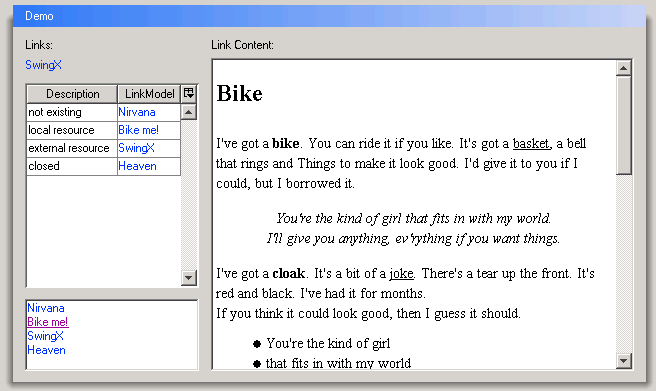
Another Link button
/**
 * $ $ License.
 *
 * Copyright $ L2FProd.com
 *
 * Licensed under the Apache License, Version 2.0 (the "License");
 * you may not use this file except in compliance with the License.
 * You may obtain a copy of the License at
 *
 *     http://www.apache.org/licenses/LICENSE-2.0
 *
 * Unless required by applicable law or agreed to in writing, software
 * distributed under the License is distributed on an "AS IS" BASIS,
 * WITHOUT WARRANTIES OR CONDITIONS OF ANY KIND, either express or implied.
 * See the License for the specific language governing permissions and
 * limitations under the License.
 */

import java.awt.AlphaComposite;
import java.awt.BorderLayout;
import java.awt.Color;
import java.awt.Composite;
import java.awt.Cursor;
import java.awt.Font;
import java.awt.FontMetrics;
import java.awt.Graphics;
import java.awt.Graphics2D;
import java.awt.Insets;
import java.awt.Rectangle;
import java.awt.event.MouseAdapter;
import java.awt.event.MouseEvent;
import java.awt.event.MouseListener;

import javax.swing.AbstractButton;
import javax.swing.Action;
import javax.swing.ButtonModel;
import javax.swing.Icon;
import javax.swing.JButton;
import javax.swing.JComponent;
import javax.swing.JFrame;
import javax.swing.JToolBar;
import javax.swing.SwingUtilities;
import javax.swing.UIManager;
import javax.swing.plaf.ComponentUI;
import javax.swing.plaf.basic.BasicButtonUI;
import javax.swing.plaf.basic.BasicGraphicsUtils;
import javax.swing.plaf.basic.BasicHTML;
import javax.swing.text.View;

/**
 * A button targeted to be used as an hyperlink. Most UI will make it
 * transparent and it will react on mouse over by changing the cursor to the
 * hand cursor.
 *
 * @javabean.class name="JLinkButton" shortDescription="A button looking as an
 *                 hyperlink." stopClass="java.awt.Component"
 *
 * @javabean.attribute name="isContainer" value="Boolean.FALSE" rtexpr="true"
 *
 * @javabean.icons mono16="JLinkButton16-mono.gif" color16="JLinkButton16.gif"
 *                 mono32="JLinkButton32-mono.gif" color32="JLinkButton32.gif"
 */
public class AnotherLinkButton extends JButton {

  public AnotherLinkButton() {
    super();
  }

  public AnotherLinkButton(String text) {
    super(text);
  }

  public AnotherLinkButton(String text, Icon icon) {
    super(text, icon);
  }

  public AnotherLinkButton(Action a) {
    super(a);
  }

  public AnotherLinkButton(Icon icon) {
    super(icon);
  }

  public void updateUI() {
    setUI(new WindowsLinkButtonUI());
  }

  public static void main(String[] args) throws Exception {
    JFrame frame = new JFrame("JLinkButton");
    frame.getContentPane().setLayout(new BorderLayout());
    frame.getContentPane().add("Center", new AnotherLinkButton("www.java2s.com"));
    frame.setDefaultCloseOperation(JFrame.EXIT_ON_CLOSE);
    frame.pack();
    frame.setLocation(100, 100);
    frame.setVisible(true);
  }

}

class BasicLinkButtonUI extends BasicButtonUI {

  public static ComponentUI createUI(JComponent c) {
    return new BasicLinkButtonUI();
  }

  private static Rectangle viewRect = new Rectangle();

  private static Rectangle textRect = new Rectangle();

  private static Rectangle iconRect = new Rectangle();

  private static MouseListener handCursorListener = new HandCursor();

  protected int dashedRectGapX;

  protected int dashedRectGapY;

  protected int dashedRectGapWidth;

  protected int dashedRectGapHeight;

  private Color focusColor;

  protected void installDefaults(AbstractButton b) {
    super.installDefaults(b);

    b.setOpaque(false);
    b.setBorderPainted(false);
    b.setRolloverEnabled(true);

    dashedRectGapX = UIManager.getInt("ButtonUI.dashedRectGapX");
    dashedRectGapY = UIManager.getInt("ButtonUI.dashedRectGapY");
    dashedRectGapWidth = UIManager.getInt("ButtonUI.dashedRectGapWidth");
    dashedRectGapHeight = UIManager.getInt("ButtonUI.dashedRectGapHeight");
    focusColor = UIManager.getColor("ButtonUI.focus");

    b.setHorizontalAlignment(AbstractButton.LEFT);
  }

  protected void installListeners(AbstractButton b) {
    super.installListeners(b);
    b.addMouseListener(handCursorListener);
  }

  protected void uninstallListeners(AbstractButton b) {
    super.uninstallListeners(b);
    b.removeMouseListener(handCursorListener);
  }

  protected Color getFocusColor() {
    return focusColor;
  }

  public void paint(Graphics g, JComponent c) {
    AbstractButton b = (AbstractButton) c;
    ButtonModel model = b.getModel();

    FontMetrics fm = g.getFontMetrics();

    Insets i = c.getInsets();

    viewRect.x = i.left;
    viewRect.y = i.top;
    viewRect.width = b.getWidth() - (i.right + viewRect.x);
    viewRect.height = b.getHeight() - (i.bottom + viewRect.y);

    textRect.x = textRect.y = textRect.width = textRect.height = 0;
    iconRect.x = iconRect.y = iconRect.width = iconRect.height = 0;

    Font f = c.getFont();
    g.setFont(f);

    // layout the text and icon
    String text = SwingUtilities.layoutCompoundLabel(c, fm, b.getText(), b
        .getIcon(), b.getVerticalAlignment(), b
        .getHorizontalAlignment(), b.getVerticalTextPosition(), b
        .getHorizontalTextPosition(), viewRect, iconRect, textRect, b
        .getText() == null ? 0 : b.getIconTextGap());

    clearTextShiftOffset();

    // perform UI specific press action, e.g. Windows L&F shifts text
    if (model.isArmed() && model.isPressed()) {
      paintButtonPressed(g, b);
    }

    // Paint the Icon
    if (b.getIcon() != null) {
      paintIcon(g, c, iconRect);
    }

    Composite oldComposite = ((Graphics2D) g).getComposite();

    if (model.isRollover()) {
      ((Graphics2D) g).setComposite(AlphaComposite.getInstance(
          AlphaComposite.SRC_OVER, 0.5f));
    }

    if (text != null && !text.equals("")) {
      View v = (View) c.getClientProperty(BasicHTML.propertyKey);
      if (v != null) {
        textRect.x += getTextShiftOffset();
        textRect.y += getTextShiftOffset();
        v.paint(g, textRect);
        textRect.x -= getTextShiftOffset();
        textRect.y -= getTextShiftOffset();
      } else {
        paintText(g, b, textRect, text);
      }
    }

    if (b.isFocusPainted() && b.hasFocus()) {
      // paint UI specific focus
      paintFocus(g, b, viewRect, textRect, iconRect);
    }

    ((Graphics2D) g).setComposite(oldComposite);
  }

  protected void paintFocus(Graphics g, AbstractButton b, Rectangle viewRect,
      Rectangle textRect, Rectangle iconRect) {
    if (b.getParent() instanceof JToolBar) {
      // Windows doesn't draw the focus rect for buttons in a toolbar.
      return;
    }

    // focus painted same color as text
    int width = b.getWidth();
    int height = b.getHeight();
    g.setColor(getFocusColor());
    BasicGraphicsUtils.drawDashedRect(g, dashedRectGapX, dashedRectGapY,
        width - dashedRectGapWidth, height - dashedRectGapHeight);
  }

  protected void paintButtonPressed(Graphics g, AbstractButton b) {
    setTextShiftOffset();
  }

  static class HandCursor extends MouseAdapter {
    public void mouseEntered(MouseEvent e) {
      e.getComponent().setCursor(
          Cursor.getPredefinedCursor(Cursor.HAND_CURSOR));
    }

    public void mouseExited(MouseEvent e) {
      e.getComponent().setCursor(Cursor.getDefaultCursor());
    }
  }
}

class WindowsLinkButtonUI extends BasicLinkButtonUI {

  private static WindowsLinkButtonUI buttonUI = new WindowsLinkButtonUI();

  public static ComponentUI createUI(JComponent c) {
    return buttonUI;
  }

  protected void paintButtonPressed(Graphics g, AbstractButton b) {
    setTextShiftOffset();
  }
}
Related examples in the same category