Editable List Example : List « Swing Components « Java
Editable List Example
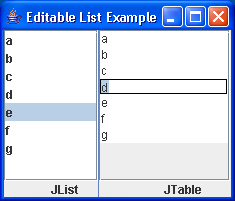
// Example from http://www.crionics.com/products/opensource/faq/swing_ex/SwingExamples.html
/*
 * (swing1.1)
 */

import java.awt.Container;
import java.awt.Dimension;
import java.awt.event.WindowAdapter;
import java.awt.event.WindowEvent;
import java.util.Vector;

import javax.swing.Box;
import javax.swing.BoxLayout;
import javax.swing.JFrame;
import javax.swing.JLabel;
import javax.swing.JList;
import javax.swing.JScrollPane;
import javax.swing.JSeparator;
import javax.swing.JTable;
import javax.swing.ListSelectionModel;
import javax.swing.SwingConstants;
import javax.swing.UIManager;
import javax.swing.table.DefaultTableModel;

/**
 * @version 1.0 12/24/98
 */
public class EditableListExample extends JFrame {

  public EditableListExample() {
    super("Editable List Example");

    String[] data = { "a", "b", "c", "d", "e", "f", "g" };

    JList list = new JList(data);
    JScrollPane scrollList = new JScrollPane(list);
    scrollList.setMinimumSize(new Dimension(100, 80));
    Box listBox = new Box(BoxLayout.Y_AXIS);
    listBox.add(scrollList);
    listBox.add(new JLabel("JList"));

    DefaultTableModel dm = new DefaultTableModel();
    Vector dummyHeader = new Vector();
    dummyHeader.addElement("");
    dm.setDataVector(strArray2Vector(data), dummyHeader);
    JTable table = new JTable(dm);
    table.setShowGrid(false);
    table.setSelectionMode(ListSelectionModel.SINGLE_SELECTION);
    JScrollPane scrollTable = new JScrollPane(table);
    scrollTable.setColumnHeader(null);
    scrollTable.setMinimumSize(new Dimension(100, 80));
    Box tableBox = new Box(BoxLayout.Y_AXIS);
    tableBox.add(scrollTable);
    tableBox.add(new JLabel("JTable"));

    Container c = getContentPane();
    c.setLayout(new BoxLayout(c, BoxLayout.X_AXIS));
    c.add(listBox);
    c.add(new JSeparator(SwingConstants.VERTICAL));
    //c.add(new JLabel("test"));
    //c.add(new JSeparator(SwingConstants.HORIZONTAL));
    c.add(tableBox);
    setSize(220, 130);
    setVisible(true);
  }

  private Vector strArray2Vector(String[] str) {
    Vector vector = new Vector();
    for (int i = 0; i < str.length; i++) {
      Vector v = new Vector();
      v.addElement(str[i]);
      vector.addElement(v);
    }
    return vector;
  }

  public static void main(String[] args) {
    final EditableListExample frame = new EditableListExample();
    frame.addWindowListener(new WindowAdapter() {
      public void windowClosing(WindowEvent e) {
        System.exit(0);
      }
    });
  }
}
Related examples in the same category
| 1. | CheckBox List by Zhiguo Yin |  | 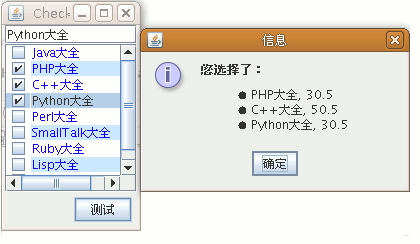 |
| 2. | Mouse Roll over List | | 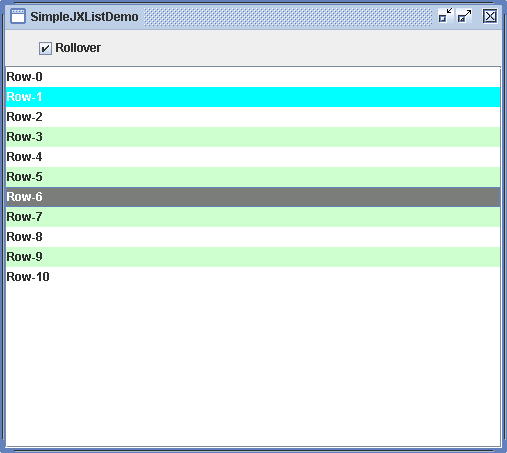 |
| 3. | Check List Example | 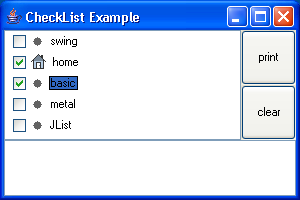 | |
| 4. | Check List Example 2 | 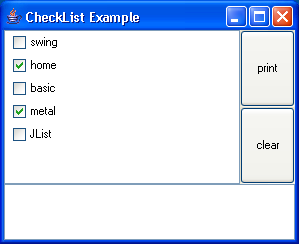 | |
| 5. | ToolTip List Example | 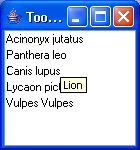 | |
| 6. | DND Drag and drop List | ||
| 7. | CheckBox List |