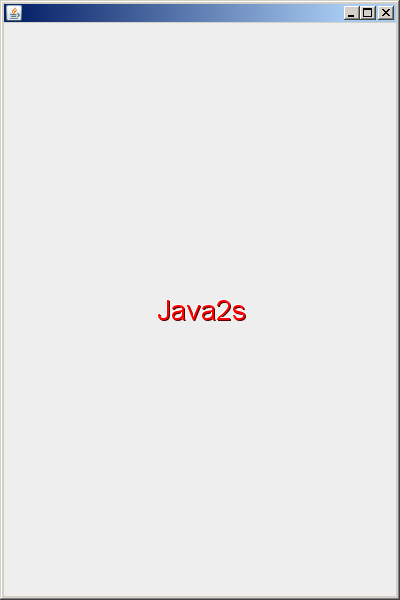
MultiLine Label
// This example is from the book _Java in a Nutshell_ by David Flanagan.
//Written by David Flanagan. Copyright (c) 1996 O'Reilly & Associates.
//You may study, use, modify, and distribute this example for any purpose.
//This example is provided WITHOUT WARRANTY either expressed or implied.

import java.awt.Canvas;
import java.awt.Color;
import java.awt.Dimension;
import java.awt.Font;
import java.awt.FontMetrics;
import java.awt.Graphics;
import java.util.StringTokenizer;

public class MultiLineLabel extends Canvas {
  public static final int LEFT = 0; // Alignment constants

  public static final int CENTER = 1;

  public static final int RIGHT = 2;

  protected String[] lines; // The lines of text to display

  protected int num_lines; // The number of lines

  protected int margin_width; // Left and right margins

  protected int margin_height; // Top and bottom margins

  protected int line_height; // Total height of the font

  protected int line_ascent; // Font height above baseline

  protected int[] line_widths; // How wide each line is

  protected int max_width; // The width of the widest line

  protected int alignment = LEFT; // The alignment of the text.

  // This method breaks a specified label up into an array of lines.
  // It uses the StringTokenizer utility class.
  protected void newLabel(String label) {
    StringTokenizer t = new StringTokenizer(label, "\n");
    num_lines = t.countTokens();
    lines = new String[num_lines];
    line_widths = new int[num_lines];
    for (int i = 0; i < num_lines; i++)
      lines[i] = t.nextToken();
  }

  // This method figures out how the font is, and how wide each
  // line of the label is, and how wide the widest line is.
  protected void measure() {
    FontMetrics fm = getFontMetrics(getFont());
    // If we don't have font metrics yet, just return.
    if (fm == null)
      return;

    line_height = fm.getHeight();
    line_ascent = fm.getAscent();
    max_width = 0;
    for (int i = 0; i < num_lines; i++) {
      line_widths[i] = fm.stringWidth(lines[i]);
      if (line_widths[i] > max_width)
        max_width = line_widths[i];
    }
  }

  // Here are four versions of the cosntrutor.
  // Break the label up into separate lines, and save the other info.
  public MultiLineLabel(String label, int margin_width, int margin_height,
      int alignment) {
    newLabel(label);
    this.margin_width = margin_width;
    this.margin_height = margin_height;
    this.alignment = alignment;
  }

  public MultiLineLabel(String label, int margin_width, int margin_height) {
    this(label, margin_width, margin_height, LEFT);
  }

  public MultiLineLabel(String label, int alignment) {
    this(label, 10, 10, alignment);
  }

  public MultiLineLabel(String label) {
    this(label, 10, 10, LEFT);
  }

  // Methods to set the various attributes of the component
  public void setLabel(String label) {
    newLabel(label);
    measure();
    repaint();
  }

  public void setFont(Font f) {
    super.setFont(f);
    measure();
    repaint();
  }

  public void setForeground(Color c) {
    super.setForeground(c);
    repaint();
  }

  public void setAlignment(int a) {
    alignment = a;
    repaint();
  }

  public void setMarginWidth(int mw) {
    margin_width = mw;
    repaint();
  }

  public void setMarginHeight(int mh) {
    margin_height = mh;
    repaint();
  }

  public int getAlignment() {
    return alignment;
  }

  public int getMarginWidth() {
    return margin_width;
  }

  public int getMarginHeight() {
    return margin_height;
  }

  // This method is invoked after our Canvas is first created
  // but before it can actually be displayed. After we've
  // invoked our superclass's addNotify() method, we have font
  // metrics and can successfully call measure() to figure out
  // how big the label is.
  public void addNotify() {
    super.addNotify();
    measure();
  }

  // This method is called by a layout manager when it wants to
  // know how big we'd like to be.
  public Dimension getPreferredSize() {
    return new Dimension(max_width + 2 * margin_width, num_lines
        * line_height + 2 * margin_height);
  }

  // This method is called when the layout manager wants to know
  // the bare minimum amount of space we need to get by.
  public Dimension getMinimumSize() {
    return new Dimension(max_width, num_lines * line_height);
  }

  // This method draws the label (applets use the same method).
  // Note that it handles the margins and the alignment, but that
  // it doesn't have to worry about the color or font--the superclass
  // takes care of setting those in the Graphics object we're passed.
  public void paint(Graphics g) {
    int x, y;
    Dimension d = getSize();
    y = line_ascent + (d.height - num_lines * line_height) / 2;
    for (int i = 0; i < num_lines; i++, y += line_height) {
      switch (alignment) {
      case LEFT:
        x = margin_width;
        break;
      case CENTER:
      default:
        x = (d.width - line_widths[i]) / 2;
        break;
      case RIGHT:
        x = d.width - margin_width - line_widths[i];
        break;
      }
      g.drawString(lines[i], x, y);
    }
  }
}
Related examples in the same category