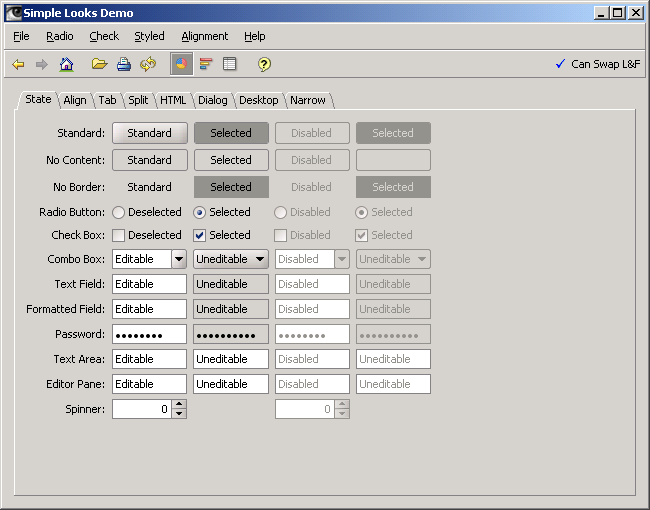
The main class of the JGoodies Tiny application

/*
 * Copyright (c) 2001-2005 JGoodies Karsten Lentzsch. All Rights Reserved.
 *
 * Redistribution and use in source and binary forms, with or without
 * modification, are permitted provided that the following conditions are met:
 *
 *  o Redistributions of source code must retain the above copyright notice,
 *    this list of conditions and the following disclaimer.
 *
 *  o Redistributions in binary form must reproduce the above copyright notice,
 *    this list of conditions and the following disclaimer in the documentation
 *    and/or other materials provided with the distribution.
 *
 *  o Neither the name of JGoodies Karsten Lentzsch nor the names of
 *    its contributors may be used to endorse or promote products derived
 *    from this software without specific prior written permission.
 *
 * THIS SOFTWARE IS PROVIDED BY THE COPYRIGHT HOLDERS AND CONTRIBUTORS "AS IS"
 * AND ANY EXPRESS OR IMPLIED WARRANTIES, INCLUDING, BUT NOT LIMITED TO,
 * THE IMPLIED WARRANTIES OF MERCHANTABILITY AND FITNESS FOR A PARTICULAR
 * PURPOSE ARE DISCLAIMED. IN NO EVENT SHALL THE COPYRIGHT OWNER OR
 * CONTRIBUTORS BE LIABLE FOR ANY DIRECT, INDIRECT, INCIDENTAL, SPECIAL,
 * EXEMPLARY, OR CONSEQUENTIAL DAMAGES (INCLUDING, BUT NOT LIMITED TO,
 * PROCUREMENT OF SUBSTITUTE GOODS OR SERVICES; LOSS OF USE, DATA, OR PROFITS;
 * OR BUSINESS INTERRUPTION) HOWEVER CAUSED AND ON ANY THEORY OF LIABILITY,
 * WHETHER IN CONTRACT, STRICT LIABILITY, OR TORT (INCLUDING NEGLIGENCE
 * OR OTHERWISE) ARISING IN ANY WAY OUT OF THE USE OF THIS SOFTWARE,
 * EVEN IF ADVISED OF THE POSSIBILITY OF SUCH DAMAGE.
 */

import java.awt.BorderLayout;
import java.awt.Component;
import java.awt.Dimension;
import java.awt.Frame;

import javax.swing.*;
import javax.swing.border.EmptyBorder;

import com.jgoodies.looks.FontSizeHints;
import com.jgoodies.looks.LookUtils;
import com.jgoodies.looks.Options;


/**
 * The main class of the JGoodies Tiny application.
 * It configures the UI, builds the main frame and opens it.
 * <p>
 * The JGoodies Looks Professional comes with Skeleton, a much better sample
 * application that separates concerns and uses a scalable architecture.
 *
 * @author Karsten Lentzsch
 */
public class Tiny {

    /**
     * Configures the UI, then builds and opens the UI.
     */
    public static void main(String[] args) {
        Tiny instance = new Tiny();
        instance.configureUI();
        instance.buildInterface();
    }

    /**
     * Configures the UI; tries to set the system look on Mac,
     * <code>WindowsLookAndFeel</code> on general Windows, and
     * <code>Plastic3DLookAndFeel</code> on Windows XP and all other OS.<p>
     *
     * The JGoodies Swing Suite's <code>ApplicationStarter</code>,
     * <code>ExtUIManager</code>, and <code>LookChoiceStrategies</code>
     * classes provide a much more fine grained algorithm to choose and
     * restore a look and theme.
     */
    private void configureUI() {
        UIManager.put(Options.USE_SYSTEM_FONTS_APP_KEY, Boolean.TRUE);
        Options.setGlobalFontSizeHints(FontSizeHints.MIXED);
        Options.setDefaultIconSize(new Dimension(18, 18));

        String lafName =
            LookUtils.IS_OS_WINDOWS_XP
                ? Options.getCrossPlatformLookAndFeelClassName()
                : Options.getSystemLookAndFeelClassName();

        try {
            UIManager.setLookAndFeel(lafName);
        } catch (Exception e) {
            System.err.println("Can't set look & feel:" + e);
        }
    }

    /**
     * Creates and configures a frame, builds the menu bar, builds the
     * content, locates the frame on the screen, and finally shows the frame.
     */
    private void buildInterface() {
        JFrame frame = new JFrame();
        frame.setJMenuBar(buildMenuBar());
        frame.setContentPane(buildContentPane());
        frame.setSize(600, 400);
        locateOnScreen(frame);
        frame.setTitle("JGoodies :: Tiny");
        frame.setDefaultCloseOperation(JFrame.EXIT_ON_CLOSE);
        frame.setVisible(true);
    }

    /**
     * Locates the frame on the screen center.
     */
    private void locateOnScreen(Frame frame) {
        Dimension paneSize   = frame.getSize();
        Dimension screenSize = frame.getToolkit().getScreenSize();
        frame.setLocation(
            (screenSize.width  - paneSize.width)  / 2,
            (screenSize.height - paneSize.height) / 2);
    }

    /**
     * Builds and answers the menu bar.
     */
    private JMenuBar buildMenuBar() {
        JMenu menu;
        JMenuBar menuBar = new JMenuBar();
        menuBar.putClientProperty(Options.HEADER_STYLE_KEY, Boolean.TRUE);

        menu = new JMenu("File");
        menu.add(new JMenuItem("New..."));
        menu.add(new JMenuItem("Open..."));
        menu.add(new JMenuItem("Save"));
        menu.addSeparator();
        menu.add(new JMenuItem("Print..."));
        menuBar.add(menu);

        menu = new JMenu("Edit");
        menu.add(new JMenuItem("Cut"));
        menu.add(new JMenuItem("Copy"));
        menu.add(new JMenuItem("Paste"));
        menuBar.add(menu);

        return menuBar;
    }

    /**
     * Builds and answers the content pane.
     */
    private JComponent buildContentPane() {
        JPanel panel = new JPanel(new BorderLayout());
        panel.add(buildToolBar(), BorderLayout.NORTH);
        panel.add(buildSplitPane(), BorderLayout.CENTER);
        panel.add(buildStatusBar(), BorderLayout.SOUTH);
        return panel;
    }

    /**
     * Builds and answers the tool bar.
     */
    private Component buildToolBar() {
        JToolBar toolBar = new JToolBar();
        toolBar.putClientProperty(Options.HEADER_STYLE_KEY, Boolean.TRUE);

        toolBar.add(createCenteredLabel("Tool Bar"));
        return toolBar;
    }

    /**
     * Builds and answers the split panel.
     */
    private Component buildSplitPane() {
        JSplitPane splitPane =
            new JSplitPane(
                JSplitPane.HORIZONTAL_SPLIT,
                buildSideBar(),
                buildMainPanel());
        return splitPane;
    }

    /**
     * Builds and answers the side bar.
     */
    private Component buildSideBar() {
        return createStrippedScrollPane(new JTree());
    }

    /**
     * Builds and answers the main panel.
     */
    private Component buildMainPanel() {
        JEditorPane editor = new JEditorPane();
        editor.setText(
            "This is a minimal Swing application, that demos,\n" +
            "how to install and use a JGoodies look&feel\n" +
            "in a Swing application.");
        return createStrippedScrollPane(editor);
    }

    /**
     * Builds and answers the tool bar.
     */
    private Component buildStatusBar() {
        JPanel statusBar = new JPanel(new BorderLayout());
        statusBar.add(createCenteredLabel("Status Bar"));
        return statusBar;
    }

    // Helper Code ********************************************************

    /**
     * Creates and answers a <code>JScrollpane</code> that has no border.
     */
    private JScrollPane createStrippedScrollPane(Component c) {
        JScrollPane scrollPane = new JScrollPane(c);
        scrollPane.setBorder(null);
        return scrollPane;
    }

    /**
     * Creates and answers a <code>JLabel</code> that has the text
     * centered and that is wrapped with an empty border.
     */
    private Component createCenteredLabel(String text) {
        JLabel label = new JLabel(text);
        label.setHorizontalAlignment(SwingConstants.CENTER);
        label.setBorder(new EmptyBorder(3, 3, 3, 3));
        return label;
    }

}
 looks.zip( 600 k)
Related examples in the same category