Font Chooser ComboBox : ComboBox « Swing JFC « Java

Java
1. 2D Graphics GUI
2. 3D
3. Advanced Graphics
4. Ant
5. Apache Common
6. Chart
7. Collections Data Structure
8. Database SQL JDBC
9. Design Pattern
10. Development Class
11. Email
12. Event
13. File Input Output
14. Game
15. Hibernate
16. J2EE
17. J2ME
18. JDK 6
19. JSP
20. JSTL
21. Language Basics
22. Network Protocol
23. PDF RTF
24. Regular Expressions
25. Security
26. Servlets
27. Spring
28. Swing Components
29. Swing JFC
30. SWT JFace Eclipse
31. Threads
32. Tiny Application
33. Velocity
34. Web Services SOA
35. XML
Microsoft Office Word 2007 Tutorial
Java Tutorial
Java Source Code / Java Documentation
Java Open Source
Jar File Download
Java Articles
Java Products
Java by API
C# / C Sharp
C# / CSharp Tutorial
ASP.Net
JavaScript DHTML
JavaScript Tutorial
JavaScript Reference
HTML / CSS
HTML CSS Reference
C / ANSI-C
C Tutorial
C++
C++ Tutorial
PHP
Python
SQL Server / T-SQL
Oracle PL / SQL
Oracle PL/SQL Tutorial
PostgreSQL
SQL / MySQL
MySQL Tutorial
VB.Net
VB.Net Tutorial
Java » Swing JFC » ComboBoxScreenshots 
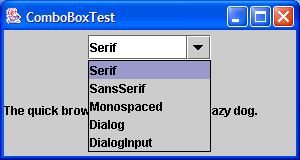
Font Chooser ComboBox

import java.awt.Font;
import java.awt.event.ActionEvent;
import java.awt.event.ActionListener;
import java.awt.event.WindowAdapter;
import java.awt.event.WindowEvent;

import javax.swing.JComboBox;
import javax.swing.JFrame;
import javax.swing.JLabel;
import javax.swing.JPanel;

public class FontComboBox extends JFrame implements ActionListener {
  JLabel fontLabel = new JLabel(
      "The quick brown fox jumps over the lazy dog.");

  private JComboBox fontComboBox;

  public FontComboBox() {
    setTitle("ComboBoxTest");
    setSize(300200);
    addWindowListener(new WindowAdapter() {
      public void windowClosing(WindowEvent e) {
        System.exit(0);
      }
    });

    fontComboBox = new JComboBox();
    fontComboBox.setEditable(true);
    fontComboBox.addItem("Serif");
    fontComboBox.addItem("SansSerif");
    fontComboBox.addItem("Monospaced");
    fontComboBox.addItem("Dialog");
    fontComboBox.addItem("DialogInput");
    fontComboBox.addActionListener(this);

    JPanel p = new JPanel();
    p.add(fontComboBox);
    getContentPane().add(p, "North");
    getContentPane().add(fontLabel, "Center");
  }

  public void actionPerformed(ActionEvent evt) {
    JComboBox source = (JComboBoxevt.getSource();
    String item = (Stringsource.getSelectedItem();
    fontLabel.setFont(new Font(item, Font.PLAIN, 12));
  }

  public static void main(String[] args) {
    JFrame frame = new FontComboBox();
    frame.show();
  }
}
           
       
Related examples in the same category
1. Using drop-down listsUsing drop-down lists
2. A fancy example of JComboBox with a custom renderer and editorA fancy example of JComboBox with a custom renderer and editor
3. Editable ComboBoxEditable ComboBox
4. Create a simple combobox
5. Color combobox rendererColor combobox renderer
6. Select the combobox by choose the nearby labelSelect the combobox by choose the nearby label
7. ComoboBox loads and saves items automatically from a fileComoboBox loads and saves items automatically from a file
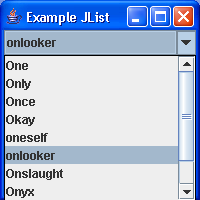
8. Sharing a Model between a JList and JComboBoxSharing a Model between a JList and JComboBox
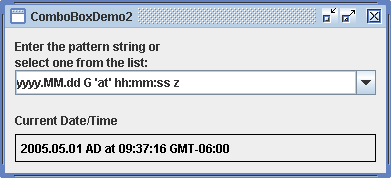
9. ComboBox Demo 2ComboBox Demo 2
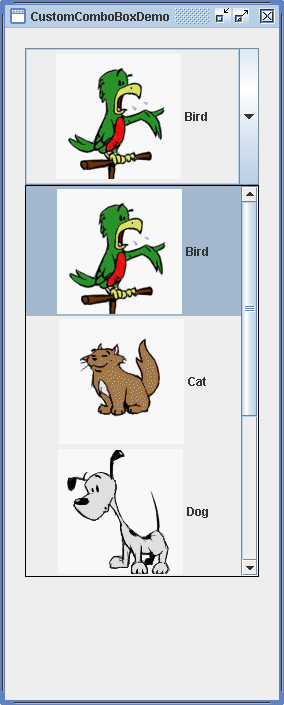
10. Custom ComboBox with ImageCustom ComboBox with Image
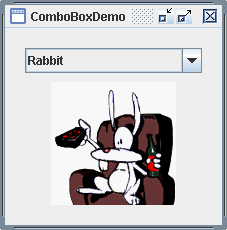
11. ComboBox DemoComboBox Demo
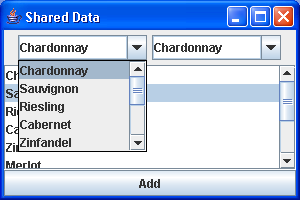
12. List: Shared Data SampleList: Shared Data Sample
13. Selecting Combo SampleSelecting Combo Sample
14. MultiKey ComboMultiKey Combo
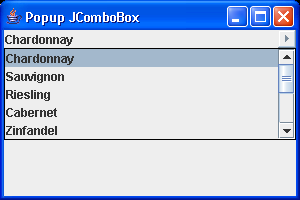
15. PopupCombo SamplePopupCombo Sample
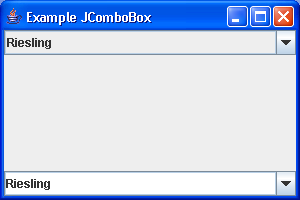
16. Dual Sample: JList and ComboBoxDual Sample: JList and ComboBox
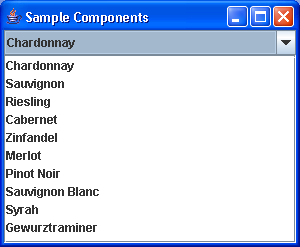
17. ComboBox SampleComboBox Sample
18. Color ComboBox: ComboBoxEditor DemoColor ComboBox: ComboBoxEditor Demo
19. ArrayListComboBoxModel DemoArrayListComboBoxModel Demo
w_ww_.___j_a_v__a___2___s_.__com | Contact Us
Copyright 2003 - 08 Demo Source and Support. All rights reserved.
All other trademarks are property of their respective owners.