Using the Runnable interface
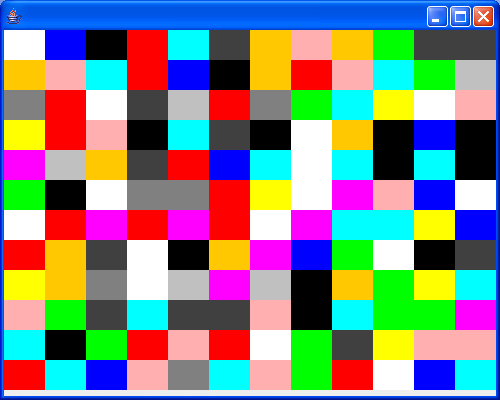
// : c14:ColorBoxes.java
// Using the Runnable interface.
// <applet code=ColorBoxes width=500 height=400>
// <param name=grid value="12">
// <param name=pause value="50"></applet>
// From 'Thinking in Java, 3rd ed.' (c) Bruce Eckel 2002
// www.BruceEckel.com. See copyright notice in CopyRight.txt.

import java.awt.Color;
import java.awt.Container;
import java.awt.Dimension;
import java.awt.Graphics;
import java.awt.GridLayout;
import java.util.Random;

import javax.swing.JApplet;
import javax.swing.JFrame;
import javax.swing.JPanel;

class CBox extends JPanel implements Runnable {
  private Thread t;

  private int pause;

  private static final Color[] colors = { Color.BLACK, Color.BLUE,
      Color.CYAN, Color.DARK_GRAY, Color.GRAY, Color.GREEN,
      Color.LIGHT_GRAY, Color.MAGENTA, Color.ORANGE, Color.PINK,
      Color.RED, Color.WHITE, Color.YELLOW };

  private static Random rand = new Random();

  private static final Color newColor() {
    return colors[rand.nextInt(colors.length)];
  }

  private Color cColor = newColor();

  public void paintComponent(Graphics g) {
    super.paintComponent(g);
    g.setColor(cColor);
    Dimension s = getSize();
    g.fillRect(0, 0, s.width, s.height);
  }

  public CBox(int pause) {
    this.pause = pause;
    t = new Thread(this);
    t.start();
  }

  public void run() {
    while (true) {
      cColor = newColor();
      repaint();
      try {
        t.sleep(pause);
      } catch (InterruptedException e) {
        throw new RuntimeException(e);
      }
    }
  }
}

public class ColorBoxes extends JApplet {
  private boolean isApplet = true;

  private int grid = 12;

  private int pause = 50;

  public void init() {
    // Get parameters from Web page:
    if (isApplet) {
      String gsize = getParameter("grid");
      if (gsize != null)
        grid = Integer.parseInt(gsize);
      String pse = getParameter("pause");
      if (pse != null)
        pause = Integer.parseInt(pse);
    }
    Container cp = getContentPane();
    cp.setLayout(new GridLayout(grid, grid));
    for (int i = 0; i < grid * grid; i++)
      cp.add(new CBox(pause));
  }

  public static void main(String[] args) {
    ColorBoxes applet = new ColorBoxes();
    applet.isApplet = false;
    if (args.length > 0)
      applet.grid = Integer.parseInt(args[0]);
    if (args.length > 1)
      applet.pause = Integer.parseInt(args[1]);
    run(applet, 500, 400);
  }

  public static void run(JApplet applet, int width, int height) {
    JFrame frame = new JFrame();
    frame.setDefaultCloseOperation(JFrame.EXIT_ON_CLOSE);
    frame.getContentPane().add(applet);
    frame.setSize(width, height);
    applet.init();
    applet.start();
    frame.setVisible(true);
  }
} ///:~
Related examples in the same category