Redirecting stdout and stderr Output : stdout stderr « Development « Python
Python
1. 2D
2. Application
3. Buildin Function
4. Class
5. Data Structure
6. Data Type
7. Development
8. Dictionary
9. Event
10. Exception
11. File
12. Function
13. GUI Pmw
14. GUI Tk
15. Language Basics
16. List
17. Math
18. Network
19. String
20. System
21. Thread
22. Tuple
23. Utility
24. XML
Java
Java Tutorial
Java Source Code / Java Documentation
Java Open Source
Jar File Download
Java Articles
Java Products
Java by API
C# / C Sharp
C# / CSharp Tutorial
ASP.Net
JavaScript DHTML
JavaScript Tutorial
JavaScript Reference
HTML / CSS
HTML CSS Reference
C / ANSI-C
C Tutorial
C++
C++ Tutorial
PHP
SQL Server / T-SQL
SQL Server / T-SQL Tutorial
Oracle PL / SQL
Oracle PL/SQL Tutorial
PostgreSQL
SQL / MySQL
MySQL Tutorial
VB.Net
VB.Net Tutorial
Flash / Flex / ActionScript
VBA / Excel / Access / Word
Microsoft Office PowerPoint 2007 Tutorial
Microsoft Office Excel 2007 Tutorial
Microsoft Office Word 2007 Tutorial
Python » Development » stdout stderrScreenshots 
Redirecting stdout and stderr Output


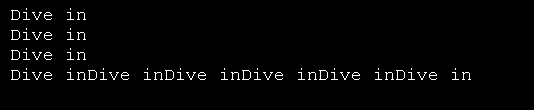
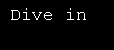
import sys 

print 'Dive in'                                   
saveout = sys.stdout                              
fsock = open('out.log', 'w')                      
sys.stdout = fsock                                
print 'This message will be logged instead of displayed'        
sys.stdout = saveout                                            
fsock.close()                                                   


Related examples in the same category
1. Use system function to outputUse system function to output
2. Different way to output string: print and sys.stdout.writeDifferent way to output string: print and sys.stdout.write
3. Introducing stdout and stderrIntroducing stdout and stderr
4. Redirecting Error Information
5. Printing to stderrPrinting to stderr
w___w__w___.__j___a__va__2_s.___c_om_ | Contact Us
Copyright 2003 - 08 Demo Source and Support. All rights reserved.
All other trademarks are property of their respective owners.