Enable a button : Button « GUI Tk « Python

Python
1. 2D
2. Application
3. Buildin Function
4. Class
5. Data Structure
6. Data Type
7. Development
8. Dictionary
9. Event
10. Exception
11. File
12. Function
13. GUI Pmw
14. GUI Tk
15. Language Basics
16. List
17. Math
18. Network
19. String
20. System
21. Thread
22. Tuple
23. Utility
24. XML
Microsoft Office Word 2007 Tutorial
Java
Java Tutorial
Java Source Code / Java Documentation
Java Open Source
Jar File Download
Java Articles
Java Products
Java by API
C# / C Sharp
C# / CSharp Tutorial
ASP.Net
JavaScript DHTML
JavaScript Tutorial
JavaScript Reference
HTML / CSS
HTML CSS Reference
C / ANSI-C
C Tutorial
C++
C++ Tutorial
PHP
SQL Server / T-SQL
Oracle PL / SQL
Oracle PL/SQL Tutorial
PostgreSQL
SQL / MySQL
MySQL Tutorial
VB.Net
VB.Net Tutorial
Python » GUI Tk » ButtonScreenshots 
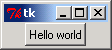
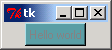
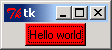
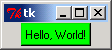
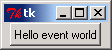
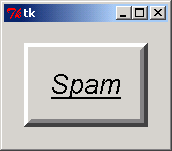
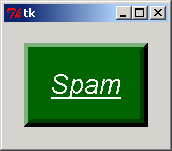
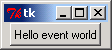
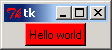
Enable a button
Enable a button

from Tkinter import *                   

class Hello(Frame):                     
    def __init__(self, parent=None):    
        Frame.__init__(self, parent)
        self.pack()
        self.make_widgets()

    def make_widgets(self):             
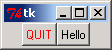
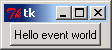
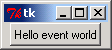
        widget = Button(self, text='Hello world', command=self.quit)
        widget.pack(side=LEFT)
        widget.configure(state=DISABLED, background='cadetblue')
        widget.configure(state=NORMAL, background='red')

if __name__ == '__main__':  Hello().mainloop()


Related examples in the same category
1. Add a button to frameAdd a button to frame
2. Simple Button ActionSimple Button Action
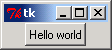
3. Disable a buttonDisable a button
4. Set Button to get focusSet Button to get focus
5. Button Border stylesButton Border styles
6. Button action to set Button backgroundButton action to set Button background
7. Button event binding: without passing the event as an argument Button event binding: without passing the event as an argument
8. Button focusButton focus
9. create a button, and put it into a Containercreate a button, and put it into a Container
10. Set Button background by property nameSet Button background by property name
11. Specify the button's propertiesSpecify the button's properties
12. Button action inside a classButton action inside a class
13. Button widthButton width
14. Buttons on a toolbarButtons on a toolbar
15. Button foreground colorButton foreground color
16. Creating buttonsCreating buttons
17. Button single click and double clickButton single click and double click
18. Use lambda to generate a call back function for a buttonUse lambda to generate a call back function for a button
19. adds user-defined callbacks as button actionadds user-defined callbacks as button action
20. Subclasses buttonSubclasses button
21. Subclass HelloButton: redefine press-handler methodSubclass HelloButton: redefine press-handler method
22. Sub class button: add callback method and pack myselfSub class button: add callback method and pack myself
23. Sub class button: add callback method and use a dictionarySub class button: add callback method and use a dictionary
24. Button BorderButton Border
25. Button border size Button border size
26. Button border effects: RAISEDButton border effects: RAISED
27. Button background, foreground and fontButton background, foreground and font
28. Button width and heightButton width and height
29. Config button propertiesConfig button properties
30. Add gif image to a buttonAdd gif image to a button
31. Bind mouse single click and double click to a buttonBind mouse single click and double click to a button
ww__w._j___a__v_a2s__.co_m | Contact Us
Copyright 2003 - 08 Demo Source and Support. All rights reserved.
All other trademarks are property of their respective owners.