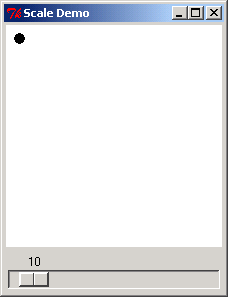
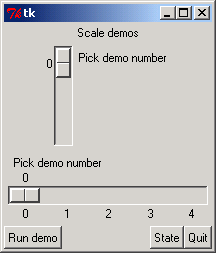
Scale Demo: get scale value and open different dialogs
from Tkinter import *


from tkFileDialog   import askopenfilename
from tkColorChooser import askcolor
from tkMessageBox   import askquestion, showerror
from tkSimpleDialog import askfloat

from tkMessageBox import askokcancel

class Quitter(Frame):
    def __init__(self, parent=None):
        Frame.__init__(self, parent)
        self.pack()
        widget = Button(self, text='Quit', command=self.quit)
        widget.pack(expand=YES, fill=BOTH, side=LEFT)
    def quit(self):
        ans = askokcancel('Verify exit', "Really quit?")
        if ans: Frame.quit(self)


demos = {
    'Open':  askopenfilename,
    'Color': askcolor,
    'Query': lambda: askquestion('Warning', 'query'),
    'Error': lambda: showerror('Error!', "Error"),
    'Input': lambda: askfloat('Entry', 'Input')
}

class Demo(Frame):
    def __init__(self, parent=None):
        Frame.__init__(self, parent)
        self.pack()
        Label(self, text="Scale demos").pack()
        self.var = IntVar()
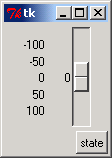
        Scale(self, label='Pick demo number',
                    command=self.onMove,
                    variable=self.var,
                    from_=0, to=len(demos)-1).pack()
        Scale(self, label='Pick demo number',
                    command=self.onMove,
                    variable=self.var,
                    from_=0, to=len(demos)-1,
                    length=200, tickinterval=1,
                    showvalue=YES, orient='horizontal').pack()
        Quitter(self).pack(side=RIGHT)
        Button(self, text="Run demo", command=self.onRun).pack(side=LEFT)
        Button(self, text="State",    command=self.report).pack(side=RIGHT)
    def onMove(self, value):
        print 'in onMove', value
    def onRun(self):
        pos = self.var.get()
        print 'You picked', pos
        pick = demos.keys()[pos]
        print demos[pick]()
    def report(self):
        print self.var.get()

if __name__ == '__main__':
    print demos.keys()
    Demo().mainloop()
Related examples in the same category