Use code to control color animation

<UserControl x:Class='SilverlightApplication3.MainPage'
    xmlns='http://schemas.microsoft.com/winfx/2006/xaml/presentation'
    xmlns:x='http://schemas.microsoft.com/winfx/2006/xaml'
    xmlns:d='http://schemas.microsoft.com/expression/blend/2008'
    xmlns:mc='http://schemas.openxmlformats.org/markup-compatibility/2006'
    mc:Ignorable='d'
    d:DesignWidth='640' d:DesignHeight='480'>
    <Canvas x:Name="LayoutRoot" Background="White">
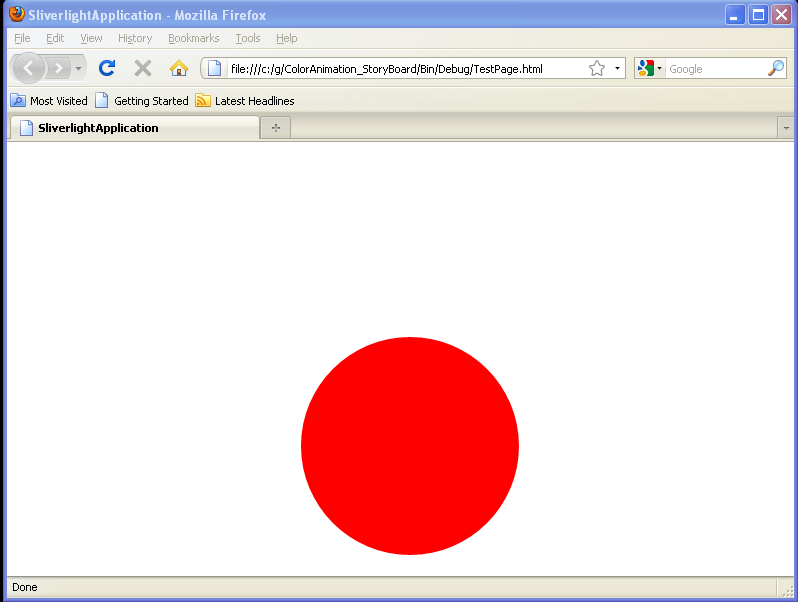
        <Ellipse Height="218" Width="218" Canvas.Left="294" Canvas.Top="195" Fill="#FFFF0000"
                 Cursor="Hand" x:Name="RedEllipse"/>
    </Canvas>
</UserControl>


//File: Page.xaml.cs
using System;
using System.Collections.Generic;
using System.Linq;
using System.Net;
using System.Windows;
using System.Windows.Controls;
using System.Windows.Documents;
using System.Windows.Input;
using System.Windows.Media;
using System.Windows.Media.Animation;
using System.Windows.Shapes;

namespace SilverlightApplication3
{
    public partial class MainPage : UserControl
    {
        private Storyboard TurnBlue = new Storyboard();
        private Storyboard TurnRed = new Storyboard();
        private ColorAnimation BlueColor = new ColorAnimation();
        private ColorAnimation RedColor = new ColorAnimation();

        public MainPage()
        {
            InitializeComponent();

            BlueColor.SetValue(Storyboard.TargetNameProperty, "RedEllipse");
            BlueColor.SetValue(Storyboard.TargetPropertyProperty, new PropertyPath("(Shape.Fill).(SolidColorBrush.Color)"));
            Color ToColor = Color.FromArgb(255, 13, 8, 116);
            BlueColor.To = ToColor;
            TurnBlue.Children.Add(BlueColor);
            LayoutRoot.Resources.Add("TurnBlue", TurnBlue);

            RedColor.SetValue(Storyboard.TargetNameProperty, "RedEllipse");
            RedColor.SetValue(Storyboard.TargetPropertyProperty, new PropertyPath("(Shape.Fill).(SolidColorBrush.Color)"));
            Color ToColor1 = Color.FromArgb(255, 255, 0, 0);
            RedColor.To = ToColor1;
            TurnRed.Children.Add(RedColor);
            LayoutRoot.Resources.Add("TurnRed", TurnRed);

            RedEllipse.MouseEnter += new MouseEventHandler(RedEllipse_MouseEnter);
            RedEllipse.MouseLeave += new MouseEventHandler(RedEllipse_MouseLeave);
        }

        private void RedEllipse_MouseLeave(object sender, MouseEventArgs e)
        {
            TurnRed.Begin();
        }

        private void RedEllipse_MouseEnter(object sender, MouseEventArgs e)
        {
            TurnBlue.Begin();
        }

    }
}
Related examples in the same category