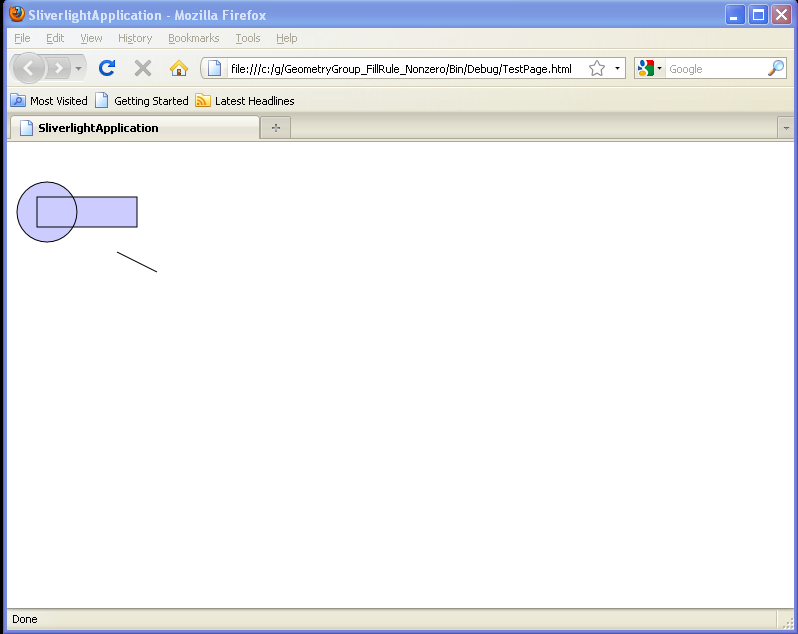
Creates a composite shape from three geometries. This GeometryGroup has a FillRule of NonZero : GeometryGroup « Shapes « Silverlight

Home
Silverlight
1.Animations
2.Communication
3.Containers
4.Data
5.Events
6.Graphics
7.Shapes
8.UI Controls
Silverlight » Shapes » GeometryGroupScreenshots 
Creates a composite shape from three geometries. This GeometryGroup has a FillRule of NonZero
   
<UserControl x:Class='SilverlightApplication3.MainPage'
    xmlns='http://schemas.microsoft.com/winfx/2006/xaml/presentation' 
    xmlns:x='http://schemas.microsoft.com/winfx/2006/xaml'
    xmlns:d='http://schemas.microsoft.com/expression/blend/2008' 
    xmlns:mc='http://schemas.openxmlformats.org/markup-compatibility/2006' 
    mc:Ignorable='d' 
    d:DesignWidth='640
    d:DesignHeight='480'>
   <Canvas> 
      <Path Stroke="Black" StrokeThickness="1" Fill="#CCCCFF">
        <Path.Data>
          <GeometryGroup FillRule="Nonzero">
            <LineGeometry StartPoint="10,10" EndPoint="50,30" />
            <EllipseGeometry Center="40,70" RadiusX="30" RadiusY="30" />              
            <RectangleGeometry Rect="30,55 100 30" />
          </GeometryGroup>
        </Path.Data>
      </Path>

   </Canvas> 

</UserControl>


Related examples in the same category
1.Use GeometryGroup to combine LineGeometry, RectangleGeometry and EllipseGeometryUse GeometryGroup to combine LineGeometry, RectangleGeometry and EllipseGeometry
2.Using the GeometryGroup Object
3.GeometryGroup and Path.DataGeometryGroup and Path.Data
4.GeometryGroup FillRule=NonzeroGeometryGroup FillRule=Nonzero
5.Creates a composite shape from three geometriesCreates a composite shape from three geometries
6.Use GeometryGroup as the path dataUse GeometryGroup as the path data
java2s.com  | Contact Us | Privacy Policy
Copyright 2009 - 12 Demo Source and Support. All rights reserved.
All other trademarks are property of their respective owners.