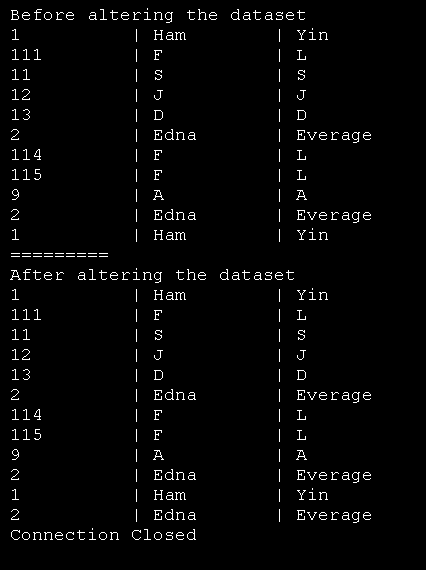
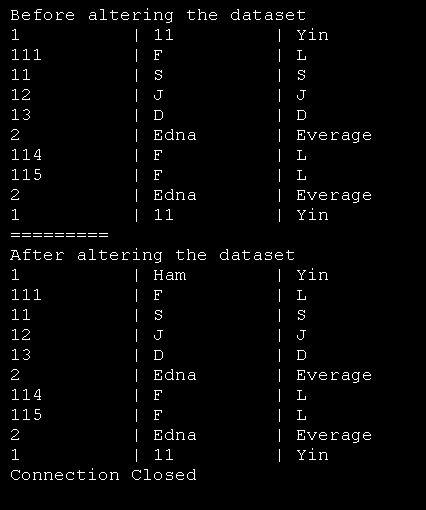
Execute Update command with parameters
Imports System
Imports System.Data
Imports System.Data.SqlClient


public class MainClass
   Shared Sub Main()
      Dim thisConnection As New SqlConnection("server=(local)\SQLEXPRESS;" & _
          "integrated security=sspi;database=MyDatabase")
      ' Sql Select Query
      Dim sql As String = "SELECT * FROM Employee"

      ' Sql Update Statement
      Dim updateSql As String = _
         "UPDATE Employee " & _
         "SET FirstName = @FirstName " & _
         "WHERE ID = @ID"

      Try
         ' Create Data Adapter
         Dim da As New SqlDataAdapter
         da.SelectCommand = New SqlCommand(sql, thisConnection)

         ' Create and fill Dataset
         Dim ds As New DataSet
         da.Fill(ds, "Employee")

         ' Get the Data Table
         Dim dt As DataTable = ds.Tables("Employee")

         ' Display Rows Before Changed
         Console.WriteLine("Before altering the dataset")
         For Each row As DataRow In dt.Rows
            Console.WriteLine("{0} | {1} | {2}", _
               row("ID").ToString().PadRight(10), _
               row("FirstName").ToString().PadRight(10), _
               row("LastName"))
         Next

         ' Modify city in first row
         dt.Rows(0)("FirstName") = "Ham"

         ' Update Employees
         ' 1. Create Command
         Dim UpdateCmd As New SqlCommand(updateSql, thisConnection)

         ' 2. Map Parameters
         ' 2.1 City
         UpdateCmd.Parameters.Add("@FirstName", _
            SqlDbType.NVarChar, 15, "FirstName")

         ' 2.2 EmployeeId
         Dim idParam As SqlParameter = _
            UpdateCmd.Parameters.Add("@ID", _
            SqlDbType.Int, 4, "ID")
         idParam.SourceVersion = DataRowVersion.Original

         ' Update employees
         da.UpdateCommand = UpdateCmd
         da.Update(ds, "Employee")

         ' Display Rows After Alteration
         Console.WriteLine("=========")
         Console.WriteLine("After altering the dataset")
         For Each row As DataRow In dt.Rows
            Console.WriteLine("{0} | {1} | {2}", _
               row("ID").ToString().PadRight(10), _
               row("FirstName").ToString().PadRight(10), _
               row("LastName"))
         Next
      Catch ex As SqlException
         ' Display error
         Console.WriteLine("Error: " & ex.ToString())
      Finally
         ' Close Connection
         thisConnection.Close()
         Console.WriteLine("Connection Closed")
      End Try
   End Sub
End Class
Related examples in the same category