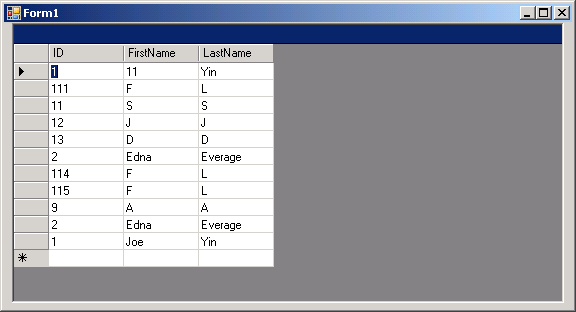
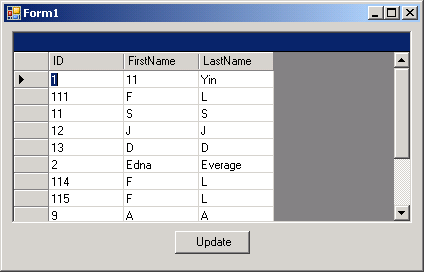
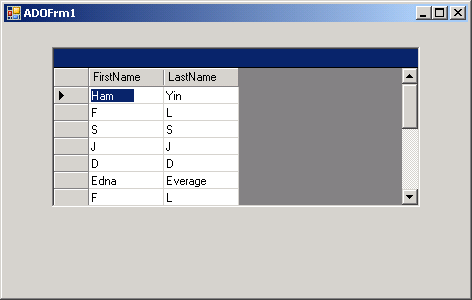
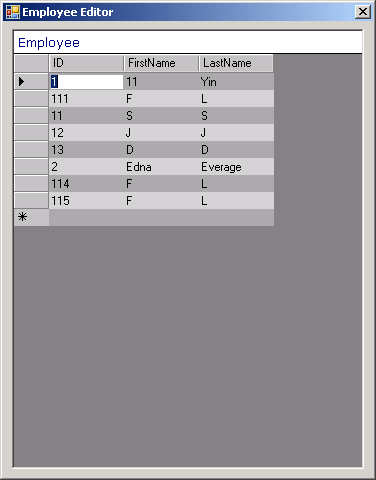
Load result set from 'select' command into a DataGrid

 Imports System
 Imports System.Drawing
 Imports System.Collections
 Imports System.ComponentModel
 Imports System.Windows.Forms
 Imports System.Data
 Imports System.Data.SqlClient


Public Class MainClass

    Shared Sub Main(  )
        Application.Run(New ADOForm1() )
    End Sub


End Class

  Public Class ADOForm1
     Inherits System.Windows.Forms.Form

     Private components As System.ComponentModel.Container
     Private dataGrid1 As System.Windows.Forms.DataGrid

     ' private System.Data.ADO.ADOConnection myConnection;
     Private myConnection As System.Data.SqlClient.SqlConnection
     Private myDataSet As System.Data.DataSet
     Private myCommand As System.Data.SqlClient.SqlCommand
     Private myDataAdapter As System.Data.SqlClient.SqlDataAdapter

     Public Sub New(  )
         InitializeComponent(  )

         Dim connectionString As String ="server=(local)\SQLEXPRESS;" & _
          "integrated security=sspi;database=MyDatabase"


         myConnection = _
             New System.Data.SqlClient.SqlConnection(connectionString)
         myConnection.Open(  )

         ' create the DataSet and set a property
         myDataSet = New System.Data.DataSet(  )
         myDataSet.CaseSensitive = True

         ' create the SqlCommand  object and assign the
         ' connection and the select statement
         myCommand = New System.Data.SqlClient.SqlCommand(  )
         myCommand.Connection = myConnection
         myCommand.CommandText = "Select * from Employee"

         ' create the myDataAdapter object and pass in the
         ' SQL Command object and establish the table mappings
         myDataAdapter = New System.Data.SqlClient.SqlDataAdapter(  )
         myDataAdapter.SelectCommand = myCommand
         myDataAdapter.TableMappings.Add("Table", "Employee")

         ' Tell the myDataAdapter object to fill the DataSet
         myDataAdapter.Fill(myDataSet)

         ' display it in the grid
         dataGrid1.DataSource = _
             myDataSet.Tables("Employee").DefaultView

     End Sub 'New

     Private Sub InitializeComponent(  )
         Me.components = New System.ComponentModel.Container(  )
         Me.dataGrid1 = New System.Windows.Forms.DataGrid(  )
         dataGrid1.Location = New System.Drawing.Point(48, 24)
         dataGrid1.Size = New System.Drawing.Size(368, 160)
         dataGrid1.TabIndex = 0
         Me.Text = "ADOFrm1"
         Me.AutoScaleBaseSize = New System.Drawing.Size(5, 13)
         Me.ClientSize = New System.Drawing.Size(464, 273)
         Me.Controls.Add(dataGrid1)
     End Sub

 End Class
Related examples in the same category