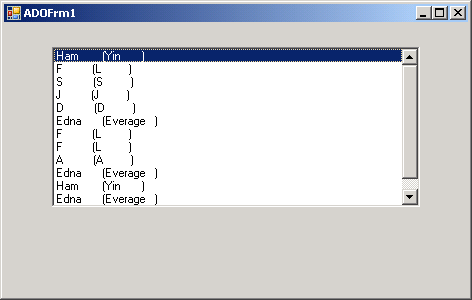
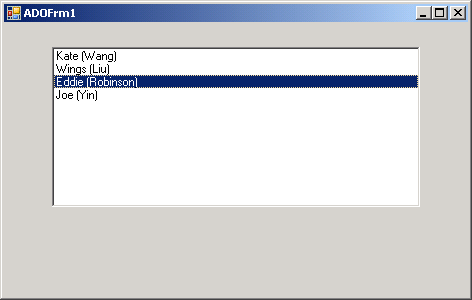
Read Access Data table and store data in ListBox
 Imports System
 Imports System.Drawing
 Imports System.Collections
 Imports System.ComponentModel
 Imports System.Windows.Forms
 Imports System.Data
 Imports System.Data.OleDb


Public Class MainClass

    Shared Sub Main(  )
        Application.Run(New ADOForm1() )
    End Sub


End Class

  Public Class ADOForm1
     Inherits System.Windows.Forms.Form

     Private components As System.ComponentModel.Container
     Private lbEmployees As System.Windows.Forms.ListBox

     Public Sub New(  )
         InitializeComponent(  )

         Dim connectionString As String = _
             "provider=Microsoft.JET.OLEDB.4.0; " & _
              "data source = Employee.mdb"

         Dim commandString As String = _
           "Select FirstName, LastName from Employee"

         Dim myDataAdapter As New OleDbDataAdapter( _
           commandString, connectionString)

         Dim myDataSet As New DataSet(  )

         myDataAdapter.Fill(myDataSet, "Employee")

         Dim myDataTable As DataTable = myDataSet.Tables(0)

         Dim tempRow As DataRow
         For Each tempRow In myDataTable.Rows
             lbEmployees.Items.Add((tempRow("FirstName") & _
               " (" & tempRow("LastName") & ")"))
         Next

     End Sub 'New

     Private Sub InitializeComponent(  )
         Me.components = New System.ComponentModel.Container(  )
         Me.lbEmployees = New System.Windows.Forms.ListBox(  )
         lbEmployees.Location = New System.Drawing.Point(48, 24)
         lbEmployees.Size = New System.Drawing.Size(368, 160)
         lbEmployees.TabIndex = 0
         Me.Text = "ADOFrm1"
         Me.AutoScaleBaseSize = New System.Drawing.Size(5, 13)
         Me.ClientSize = New System.Drawing.Size(464, 273)
         Me.Controls.Add(lbEmployees)
     End Sub

 End Class
 Employee.zip( 7 k)
Related examples in the same category