| 1. | Delete *.Bak under a directory | |  |
| 2. | Change file attribute for *.* | | |
| 3. | Find Hidden File under a directory | | 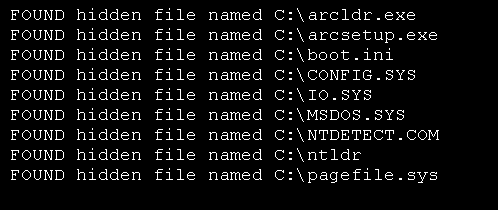 |
| 4. | Update file create time, last access time and last write time | |  |
| 5. | Get Invalid File Name Chars | |  |
| 6. | Delete a file if exist | | |
| 7. | Is it a File or a Directory | |  |
| 8. | File Time: created, last modified and accessed | |  |
| 9. | File Information | | |
| 10. | English File Size | | |
| 11. | File Class Provides static methods for the creation, copying, deletion, moving, and opening of files, and aids in the creation of FileStream objects. | | |
| 12. | File Class provides static methods for the creation, copying, deletion, moving, and opening of files | | |
| 13. | Open path in string to read | | |
| 14. | Create Text file with File.CreateText | | |
| 15. | File.AppendAllLines (String, IEnumerable(String)) appends lines to a file, and then closes the file. | | |
| 16. | File.AppendAllText opens a file, appends string to the file, and then closes the file. | | |
| 17. | File.AppendAllText appends string to the file, creating the file if it does not already exist. | | |
| 18. | File.AppendText creates a StreamWriter that appends UTF-8 encoded text to an existing file. | | |
| 19. | File.Copy copies an file to a new file. | | |
| 20. | File.Create creates or overwrites a file in the specified path. | | |
| 21. | File.Create creates or overwrites the specified file. | | |
| 22. | File.CreateText creates or opens a file for writing UTF-8 encoded text. | | |
| 23. | File.Decrypt decrypts a file that was encrypted using the Encrypt method. | | |
| 24. | File.Exists determines whether the specified file exists. | | |
| 25. | File.GetAccessControl gets a FileSecurity object that encapsulates the access control list (ACL) entries | | |
| 26. | File.GetAttributes gets the FileAttributes of the file on the path. | | |
| 27. | File.GetCreationTime returns the creation date and time of the specified file or directory. | | |
| 28. | File.GetLastAccessTime returns the date and time the specified file or directory was last accessed. | | |
| 29. | File.GetLastWriteTime returns the date and time the specified file or directory was last written to. | | |
| 30. | File.Move moves a specified file to a new location, providing the option to specify a new file name. | | |
| 31. | File.Open opens a FileStream on the specified path with read/write access. | | |
| 32. | File.Open opens a FileStream on the specified path, with the specified mode and access. | | |
| 33. | File.Open opens a FileStream on the specified path, with mode setting and sharing option. | | |
| 34. | File.OpenRead opens an existing file for reading. | | |
| 35. | File.OpenText opens an existing UTF-8 encoded text file for reading. | | |
| 36. | File.OpenWrite opens an existing file or creates a new file for writing. | | |
| 37. | File.ReadAllLines opens a text file, reads all lines of the file, and then closes the file. | | |
| 38. | File.ReadAllLines opens a file, reads all lines of the file with the specified encoding, and then closes the file. | | |
| 39. | File.ReadLines reads the lines of a file. | | |
| 40. | Use Linq to search and read files | | |
| 41. | File.Replace replaces the contents with the contents of another file | | |
| 42. | File.SetLastAccessTime sets the date and time the specified file was last accessed. | | |
| 43. | File.SetLastWriteTime sets the date and time that the specified file was last written to. | | |
| 44. | File.Exists Method tests whether the specified file exists. | | |
| 45. | File.GetAttributes Gets the FileAttributes of the file on the path. | | |
