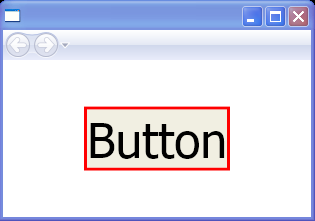
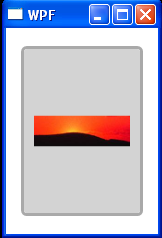
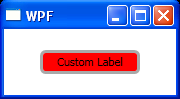
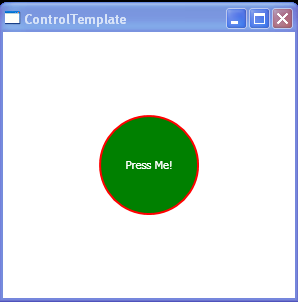
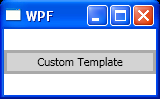
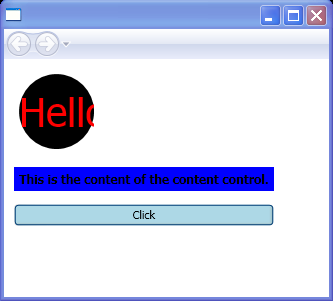
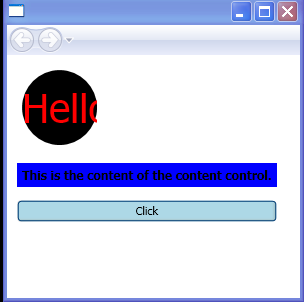
Enhance the visual appearance of a ContentControl by applying a style.
<Canvas xmlns="http://schemas.microsoft.com/winfx/2006/xaml/presentation"
    xmlns:x="http://schemas.microsoft.com/winfx/2006/xaml"
    xmlns:c="CodeMapNS"
    x:Class="ContentControlSimple.Page1">
    <StackPanel>
        <StackPanel.Resources>
            <Style x:Key="ContentCtrl" TargetType="{x:Type ContentControl}">
                <Setter Property="Background" Value="Black"/>
                <Setter Property="Foreground" Value="Red"/>
                <Setter Property="FontSize" Value="40"/>
                <Setter Property="Template">
                    <Setter.Value>
                        <ControlTemplate TargetType="{x:Type ContentControl}">
                            <Grid>
                                <Ellipse Width="{TemplateBinding Width}" Height="{TemplateBinding Width}" Fill="{TemplateBinding Background}"/>
                                <ContentPresenter VerticalAlignment="Center"
                                    HorizontalAlignment="Center"/>
                            </Grid>
                        </ControlTemplate>
                    </Setter.Value>
                </Setter>
            </Style>
            <DataTemplate x:Key="template1">
                <TextBlock Text="{Binding}" FontSize="12" FontWeight="Bold" TextWrapping="Wrap"></TextBlock>
            </DataTemplate>
        </StackPanel.Resources>
        <Label Margin="10, 10, 3, 3" Grid.Column="0" Grid.Row="2">
            <ContentControl Width="75" Style="{StaticResource ContentCtrl}" Content="Hello"/>
        </Label>
        <Label Margin="10, 10, 3, 3" Grid.Column="0" Grid.Row="3"
           Background="Blue">
            <ContentControl Name="contCtrl" ContentTemplate="{StaticResource template1}"
          Content="This is the content of the content control."/>
        </Label>
        <Button Name="btn2" Margin="10, 10, 3, 3" Grid.Column="0" Grid.Row="4" Background="LightBlue" Click="OnClick">
            <TextBlock TextWrapping="Wrap">Click </TextBlock>
        </Button>

    </StackPanel>
</Canvas>
//File:Window.xaml.vb
Imports System
Imports System.Windows
Imports System.Windows.Controls
Imports System.Windows.Documents
Imports System.Windows.Navigation
Imports System.Windows.Shapes
Imports System.Windows.Data
Imports System.Windows.Media
Imports System.Collections.ObjectModel

Namespace ContentControlSimple
  Public Partial Class Page1
    Inherits Canvas
    Private Sub OnClick(sender As Object, e As RoutedEventArgs)
      If contCtrl.HasContent = True Then
        MessageBox.Show("contCtrl has content")
      End If
    End Sub
  End Class
End Namespace
Related examples in the same category