Populate the PointsCollection of the PolyLine : Polyline « Windows Presentation Foundation « VB.Net

Home
VB.Net
1.2D
2.Application
3.Class
4.Data Structure
5.Data Types
6.Database ADO.net
7.Date Time
8.Development
9.Event
10.File Directory
11.Generics
12.GUI
13.Internationalization I18N
14.Language Basics
15.LINQ
16.Network Remote
17.Reflection
18.Security
19.Thread
20.Windows Presentation Foundation
21.Windows System
22.XML
23.XML LINQ
VB.Net » Windows Presentation Foundation » PolylineScreenshots 
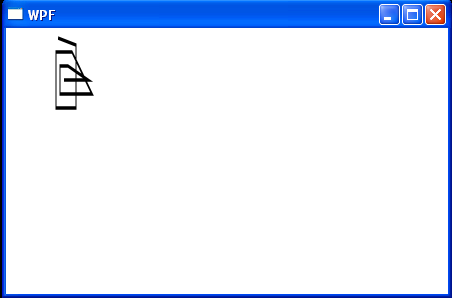
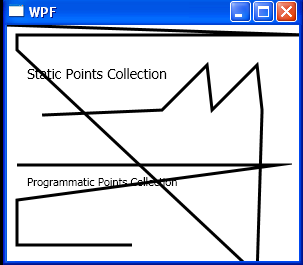
Populate the PointsCollection of the PolyLine
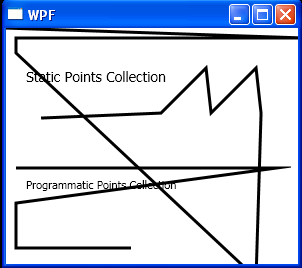


<Window x:Class="WpfApplication1.Window1"
    xmlns="http://schemas.microsoft.com/winfx/2006/xaml/presentation"
    xmlns:x="http://schemas.microsoft.com/winfx/2006/xaml"
    Title="WPF" Height="270" Width="300" Loaded="Window_Loaded">
    <Canvas>
        <TextBlock Canvas.Top="40" Canvas.Left="20"
                   FontSize="14" Text="Static Points Collection" />
        <Polyline Stroke="Black" StrokeThickness="3" 
                  Points="0,0 300,10 300,10 10,10 10,25
                  250,250 255,85 250,40 205,85 200,40 155,85 35,90" />
        <TextBlock Canvas.Top="150" Canvas.Left="20" Text="Programmatic Points Collection" />
        <Polyline Name="plLine" Stroke="Black" StrokeThickness="3" />
    </Canvas>
</Window>
//File:Window.xaml.vb
Imports System.Windows

Namespace WpfApplication1
  Public Partial Class Window1
    Inherits Window
    Public Sub New()
      InitializeComponent()
    End Sub

    Private Sub Window_Loaded(sender As Object, e As RoutedEventArgs)

      plLine.Points.Add(New Point(10140))
      plLine.Points.Add(New Point(270140))
      plLine.Points.Add(New Point(10175))
      plLine.Points.Add(New Point(10220))
      plLine.Points.Add(New Point(125220))
    End Sub
  End Class
End Namespace


Related examples in the same category
1.Polylines And Polygons
2.Polyline with OuterGlowBitmapEffectPolyline with OuterGlowBitmapEffect
3.Apply a Drop Shadow Effect to UI Element PolylineApply a Drop Shadow Effect to UI Element Polyline
4.A PolylineA Polyline
5.Black PolylineBlack Polyline
6.Stroke Thicker PolylineStroke Thicker Polyline
7.Scale Graphics ElementsScale Graphics Elements
8.Rotate PolylineRotate Polyline
9.Skew PolylineSkew Polyline
10.Fills the polylines with a light gray colorFills the polylines with a light gray color
11.Create a simple polyline, a closed polyline. And a Sine curve in code.Create a simple polyline, a closed polyline. And a Sine curve in code.
12.Draw a Sequence of Connected LinesDraw a Sequence of Connected Lines
java2s.com  | Contact Us | Privacy Policy
Copyright 2009 - 12 Demo Source and Support. All rights reserved.
All other trademarks are property of their respective owners.