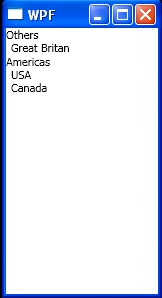
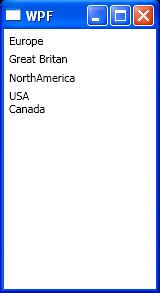
Use CollectionViewSource to sort and group data in XAML.
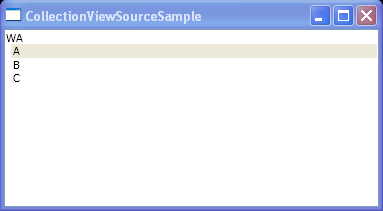
<Window x:Class="WpfApplication1.Window1"
  xmlns="http://schemas.microsoft.com/winfx/2006/xaml/presentation"
  xmlns:x="http://schemas.microsoft.com/winfx/2006/xaml"
  xmlns:scm="clr-namespace:System.ComponentModel;assembly=WindowsBase"
  xmlns:src="clr-namespace:WpfApplication1"
  xmlns:dat="clr-namespace:System.Windows.Data;assembly=PresentationFramework"
  Title="CollectionViewSourceSample">

  <Window.Resources>

    <src:Places x:Key="places"/>

    <CollectionViewSource Source="{StaticResource places}" x:Key="cvs">
      <CollectionViewSource.SortDescriptions>
        <scm:SortDescription PropertyName="CityName"/>
      </CollectionViewSource.SortDescriptions>
      <CollectionViewSource.GroupDescriptions>
        <dat:PropertyGroupDescription PropertyName="State"/>
      </CollectionViewSource.GroupDescriptions>
    </CollectionViewSource>

  </Window.Resources>
  <DockPanel>
    <ListBox ItemsSource="{Binding Source={StaticResource cvs}}" DisplayMemberPath="CityName" Name="lb">
      <ListBox.GroupStyle>
        <x:Static Member="GroupStyle.Default"/>
      </ListBox.GroupStyle>
    </ListBox>
  </DockPanel>
</Window>

//File:Window.xaml.vb

Imports System.Windows
Imports System.Collections.ObjectModel

Namespace WpfApplication1

  Public Partial Class Window1
    Inherits Window
    Public Sub New()
      InitializeComponent()
    End Sub


  End Class

  Public Class Place
    Private name As String

    Private m_state As String

    Public Property CityName() As String
      Get
        Return name
      End Get
      Set
        name = value
      End Set
    End Property

    Public Property State() As String
      Get
        Return m_state
      End Get
      Set
        m_state = value
      End Set
    End Property

    Public Sub New()
      Me.name = ""
      Me.m_state = ""
    End Sub

    Public Sub New(name As String, state As String)
      Me.name = name
      Me.m_state = state
    End Sub
  End Class

  Public Class Places
    Inherits ObservableCollection(Of Place)
    Public Sub New()
      Add(New Place("A", "WA"))
      Add(New Place("B", "WA"))
      Add(New Place("C", "WA"))
    End Sub
  End Class
End Namespace
Related examples in the same category