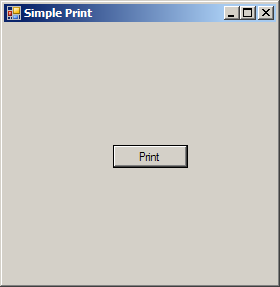
using System;
using System.Drawing;
using System.Collections;
using System.ComponentModel;
using System.Windows.Forms;
using System.Data;


public class Form1 : System.Windows.Forms.Form {
    private System.Windows.Forms.Button button1;
    private System.ComponentModel.Container components = null;
    private System.Drawing.Printing.PrintDocument ThePrintDocument = null;
    private System.IO.StringReader myStringReader = null;

    public Form1() {
        ThePrintDocument = new System.Drawing.Printing.PrintDocument();
        this.button1 = new System.Windows.Forms.Button();
        this.button2 = new System.Windows.Forms.Button();
        this.SuspendLayout();
        this.button1.Location = new System.Drawing.Point(112, 352);
        this.button1.Text = "&Preview";
        this.button1.Click += new System.EventHandler(this.button1_Click);
        this.AutoScaleBaseSize = new System.Drawing.Size(5, 13);
        this.ClientSize = new System.Drawing.Size(512, 397);
        this.Controls.AddRange(new System.Windows.Forms.Control[] { this.button1 });
        this.ResumeLayout(false);
    }

    [STAThread]
    static void Main() {
        Application.Run(new Form1());
    }
    protected void PrintPage(object sender,
        System.Drawing.Printing.PrintPageEventArgs ev) {
        float linesPerPage = 0;
        float yPosition = 0;
        int count = 0;
        float leftMargin = ev.MarginBounds.Left;
        float topMargin = ev.MarginBounds.Top;
        string line = null;
        Font printFont = this.Font;
        SolidBrush myBrush = new SolidBrush(Color.Black);

        linesPerPage = ev.MarginBounds.Height / printFont.GetHeight(ev.Graphics);
        while (count < linesPerPage && ((line = myStringReader.ReadLine()) != null)) {
            yPosition = topMargin + (count * printFont.GetHeight(ev.Graphics));
            ev.Graphics.DrawString(line, printFont, myBrush, leftMargin, yPosition, new StringFormat());
            count++;
        }
        if (line != null)
            ev.HasMorePages = true;
        else
            ev.HasMorePages = false;

        myBrush.Dispose();
    }

    private void button1_Click(object sender, System.EventArgs e) {
        ThePrintDocument.PrintPage += new System.Drawing.Printing.PrintPageEventHandler(PrintPage);
        string strText = "STRING";
        myStringReader = new System.IO.StringReader(strText);
        PrintPreviewDialog printPreviewDialog1 = new PrintPreviewDialog();
        printPreviewDialog1.Document = this.ThePrintDocument;
        printPreviewDialog1.ShowDialog();
    }
}