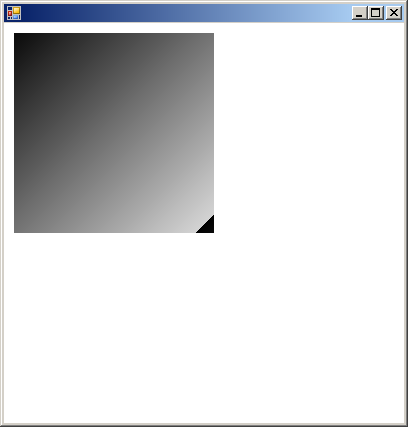
using System;
using System.Drawing;
using System.Collections;
using System.ComponentModel;
using System.Windows.Forms;
using System.Data;

using System.Drawing.Drawing2D;

public class Form1 : System.Windows.Forms.Form {
    [STAThread]
    static void Main() {
        Application.Run(new Form1());
    }
    protected override void OnPaint(PaintEventArgs e) {
        Graphics g = e.Graphics;
        Font f = new Font(new FontFamily("Times New Roman"), 10);
        Brush fb = new SolidBrush(Color.Black);
        GraphicsPath gp;
        PathGradientBrush pGB;
        Rectangle rec;
        Color cR = Color.Red, cW = Color.White, cY = Color.Yellow;
        int w = 100, h = 70;

        g.DrawString("Center", f, fb, 10, 5);
        gp = new GraphicsPath();
        rec = new Rectangle(10, 20, w, h);
        gp.AddRectangle(rec);
        pGB = new PathGradientBrush(gp);
        pGB.CenterPoint = new Point(10 + w / 2, 20 + h / 2);
        pGB.CenterColor = cR;
        pGB.SurroundColors = new Color[1] { cW };
        g.FillRectangle(pGB, rec);

        g.DrawString("Center - 2 x 2 Colors", f, fb, w + 20, 5);
        gp = new GraphicsPath();
        rec = new Rectangle(20 + w, 20, w, h);
        gp.AddRectangle(rec);
        pGB = new PathGradientBrush(gp);
        pGB.CenterPoint = new Point(w + 20 + w / 2, 20 + h / 2);
        pGB.CenterColor = cR;
        pGB.SurroundColors = new Color[4] { cW, cY, cW, cY };
        g.FillRectangle(pGB, rec);

        g.DrawString("LefTopCenter", f, fb, 10, h + 25);
        gp = new GraphicsPath();
        rec = new Rectangle(10, h + 40, w, h);
        gp.AddRectangle(rec);
        pGB = new PathGradientBrush(gp);
        pGB.CenterPoint = new Point(10, h + 40);
        pGB.CenterColor = cR;
        pGB.SurroundColors = new Color[1] { cW };
        g.FillRectangle(pGB, rec);

        g.DrawString("Top", f, fb, w + 20, h + 25);
        gp = new GraphicsPath();
        rec = new Rectangle(w + 20, h + 40, w, h);
        gp.AddEllipse(rec);
        pGB = new PathGradientBrush(gp);
        pGB.CenterPoint = new Point(w + 20 + w / 2, h + 40);
        pGB.CenterColor = cR;
        pGB.SurroundColors = new Color[1] { cW };
        g.FillRectangle(pGB, rec);

        g.Dispose();
        fb.Dispose();
    }
}