Calculate font unit metrics from the font family

  using System;
  using System.Drawing;
  using System.Drawing.Drawing2D;
  using System.Collections;
  using System.ComponentModel;
  using System.Windows.Forms;
  using System.Data;
  using System.Drawing.Imaging;

  public class Form1 : System.Windows.Forms.Form
  {
    public Form1()
    {
      InitializeComponent();
    }
    private void InitializeComponent()
    {
      this.AutoScaleBaseSize = new System.Drawing.Size(5, 13);
      this.ClientSize = new System.Drawing.Size(292, 273);
      this.Text = "";
      this.Resize += new System.EventHandler(this.Form1_Resize);
      this.Paint += new System.Windows.Forms.PaintEventHandler(this.Form1_Paint);

    }
    static void Main()
    {
      Application.Run(new Form1());
    }

    private void Form1_Paint(object sender, System.Windows.Forms.PaintEventArgs e)
    {
      Graphics g = e.Graphics;
      g.FillRectangle(Brushes.White, this.ClientRectangle);

      FontFamily ff = new FontFamily("Times New Roman");

      float emSizeInGU = 24f;
      Font f = new Font(ff, emSizeInGU);

      // Get the design unit metrics from the font family
      int emSizeInDU = ff.GetEmHeight(FontStyle.Regular);
      int ascentInDU = ff.GetCellAscent(FontStyle.Regular);
      int descentInDU = ff.GetCellDescent(FontStyle.Regular);
      int lineSpacingInDU = ff.GetLineSpacing(FontStyle.Regular);

      // Calculate the GraphicsUnit metrics from the font
      float ascentInGU = ascentInDU * (emSizeInGU / emSizeInDU);
      float descentInGU = descentInDU * (emSizeInGU / emSizeInDU);
      float lineSpacingInGU = lineSpacingInDU * (emSizeInGU / emSizeInDU);

      // Output the metrics to the console
      Console.WriteLine("emSize = " + emSizeInDU + " DesignUnits");
      Console.WriteLine("emSize = " + emSizeInGU + " GraphicsUnits");
      string format = "{0,-16}{1,12}{2,16}";
      Console.WriteLine(format, "Font Metric", "DesignUnits", "GraphicsUnits");
      Console.WriteLine(format, "Ascent", ascentInDU, ascentInGU);
      Console.WriteLine(format, "Descent", descentInDU, descentInGU);
      Console.WriteLine(format, "Line Spacing", lineSpacingInDU, lineSpacingInGU);

      // Draw two lines of the text string
      PointF textOrigin = new PointF(20, 20);
      PointF nextLineOrigin = new PointF(textOrigin.X,
                         textOrigin.Y + f.Height);

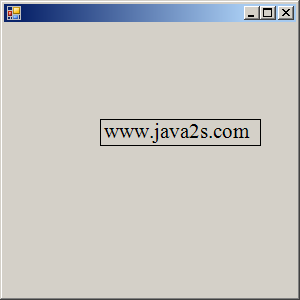
      g.DrawString("WWW.JAVA2S.COM", f, Brushes.Black, textOrigin);
      g.DrawString("www.java2s.com", f, Brushes.Black, nextLineOrigin);


    }

    private void Form1_Resize(object sender, System.EventArgs e)
    {
      Invalidate();
    }
  }
Related examples in the same category