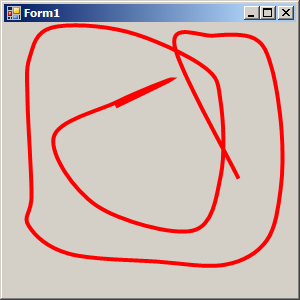
Draw closed curve
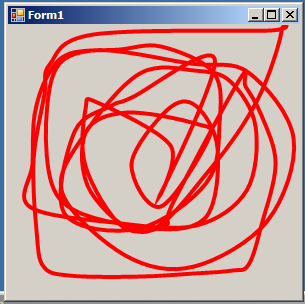
using System;
using System.Drawing;
using System.Collections;
using System.ComponentModel;
using System.Windows.Forms;
using System.Data;
using System.Drawing.Drawing2D;

public class Form1 : System.Windows.Forms.Form{
   private Point[] thePoints;
   private int counter;

   public Form1() {
      Console.WriteLine("click on the form to draw closed curve.");


      InitializeComponent();
      thePoints = new Point[1000];
      for (int i=0;i<thePoints.Length; i++)
         thePoints[i] = new Point(0,0);
      counter =0;
   }
   protected override void OnPaint (PaintEventArgs e) {
      if (counter==0)
         return;

      Pen redPen   = new Pen(Color.Red, 3);
      Pen greenPen = new Pen(Color.Red, 4);
      Point[] curvePoints = new Point[counter];

      for (int i=0; i<curvePoints.Length;i++)
      {
         curvePoints[i] = new Point(0,0);
         curvePoints[i].X = thePoints[i].X;
         curvePoints[i].Y = thePoints[i].Y;
      }

      e.Graphics.SmoothingMode = SmoothingMode.AntiAlias;
      e.Graphics.DrawClosedCurve(greenPen, curvePoints);
   }

   private void InitializeComponent() {
      this.AutoScaleBaseSize = new System.Drawing.Size(5, 13);
      this.ClientSize = new System.Drawing.Size(292, 273);
      this.Name = "Form1";
      this.Text = "Form1";
      this.MouseDown += new System.Windows.Forms.MouseEventHandler(this.Form1_MouseDown);
   }

   static void Main() {
      Application.Run(new Form1());
   }

   private void Form1_MouseDown(object sender, System.Windows.Forms.MouseEventArgs e) {
      thePoints[counter].X = e.X;
      thePoints[counter].Y = e.Y;
      Label l = new Label();
      this.SuspendLayout();

      counter++;
      if (counter>4)
        this.Refresh();
  }
}
Related examples in the same category