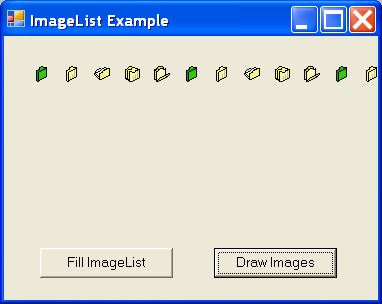
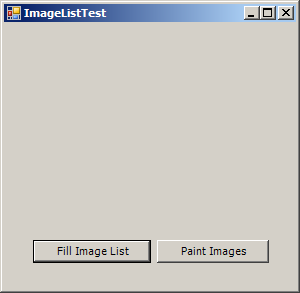
Add to and get Image from Image List
using System;
using System.Collections.Generic;
using System.ComponentModel;
using System.Data;
using System.Drawing;
using System.Text;
using System.Windows.Forms;
using System.IO;

public class Form1 : Form
{
    private System.Windows.Forms.Button cmdFillImageList;
    private System.Windows.Forms.Button cmdPaintImages;
    private System.Windows.Forms.ImageList iconImages;

  public Form1() {
        InitializeComponent();
  }

    private void cmdFillImageList_Click(object sender, EventArgs e)
    {
        iconImages.ColorDepth = System.Windows.Forms.ColorDepth.Depth8Bit;
        iconImages.ImageSize = new System.Drawing.Size(16, 16);

        string[] iconFiles = Directory.GetFiles(Application.StartupPath, "*.ico");

        foreach (string iconFile in iconFiles)
        {
            Icon newIcon = new Icon(iconFile);
            iconImages.Images.Add(newIcon);
        }
    }

    private void cmdPaintImages_Click(object sender, EventArgs e)
    {
        Graphics g = this.CreateGraphics();

        for (int i = 0; i < iconImages.Images.Count; i++)
        {
            iconImages.Draw(g, 30 + i * 30, 30, i);
        }
        g.Dispose();

    }
    private void InitializeComponent()
    {
        this.cmdFillImageList = new System.Windows.Forms.Button();
        this.cmdPaintImages = new System.Windows.Forms.Button();
        this.iconImages = new System.Windows.Forms.ImageList(new System.ComponentModel.Container());
        this.SuspendLayout();
        //
        // cmdFillImageList
        //
        this.cmdFillImageList.Location = new System.Drawing.Point(29, 217);
        this.cmdFillImageList.Name = "cmdFillImageList";
        this.cmdFillImageList.Size = new System.Drawing.Size(118, 23);
        this.cmdFillImageList.TabIndex = 0;
        this.cmdFillImageList.Text = "Fill Image List";
        this.cmdFillImageList.UseVisualStyleBackColor = true;
        this.cmdFillImageList.Click += new System.EventHandler(this.cmdFillImageList_Click);
        //
        // cmdPaintImages
        //
        this.cmdPaintImages.Location = new System.Drawing.Point(153, 217);
        this.cmdPaintImages.Name = "cmdPaintImages";
        this.cmdPaintImages.Size = new System.Drawing.Size(112, 23);
        this.cmdPaintImages.TabIndex = 1;
        this.cmdPaintImages.Text = "Paint Images";
        this.cmdPaintImages.UseVisualStyleBackColor = true;
        this.cmdPaintImages.Click += new System.EventHandler(this.cmdPaintImages_Click);
        //
        // iconImages
        //
        this.iconImages.ColorDepth = System.Windows.Forms.ColorDepth.Depth8Bit;
        this.iconImages.ImageSize = new System.Drawing.Size(16, 16);
        this.iconImages.TransparentColor = System.Drawing.Color.Transparent;
        //
        // ImageListTest
        //
        this.AutoScaleDimensions = new System.Drawing.SizeF(6F, 13F);
        this.AutoScaleMode = System.Windows.Forms.AutoScaleMode.Font;
        this.ClientSize = new System.Drawing.Size(292, 266);
        this.Controls.Add(this.cmdPaintImages);
        this.Controls.Add(this.cmdFillImageList);
        this.Font = new System.Drawing.Font("Tahoma", 8.25F, System.Drawing.FontStyle.Regular, System.Drawing.GraphicsUnit.Point, ((byte)(0)));
        this.Name = "ImageListTest";
        this.Text = "ImageListTest";
        this.ResumeLayout(false);

    }
  [STAThread]
  static void Main()
  {
    Application.EnableVisualStyles();
    Application.Run(new Form1());
  }

}
Related examples in the same category