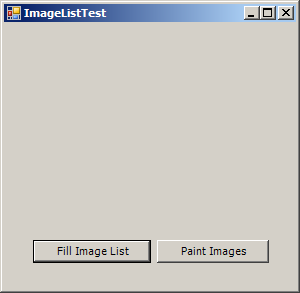
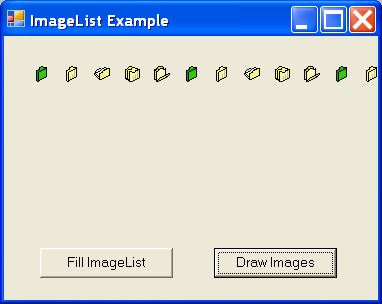
Image List Example
/*
User Interfaces in C#: Windows Forms and Custom Controls
by Matthew MacDonald

Publisher: Apress
ISBN: 1590590457
*/
using System;
using System.Drawing;
using System.Collections;
using System.ComponentModel;
using System.Windows.Forms;
using System.Data;
using System.Drawing.Drawing2D;
using System.IO;

namespace ImageListExample
{
  /// <summary>
  /// Summary description for ImageListExample.
  /// </summary>
  public class ImageListExample : System.Windows.Forms.Form
  {
    internal System.Windows.Forms.Button cmdDrawImageList;
    internal System.Windows.Forms.Button cmdFillImageList;
    /// <summary>
    /// Required designer variable.
    /// </summary>
    private System.ComponentModel.Container components = null;

    public ImageListExample()
    {
      //
      // Required for Windows Form Designer support
      //
      InitializeComponent();

      //
      // TODO: Add any constructor code after InitializeComponent call
      //
    }

    /// <summary>
    /// Clean up any resources being used.
    /// </summary>
    protected override void Dispose( bool disposing )
    {
      if( disposing )
      {
        if (components != null)
        {
          components.Dispose();
        }
      }
      base.Dispose( disposing );
    }

    #region Windows Form Designer generated code
    /// <summary>
    /// Required method for Designer support - do not modify
    /// the contents of this method with the code editor.
    /// </summary>
    private void InitializeComponent()
    {
      this.cmdDrawImageList = new System.Windows.Forms.Button();
      this.cmdFillImageList = new System.Windows.Forms.Button();
      this.SuspendLayout();
      //
      // cmdDrawImageList
      //
      this.cmdDrawImageList.FlatStyle = System.Windows.Forms.FlatStyle.System;
      this.cmdDrawImageList.Location = new System.Drawing.Point(164, 172);
      this.cmdDrawImageList.Name = "cmdDrawImageList";
      this.cmdDrawImageList.Size = new System.Drawing.Size(96, 24);
      this.cmdDrawImageList.TabIndex = 3;
      this.cmdDrawImageList.Text = "Draw Images";
      this.cmdDrawImageList.Click += new System.EventHandler(this.cmdDrawImageList_Click);
      //
      // cmdFillImageList
      //
      this.cmdFillImageList.FlatStyle = System.Windows.Forms.FlatStyle.System;
      this.cmdFillImageList.Location = new System.Drawing.Point(28, 172);
      this.cmdFillImageList.Name = "cmdFillImageList";
      this.cmdFillImageList.Size = new System.Drawing.Size(104, 24);
      this.cmdFillImageList.TabIndex = 2;
      this.cmdFillImageList.Text = "Fill ImageList";
      this.cmdFillImageList.Click += new System.EventHandler(this.cmdFillImageList_Click);
      //
      // ImageListExample
      //
      this.AutoScaleBaseSize = new System.Drawing.Size(5, 13);
      this.ClientSize = new System.Drawing.Size(292, 214);
      this.Controls.AddRange(new System.Windows.Forms.Control[] {
                                      this.cmdDrawImageList,
                                      this.cmdFillImageList});
      this.Name = "ImageListExample";
      this.Text = "ImageList Example";
      this.ResumeLayout(false);

    }
    #endregion

    /// <summary>
    /// The main entry point for the application.
    /// </summary>
    [STAThread]
    static void Main()
    {
      Application.Run(new ImageListExample());
    }

    ImageList iconImages = new System.Windows.Forms.ImageList();

    private void cmdFillImageList_Click(object sender, System.EventArgs e)
    {
      // Configure the ImageList.
      iconImages.ColorDepth = System.Windows.Forms.ColorDepth.Depth8Bit;
      iconImages.ImageSize = new System.Drawing.Size(16, 16);

      // Get all the icon files in the current directory.
        string[] iconFiles = Directory.GetFiles(Application.StartupPath, "*.ico");

      // Create an Image object for each file and add it to the ImageList.
      // You can also use an Image subclass (like Icon).
      foreach (string iconFile in iconFiles)
      {
        Icon newIcon = new Icon(iconFile);
        iconImages.Images.Add(newIcon);
      }
         }

    private void cmdDrawImageList_Click(object sender, System.EventArgs e)
    {
      // Get the graphics device context for the form.
      Graphics g = this.CreateGraphics();

      // Draw each image using the ImageList.Draw() method.
      for (int i = 0; i < iconImages.Images.Count; i++)
      {
        iconImages.Draw(g, 30 + i * 30, 30, i);
      }

      // Release the graphics device context.
      g.Dispose();

    }
  }
}
 ImageListExample.zip( 24 k)
Related examples in the same category