Center form window : Form Frame Window « GUI Windows Form « C# / C Sharp

C# / C Sharp
1. 2D Graphics
2. Collections Data Structure
3. Components
4. Database ADO.net
5. Development Class
6. Event
7. File Stream
8. GUI Windows Form
9. Language Basics
10. Network
11. Office
12. Regular Expressions
13. Services Event
14. Thread
15. Web Services
16. Windows
17. XML
Microsoft Office Word 2007 Tutorial
Java
Java Tutorial
Java Source Code / Java Documentation
Java Open Source
Jar File Download
Java Articles
Java Products
Java by API
C# / CSharp Tutorial
ASP.Net
JavaScript DHTML
JavaScript Tutorial
JavaScript Reference
HTML / CSS
HTML CSS Reference
C / ANSI-C
C Tutorial
C++
C++ Tutorial
PHP
Python
SQL Server / T-SQL
Oracle PL / SQL
Oracle PL/SQL Tutorial
PostgreSQL
SQL / MySQL
MySQL Tutorial
VB.Net
VB.Net Tutorial
C# / C Sharp » GUI Windows Form » Form Frame WindowScreenshots 
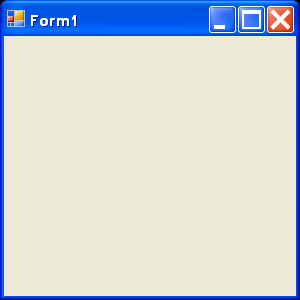
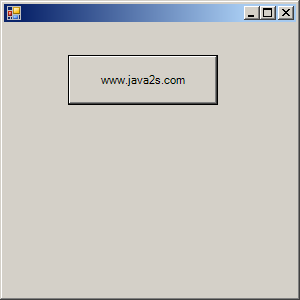
Center form window
Center form window

  using System;
  using System.Drawing;
  using System.Collections;
  using System.ComponentModel;
  using System.Windows.Forms;
  using System.Data;

  public class Form1 : System.Windows.Forms.Form
  {
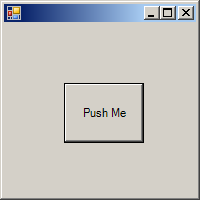
    private Button myButton; 

    public Form1()
    {
      this.AutoScaleBaseSize = new System.Drawing.Size(513);
      this.ClientSize = new System.Drawing.Size(292273);
        
            this.StartPosition=FormStartPosition.CenterScreen;
//      CenterToScreen();

      myButton = new Button();
      myButton.Text = "www.java2s.com";
      myButton.Location = new System.Drawing.Point(6432);
      myButton.Size = new System.Drawing.Size(15050);

      Controls.Add(myButton);
    }
    static void Main() 
    {
      Application.Run(new Form1());
    }
  }


Related examples in the same category
1. Form hideForm hide
2. Change Form window ownershipChange Form window ownership
3. Create Graphics Object from form window handleCreate Graphics Object from form window handle
4. Assign Form window default valueAssign Form window default value
5. Change the background and text colors of a form using Color DialogChange the background and text colors of a form using Color Dialog
6. Draw image based on the window sizeDraw image based on the window size
7. Auto scroll form windowAuto scroll form window
8. Set Form window title and center the Form window on the desktopSet Form window title and center the Form window on the desktop
9. Add control to a form windowAdd control to a form window
10. Change Form window backgroundChange Form window background
11. Simplest form code: set window titleSimplest form code: set window title
12. Login fromLogin from
13. makes a new window out of a graphics path that has been traced on this forms spacemakes a new window out of a graphics path that has been traced on this forms space
14. Windows Forms Getting StartedWindows Forms Getting Started
15. A form-based Windows SkeletonA form-based Windows Skeleton
16. Simple formSimple form
17. Add controls to a formAdd controls to a form
18. Form for data inputForm for data input
19. Demonstrates creating a form in a console programDemonstrates creating a form in a console program
w_w__w__.__j___a_v___a___2___s___.co_m___ | Contact Us
Copyright 2003 - 08 Demo Source and Support. All rights reserved.
All other trademarks are property of their respective owners.