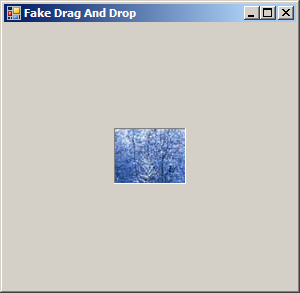
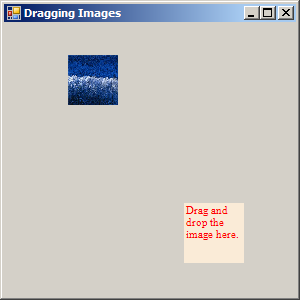
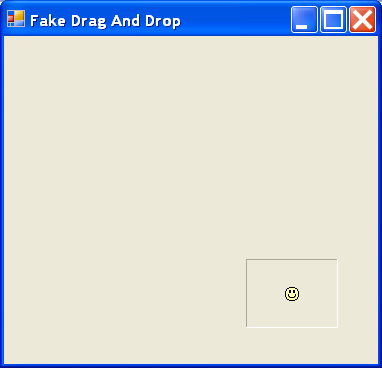
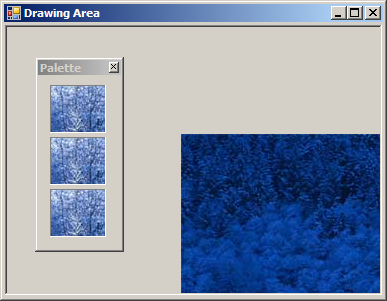
Drag and drop image to another window
using System;
using System.Collections.Generic;
using System.ComponentModel;
using System.Data;
using System.Drawing;
using System.Text;
using System.Windows.Forms;

public class Palette : Form
{
  private System.Windows.Forms.Label lblPictureThree;
  private System.Windows.Forms.Label lblPictureTwo;
  private System.Windows.Forms.Label lblPictureOne;

  public Palette() {
        InitializeComponent();
  }

  private void lbl_MouseDown(object sender, MouseEventArgs e)
  {
    Label lbl = (Label)sender;
    lbl.DoDragDrop(lbl.Image, DragDropEffects.Copy);

  }
  private void InitializeComponent()
  {
    this.lblPictureThree = new System.Windows.Forms.Label();
    this.lblPictureTwo = new System.Windows.Forms.Label();
    this.lblPictureOne = new System.Windows.Forms.Label();
    this.SuspendLayout();
    //
    // lblPictureThree
    //
    this.lblPictureThree.BorderStyle = System.Windows.Forms.BorderStyle.Fixed3D;
    this.lblPictureThree.Image = new Bitmap("winter.jpg");
    this.lblPictureThree.Location = new System.Drawing.Point(12, 113);
    this.lblPictureThree.Name = "lblPictureThree";
    this.lblPictureThree.Size = new System.Drawing.Size(56, 48);
    this.lblPictureThree.TabIndex = 6;
    this.lblPictureThree.MouseDown += new System.Windows.Forms.MouseEventHandler(this.lbl_MouseDown);
    //
    // lblPictureTwo
    //
    this.lblPictureTwo.BorderStyle = System.Windows.Forms.BorderStyle.Fixed3D;
    this.lblPictureTwo.Image = new Bitmap("winter.jpg");
    this.lblPictureTwo.Location = new System.Drawing.Point(12, 61);
    this.lblPictureTwo.Name = "lblPictureTwo";
    this.lblPictureTwo.Size = new System.Drawing.Size(56, 48);
    this.lblPictureTwo.TabIndex = 5;
    this.lblPictureTwo.MouseDown += new System.Windows.Forms.MouseEventHandler(this.lbl_MouseDown);
    //
    // lblPictureOne
    //
    this.lblPictureOne.BorderStyle = System.Windows.Forms.BorderStyle.Fixed3D;
    this.lblPictureOne.Image = new Bitmap("winter.jpg");
    this.lblPictureOne.Location = new System.Drawing.Point(12, 9);
    this.lblPictureOne.Name = "lblPictureOne";
    this.lblPictureOne.Size = new System.Drawing.Size(56, 48);
    this.lblPictureOne.TabIndex = 4;
    this.lblPictureOne.MouseDown += new System.Windows.Forms.MouseEventHandler(this.lbl_MouseDown);
    //
    // Palette
    //
    this.AutoScaleDimensions = new System.Drawing.SizeF(6F, 13F);
    this.AutoScaleMode = System.Windows.Forms.AutoScaleMode.Font;
    this.ClientSize = new System.Drawing.Size(83, 173);
    this.Controls.Add(this.lblPictureTwo);
    this.Controls.Add(this.lblPictureOne);
    this.Controls.Add(this.lblPictureThree);
    this.FormBorderStyle = System.Windows.Forms.FormBorderStyle.FixedToolWindow;
    this.Name = "Palette";
    this.ShowInTaskbar = false;
    this.Text = "Palette";
    this.ResumeLayout(false);

  }

  [STAThread]
  static void Main()
  {
    Application.Run(new DrawingArea());
  }

}

  public class DrawingArea : Form
  {
    private System.Windows.Forms.PictureBox picDrawingArea;

    public DrawingArea()
    {
      InitializeComponent();
    }

    private void DrawingArea_Load(object sender, EventArgs e)
    {
      Palette frmTool = new Palette();
      this.AddOwnedForm(frmTool);
      frmTool.Show();
      picDrawingArea.AllowDrop = true;
    }

    private void picDrawingArea_DragEnter(object sender, DragEventArgs e)
    {
      if (e.Data.GetDataPresent(DataFormats.Bitmap))
      {
        e.Effect = DragDropEffects.Copy;
      }
      else
      {
        e.Effect = DragDropEffects.None;
      }
    }

    private void picDrawingArea_DragDrop(object sender, DragEventArgs e)
    {
      Graphics g = picDrawingArea.CreateGraphics();
      g.DrawImage((Image)e.Data.GetData(DataFormats.Bitmap),
        new Point(e.X - this.Left, e.Y - this.Top));

    }
     private void InitializeComponent()
    {
      this.picDrawingArea = new System.Windows.Forms.PictureBox();
      ((System.ComponentModel.ISupportInitialize)(this.picDrawingArea)).BeginInit();
      this.SuspendLayout();
      //
      // picDrawingArea
      //
      this.picDrawingArea.Anchor = ((System.Windows.Forms.AnchorStyles)((((System.Windows.Forms.AnchorStyles.Top | System.Windows.Forms.AnchorStyles.Bottom)
            | System.Windows.Forms.AnchorStyles.Left)
            | System.Windows.Forms.AnchorStyles.Right)));
      this.picDrawingArea.BorderStyle = System.Windows.Forms.BorderStyle.Fixed3D;
      this.picDrawingArea.Location = new System.Drawing.Point(1, 2);
      this.picDrawingArea.Name = "picDrawingArea";
      this.picDrawingArea.Size = new System.Drawing.Size(377, 270);
      this.picDrawingArea.TabIndex = 2;
      this.picDrawingArea.TabStop = false;
      this.picDrawingArea.DragDrop += new System.Windows.Forms.DragEventHandler(this.picDrawingArea_DragDrop);
      this.picDrawingArea.DragEnter += new System.Windows.Forms.DragEventHandler(this.picDrawingArea_DragEnter);
      //
      // DrawingArea
      //
      this.AutoScaleDimensions = new System.Drawing.SizeF(6F, 13F);
      this.AutoScaleMode = System.Windows.Forms.AutoScaleMode.Font;
      this.ClientSize = new System.Drawing.Size(379, 274);
      this.Controls.Add(this.picDrawingArea);
      this.Name = "DrawingArea";
      this.Text = "Drawing Area";
      this.Load += new System.EventHandler(this.DrawingArea_Load);
      ((System.ComponentModel.ISupportInitialize)(this.picDrawingArea)).EndInit();
      this.ResumeLayout(false);
    }
  }
Related examples in the same category