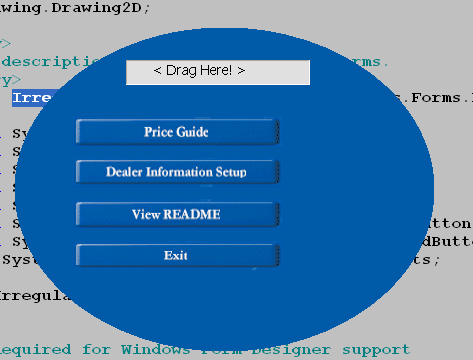
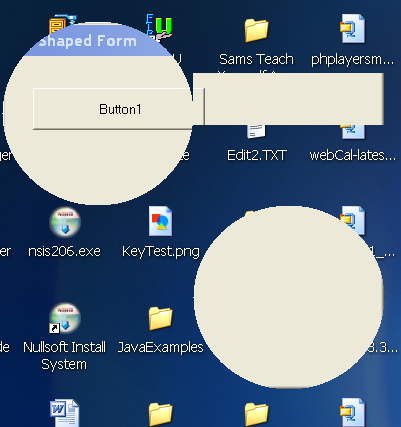
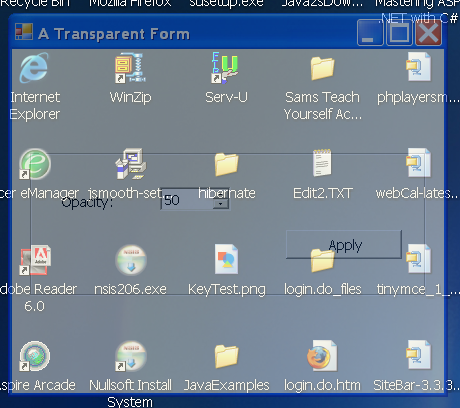
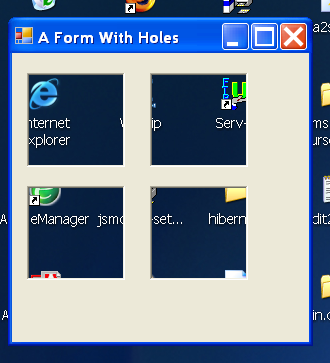
Transparent window and screen capture

/*
GDI+ Programming in C# and VB .NET
by Nick Symmonds
Publisher: Apress
ISBN: 159059035X
*/
using System.Drawing.Printing;
using System.Runtime.InteropServices;
using System;
using System.Drawing;
using System.Drawing.Drawing2D;
using System.Drawing.Imaging;
using System.Drawing.Text;
using System.Collections;
using System.ComponentModel;
using System.Windows.Forms;
using System.Data;
namespace Clipper_c {
/// <summary>
/// Copyright Nicholas Symmonds 2002
/// This software is for instructional purposes only.
/// It may not be sold as is.
/// </summary>
public class Clipper : System.Windows.Forms.Form {
Bitmap bmp;
NotifyIcon trayIcon = new NotifyIcon();
ContextMenu trayIconMenu = new ContextMenu();
private System.Windows.Forms.Button cmdCatch;
private System.Windows.Forms.Button cmdQuit;
/// <summary>
/// Required designer variable.
/// </summary>
private System.ComponentModel.Container components = null;
public Clipper() {
InitializeComponent();
this.Icon = new Icon("icon.ico");
this.BackColor = Color.BlanchedAlmond;
this.TransparencyKey = this.BackColor;
this.cmdCatch.BackColor = Color.Tomato;
this.cmdQuit.BackColor = Color.Tomato;
trayIconMenu.MenuItems.Add("Catch",
new EventHandler(this.cmdCatch_Click));
trayIconMenu.MenuItems.Add("Always On Top",
new EventHandler(this.ClipperOnTop));
trayIconMenu.MenuItems.Add("Show",
new EventHandler(this.Show_Main));
trayIconMenu.MenuItems.Add("Quit",
new EventHandler(this.cmdQuit_Click));
trayIcon.Icon = new Icon("icon.ico");
trayIcon.Text = "Clipper - Screen Capture";
trayIcon.ContextMenu = trayIconMenu;
trayIcon.Visible = true;
this.ShowInTaskbar = false;
}
protected override void Dispose( bool disposing ) {
if( disposing ) {
if (components != null) {
components.Dispose();
}
if (bmp != null)
bmp.Dispose();
trayIcon.Dispose();
}
base.Dispose( disposing );
}
#region Windows Form Designer generated code
/// <summary>
/// Required method for Designer support - do not modify
/// the contents of this method with the code editor.
/// </summary>
private void InitializeComponent() {
this.cmdCatch = new System.Windows.Forms.Button();
this.cmdQuit = new System.Windows.Forms.Button();
this.SuspendLayout();
//
// cmdCatch
//
this.cmdCatch.ImageAlign = System.Drawing.ContentAlignment.MiddleLeft;
this.cmdCatch.Location = new System.Drawing.Point(16, 24);
this.cmdCatch.Name = "cmdCatch";
this.cmdCatch.Size = new System.Drawing.Size(88, 32);
this.cmdCatch.TabIndex = 0;
this.cmdCatch.Text = "&Capture";
this.cmdCatch.Click += new System.EventHandler(this.cmdCatch_Click);
//
// cmdQuit
//
this.cmdQuit.Location = new System.Drawing.Point(144, 24);
this.cmdQuit.Name = "cmdQuit";
this.cmdQuit.Size = new System.Drawing.Size(64, 32);
this.cmdQuit.TabIndex = 1;
this.cmdQuit.Text = "&Quit";
this.cmdQuit.Click += new System.EventHandler(this.cmdQuit_Click);
//
// Form1
//
this.AutoScaleBaseSize = new System.Drawing.Size(5, 13);
this.ClientSize = new System.Drawing.Size(224, 75);
this.Controls.AddRange(new System.Windows.Forms.Control[] {
this.cmdQuit,
this.cmdCatch});
this.FormBorderStyle = System.Windows.Forms.FormBorderStyle.FixedSingle;
this.MaximizeBox = false;
this.Name = "Form1";
this.StartPosition = System.Windows.Forms.FormStartPosition.CenterScreen;
this.Text = "Screen Capture";
this.Load += new System.EventHandler(this.Form1_Load);
this.ResumeLayout(false);
}
#endregion
[STAThread]
static void Main() {
Application.Run(new Clipper());
}
private void Form1_Load(object sender, System.EventArgs e) {
}
protected override void OnResize(EventArgs e) {
base.OnResize(e);
if (this.WindowState == FormWindowState.Minimized)
this.Opacity = 0;
else
this.Opacity = 1;
}
/// <summary>
/// The desktop capture method makes this form invisible before
/// showing the picture. Once the Save form has run this form becomes
/// visible. Making this form invisible is done via the forms opacity.
/// </summary>
private void cmdCatch_Click(object sender, System.EventArgs e) {
bmp = DeskTop.Capture();
//Make the form invisible
this.Opacity = 0;
dtBitmap bmpShow = new dtBitmap(bmp);
bmp = bmpShow.GetBitmap;
if (bmp != null) {
frmSave frm = new frmSave(bmp);
frm.ShowDialog();
}
this.Opacity = 1;
}
private void cmdQuit_Click(object sender, System.EventArgs e) {
trayIcon.Visible = false;
this.Close();
}
private void Show_Main(object sender, System.EventArgs e) {
this.Visible = true;
this.WindowState = FormWindowState.Normal;
}
private void ClipperOnTop(object sender, System.EventArgs e) {
if ( trayIconMenu.MenuItems[1].Checked ) {
trayIconMenu.MenuItems[1].Checked = false;
this.TopMost = false;
} else {
trayIconMenu.MenuItems[1].Checked = true;
this.TopMost = true;
}
}
}
/// <summary>
/// Copyright Nicholas Symmonds 2002
/// This software is for instructional purposes only.
/// It may not be sold as is.
///
/// Allow the user to select a frame for the image before saving it.
/// </summary>
public class frmSave : System.Windows.Forms.Form {
private PictureBox m_Pic;
private Bitmap m_bmp;
private Bitmap m_OriginalBmp;
private PrintPreviewDialog Pv;
private PageSetupDialog Ps;
private PrintDocument Pd;
private PrintDialog Pr;
private Font FooterFont = new Font("Arial", 8);
private int PrintCount = 0;
private System.Windows.Forms.Panel P1;
private System.Windows.Forms.MainMenu mainMenu1;
private System.Windows.Forms.MenuItem mnuFile;
private System.Windows.Forms.MenuItem mnuSave;
private System.Windows.Forms.MenuItem mnuPrint;
private System.Windows.Forms.MenuItem mnuClose;
private System.Windows.Forms.MenuItem mnuPrintPreview;
private System.Windows.Forms.MenuItem mnuPrintNow;
private System.Windows.Forms.MenuItem NoMenu;
private System.Windows.Forms.MenuItem mnuAttr;
private System.Windows.Forms.MenuItem mnuBorder;
private System.ComponentModel.Container components = null;
public frmSave(Bitmap bmp) {
InitializeComponent();
m_bmp = (Bitmap)bmp.Clone();
m_OriginalBmp = (Bitmap)bmp.Clone();
P1.BackgroundImage = GetPanelImage();
P1.Dock = DockStyle.Fill;
m_Pic = new PictureBox();
m_Pic.BorderStyle = BorderStyle.None;
m_Pic.SizeMode = PictureBoxSizeMode.AutoSize;
m_Pic.Image = m_bmp;
P1.Controls.Add(m_Pic);
P1.Controls[0].Location = new Point(1, 1);
//Set up the prnting
Pv = new PrintPreviewDialog();
Ps = new PageSetupDialog();
Pr = new PrintDialog();
Pd = new PrintDocument();
Pd.DocumentName = "ScreenShot";
Pv.Document = Pd;
Ps.Document = Pd;
Pr.Document = Pd;
Pd.BeginPrint += new PrintEventHandler(this.pd_BeginPrint);
Pd.PrintPage += new PrintPageEventHandler(this.pd_Print);
}
protected override void Dispose( bool disposing ) {
if( disposing ) {
if(components != null) {
components.Dispose();
}
P1.Dispose();
}
base.Dispose( disposing );
}
#region Windows Form Designer generated code
/// <summary>
/// Required method for Designer support - do not modify
/// the contents of this method with the code editor.
/// </summary>
private void InitializeComponent() {
this.P1 = new System.Windows.Forms.Panel();
this.mainMenu1 = new System.Windows.Forms.MainMenu();
this.mnuFile = new System.Windows.Forms.MenuItem();
this.mnuSave = new System.Windows.Forms.MenuItem();
this.mnuClose = new System.Windows.Forms.MenuItem();
this.NoMenu = new System.Windows.Forms.MenuItem();
this.mnuAttr = new System.Windows.Forms.MenuItem();
this.mnuBorder = new System.Windows.Forms.MenuItem();
this.mnuPrint = new System.Windows.Forms.MenuItem();
this.mnuPrintPreview = new System.Windows.Forms.MenuItem();
this.mnuPrintNow = new System.Windows.Forms.MenuItem();
this.SuspendLayout();
//
// P1
//
this.P1.AutoScroll = true;
this.P1.BackColor = System.Drawing.SystemColors.Control;
this.P1.BorderStyle = System.Windows.Forms.BorderStyle.Fixed3D;
this.P1.Location = new System.Drawing.Point(8, 16);
this.P1.Name = "P1";
this.P1.Size = new System.Drawing.Size(768, 520);
this.P1.TabIndex = 0;
//
// mainMenu1
//
this.mainMenu1.MenuItems.AddRange(new System.Windows.Forms.MenuItem[] {
this.mnuFile,
this.NoMenu,
this.mnuPrint});
//
// mnuFile
//
this.mnuFile.Index = 0;
this.mnuFile.MenuItems.AddRange(new System.Windows.Forms.MenuItem[] {
this.mnuSave,
this.mnuClose});
this.mnuFile.Text = "&File";
//
// mnuSave
//
this.mnuSave.Index = 0;
this.mnuSave.Text = "&Save";
this.mnuSave.Click += new System.EventHandler(this.mnuSave_Click);
//
// mnuClose
//
this.mnuClose.Index = 1;
this.mnuClose.Text = "&Close";
this.mnuClose.Click += new System.EventHandler(this.mnuClose_Click);
//
// NoMenu
//
this.NoMenu.Index = 1;
this.NoMenu.MenuItems.AddRange(new System.Windows.Forms.MenuItem[] {
this.mnuAttr,
this.mnuBorder});
this.NoMenu.Text = "&Attributes";
this.NoMenu.Click += new System.EventHandler(this.mnuAttr_Click);
//
// mnuAttr
//
this.mnuAttr.Index = 0;
this.mnuAttr.Text = "Resolution";
this.mnuAttr.Click += new System.EventHandler(this.mnuAttr_Click);
//
// mnuBorder
//
this.mnuBorder.Index = 1;
this.mnuBorder.Text = "Border";
this.mnuBorder.Click += new System.EventHandler(this.mnuBorder_Click);
//
// mnuPrint
//
this.mnuPrint.Index = 2;
this.mnuPrint.MenuItems.AddRange(new System.Windows.Forms.MenuItem[] {
this.mnuPrintPreview,
this.mnuPrintNow});
this.mnuPrint.Text = "&Print";
//
// mnuPrintPreview
//
this.mnuPrintPreview.Index = 0;
this.mnuPrintPreview.Text = "Pre&view";
this.mnuPrintPreview.Click += new System.EventHandler(this.mnuPrintPreview_Click);
//
// mnuPrintNow
//
this.mnuPrintNow.Index = 1;
this.mnuPrintNow.Text = "&Print";
this.mnuPrintNow.Click += new System.EventHandler(this.mnuPrintNow_Click);
//
// frmSave
//
this.AutoScaleBaseSize = new System.Drawing.Size(5, 13);
this.ClientSize = new System.Drawing.Size(792, 553);
this.Controls.AddRange(new System.Windows.Forms.Control[] {
this.P1});
this.Menu = this.mainMenu1;
this.MinimizeBox = false;
this.Name = "frmSave";
this.StartPosition = System.Windows.Forms.FormStartPosition.CenterScreen;
this.Text = "Save Image";
this.Load += new System.EventHandler(this.frmSave_Load);
this.ResumeLayout(false);
}
#endregion
private void frmSave_Load(object sender, System.EventArgs e) {
}
/// <summary>
/// This routine makes a blank image and colors it with a hatch brush
/// This image is handed back to the caller who then uses this image as
/// the background image for the panel. The panel will tile this image
/// for as many times as it takes to fill the panel.
/// </summary>
private Image GetPanelImage() {
Image i = new Bitmap(50, 50);
using(Graphics G = Graphics.FromImage(i)) {
//No need for high quality here. We need Speed!!!
G.SmoothingMode = SmoothingMode.HighSpeed;
Brush B = new HatchBrush(HatchStyle.Cross, Color.Cyan, Color.LightCyan);
G.FillRectangle(B, 0, 0, i.Width, i.Height);
}
return i;
}
private void mnuAttr_Click(object sender, System.EventArgs e) {
Attributes frm = new Attributes(m_bmp.HorizontalResolution, m_bmp.Size);
frm.ShowDialog();
m_bmp.SetResolution(frm.SaveRes, frm.SaveRes);
}
private void mnuClose_Click(object sender, System.EventArgs e) {
this.Close();
}
private void mnuSave_Click(object sender, System.EventArgs e) {
SaveFileDialog sd = new SaveFileDialog();
sd.Filter = "Bitmap (*.bmp)|*.bmp|" +
"JPEG (*.jpg)|*.jpg|" +
"GIF (*.Gif)|*.gif|" +
"TIFF (*.tif)|*.tif|" +
"PNG (*.png)|*.png|" +
"EMF (*.emf)|*.emf" ;
sd.FilterIndex = 1 ;
sd.RestoreDirectory = true ;
sd.AddExtension = true;
if(sd.ShowDialog() == DialogResult.OK) {
if (sd.FileName.Length != 0) {
switch(sd.FilterIndex) {
case 1:
//Save as bitmap
m_bmp.Save(sd.FileName, ImageFormat.Bmp);
break;
case 2:
//Save as JPEG
m_bmp.Save(sd.FileName, ImageFormat.Jpeg);
break;
case 3:
//Save as GIF
m_bmp.Save(sd.FileName, ImageFormat.Gif);
break;
case 4:
//Save as TIFF
m_bmp.Save(sd.FileName, ImageFormat.Tiff);
break;
case 5:
//Save as PNG
m_bmp.Save(sd.FileName, ImageFormat.Png);
break;
case 6:
//Save as EMF
m_bmp.Save(sd.FileName, ImageFormat.Emf);
break;
default:
break;
}
}
}
}
#region Printer routines
private void pd_BeginPrint ( object sender, PrintEventArgs e) {
Pd.DocumentName = "ScreenShot " + (++PrintCount).ToString();
}
private void pd_Print(object sender, PrintPageEventArgs e) {
Graphics G = e.Graphics;
float LeftMargin = e.MarginBounds.Left;
float TopMargin = e.MarginBounds.Top;
float BottomMargin = e.MarginBounds.Bottom;
StringFormat sf = new StringFormat();
sf.Alignment = StringAlignment.Far;
sf.LineAlignment = StringAlignment.Center;
Rectangle Border = e.MarginBounds;
Border.Inflate(1, 1);
RectangleF Footer = new Rectangle(e.MarginBounds.Left,
e.MarginBounds.Bottom,
e.MarginBounds.Width,
e.PageBounds.Bottom -
e.MarginBounds.Bottom);
//Type in the footer
G.DrawString(Pd.DocumentName, FooterFont, Brushes.Black, Footer, sf);
sf.Alignment = StringAlignment.Near;
G.DrawString(DateTime.Now.ToLongDateString(), FooterFont,
Brushes.Black,
Footer, sf);
//Draw the rectangle and the image. Image is stretched to fit!!!
G.DrawRectangle(Pens.Black, Border);
G.DrawImage(m_bmp, e.MarginBounds);
sf.Dispose();
}
private void mnuPrintPreview_Click(object sender, System.EventArgs e) {
Pv.WindowState = FormWindowState.Maximized;
Pv.ShowDialog();
}
private void mnuPrintNow_Click(object sender, System.EventArgs e) {
if (Pr.ShowDialog() == DialogResult.OK)
Pd.Print();
}
#endregion
private void mnuBorder_Click(object sender, System.EventArgs e) {
if (!mnuBorder.Checked) {
using (Graphics G = Graphics.FromImage(m_bmp)) {
using (Pen P = new Pen(Brushes.Black, 2)) {
G.DrawRectangle(P, new Rectangle(0, 0, m_bmp.Size.Width,
m_bmp.Size.Height));
m_Pic.Image = m_bmp;
mnuBorder.Checked = true;
}
}
} else {
m_bmp = (Bitmap)m_OriginalBmp.Clone();
m_Pic.Image = m_bmp;
mnuBorder.Checked = false;
}
}
}
/// <summary>
/// Copyright Nicholas Symmonds 2002
/// This software is for instructional purposes only.
/// It may not be sold as is.
///
/// This form is the one that holds the complete bitmap of the screen.
/// The border is set to nothing and the form is maximized. The cursor
/// is also changed to tell the user (s)he can now drag a line and make
/// a capture box. When the screen is captured this form shows up almost
/// immediately.
/// </summary>
public class dtBitmap : Form {
#region Class local storage
private Bitmap bmp;
private Rectangle InvalidRect = Rectangle.Empty;
private Pen mRectPen;
private Corectangle mbmpRect;
#endregion
public dtBitmap(Bitmap b) {
mbmpRect = new Corectangle();
mRectPen = new Pen(Brushes.Red, 1);
mRectPen.DashStyle = DashStyle.DashDot;
bmp = b.Clone(new RectangleF(0, 0, b.Width, b.Height), b.PixelFormat);
this.SetStyle(ControlStyles.AllPaintingInWmPaint,true);
this.SetStyle(ControlStyles.DoubleBuffer,true);
this.Size = bmp.Size;
this.FormBorderStyle = FormBorderStyle.None;
this.MaximizeBox = false;
this.MinimizeBox = false;
this.Cursor = new Cursor("hcross.cur");
this.BackgroundImage = bmp;
//Show as modal
this.ShowDialog();
}
private void InitializeComponent() {
//
// dtBitmap
//
this.AutoScaleBaseSize = new System.Drawing.Size(5, 13);
this.ClientSize = new System.Drawing.Size(292, 273);
this.Name = "dtBitmap";
this.Load += new System.EventHandler(this.dtBitmap_Load);
}
protected override void Dispose( bool disposing ) {
if( disposing ) {
if (bmp != null)
bmp.Dispose();
}
base.Dispose( disposing );
}
public Bitmap GetBitmap {
get{return bmp;}
}
private void dtBitmap_Load(object sender, System.EventArgs e) {
}
protected override void OnPaint(PaintEventArgs e) {
base.OnPaint(e);
e.Graphics.DrawRectangle(mRectPen, mbmpRect.Rect);
}
#region Squeek
protected override void OnMouseDown(MouseEventArgs e) {
base.OnMouseDown(e);
if (e.Button != MouseButtons.Left)
return;
mbmpRect = new Corectangle(e.X, e.Y);
}
protected override void OnMouseUp(MouseEventArgs e) {
base.OnMouseUp(e);
Invalidate();
bmp = bmp.Clone(mbmpRect.Rect, bmp.PixelFormat);
this.Close();
}
protected override void OnMouseMove(MouseEventArgs e) {
base.OnMouseMove(e);
if (e.Button != MouseButtons.Left)
return;
mbmpRect.EndX = e.X;
mbmpRect.EndY = e.Y;
Invalidate();
}
#endregion
}
/// <summary>
/// Copyright Nicholas Symmonds 2002
/// This software is for instructional purposes only.
/// It may not be sold as is.
///
/// This class encapsulates the API functions necessary to get the
/// desktop image and form a bitmap from it.
/// Not everything can be done in GDI+ :)
/// </summary>
public sealed class DeskTop {
[DllImport("user32.dll")]
internal extern static IntPtr GetDesktopWindow();
[DllImport("user32.dll")]
internal extern static IntPtr GetDC( IntPtr windowHandle );
[DllImport("gdi32.dll")]
internal extern static IntPtr GetCurrentObject( IntPtr hdc,
ushort objectType );
[DllImport("user32.dll")]
internal extern static void ReleaseDC( IntPtr hdc );
[DllImport("user32.dll")]
internal extern static void UpdateWindow( IntPtr hwnd );
public static Bitmap Capture() {
//Get a pointer to the desktop window
IntPtr desktopWindow = GetDesktopWindow();
//Get a device context from the desktop window
IntPtr desktopDC = GetDC( desktopWindow );
//Get a GDI handle to the image
IntPtr desktopBitmap = GetCurrentObject( desktopDC, 7 );
//This call takes as an argument the handle to a GDI image
Bitmap desktopImage = Image.FromHbitmap( desktopBitmap );
//Do not create any memory leaks
ReleaseDC( desktopDC );
return desktopImage;
}
}
/// <summary>
/// This class takes any starting point and any ending point
/// structures and makes a rectangle. Using this class you can use the mouse
/// to draw a rectangle on the screen from any starting point to any ending
/// point. You cannot do this with a regular rectangle.
/// </summary>
public class Corectangle {
#region Class Local Variables
private Point mStart;
private Point mEnd;
private Point mRealStart;
private Point mRealEnd;
private Size mRealSize;
private Rectangle mRect;
#endregion
public Corectangle(int X, int Y) {
mStart = Point.Empty;
mEnd = Point.Empty;
mRealStart = Point.Empty;
mRealEnd = Point.Empty;
mRealSize = Size.Empty;
mStart.X = X;
mStart.Y = Y;
mRealStart.X = X;
mRealStart.Y = Y;
mRect = Rectangle.Empty;
}
public Corectangle() {
mStart = Point.Empty;
mEnd = Point.Empty;
mRealStart = Point.Empty;
mRealEnd = Point.Empty;
mRealSize = Size.Empty;
mStart.X = 0;
mStart.Y = 0;
mRealStart.X = 0;
mRealStart.Y = 0;
mRect = Rectangle.Empty;
}
/// <summary>
/// Ending X Value of rectangle
/// </summary>
public int EndX {
set{ mEnd.X = value;
}
}
/// <summary>
/// Ending Y Value of rectangle
/// </summary>
public int EndY {
set{
mEnd.Y = value;
}
}
/// <summary>
/// Get the corrected rectangle
/// </summary>
public Rectangle Rect {
get {
MakeReal();
mRect.Location = mRealStart;
mRect.Size = mRealSize;
return mRect;
}
}
private void MakeReal() {
//Started top left, ended bottom right
if (mEnd.X > mStart.X && mEnd.Y > mStart.Y) {
mRealStart = mStart;
mRealEnd = mEnd;
mRealSize = new Size(mRealEnd.X-mRealStart.X, mRealEnd.Y-mRealStart.Y);
return;
}
//Started bottom right, ended top left
if (mEnd.X < mStart.X && mEnd.Y < mStart.Y) {
mRealEnd = mStart;
mRealStart = mEnd;
mRealSize = new Size(mRealEnd.X-mRealStart.X, mRealEnd.Y-mRealStart.Y);
return;
}
//Started top right left, ended bottom left
if (mEnd.X < mStart.X && mEnd.Y > mStart.Y) {
mRealStart.X = mEnd.X;
mRealStart.Y = mStart.Y;
mRealEnd.X = mStart.X;
mRealEnd.Y = mEnd.Y;
mRealSize = new Size(mRealEnd.X-mRealStart.X, mRealEnd.Y-mRealStart.Y);
return;
}
//Started bottom left, ended top right
if (mEnd.X > mStart.X && mEnd.Y < mStart.Y) {
mRealStart.X = mStart.X;
mRealStart.Y = mEnd.Y;
mRealEnd.X = mEnd.X;
mRealEnd.Y = mStart.Y;
mRealSize = new Size(mRealEnd.X-mRealStart.X, mRealEnd.Y-mRealStart.Y);
return;
}
}
}
/// <summary>
/// Summary description for Attributes.
/// </summary>
public class Attributes : System.Windows.Forms.Form {
private float m_Res;
private System.Windows.Forms.Label lblCurrentRes;
private System.Windows.Forms.Label lblRes;
private System.Windows.Forms.Button cmdOK;
private System.Windows.Forms.GroupBox groupBox1;
private System.Windows.Forms.RadioButton optCurrent;
private System.Windows.Forms.RadioButton opt120;
private System.Windows.Forms.RadioButton opt150;
private System.Windows.Forms.RadioButton opt300;
private System.Windows.Forms.Label lblSize;
private System.Windows.Forms.Label lblSizeVal;
/// <summary>
/// Required designer variable.
/// </summary>
private System.ComponentModel.Container components = null;
public Attributes(float CurrentResolution, Size sz) {
InitializeComponent();
m_Res = CurrentResolution;
lblRes.Text = m_Res.ToString() + " DPI";
lblSizeVal.Text = sz.Width.ToString() + "w X " + sz.Height.ToString() + "h";
optCurrent.Checked = true;
this.Opacity = 1.0;
}
/// <summary>
/// Clean up any resources being used.
/// </summary>
protected override void Dispose( bool disposing )
{
if( disposing )
{
if(components != null)
{
components.Dispose();
}
}
base.Dispose( disposing );
}
#region Windows Form Designer generated code
/// <summary>
/// Required method for Designer support - do not modify
/// the contents of this method with the code editor.
/// </summary>
private void InitializeComponent()
{
this.lblCurrentRes = new System.Windows.Forms.Label();
this.lblRes = new System.Windows.Forms.Label();
this.cmdOK = new System.Windows.Forms.Button();
this.groupBox1 = new System.Windows.Forms.GroupBox();
this.opt300 = new System.Windows.Forms.RadioButton();
this.opt150 = new System.Windows.Forms.RadioButton();
this.opt120 = new System.Windows.Forms.RadioButton();
this.optCurrent = new System.Windows.Forms.RadioButton();
this.lblSize = new System.Windows.Forms.Label();
this.lblSizeVal = new System.Windows.Forms.Label();
this.groupBox1.SuspendLayout();
this.SuspendLayout();
//
// lblCurrentRes
//
this.lblCurrentRes.Location = new System.Drawing.Point(24, 16);
this.lblCurrentRes.Name = "lblCurrentRes";
this.lblCurrentRes.Size = new System.Drawing.Size(160, 16);
this.lblCurrentRes.TabIndex = 0;
this.lblCurrentRes.Text = "Current Resolution";
//
// lblRes
//
this.lblRes.BorderStyle = System.Windows.Forms.BorderStyle.Fixed3D;
this.lblRes.Location = new System.Drawing.Point(24, 32);
this.lblRes.Name = "lblRes";
this.lblRes.Size = new System.Drawing.Size(152, 16);
this.lblRes.TabIndex = 1;
//
// cmdOK
//
this.cmdOK.Location = new System.Drawing.Point(232, 160);
this.cmdOK.Name = "cmdOK";
this.cmdOK.Size = new System.Drawing.Size(48, 32);
this.cmdOK.TabIndex = 2;
this.cmdOK.Text = "OK";
this.cmdOK.Click += new System.EventHandler(this.cmdOK_Click);
//
// groupBox1
//
this.groupBox1.Controls.AddRange(new System.Windows.Forms.Control[] {
this.opt300,
this.opt150,
this.opt120,
this.optCurrent});
this.groupBox1.Location = new System.Drawing.Point(24, 64);
this.groupBox1.Name = "groupBox1";
this.groupBox1.Size = new System.Drawing.Size(168, 128);
this.groupBox1.TabIndex = 3;
this.groupBox1.TabStop = false;
this.groupBox1.Text = "Save Resolution";
//
// opt300
//
this.opt300.Location = new System.Drawing.Point(16, 96);
this.opt300.Name = "opt300";
this.opt300.Size = new System.Drawing.Size(104, 16);
this.opt300.TabIndex = 3;
this.opt300.Text = "300 DPI";
//
// opt150
//
this.opt150.Location = new System.Drawing.Point(16, 72);
this.opt150.Name = "opt150";
this.opt150.Size = new System.Drawing.Size(104, 16);
this.opt150.TabIndex = 2;
this.opt150.Text = "150 DPI";
//
// opt120
//
this.opt120.Location = new System.Drawing.Point(16, 48);
this.opt120.Name = "opt120";
this.opt120.Size = new System.Drawing.Size(104, 16);
this.opt120.TabIndex = 1;
this.opt120.Text = "120 DPI";
//
// optCurrent
//
this.optCurrent.Location = new System.Drawing.Point(16, 24);
this.optCurrent.Name = "optCurrent";
this.optCurrent.Size = new System.Drawing.Size(104, 16);
this.optCurrent.TabIndex = 0;
this.optCurrent.Text = "Current";
//
// lblSize
//
this.lblSize.Location = new System.Drawing.Point(192, 16);
this.lblSize.Name = "lblSize";
this.lblSize.Size = new System.Drawing.Size(88, 16);
this.lblSize.TabIndex = 4;
this.lblSize.Text = "Size";
//
// lblSizeVal
//
this.lblSizeVal.BorderStyle = System.Windows.Forms.BorderStyle.Fixed3D;
this.lblSizeVal.Location = new System.Drawing.Point(192, 32);
this.lblSizeVal.Name = "lblSizeVal";
this.lblSizeVal.Size = new System.Drawing.Size(88, 16);
this.lblSizeVal.TabIndex = 5;
//
// Attributes
//
this.AutoScaleBaseSize = new System.Drawing.Size(5, 13);
this.ClientSize = new System.Drawing.Size(294, 205);
this.Controls.AddRange(new System.Windows.Forms.Control[] {
this.lblSizeVal,
this.lblSize,
this.groupBox1,
this.cmdOK,
this.lblRes,
this.lblCurrentRes});
this.FormBorderStyle = System.Windows.Forms.FormBorderStyle.FixedSingle;
this.MaximizeBox = false;
this.MinimizeBox = false;
this.Name = "Attributes";
this.StartPosition = System.Windows.Forms.FormStartPosition.CenterParent;
this.Text = "Attributes";
this.Load += new System.EventHandler(this.Attributes_Load);
this.groupBox1.ResumeLayout(false);
this.ResumeLayout(false);
}
#endregion
private void Attributes_Load(object sender, System.EventArgs e) {
}
public float SaveRes {
get{
return m_Res;
}
}
private void cmdOK_Click(object sender, System.EventArgs e) {
if (opt120.Checked)
m_Res = 120f;
if (opt150.Checked)
m_Res = 150f;
if (opt300.Checked)
m_Res = 300f;
this.Close();
}
}
}
 Clipper-c.zip( 72 k)
Related examples in the same category