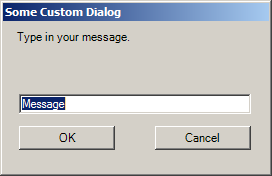
Use DialogResult property in Form
using System;
using System.Drawing;
using System.Windows.Forms;

class BetterDialog: Form
{
     public static void Main()
     {
          Application.Run(new BetterDialog());
     }
     public BetterDialog()
     {
          Menu = new MainMenu();
          Menu.MenuItems.Add("&Dialog!", new EventHandler(MenuOnClick));
     }
     void MenuOnClick(object obj, EventArgs ea)
     {
          BetterDialogBox dlg = new BetterDialogBox();
          DialogResult    dr  = dlg.ShowDialog();

          Console.WriteLine(dr);
     }
}
class BetterDialogBox: Form
{
     public BetterDialogBox()
     {
          Text = "Better Dialog Box";

          FormBorderStyle = FormBorderStyle.FixedDialog;
          ControlBox      = false;
          MaximizeBox     = false;
          MinimizeBox     = false;
          ShowInTaskbar   = false;
          StartPosition   = FormStartPosition.Manual;
          Location        = ActiveForm.Location +
                            SystemInformation.CaptionButtonSize +
                            SystemInformation.FrameBorderSize;

          Button btn = new Button();
          btn.Parent   = this;
          btn.Text     = "OK";
          btn.Location = new Point(50, 50);
          btn.Size     = new Size (10 * Font.Height, 2 * Font.Height);
          btn.DialogResult = DialogResult.OK;

          AcceptButton = btn;

          btn = new Button();
          btn.Parent   = this;
          btn.Text     = "Cancel";
          btn.Location = new Point(50, 100);
          btn.Size     = new Size (10 * Font.Height, 2 * Font.Height);
          btn.DialogResult = DialogResult.Cancel;

          CancelButton = btn;
     }
}
Related examples in the same category