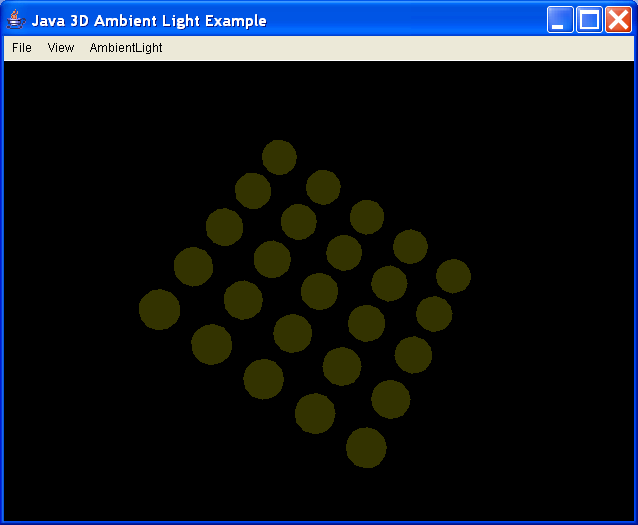
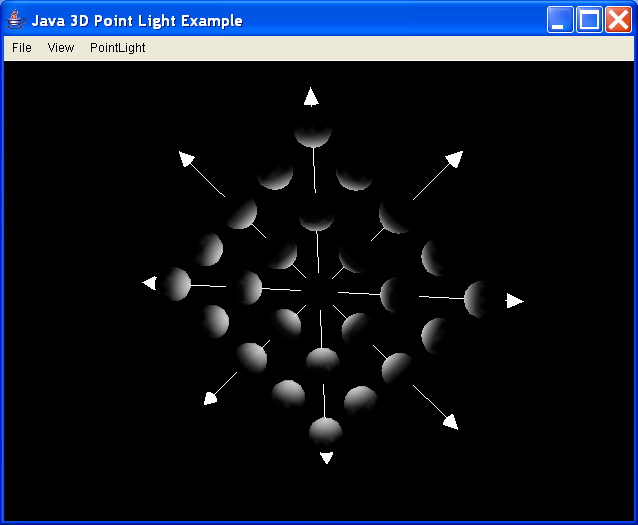
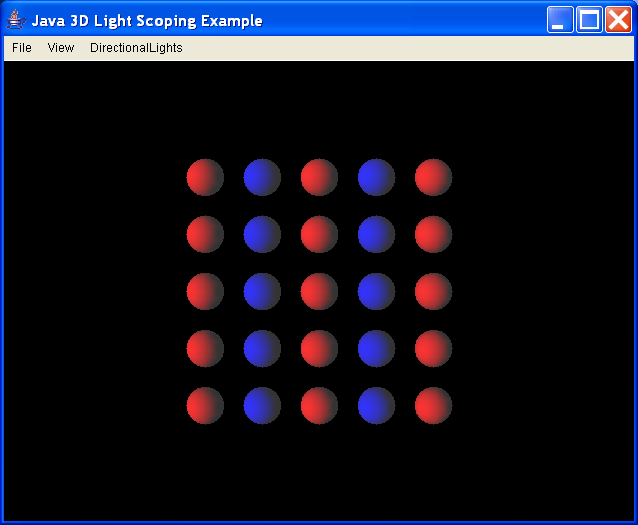
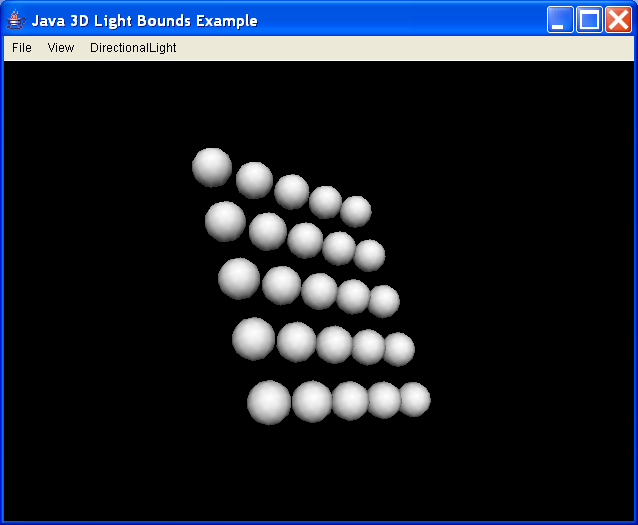
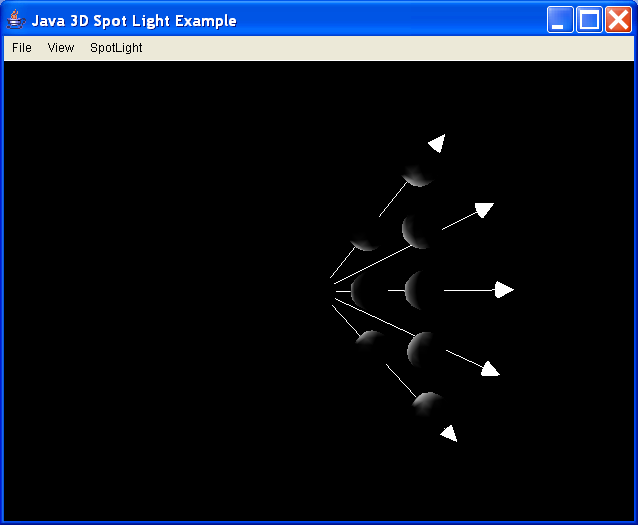
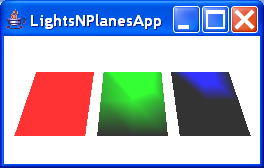
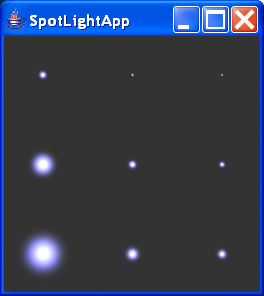
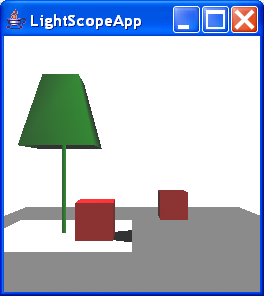
AmbientLight, DirectionalLight, PointLight and SpotLight
/**********************************************************
 Copyright (C) 2001   Daniel Selman

 First distributed with the book "Java 3D Programming"
 by Daniel Selman and published by Manning Publications.
 http://manning.com/selman

 This program is free software; you can redistribute it and/or
 modify it under the terms of the GNU General Public License
 as published by the Free Software Foundation, version 2.

 This program is distributed in the hope that it will be useful,
 but WITHOUT ANY WARRANTY; without even the implied warranty of
 MERCHANTABILITY or FITNESS FOR A PARTICULAR PURPOSE.  See the
 GNU General Public License for more details.

 The license can be found on the WWW at:
 http://www.fsf.org/copyleft/gpl.html

 Or by writing to:
 Free Software Foundation, Inc.,
 59 Temple Place - Suite 330, Boston, MA  02111-1307, USA.

 Authors can be contacted at:
 Daniel Selman: daniel@selman.org

 If you make changes you think others would like, please
 contact one of the authors or someone at the
 www.j3d.org web site.
 **************************************************************/

import java.applet.Applet;
import java.awt.BorderLayout;
import java.awt.Button;
import java.awt.Checkbox;
import java.awt.Color;
import java.awt.Dimension;
import java.awt.Frame;
import java.awt.GraphicsConfigTemplate;
import java.awt.GraphicsDevice;
import java.awt.GraphicsEnvironment;
import java.awt.Label;
import java.awt.Panel;
import java.awt.TextField;
import java.awt.event.ActionEvent;
import java.awt.event.ActionListener;
import java.awt.event.ItemEvent;
import java.awt.event.ItemListener;
import java.io.File;
import java.net.URL;

import javax.media.j3d.Alpha;
import javax.media.j3d.AmbientLight;
import javax.media.j3d.Appearance;
import javax.media.j3d.AudioDevice;
import javax.media.j3d.Background;
import javax.media.j3d.BoundingSphere;
import javax.media.j3d.Bounds;
import javax.media.j3d.BranchGroup;
import javax.media.j3d.Canvas3D;
import javax.media.j3d.DirectionalLight;
import javax.media.j3d.GraphicsConfigTemplate3D;
import javax.media.j3d.Group;
import javax.media.j3d.Light;
import javax.media.j3d.Locale;
import javax.media.j3d.Material;
import javax.media.j3d.PhysicalBody;
import javax.media.j3d.PhysicalEnvironment;
import javax.media.j3d.PointLight;
import javax.media.j3d.RotationInterpolator;
import javax.media.j3d.Shape3D;
import javax.media.j3d.SpotLight;
import javax.media.j3d.Transform3D;
import javax.media.j3d.TransformGroup;
import javax.media.j3d.View;
import javax.media.j3d.ViewPlatform;
import javax.media.j3d.VirtualUniverse;
import javax.swing.JColorChooser;
import javax.vecmath.AxisAngle4d;
import javax.vecmath.Color3f;
import javax.vecmath.Point3d;
import javax.vecmath.Point3f;
import javax.vecmath.Vector3d;
import javax.vecmath.Vector3f;

import com.sun.j3d.audioengines.javasound.JavaSoundMixer;
import com.sun.j3d.utils.applet.MainFrame;
import com.sun.j3d.utils.geometry.Cone;
import com.sun.j3d.utils.geometry.GeometryInfo;
import com.sun.j3d.utils.geometry.NormalGenerator;
import com.sun.j3d.utils.geometry.Primitive;
import com.sun.j3d.utils.geometry.Sphere;

/**
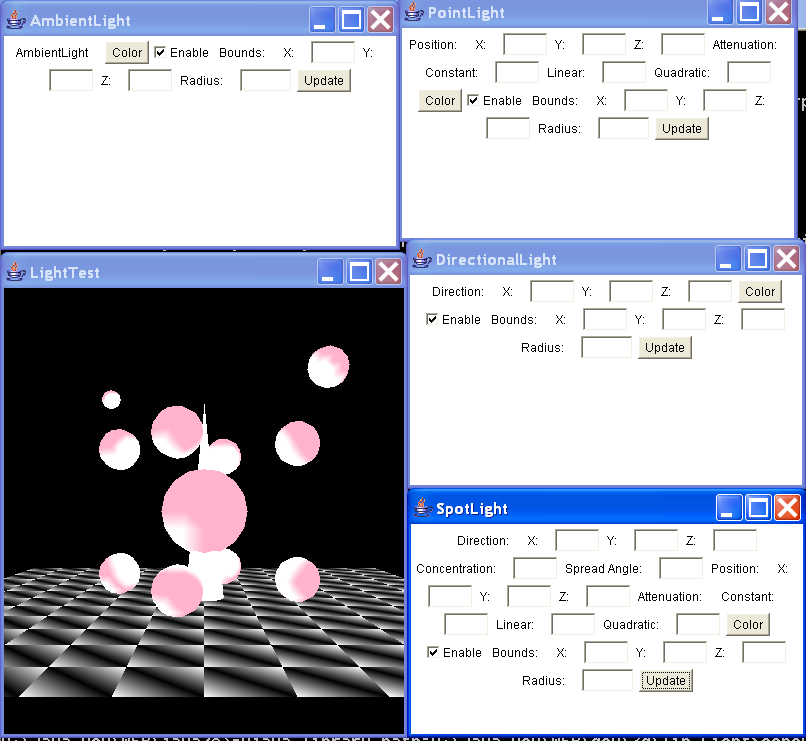
 * This example creates a simple scene composed of several spheres and a
 * QuadArray. The scene is lit using 4 lights: AmbientLight, DirectionalLight,
 * PointLight and SpotLight. Some UI is created for each light to allow the user
 * to interactively modify the lights' parameters and view the resulting scene.
 */
public class LightTest extends Java3dApplet {
  private static final int m_kWidth = 400;

  private static final int m_kHeight = 400;

  public LightTest() {
    initJava3d();
  }

  // create a pop-up Frame to contain the
  // UI to control each light.
  protected void createLight(LightObject light, BranchGroup objRoot) {
    Frame frame = new Frame(light.getName());
    Panel aPanel = new Panel();
    frame.add(aPanel);
    light.addUiToPanel(aPanel);
    frame.pack();
    frame.setSize(new Dimension(400, 250));
    frame.validate();
    frame.setVisible(true);

    // add the geometry that depicts the light
    // to the scenegraph
    objRoot.addChild(light.createGeometry());

    // finally add the light itself to the scenegraph
    objRoot.addChild(light.getLight());
  }

  // overridden to use a black background
  // so we can see the lights better
  protected Background createBackground() {
    return null;
  }

  protected BranchGroup createSceneBranchGroup() {
    BranchGroup objRoot = super.createSceneBranchGroup();

    // create the 4 lights - the actual creation
    // and UI managment is delegated to an object
    // that "shadows" (no pun intended) the functionality
    // of the particular light
    createLight(new AmbientLightObject(), objRoot);
    createLight(new PointLightObject(), objRoot);
    createLight(new DirectionalLightObject(), objRoot);
    createLight(new SpotLightObject(), objRoot);

    // rotate some of the spheres in the scene
    TransformGroup objTrans = new TransformGroup();
    objTrans.setCapability(TransformGroup.ALLOW_TRANSFORM_WRITE);
    objTrans.setCapability(TransformGroup.ALLOW_TRANSFORM_READ);

    Transform3D yAxis = new Transform3D();
    Alpha rotationAlpha = new Alpha(-1, Alpha.INCREASING_ENABLE, 0, 0,
        4000, 0, 0, 0, 0, 0);

    RotationInterpolator rotator = new RotationInterpolator(rotationAlpha,
        objTrans, yAxis, 0.0f, (float) Math.PI * 2.0f);
    rotator.setSchedulingBounds(getApplicationBounds());
    objTrans.addChild(rotator);

    // create a large sphere in the center of the
    // scene and the floor as staionary objects
    objRoot.addChild(createSphere(0, 0, 0, 2));
    objRoot.addChild(createFloor());

    // create a smaller sphere at the corners of a cube
    final int nCubeSize = 3;
    objTrans.addChild(createSphere(nCubeSize, nCubeSize, nCubeSize, 1));
    objTrans.addChild(createSphere(nCubeSize, nCubeSize, -nCubeSize, 1));
    objTrans.addChild(createSphere(nCubeSize, -nCubeSize, nCubeSize, 1));
    objTrans.addChild(createSphere(nCubeSize, -nCubeSize, -nCubeSize, 1));
    objTrans.addChild(createSphere(-nCubeSize, nCubeSize, nCubeSize, 1));
    objTrans.addChild(createSphere(-nCubeSize, nCubeSize, -nCubeSize, 1));
    objTrans.addChild(createSphere(-nCubeSize, -nCubeSize, nCubeSize, 1));
    objTrans.addChild(createSphere(-nCubeSize, -nCubeSize, -nCubeSize, 1));

    // add some small spheres here and there to
    // make things interesting
    objRoot.addChild(createSphere(-6, -6, 2, 1));
    objRoot.addChild(createSphere(8, -5, 3, 1));
    objRoot.addChild(createSphere(6, 7, -1, 1));
    objRoot.addChild(createSphere(-5, 6, -3.5f, 0.5f));

    objRoot.addChild(objTrans);

    return objRoot;
  }

  // creates a QuadArray and uses per-vertex
  // colors to make a black and white pattern
  protected BranchGroup createFloor() {
    final int LAND_WIDTH = 12;
    final float LAND_HEIGHT = -4.0f;
    final int LAND_LENGTH = 12;

    final int nTileSize = 2;

    // calculate how many vertices we need to store all the "tiles"
    // that compose the QuadArray.
    final int nNumTiles = ((LAND_LENGTH / nTileSize) * 2)
        * ((LAND_WIDTH / nTileSize) * 2);
    final int nVertexCount = 4 * nNumTiles;
    Point3f[] coordArray = new Point3f[nVertexCount];
    Color3f[] colorArray = new Color3f[nVertexCount];

    // create an Appearance
    Appearance app = new Appearance();

    // create the parent BranchGroup
    BranchGroup bg = new BranchGroup();

    int nItem = 0;

    Color3f whiteColor = new Color3f(1, 1, 1);
    Color3f blackColor = new Color3f(0, 0, 0);

    // loop over all the tiles in the environment
    for (int x = -LAND_WIDTH; x <= LAND_WIDTH; x += nTileSize) {
      for (int z = -LAND_LENGTH; z <= LAND_LENGTH; z += nTileSize) {
        // if we are not on the last row or column create a "tile"
        // and add to the QuadArray. Use CCW winding and assign texture
        // coordinates.
        if (z < LAND_LENGTH && x < LAND_WIDTH) {
          coordArray[nItem] = new Point3f(x, LAND_HEIGHT, z);
          colorArray[nItem++] = blackColor;

          coordArray[nItem] = new Point3f(x, LAND_HEIGHT, z
              + nTileSize);
          colorArray[nItem++] = whiteColor;

          coordArray[nItem] = new Point3f(x + nTileSize, LAND_HEIGHT,
              z + nTileSize);
          colorArray[nItem++] = blackColor;

          coordArray[nItem] = new Point3f(x + nTileSize, LAND_HEIGHT,
              z);
          colorArray[nItem++] = whiteColor;
        }
      }
    }

    // create a GeometryInfo and generate Normal vectors
    // for the QuadArray that was populated.
    GeometryInfo gi = new GeometryInfo(GeometryInfo.QUAD_ARRAY);

    gi.setCoordinates(coordArray);
    gi.setColors(colorArray);

    NormalGenerator normalGenerator = new NormalGenerator();
    normalGenerator.generateNormals(gi);

    // wrap the GeometryArray in a Shape3D
    Shape3D shape = new Shape3D(gi.getGeometryArray(), app);

    // add the Shape3D to the parent BranchGroup
    bg.addChild(shape);

    return bg;
  }

  // helper method to create and position a sphere of a give size
  protected Group createSphere(float x, float y, float z, float radius) {
    TransformGroup tg = new TransformGroup();
    Transform3D t3d = new Transform3D();
    t3d.setTranslation(new Vector3d(x, y, z));
    tg.setTransform(t3d);

    // create an Appearance and Material
    Appearance app = new Appearance();
    Color3f objColor = new Color3f(1.0f, 0.7f, 0.8f);
    Color3f black = new Color3f(0.0f, 0.0f, 0.0f);
    app.setMaterial(new Material(objColor, black, objColor, black, 80.0f));

    tg.addChild(new Sphere(radius, Primitive.GENERATE_NORMALS, app));

    return tg;
  }

  public static void main(String[] args) {
    LightTest lightTest = new LightTest();
    lightTest.saveCommandLineArguments(args);

    new MainFrame(lightTest, m_kWidth, m_kHeight);
  }
}

//abstract base class that implements the
//basic "Light" class UI functionality

abstract class LightObject implements ActionListener, ItemListener {
  protected Panel m_Panel = null;

  protected JColorChooser m_ColorChooser = null;

  TextField m_XTextField = null;

  TextField m_YTextField = null;

  TextField m_ZTextField = null;

  TextField m_RadiusTextField = null;

  Checkbox m_EnableCheck = null;

  protected Light m_Light = null;

  public LightObject() {
    m_Light = createLight();
    m_Light.setInfluencingBounds(new BoundingSphere(new Point3d(0, 0, 0),
        100));

    m_ColorChooser = new JColorChooser();

    int[] caps = getCapabilities();

    if (caps != null) {
      for (int n = 0; n < caps.length; n++)
        m_Light.setCapability(caps[n]);
    }
  }

  protected Light createLight() {
    return null;
  }

  public Light getLight() {
    return m_Light;
  }

  public String getName() {
    return "Light";
  }

  protected int[] getCapabilities() {
    int[] caps = new int[8];
    int nIndex = 0;

    caps[nIndex++] = Light.ALLOW_COLOR_READ;
    caps[nIndex++] = Light.ALLOW_COLOR_WRITE;
    caps[nIndex++] = Light.ALLOW_INFLUENCING_BOUNDS_READ;
    caps[nIndex++] = Light.ALLOW_INFLUENCING_BOUNDS_WRITE;
    caps[nIndex++] = Light.ALLOW_SCOPE_READ;
    caps[nIndex++] = Light.ALLOW_SCOPE_WRITE;
    caps[nIndex++] = Light.ALLOW_STATE_READ;
    caps[nIndex++] = Light.ALLOW_STATE_WRITE;

    return caps;
  }

  public Group createGeometry() {
    Group g = new Group();
    m_Light.setUserData(this);

    return g;
  }

  public void addUiToPanel(Panel panel) {
    Button colorButton = new Button("Color");
    colorButton.addActionListener(this);
    panel.add(colorButton);

    m_EnableCheck = new Checkbox("Enable", true);
    m_EnableCheck.addItemListener(this);
    panel.add(m_EnableCheck);

    panel.add(new Label("Bounds:"));

    panel.add(new Label("X:"));
    m_XTextField = new TextField(3);
    panel.add(m_XTextField);

    panel.add(new Label("Y:"));
    m_YTextField = new TextField(3);
    panel.add(m_YTextField);

    panel.add(new Label("Z:"));
    m_ZTextField = new TextField(3);
    panel.add(m_ZTextField);

    panel.add(new Label("Radius:"));
    m_RadiusTextField = new TextField(4);
    panel.add(m_RadiusTextField);

    Button updateButton = new Button("Update");
    updateButton.addActionListener(this);
    panel.add(updateButton);

    synchLightToUi();
  }

  public void actionPerformed(ActionEvent event) {
    if (event.getActionCommand().equals("Color") != false)
      OnColor();
    else if (event.getActionCommand().equals("Update") != false)
      synchLightToUi();
  }

  public void itemStateChanged(ItemEvent event) {
    m_Light.setEnable(event.getStateChange() == ItemEvent.SELECTED);
  }

  protected void OnColor() {
    Color rgb = m_ColorChooser.showDialog(m_Panel, "Set Light Color", null);

    if (rgb != null) {
      m_Light
          .setColor(new Color3f((float) rgb.getRed() / 255f,
              (float) rgb.getGreen() / 255f, (float) rgb
                  .getBlue() / 255f));
    }
  }

  public void synchLightToUi() {
    m_Light.setEnable(m_EnableCheck.getState());

    // set some defaults if things go wrong...
    double x = 0;
    double y = 0;
    double z = 0;

    double radius = 100;

    try {
      x = Double.valueOf(m_XTextField.getText()).doubleValue();
      y = Double.valueOf(m_YTextField.getText()).doubleValue();
      z = Double.valueOf(m_ZTextField.getText()).doubleValue();

      radius = Double.valueOf(m_RadiusTextField.getText()).doubleValue();
    } catch (java.lang.NumberFormatException e) {
      // invalid numeric input - just ignore.
    }

    m_Light.setInfluencingBounds(new BoundingSphere(new Point3d(x, y, z),
        radius));
  }

  // this method is a placeholder for some
  // code that would synchronize the UI with the
  // state of a light. This would allow the user
  // to move a light around using a MouseBehavior
  // and update the UI to display the new position.
  // An exercise for the reader... ;-)
  public void synchUiToLight() {
  }

  protected int[] createCompoundArray(int[] a1, int[] a2) {
    int[] aRet = null;
    int nTotalLen = 0;
    int nLen1 = 0;
    int nLen2 = 0;

    if (a1 != null) {
      nTotalLen += a1.length;
      nLen1 = a1.length;
    }

    if (a2 != null) {
      nTotalLen += a2.length;
      nLen2 = a2.length;
    }

    aRet = new int[nTotalLen];

    if (a1 != null)
      System.arraycopy(a1, 0, aRet, 0, nLen1);

    if (a2 != null)
      System.arraycopy(a2, 0, aRet, nLen1, a2.length);

    return aRet;
  }
}

class PointLightObject extends LightObject {
  protected TextField m_XPositionTextField = null;

  protected TextField m_YPositionTextField = null;

  protected TextField m_ZPositionTextField = null;

  protected TextField m_ConstantAttenuationTextField = null;

  protected TextField m_LinearAttenuationTextField = null;

  protected TextField m_QuadraticAttenuationTextField = null;

  protected TransformGroup m_TransformGroup = null;

  protected Sphere m_Sphere = null;

  public PointLightObject() {
  }

  protected Light createLight() {
    return (Light) new PointLight();
  }

  public String getName() {
    return "PointLight";
  }

  protected int[] getCapabilities() {
    int[] superCaps = super.getCapabilities();

    int[] caps = { PointLight.ALLOW_ATTENUATION_READ,
        PointLight.ALLOW_ATTENUATION_WRITE,
        PointLight.ALLOW_POSITION_READ, PointLight.ALLOW_POSITION_WRITE };

    return createCompoundArray(superCaps, caps);
  }

  public Group createGeometry() {
    Point3f pos = new Point3f();
    ((PointLight) m_Light).getPosition(pos);

    m_TransformGroup = new TransformGroup();
    m_TransformGroup.setCapability(TransformGroup.ALLOW_TRANSFORM_WRITE);
    m_TransformGroup.setCapability(TransformGroup.ALLOW_TRANSFORM_READ);

    Transform3D t3d = new Transform3D();
    t3d.setTranslation(new Vector3f(pos.x, pos.y, pos.z));
    m_TransformGroup.setTransform(t3d);

    m_Sphere = new Sphere(0.2f, Primitive.ENABLE_APPEARANCE_MODIFY
        | Primitive.GENERATE_NORMALS, 16);
    m_TransformGroup.addChild(m_Sphere);
    m_TransformGroup.addChild(super.createGeometry());

    return (Group) m_TransformGroup;
  }

  public void addUiToPanel(Panel panel) {
    m_XPositionTextField = new TextField(3);
    m_YPositionTextField = new TextField(3);
    m_ZPositionTextField = new TextField(3);

    m_ConstantAttenuationTextField = new TextField(3);
    m_LinearAttenuationTextField = new TextField(3);
    m_QuadraticAttenuationTextField = new TextField(3);

    panel.add(new Label("Position:"));
    panel.add(new Label("X:"));
    panel.add(m_XPositionTextField);
    panel.add(new Label("Y:"));
    panel.add(m_YPositionTextField);
    panel.add(new Label("Z:"));
    panel.add(m_ZPositionTextField);

    panel.add(new Label("Attenuation:"));
    panel.add(new Label("Constant:"));
    panel.add(m_ConstantAttenuationTextField);
    panel.add(new Label("Linear:"));
    panel.add(m_LinearAttenuationTextField);
    panel.add(new Label("Quadratic:"));
    panel.add(m_QuadraticAttenuationTextField);

    super.addUiToPanel(panel);
  }

  public void synchLightToUi() {
    super.synchLightToUi();

    // set some defaults if things go wrong...
    double x = 0;
    double y = 0;
    double z = 0;

    double constant = 0.01;
    double linear = 0;
    double quadratic = 0;

    try {
      x = Double.valueOf(m_XPositionTextField.getText()).doubleValue();
      y = Double.valueOf(m_YPositionTextField.getText()).doubleValue();
      z = Double.valueOf(m_ZPositionTextField.getText()).doubleValue();

      constant = Double.valueOf(m_ConstantAttenuationTextField.getText())
          .doubleValue();
      linear = Double.valueOf(m_LinearAttenuationTextField.getText())
          .doubleValue();
      quadratic = Double.valueOf(
          m_QuadraticAttenuationTextField.getText()).doubleValue();
    } catch (java.lang.NumberFormatException e) {
      // invalid numeric input - just ignore.
    }

    ((PointLight) m_Light).setPosition((float) x, (float) y, (float) z);
    ((PointLight) m_Light).setAttenuation((float) constant, (float) linear,
        (float) quadratic);

    if (m_TransformGroup != null) {
      Transform3D t3d = new Transform3D();
      m_TransformGroup.getTransform(t3d);
      t3d.setTranslation(new Vector3d(x, y, z));
      m_TransformGroup.setTransform(t3d);
    }

    if (m_Sphere != null) {
      Appearance app = new Appearance();

      Color3f objColor = new Color3f();
      m_Light.getColor(objColor);
      Color3f black = new Color3f(0.0f, 0.0f, 0.0f);
      app.setMaterial(new Material(objColor, black, objColor, black,
          80.0f));
      m_Sphere.getShape(Sphere.BODY).setAppearance(app);
    }
  }

  public void synchUiToLight() {
    super.synchUiToLight();
  }
}

class SpotLightObject extends PointLightObject {

  protected TextField m_ConcentrationTextField = null;

  protected TextField m_SpreadAngleTextField = null;

  protected TextField m_XDirectionTextField = null;

  protected TextField m_YDirectionTextField = null;

  protected TextField m_ZDirectionTextField = null;

  protected TransformGroup m_DirectionTransformGroup = null;

  protected Cone m_Cone = null;

  public SpotLightObject() {
  }

  protected Light createLight() {
    return (Light) new SpotLight();
  }

  public String getName() {
    return "SpotLight";
  }

  protected int[] getCapabilities() {
    int[] superCaps = super.getCapabilities();

    int[] caps = { SpotLight.ALLOW_CONCENTRATION_READ,
        SpotLight.ALLOW_CONCENTRATION_WRITE,
        SpotLight.ALLOW_DIRECTION_READ,
        SpotLight.ALLOW_DIRECTION_WRITE,
        SpotLight.ALLOW_SPREAD_ANGLE_READ,
        SpotLight.ALLOW_SPREAD_ANGLE_WRITE };

    return createCompoundArray(superCaps, caps);
  }

  public Group createGeometry() {
    m_DirectionTransformGroup = new TransformGroup();
    m_DirectionTransformGroup
        .setCapability(TransformGroup.ALLOW_TRANSFORM_WRITE);
    m_DirectionTransformGroup
        .setCapability(TransformGroup.ALLOW_TRANSFORM_READ);

    // create appearance and material for the Cone
    Appearance app = new Appearance();

    // create the Primitive and add to the parent BranchGroup
    m_Cone = new Cone(0.5f, 2, Primitive.ENABLE_APPEARANCE_MODIFY
        | Primitive.GENERATE_NORMALS, app);
    m_DirectionTransformGroup.addChild(m_Cone);

    Group superGroup = super.createGeometry();
    superGroup.addChild(m_DirectionTransformGroup);
    return superGroup;
  }

  public void addUiToPanel(Panel panel) {
    m_XDirectionTextField = new TextField(3);
    m_YDirectionTextField = new TextField(3);
    m_ZDirectionTextField = new TextField(3);

    m_ConcentrationTextField = new TextField(3);
    m_SpreadAngleTextField = new TextField(3);

    panel.add(new Label("Direction:"));
    panel.add(new Label("X:"));
    panel.add(m_XDirectionTextField);
    panel.add(new Label("Y:"));
    panel.add(m_YDirectionTextField);
    panel.add(new Label("Z:"));
    panel.add(m_ZDirectionTextField);

    panel.add(new Label("Concentration:"));
    panel.add(m_ConcentrationTextField);

    panel.add(new Label("Spread Angle:"));
    panel.add(m_SpreadAngleTextField);

    super.addUiToPanel(panel);
  }

  public void synchLightToUi() {
    super.synchLightToUi();

    // set some defaults if things go wrong...
    double x = 0;
    double y = 0;
    double z = 0;

    double conc = 1;
    double spread = 2;

    try {
      x = Double.valueOf(m_XDirectionTextField.getText()).doubleValue();
      y = Double.valueOf(m_YDirectionTextField.getText()).doubleValue();
      z = Double.valueOf(m_ZDirectionTextField.getText()).doubleValue();

      conc = Double.valueOf(m_ConcentrationTextField.getText())
          .doubleValue();
      spread = Double.valueOf(m_SpreadAngleTextField.getText())
          .doubleValue();
    } catch (java.lang.NumberFormatException e) {
      // invalid numeric input - just ignore.
    }

    ((SpotLight) m_Light).setDirection((float) x, (float) y, (float) z);
    ((SpotLight) m_Light).setConcentration((float) conc);
    ((SpotLight) m_Light).setSpreadAngle((float) spread);

    if (m_DirectionTransformGroup != null) {
      Vector3d coneVector = new Vector3d(0, -1, 0);
      Vector3d lightVector = new Vector3d(x, y, z);

      coneVector.normalize();
      lightVector.normalize();

      Vector3d axisVector = new Vector3d();
      axisVector.cross(coneVector, lightVector);
      double angle = java.lang.Math.acos(coneVector.dot(lightVector));

      AxisAngle4d rotAxis = new AxisAngle4d(axisVector.x, axisVector.y,
          axisVector.z, angle);

      Transform3D t3d = new Transform3D();
      t3d.setRotation(rotAxis);

      m_DirectionTransformGroup.setTransform(t3d);
    }

    if (m_Cone != null) {
      Appearance app = new Appearance();

      Color3f objColor = new Color3f();
      m_Light.getColor(objColor);
      Color3f black = new Color3f(0.0f, 0.0f, 0.0f);
      app.setMaterial(new Material(objColor, black, objColor, black,
          80.0f));
      m_Cone.getShape(Cone.CAP).setAppearance(app);
    }
  }

  public void synchUiToLight() {
    super.synchUiToLight();
  }
}

class AmbientLightObject extends LightObject {
  public AmbientLightObject() {
  }

  protected Light createLight() {
    return (Light) new AmbientLight();
  }

  public String getName() {
    return "AmbientLight";
  }

  protected int[] getCapabilities() {
    return super.getCapabilities();
  }

  public Group createGeometry() {
    return super.createGeometry();
  }

  public void addUiToPanel(Panel panel) {
    panel.add(new Label("AmbientLight"));
    super.addUiToPanel(panel);
  }

  public void synchLightToUi() {
    super.synchLightToUi();
  }

  public void synchUiToLight() {
    super.synchUiToLight();
  }
}

class DirectionalLightObject extends LightObject {
  protected TextField m_XDirectionTextField = null;

  protected TextField m_YDirectionTextField = null;

  protected TextField m_ZDirectionTextField = null;

  protected TransformGroup m_TransformGroup = null;

  protected Cone m_Cone = null;

  public DirectionalLightObject() {
  }

  protected Light createLight() {
    return (Light) new DirectionalLight();
  }

  public String getName() {
    return "DirectionalLight";
  }

  protected int[] getCapabilities() {
    int[] superCaps = super.getCapabilities();

    int[] caps = { DirectionalLight.ALLOW_DIRECTION_READ,
        DirectionalLight.ALLOW_DIRECTION_WRITE, };

    return createCompoundArray(superCaps, caps);
  }

  public Group createGeometry() {
    m_TransformGroup = new TransformGroup();
    m_TransformGroup.setCapability(TransformGroup.ALLOW_TRANSFORM_WRITE);
    m_TransformGroup.setCapability(TransformGroup.ALLOW_TRANSFORM_READ);

    // create appearance and material for the Cone
    Appearance app = new Appearance();

    // create the Primitive and add to the parent BranchGroup
    m_Cone = new Cone(1, 10, Primitive.ENABLE_APPEARANCE_MODIFY
        | Primitive.GENERATE_NORMALS, app);
    m_TransformGroup.addChild(m_Cone);

    Group superGroup = super.createGeometry();
    superGroup.addChild(m_TransformGroup);

    return superGroup;
  }

  public void addUiToPanel(Panel panel) {
    m_XDirectionTextField = new TextField(3);
    m_YDirectionTextField = new TextField(3);
    m_ZDirectionTextField = new TextField(3);

    panel.add(new Label("Direction:"));
    panel.add(new Label("X:"));
    panel.add(m_XDirectionTextField);
    panel.add(new Label("Y:"));
    panel.add(m_YDirectionTextField);
    panel.add(new Label("Z:"));
    panel.add(m_ZDirectionTextField);

    super.addUiToPanel(panel);
  }

  public void synchLightToUi() {
    super.synchLightToUi();

    // set some defaults if things go wrong...
    double x = 0;
    double y = 0;
    double z = 0;

    try {
      x = Double.valueOf(m_XDirectionTextField.getText()).doubleValue();
      y = Double.valueOf(m_YDirectionTextField.getText()).doubleValue();
      z = Double.valueOf(m_ZDirectionTextField.getText()).doubleValue();
    } catch (java.lang.NumberFormatException e) {
      // invalid numeric input - just ignore.
    }

    ((DirectionalLight) m_Light).setDirection((float) x, (float) y,
        (float) z);

    if (m_TransformGroup != null) {
      Vector3d coneVector = new Vector3d(0, 1, 0);
      Vector3d lightVector = new Vector3d(x, y, z);

      coneVector.normalize();
      lightVector.normalize();

      Vector3d axisVector = new Vector3d();
      axisVector.cross(coneVector, lightVector);
      double angle = java.lang.Math.acos(coneVector.dot(lightVector));

      AxisAngle4d rotAxis = new AxisAngle4d(axisVector.x, axisVector.y,
          axisVector.z, angle);

      Transform3D t3d = new Transform3D();
      t3d.setRotation(rotAxis);

      m_TransformGroup.setTransform(t3d);
    }

    if (m_Cone != null) {
      Appearance app = new Appearance();

      Color3f objColor = new Color3f();
      m_Light.getColor(objColor);
      Color3f black = new Color3f(0.0f, 0.0f, 0.0f);
      app.setMaterial(new Material(objColor, black, objColor, black,
          80.0f));
      m_Cone.setAppearance(app);
    }
  }

  public void synchUiToLight() {
    super.synchUiToLight();
  }
}

/*******************************************************************************
 * Copyright (C) 2001 Daniel Selman
 *
 * First distributed with the book "Java 3D Programming" by Daniel Selman and
 * published by Manning Publications. http://manning.com/selman
 *
 * This program is free software; you can redistribute it and/or modify it under
 * the terms of the GNU General Public License as published by the Free Software
 * Foundation, version 2.
 *
 * This program is distributed in the hope that it will be useful, but WITHOUT
 * ANY WARRANTY; without even the implied warranty of MERCHANTABILITY or FITNESS
 * FOR A PARTICULAR PURPOSE. See the GNU General Public License for more
 * details.
 *
 * The license can be found on the WWW at: http://www.fsf.org/copyleft/gpl.html
 *
 * Or by writing to: Free Software Foundation, Inc., 59 Temple Place - Suite
 * 330, Boston, MA 02111-1307, USA.
 *
 * Authors can be contacted at: Daniel Selman: daniel@selman.org
 *
 * If you make changes you think others would like, please contact one of the
 * authors or someone at the www.j3d.org web site.
 ******************************************************************************/

//*****************************************************************************
/**
 * Java3dApplet
 *
 * Base class for defining a Java 3D applet. Contains some useful methods for
 * defining views and scenegraphs etc.
 *
 * @author Daniel Selman
 * @version 1.0
 */
//*****************************************************************************

abstract class Java3dApplet extends Applet {
  public static int m_kWidth = 300;

  public static int m_kHeight = 300;

  protected String[] m_szCommandLineArray = null;

  protected VirtualUniverse m_Universe = null;

  protected BranchGroup m_SceneBranchGroup = null;

  protected Bounds m_ApplicationBounds = null;

  //  protected com.tornadolabs.j3dtree.Java3dTree m_Java3dTree = null;

  public Java3dApplet() {
  }

  public boolean isApplet() {
    try {
      System.getProperty("user.dir");
      System.out.println("Running as Application.");
      return false;
    } catch (Exception e) {
    }

    System.out.println("Running as Applet.");
    return true;
  }

  public URL getWorkingDirectory() throws java.net.MalformedURLException {
    URL url = null;

    try {
      File file = new File(System.getProperty("user.dir"));
      System.out.println("Running as Application:");
      System.out.println("   " + file.toURL());
      return file.toURL();
    } catch (Exception e) {
    }

    System.out.println("Running as Applet:");
    System.out.println("   " + getCodeBase());

    return getCodeBase();
  }

  public VirtualUniverse getVirtualUniverse() {
    return m_Universe;
  }

  //public com.tornadolabs.j3dtree.Java3dTree getJ3dTree() {
  //return m_Java3dTree;
  //  }

  public Locale getFirstLocale() {
    java.util.Enumeration e = m_Universe.getAllLocales();

    if (e.hasMoreElements() != false)
      return (Locale) e.nextElement();

    return null;
  }

  protected Bounds getApplicationBounds() {
    if (m_ApplicationBounds == null)
      m_ApplicationBounds = createApplicationBounds();

    return m_ApplicationBounds;
  }

  protected Bounds createApplicationBounds() {
    m_ApplicationBounds = new BoundingSphere(new Point3d(0.0, 0.0, 0.0),
        100.0);
    return m_ApplicationBounds;
  }

  protected Background createBackground() {
    Background back = new Background(new Color3f(0.9f, 0.9f, 0.9f));
    back.setApplicationBounds(createApplicationBounds());
    return back;
  }

  public void initJava3d() {
    //  m_Java3dTree = new com.tornadolabs.j3dtree.Java3dTree();
    m_Universe = createVirtualUniverse();

    Locale locale = createLocale(m_Universe);

    BranchGroup sceneBranchGroup = createSceneBranchGroup();

    ViewPlatform vp = createViewPlatform();
    BranchGroup viewBranchGroup = createViewBranchGroup(
        getViewTransformGroupArray(), vp);

    createView(vp);

    Background background = createBackground();

    if (background != null)
      sceneBranchGroup.addChild(background);

    //    m_Java3dTree.recursiveApplyCapability(sceneBranchGroup);
    //  m_Java3dTree.recursiveApplyCapability(viewBranchGroup);

    locale.addBranchGraph(sceneBranchGroup);
    addViewBranchGroup(locale, viewBranchGroup);

    onDoneInit();
  }

  protected void onDoneInit() {
    //  m_Java3dTree.updateNodes(m_Universe);
  }

  protected double getScale() {
    return 1.0;
  }

  public TransformGroup[] getViewTransformGroupArray() {
    TransformGroup[] tgArray = new TransformGroup[1];
    tgArray[0] = new TransformGroup();

    // move the camera BACK a little...
    // note that we have to invert the matrix as
    // we are moving the viewer
    Transform3D t3d = new Transform3D();
    t3d.setScale(getScale());
    t3d.setTranslation(new Vector3d(0.0, 0.0, -20.0));
    t3d.invert();
    tgArray[0].setTransform(t3d);

    return tgArray;
  }

  protected void addViewBranchGroup(Locale locale, BranchGroup bg) {
    locale.addBranchGraph(bg);
  }

  protected Locale createLocale(VirtualUniverse u) {
    return new Locale(u);
  }

  protected BranchGroup createSceneBranchGroup() {
    m_SceneBranchGroup = new BranchGroup();
    return m_SceneBranchGroup;
  }

  protected View createView(ViewPlatform vp) {
    View view = new View();

    PhysicalBody pb = createPhysicalBody();
    PhysicalEnvironment pe = createPhysicalEnvironment();

    AudioDevice audioDevice = createAudioDevice(pe);

    if (audioDevice != null) {
      pe.setAudioDevice(audioDevice);
      audioDevice.initialize();
    }

    view.setPhysicalEnvironment(pe);
    view.setPhysicalBody(pb);

    if (vp != null)
      view.attachViewPlatform(vp);

    view.setBackClipDistance(getBackClipDistance());
    view.setFrontClipDistance(getFrontClipDistance());

    Canvas3D c3d = createCanvas3D();
    view.addCanvas3D(c3d);
    addCanvas3D(c3d);

    return view;
  }

  protected PhysicalBody createPhysicalBody() {
    return new PhysicalBody();
  }

  protected AudioDevice createAudioDevice(PhysicalEnvironment pe) {
    JavaSoundMixer javaSoundMixer = new JavaSoundMixer(pe);

    if (javaSoundMixer == null)
      System.out.println("create of audiodevice failed");

    return javaSoundMixer;
  }

  protected PhysicalEnvironment createPhysicalEnvironment() {
    return new PhysicalEnvironment();
  }

  protected float getViewPlatformActivationRadius() {
    return 100;
  }

  protected ViewPlatform createViewPlatform() {
    ViewPlatform vp = new ViewPlatform();
    vp.setViewAttachPolicy(View.RELATIVE_TO_FIELD_OF_VIEW);
    vp.setActivationRadius(getViewPlatformActivationRadius());

    return vp;
  }

  protected Canvas3D createCanvas3D() {
    GraphicsConfigTemplate3D gc3D = new GraphicsConfigTemplate3D();
    gc3D.setSceneAntialiasing(GraphicsConfigTemplate.PREFERRED);
    GraphicsDevice gd[] = GraphicsEnvironment.getLocalGraphicsEnvironment()
        .getScreenDevices();

    Canvas3D c3d = new Canvas3D(gd[0].getBestConfiguration(gc3D));
    c3d.setSize(getCanvas3dWidth(c3d), getCanvas3dHeight(c3d));

    return c3d;
  }

  protected int getCanvas3dWidth(Canvas3D c3d) {
    return m_kWidth;
  }

  protected int getCanvas3dHeight(Canvas3D c3d) {
    return m_kHeight;
  }

  protected double getBackClipDistance() {
    return 100.0;
  }

  protected double getFrontClipDistance() {
    return 1.0;
  }

  protected BranchGroup createViewBranchGroup(TransformGroup[] tgArray,
      ViewPlatform vp) {
    BranchGroup vpBranchGroup = new BranchGroup();

    if (tgArray != null && tgArray.length > 0) {
      Group parentGroup = vpBranchGroup;
      TransformGroup curTg = null;

      for (int n = 0; n < tgArray.length; n++) {
        curTg = tgArray[n];
        parentGroup.addChild(curTg);
        parentGroup = curTg;
      }

      tgArray[tgArray.length - 1].addChild(vp);
    } else
      vpBranchGroup.addChild(vp);

    return vpBranchGroup;
  }

  protected void addCanvas3D(Canvas3D c3d) {
    setLayout(new BorderLayout());
    add(c3d, BorderLayout.CENTER);
    doLayout();
  }

  protected VirtualUniverse createVirtualUniverse() {
    return new VirtualUniverse();
  }

  protected void saveCommandLineArguments(String[] szArgs) {
    m_szCommandLineArray = szArgs;
  }

  protected String[] getCommandLineArguments() {
    return m_szCommandLineArray;
  }
}
Related examples in the same category