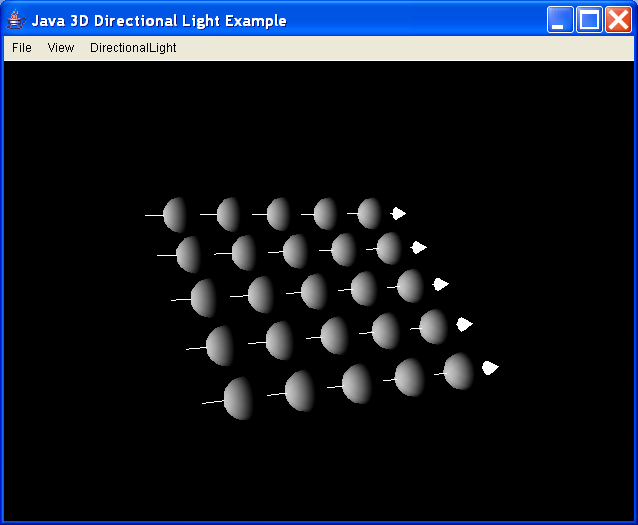
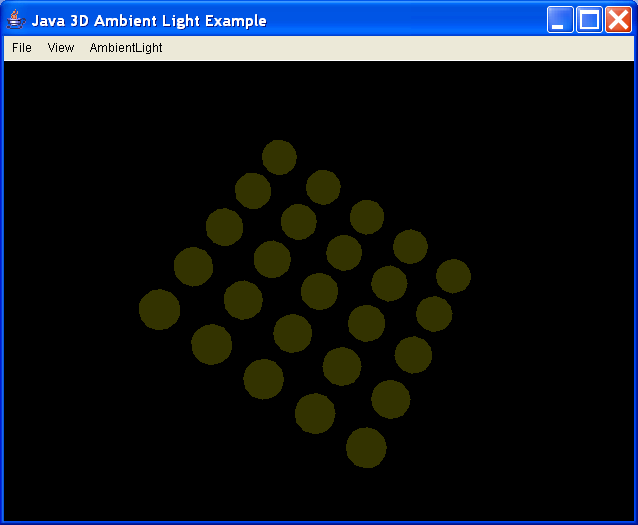
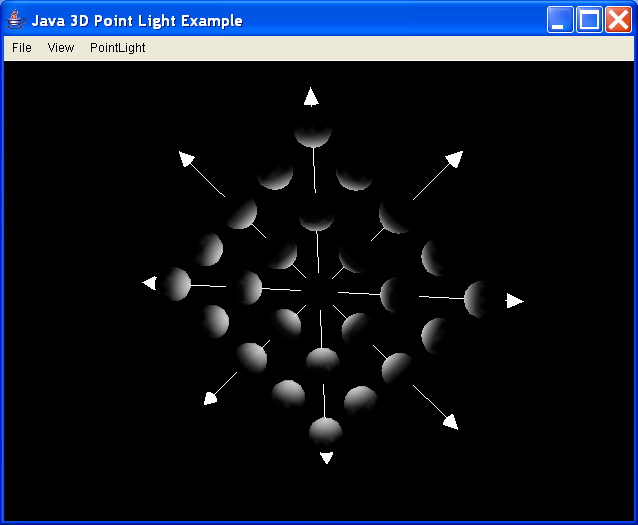
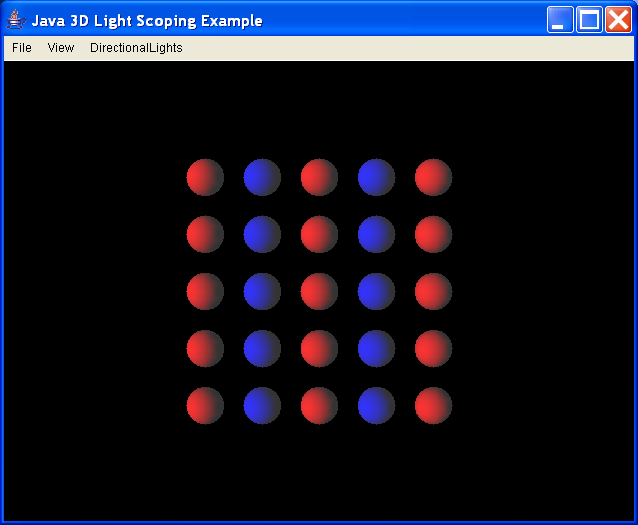
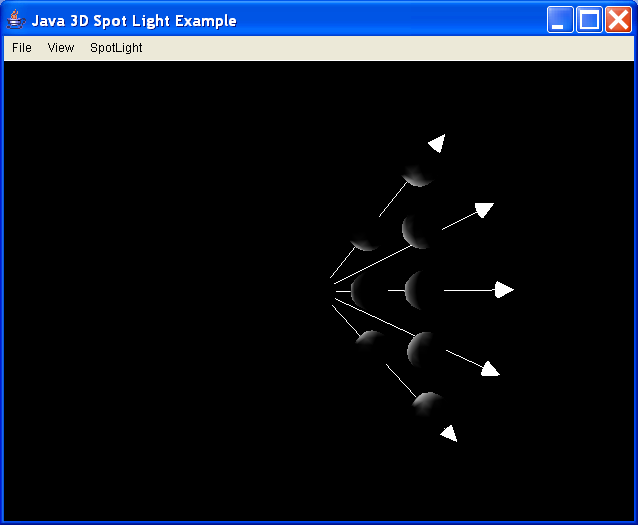
Illustrate use of light influencing bounds, and bounding leaves
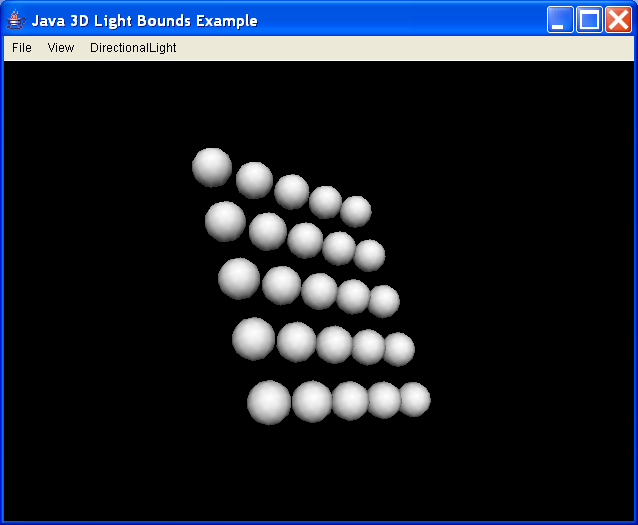
//
//CLASS
//ExLightBounds - illustrate use of light influencing bounds, and
// bounding leaves
//
//LESSON
//Add a DirectionalLight node to illuminate a scene, then adjust
//its influencing bounds
//
//SEE ALSO
//ExAmbientLight
//ExPointLight
//ExSpotLight
//ExLightScope
//
//AUTHOR
//David R. Nadeau / San Diego Supercomputer Center
//
import java.applet.Applet;
import java.awt.AWTEvent;
import java.awt.BorderLayout;
import java.awt.CheckboxMenuItem;
import java.awt.Component;
import java.awt.Cursor;
import java.awt.Frame;
import java.awt.Menu;
import java.awt.MenuBar;
import java.awt.event.ActionEvent;
import java.awt.event.ActionListener;
import java.awt.event.InputEvent;
import java.awt.event.ItemEvent;
import java.awt.event.ItemListener;
import java.awt.event.MouseEvent;
import java.awt.event.WindowEvent;
import java.awt.event.WindowListener;
import java.io.File;
import java.util.Enumeration;
import java.util.EventListener;
import javax.media.j3d.AmbientLight;
import javax.media.j3d.Appearance;
import javax.media.j3d.Behavior;
import javax.media.j3d.BoundingLeaf;
import javax.media.j3d.BoundingSphere;
import javax.media.j3d.Bounds;
import javax.media.j3d.BranchGroup;
import javax.media.j3d.Canvas3D;
import javax.media.j3d.DirectionalLight;
import javax.media.j3d.Group;
import javax.media.j3d.Light;
import javax.media.j3d.Material;
import javax.media.j3d.Transform3D;
import javax.media.j3d.TransformGroup;
import javax.media.j3d.WakeupCriterion;
import javax.media.j3d.WakeupOnAWTEvent;
import javax.media.j3d.WakeupOnElapsedFrames;
import javax.media.j3d.WakeupOr;
import javax.vecmath.Color3f;
import javax.vecmath.Matrix4d;
import javax.vecmath.Point3d;
import javax.vecmath.Point3f;
import javax.vecmath.Vector3d;
import javax.vecmath.Vector3f;
import com.sun.j3d.utils.geometry.Primitive;
import com.sun.j3d.utils.geometry.Sphere;
import com.sun.j3d.utils.universe.PlatformGeometry;
import com.sun.j3d.utils.universe.SimpleUniverse;
import com.sun.j3d.utils.universe.Viewer;
import com.sun.j3d.utils.universe.ViewingPlatform;
public class ExLightBounds extends Java3DFrame {
//--------------------------------------------------------------
// SCENE CONTENT
//--------------------------------------------------------------
//
// Nodes (updated via menu)
//
private DirectionalLight light = null;
private Bounds worldBounds = new BoundingSphere(new Point3d(0.0, 0.0, 0.0), // Center
1000.0); // Extent
private Bounds smallBounds = new BoundingSphere(new Point3d(0.0, 0.0, 0.0), // Center
1.0); // Extent
private Bounds tinyBounds = new BoundingSphere(new Point3d(0.0, 0.0, 0.0), // Center
0.2); // Extent
private BoundingLeaf leafBounds = null;
private TransformGroup leafTransformGroup = null;
//
// Build scene
//
public Group buildScene() {
// Get the current bounding leaf position
Point3f pos = (Point3f) positions[currentPosition].value;
// Turn off the example headlight
setHeadlightEnable(false);
// Build the scene group
Group scene = new Group();
// BEGIN EXAMPLE TOPIC
// Create a bounding leaf we'll use or not use depending
// upon menu selections. Put it within a transform group
// so that we can move the leaf about.
leafTransformGroup = new TransformGroup();
leafTransformGroup.setCapability(TransformGroup.ALLOW_TRANSFORM_WRITE);
Transform3D tr = new Transform3D();
tr.setTranslation(new Vector3f(pos));
leafTransformGroup.setTransform(tr);
leafBounds = new BoundingLeaf(worldBounds);
leafBounds.setCapability(BoundingLeaf.ALLOW_REGION_WRITE);
leafTransformGroup.addChild(leafBounds);
scene.addChild(leafTransformGroup);
// Add a directional light whose bounds we'll modify
// Set its color and aim direction
light = new DirectionalLight();
light.setEnable(true);
light.setColor(White);
light.setDirection(new Vector3f(1.0f, 0.0f, -1.0f));
light.setCapability(DirectionalLight.ALLOW_INFLUENCING_BOUNDS_WRITE);
// Set the bounds to be either from the leaf or from
// explicit bounds, depending upon the menu initial state
if (boundingLeafOnOff)
// Use bounding leaf
light.setInfluencingBoundingLeaf(leafBounds);
else
// Use bounds on the light
light.setInfluencingBounds(worldBounds);
// Set the scope list to include nothing initially.
// This defaults to "universal scope" which covers
// everything.
scene.addChild(light);
// Add an ambient light to dimly illuminate the rest of
// the shapes in the scene to help illustrate that the
// directional light is being bounded... otherwise it looks
// like we're just removing shapes from the scene
AmbientLight ambient = new AmbientLight();
ambient.setEnable(true);
ambient.setColor(White);
ambient.setInfluencingBounds(worldBounds);
scene.addChild(ambient);
// END EXAMPLE TOPIC
// Build foreground geometry
scene.addChild(new SphereGroup());
return scene;
}
//--------------------------------------------------------------
// USER INTERFACE
//--------------------------------------------------------------
//
// Main
//
public static void main(String[] args) {
ExLightBounds ex = new ExLightBounds();
ex.initialize(args);
ex.buildUniverse();
ex.showFrame();
}
// Bounds mode On/off choices
private boolean boundingLeafOnOff = true;
private CheckboxMenuItem boundingLeafOnOffMenu = null;
// Bounds menu choices
private NameValue[] bounds = { new NameValue("Tiny bounds", tinyBounds),
new NameValue("Small bounds", smallBounds),
new NameValue("Big bounds", worldBounds), };
private int currentBounds = 2;
private CheckboxMenu boundsMenu = null;
// Position menu choices
private NameValue[] positions = { new NameValue("Origin", Origin),
new NameValue("+X", PlusX), new NameValue("-X", MinusX),
new NameValue("+Y", PlusY), new NameValue("-Y", MinusY),
new NameValue("+Z", PlusZ), new NameValue("-Z", MinusZ), };
private int currentPosition = 0;
private CheckboxMenu positionMenu = null;
//
// Initialize the GUI (application and applet)
//
public void initialize(String[] args) {
// Initialize the window, menubar, etc.
super.initialize(args);
exampleFrame.setTitle("Java 3D Light Bounds Example");
//
// Add a menubar menu to change node parameters
// Use bounding leaf
// Bounds size -->
// Bounding leaf position -->
//
Menu m = new Menu("DirectionalLight");
boundingLeafOnOffMenu = new CheckboxMenuItem("Use bounding leaf",
boundingLeafOnOff);
boundingLeafOnOffMenu.addItemListener(this);
m.add(boundingLeafOnOffMenu);
boundsMenu = new CheckboxMenu("Bounds size", bounds, currentBounds,
this);
m.add(boundsMenu);
positionMenu = new CheckboxMenu("Bounding leaf position", positions,
currentPosition, this);
if (boundingLeafOnOff)
// Bounding leaf on
positionMenu.setEnabled(true);
else
// Bounding leaf off
positionMenu.setEnabled(false);
m.add(positionMenu);
exampleMenuBar.add(m);
}
//
// Handle checkboxes and menu choices
//
public void checkboxChanged(CheckboxMenu menu, int check) {
if (menu == boundsMenu) {
// Change the light bounds
currentBounds = check;
Bounds bou = (Bounds) bounds[check].value;
if (boundingLeafOnOff) {
// Change the bounding leaf's bounds
leafBounds.setRegion(bou);
// Kick the light to get it to update
// its bounds now that the leaf has
// changed... (only necessary in the
// Alpha release of Java3D)
light.setInfluencingBoundingLeaf(leafBounds);
} else {
// Change the light's own bounds
light.setInfluencingBounds(bou);
}
return;
}
if (menu == positionMenu) {
// Change the bounding leaf position
currentPosition = check;
Point3f pos = (Point3f) positions[check].value;
Transform3D tr = new Transform3D();
tr.setTranslation(new Vector3f(pos));
leafTransformGroup.setTransform(tr);
// Kick the light to get it to update
// its bounds now that the leaf has
// changed... (only necessary in the
// Alpha release of Java3D)
light.setInfluencingBoundingLeaf(leafBounds);
return;
}
// Handle all other checkboxes
super.checkboxChanged(menu, check);
}
public void itemStateChanged(ItemEvent event) {
Object src = event.getSource();
if (src == boundingLeafOnOffMenu) {
boundingLeafOnOff = boundingLeafOnOffMenu.getState();
if (boundingLeafOnOff) {
// Use the bounding leaf
light.setInfluencingBoundingLeaf(leafBounds);
// A bounding leaf overrides bounds,
// but for neatness we can turn them off
// (doesn't work in Alpha release of Java3D)
light.setInfluencingBounds(null);
positionMenu.setEnabled(true);
} else {
// Use bounds on the light itself
Bounds bou = (Bounds) bounds[currentBounds].value;
light.setInfluencingBoundingLeaf(null);
light.setInfluencingBounds(bou);
positionMenu.setEnabled(false);
}
return;
}
// Handle all other checkboxes
super.itemStateChanged(event);
}
}
//
//CLASS
//SphereGroup - create a group of spheres on the XY plane
//
//DESCRIPTION
//An XY grid of spheres is created. The number of spheres in X and Y,
//the spacing in X and Y, the sphere radius, and the appearance can
//all be set.
//
//This grid of spheres is used by several of the examples as a generic
//bit of foreground geometry.
//
//SEE ALSO
//Ex*Light
//ExBackground*
//
//AUTHOR
//David R. Nadeau / San Diego Supercomputer Center
//
class SphereGroup extends Group {
// Constructors
public SphereGroup() {
// radius x,y spacing x,y count appearance
this(0.25f, 0.75f, 0.75f, 5, 5, null);
}
public SphereGroup(Appearance app) {
// radius x,y spacing x,y count appearance
this(0.25f, 0.75f, 0.75f, 5, 5, app);
}
public SphereGroup(float radius, float xSpacing, float ySpacing,
int xCount, int yCount) {
this(radius, xSpacing, ySpacing, xCount, yCount, null);
}
public SphereGroup(float radius, float xSpacing, float ySpacing,
int xCount, int yCount, Appearance app) {
if (app == null) {
app = new Appearance();
Material material = new Material();
material.setDiffuseColor(new Color3f(0.8f, 0.8f, 0.8f));
material.setSpecularColor(new Color3f(0.0f, 0.0f, 0.0f));
material.setShininess(0.0f);
app.setMaterial(material);
}
double xStart = -xSpacing * (double) (xCount - 1) / 2.0;
double yStart = -ySpacing * (double) (yCount - 1) / 2.0;
Sphere sphere = null;
TransformGroup trans = null;
Transform3D t3d = new Transform3D();
Vector3d vec = new Vector3d();
double x, y = yStart, z = 0.0;
for (int i = 0; i < yCount; i++) {
x = xStart;
for (int j = 0; j < xCount; j++) {
vec.set(x, y, z);
t3d.setTranslation(vec);
trans = new TransformGroup(t3d);
addChild(trans);
sphere = new Sphere(radius, // sphere radius
Primitive.GENERATE_NORMALS, // generate normals
16, // 16 divisions radially
app); // it's appearance
trans.addChild(sphere);
x += xSpacing;
}
y += ySpacing;
}
}
}
/**
* The Example class is a base class extended by example applications. The class
* provides basic features to create a top-level frame, add a menubar and
* Canvas3D, build the universe, set up "examine" and "walk" style navigation
* behaviors, and provide hooks so that subclasses can add 3D content to the
* example's universe.
* <P>
* Using this Example class simplifies the construction of example applications,
* enabling the author to focus upon 3D content and not the busywork of creating
* windows, menus, and universes.
*
* @version 1.0, 98/04/16
* @author David R. Nadeau, San Diego Supercomputer Center
*/
class Java3DFrame extends Applet implements WindowListener, ActionListener,
ItemListener, CheckboxMenuListener {
// Navigation types
public final static int Walk = 0;
public final static int Examine = 1;
// Should the scene be compiled?
private boolean shouldCompile = true;
// GUI objects for our subclasses
protected Java3DFrame example = null;
protected Frame exampleFrame = null;
protected MenuBar exampleMenuBar = null;
protected Canvas3D exampleCanvas = null;
protected TransformGroup exampleViewTransform = null;
protected TransformGroup exampleSceneTransform = null;
protected boolean debug = false;
// Private GUI objects and state
private boolean headlightOnOff = true;
private int navigationType = Examine;
private CheckboxMenuItem headlightMenuItem = null;
private CheckboxMenuItem walkMenuItem = null;
private CheckboxMenuItem examineMenuItem = null;
private DirectionalLight headlight = null;
private ExamineViewerBehavior examineBehavior = null;
private WalkViewerBehavior walkBehavior = null;
//--------------------------------------------------------------
// ADMINISTRATION
//--------------------------------------------------------------
/**
* The main program entry point when invoked as an application. Each example
* application that extends this class must define their own main.
*
* @param args
* a String array of command-line arguments
*/
public static void main(String[] args) {
Java3DFrame ex = new Java3DFrame();
ex.initialize(args);
ex.buildUniverse();
ex.showFrame();
}
/**
* Constructs a new Example object.
*
* @return a new Example that draws no 3D content
*/
public Java3DFrame() {
// Do nothing
}
/**
* Initializes the application when invoked as an applet.
*/
public void init() {
// Collect properties into String array
String[] args = new String[2];
// NOTE: to be done still...
this.initialize(args);
this.buildUniverse();
this.showFrame();
// NOTE: add something to the browser page?
}
/**
* Initializes the Example by parsing command-line arguments, building an
* AWT Frame, constructing a menubar, and creating the 3D canvas.
*
* @param args
* a String array of command-line arguments
*/
protected void initialize(String[] args) {
example = this;
// Parse incoming arguments
parseArgs(args);
// Build the frame
if (debug)
System.err.println("Building GUI...");
exampleFrame = new Frame();
exampleFrame.setSize(640, 480);
exampleFrame.setTitle("Java 3D Example");
exampleFrame.setLayout(new BorderLayout());
// Set up a close behavior
exampleFrame.addWindowListener(this);
// Create a canvas
exampleCanvas = new Canvas3D(null);
exampleCanvas.setSize(630, 460);
exampleFrame.add("Center", exampleCanvas);
// Build the menubar
exampleMenuBar = this.buildMenuBar();
exampleFrame.setMenuBar(exampleMenuBar);
// Pack
exampleFrame.pack();
exampleFrame.validate();
// exampleFrame.setVisible( true );
}
/**
* Parses incoming command-line arguments. Applications that subclass this
* class may override this method to support their own command-line
* arguments.
*
* @param args
* a String array of command-line arguments
*/
protected void parseArgs(String[] args) {
for (int i = 0; i < args.length; i++) {
if (args[i].equals("-d"))
debug = true;
}
}
//--------------------------------------------------------------
// SCENE CONTENT
//--------------------------------------------------------------
/**
* Builds the 3D universe by constructing a virtual universe (via
* SimpleUniverse), a view platform (via SimpleUniverse), and a view (via
* SimpleUniverse). A headlight is added and a set of behaviors initialized
* to handle navigation types.
*/
protected void buildUniverse() {
//
// Create a SimpleUniverse object, which builds:
//
// - a Locale using the given hi-res coordinate origin
//
// - a ViewingPlatform which in turn builds:
// - a MultiTransformGroup with which to move the
// the ViewPlatform about
//
// - a ViewPlatform to hold the view
//
// - a BranchGroup to hold avatar geometry (if any)
//
// - a BranchGroup to hold view platform
// geometry (if any)
//
// - a Viewer which in turn builds:
// - a PhysicalBody which characterizes the user's
// viewing preferences and abilities
//
// - a PhysicalEnvironment which characterizes the
// user's rendering hardware and software
//
// - a JavaSoundMixer which initializes sound
// support within the 3D environment
//
// - a View which renders the scene into a Canvas3D
//
// All of these actions could be done explicitly, but
// using the SimpleUniverse utilities simplifies the code.
//
if (debug)
System.err.println("Building scene graph...");
SimpleUniverse universe = new SimpleUniverse(null, // Hi-res coordinate
// for the origin -
// use default
1, // Number of transforms in MultiTransformGroup
exampleCanvas, // Canvas3D into which to draw
null); // URL for user configuration file - use defaults
//
// Get the viewer and create an audio device so that
// sound will be enabled in this content.
//
Viewer viewer = universe.getViewer();
viewer.createAudioDevice();
//
// Get the viewing platform created by SimpleUniverse.
// From that platform, get the inner-most TransformGroup
// in the MultiTransformGroup. That inner-most group
// contains the ViewPlatform. It is this inner-most
// TransformGroup we need in order to:
//
// - add a "headlight" that always aims forward from
// the viewer
//
// - change the viewing direction in a "walk" style
//
// The inner-most TransformGroup's transform will be
// changed by the walk behavior (when enabled).
//
ViewingPlatform viewingPlatform = universe.getViewingPlatform();
exampleViewTransform = viewingPlatform.getViewPlatformTransform();
//
// Create a "headlight" as a forward-facing directional light.
// Set the light's bounds to huge. Since we want the light
// on the viewer's "head", we need the light within the
// TransformGroup containing the ViewPlatform. The
// ViewingPlatform class creates a handy hook to do this
// called "platform geometry". The PlatformGeometry class is
// subclassed off of BranchGroup, and is intended to contain
// a description of the 3D platform itself... PLUS a headlight!
// So, to add the headlight, create a new PlatformGeometry group,
// add the light to it, then add that platform geometry to the
// ViewingPlatform.
//
BoundingSphere allBounds = new BoundingSphere(
new Point3d(0.0, 0.0, 0.0), 100000.0);
PlatformGeometry pg = new PlatformGeometry();
headlight = new DirectionalLight();
headlight.setColor(White);
headlight.setDirection(new Vector3f(0.0f, 0.0f, -1.0f));
headlight.setInfluencingBounds(allBounds);
headlight.setCapability(Light.ALLOW_STATE_WRITE);
pg.addChild(headlight);
viewingPlatform.setPlatformGeometry(pg);
//
// Create the 3D content BranchGroup, containing:
//
// - a TransformGroup who's transform the examine behavior
// will change (when enabled).
//
// - 3D geometry to view
//
// Build the scene root
BranchGroup sceneRoot = new BranchGroup();
// Build a transform that we can modify
exampleSceneTransform = new TransformGroup();
exampleSceneTransform
.setCapability(TransformGroup.ALLOW_TRANSFORM_READ);
exampleSceneTransform
.setCapability(TransformGroup.ALLOW_TRANSFORM_WRITE);
exampleSceneTransform.setCapability(Group.ALLOW_CHILDREN_EXTEND);
//
// Build the scene, add it to the transform, and add
// the transform to the scene root
//
if (debug)
System.err.println(" scene...");
Group scene = this.buildScene();
exampleSceneTransform.addChild(scene);
sceneRoot.addChild(exampleSceneTransform);
//
// Create a pair of behaviors to implement two navigation
// types:
//
// - "examine": a style where mouse drags rotate about
// the scene's origin as if it is an object under
// examination. This is similar to the "Examine"
// navigation type used by VRML browsers.
//
// - "walk": a style where mouse drags rotate about
// the viewer's center as if the viewer is turning
// about to look at a scene they are in. This is
// similar to the "Walk" navigation type used by
// VRML browsers.
//
// Aim the examine behavior at the scene's TransformGroup
// and add the behavior to the scene root.
//
// Aim the walk behavior at the viewing platform's
// TransformGroup and add the behavior to the scene root.
//
// Enable one (and only one!) of the two behaviors
// depending upon the current navigation type.
//
examineBehavior = new ExamineViewerBehavior(exampleSceneTransform, // Transform
// gorup
// to
// modify
exampleFrame); // Parent frame for cusor changes
examineBehavior.setSchedulingBounds(allBounds);
sceneRoot.addChild(examineBehavior);
walkBehavior = new WalkViewerBehavior(exampleViewTransform, // Transform
// group to
// modify
exampleFrame); // Parent frame for cusor changes
walkBehavior.setSchedulingBounds(allBounds);
sceneRoot.addChild(walkBehavior);
if (navigationType == Walk) {
examineBehavior.setEnable(false);
walkBehavior.setEnable(true);
} else {
examineBehavior.setEnable(true);
walkBehavior.setEnable(false);
}
//
// Compile the scene branch group and add it to the
// SimpleUniverse.
//
if (shouldCompile)
sceneRoot.compile();
universe.addBranchGraph(sceneRoot);
reset();
}
/**
* Builds the scene. Example application subclasses should replace this
* method with their own method to build 3D content.
*
* @return a Group containing 3D content to display
*/
public Group buildScene() {
// Build the scene group containing nothing
Group scene = new Group();
return scene;
}
//--------------------------------------------------------------
// SET/GET METHODS
//--------------------------------------------------------------
/**
* Sets the headlight on/off state. The headlight faces forward in the
* direction the viewer is facing. Example applications that add their own
* lights will typically turn the headlight off. A standard menu item
* enables the headlight to be turned on and off via user control.
*
* @param onOff
* a boolean turning the light on (true) or off (false)
*/
public void setHeadlightEnable(boolean onOff) {
headlightOnOff = onOff;
if (headlight != null)
headlight.setEnable(headlightOnOff);
if (headlightMenuItem != null)
headlightMenuItem.setState(headlightOnOff);
}
/**
* Gets the headlight on/off state.
*
* @return a boolean indicating if the headlight is on or off
*/
public boolean getHeadlightEnable() {
return headlightOnOff;
}
/**
* Sets the navigation type to be either Examine or Walk. The Examine
* navigation type sets up behaviors that use mouse drags to rotate and
* translate scene content as if it is an object held at arm's length and
* under examination. The Walk navigation type uses mouse drags to rotate
* and translate the viewer as if they are walking through the content. The
* Examine type is the default.
*
* @param nav
* either Walk or Examine
*/
public void setNavigationType(int nav) {
if (nav == Walk) {
navigationType = Walk;
if (walkMenuItem != null)
walkMenuItem.setState(true);
if (examineMenuItem != null)
examineMenuItem.setState(false);
if (walkBehavior != null)
walkBehavior.setEnable(true);
if (examineBehavior != null)
examineBehavior.setEnable(false);
} else {
navigationType = Examine;
if (walkMenuItem != null)
walkMenuItem.setState(false);
if (examineMenuItem != null)
examineMenuItem.setState(true);
if (walkBehavior != null)
walkBehavior.setEnable(false);
if (examineBehavior != null)
examineBehavior.setEnable(true);
}
}
/**
* Gets the current navigation type, returning either Walk or Examine.
*
* @return either Walk or Examine
*/
public int getNavigationType() {
return navigationType;
}
/**
* Sets whether the scene graph should be compiled or not. Normally this is
* always a good idea. For some example applications that use this Example
* framework, it is useful to disable compilation - particularly when nodes
* and node components will need to be made un-live in order to make
* changes. Once compiled, such components can be made un-live, but they are
* still unchangable unless appropriate capabilities have been set.
*
* @param onOff
* a boolean turning compilation on (true) or off (false)
*/
public void setCompilable(boolean onOff) {
shouldCompile = onOff;
}
/**
* Gets whether the scene graph will be compiled or not.
*
* @return a boolean indicating if scene graph compilation is on or off
*/
public boolean getCompilable() {
return shouldCompile;
}
//These methods will be replaced
// Set the view position and direction
public void setViewpoint(Point3f position, Vector3f direction) {
Transform3D t = new Transform3D();
t.set(new Vector3f(position));
exampleViewTransform.setTransform(t);
// how to set direction?
}
// Reset transforms
public void reset() {
Transform3D trans = new Transform3D();
exampleSceneTransform.setTransform(trans);
trans.set(new Vector3f(0.0f, 0.0f, 10.0f));
exampleViewTransform.setTransform(trans);
setNavigationType(navigationType);
}
//
// Gets the URL (with file: prepended) for the current directory.
// This is a terrible hack needed in the Alpha release of Java3D
// in order to build a full path URL for loading sounds with
// MediaContainer. When MediaContainer is fully implemented,
// it should handle relative path names, but not yet.
//
public String getCurrentDirectory() {
// Create a bogus file so that we can query it's path
File dummy = new File("dummy.tmp");
String dummyPath = dummy.getAbsolutePath();
// strip "/dummy.tmp" from end of dummyPath and put into 'path'
if (dummyPath.endsWith(File.separator + "dummy.tmp")) {
int index = dummyPath.lastIndexOf(File.separator + "dummy.tmp");
if (index >= 0) {
int pathLength = index + 5; // pre-pend 'file:'
char[] charPath = new char[pathLength];
dummyPath.getChars(0, index, charPath, 5);
String path = new String(charPath, 0, pathLength);
path = "file:" + path.substring(5, pathLength);
return path + File.separator;
}
}
return dummyPath + File.separator;
}
//--------------------------------------------------------------
// USER INTERFACE
//--------------------------------------------------------------
/**
* Builds the example AWT Frame menubar. Standard menus and their options
* are added. Applications that subclass this class should build their
* menubar additions within their initialize method.
*
* @return a MenuBar for the AWT Frame
*/
private MenuBar buildMenuBar() {
// Build the menubar
MenuBar menuBar = new MenuBar();
// File menu
Menu m = new Menu("File");
m.addActionListener(this);
m.add("Exit");
menuBar.add(m);
// View menu
m = new Menu("View");
m.addActionListener(this);
m.add("Reset view");
m.addSeparator();
walkMenuItem = new CheckboxMenuItem("Walk");
walkMenuItem.addItemListener(this);
m.add(walkMenuItem);
examineMenuItem = new CheckboxMenuItem("Examine");
examineMenuItem.addItemListener(this);
m.add(examineMenuItem);
if (navigationType == Walk) {
walkMenuItem.setState(true);
examineMenuItem.setState(false);
} else {
walkMenuItem.setState(false);
examineMenuItem.setState(true);
}
m.addSeparator();
headlightMenuItem = new CheckboxMenuItem("Headlight on/off");
headlightMenuItem.addItemListener(this);
headlightMenuItem.setState(headlightOnOff);
m.add(headlightMenuItem);
menuBar.add(m);
return menuBar;
}
/**
* Shows the application's frame, making it and its menubar, 3D canvas, and
* 3D content visible.
*/
public void showFrame() {
exampleFrame.show();
}
/**
* Quits the application.
*/
public void quit() {
System.exit(0);
}
/**
* Handles menu selections.
*
* @param event
* an ActionEvent indicating what menu action requires handling
*/
public void actionPerformed(ActionEvent event) {
String arg = event.getActionCommand();
if (arg.equals("Reset view"))
reset();
else if (arg.equals("Exit"))
quit();
}
/**
* Handles checkbox items on a CheckboxMenu. The Example class has none of
* its own, but subclasses may have some.
*
* @param menu
* which CheckboxMenu needs action
* @param check
* which CheckboxMenu item has changed
*/
public void checkboxChanged(CheckboxMenu menu, int check) {
// None for us
}
/**
* Handles on/off checkbox items on a standard menu.
*
* @param event
* an ItemEvent indicating what requires handling
*/
public void itemStateChanged(ItemEvent event) {
Object src = event.getSource();
boolean state;
if (src == headlightMenuItem) {
state = headlightMenuItem.getState();
headlight.setEnable(state);
} else if (src == walkMenuItem)
setNavigationType(Walk);
else if (src == examineMenuItem)
setNavigationType(Examine);
}
/**
* Handles a window closing event notifying the application that the user
* has chosen to close the application without selecting the "Exit" menu
* item.
*
* @param event
* a WindowEvent indicating the window is closing
*/
public void windowClosing(WindowEvent event) {
quit();
}
public void windowClosed(WindowEvent event) {
}
public void windowOpened(WindowEvent event) {
}
public void windowIconified(WindowEvent event) {
}
public void windowDeiconified(WindowEvent event) {
}
public void windowActivated(WindowEvent event) {
}
public void windowDeactivated(WindowEvent event) {
}
// Well known colors, positions, and directions
public final static Color3f White = new Color3f(1.0f, 1.0f, 1.0f);
public final static Color3f Gray = new Color3f(0.7f, 0.7f, 0.7f);
public final static Color3f DarkGray = new Color3f(0.2f, 0.2f, 0.2f);
public final static Color3f Black = new Color3f(0.0f, 0.0f, 0.0f);
public final static Color3f Red = new Color3f(1.0f, 0.0f, 0.0f);
public final static Color3f DarkRed = new Color3f(0.3f, 0.0f, 0.0f);
public final static Color3f Yellow = new Color3f(1.0f, 1.0f, 0.0f);
public final static Color3f DarkYellow = new Color3f(0.3f, 0.3f, 0.0f);
public final static Color3f Green = new Color3f(0.0f, 1.0f, 0.0f);
public final static Color3f DarkGreen = new Color3f(0.0f, 0.3f, 0.0f);
public final static Color3f Cyan = new Color3f(0.0f, 1.0f, 1.0f);
public final static Color3f Blue = new Color3f(0.0f, 0.0f, 1.0f);
public final static Color3f DarkBlue = new Color3f(0.0f, 0.0f, 0.3f);
public final static Color3f Magenta = new Color3f(1.0f, 0.0f, 1.0f);
public final static Vector3f PosX = new Vector3f(1.0f, 0.0f, 0.0f);
public final static Vector3f NegX = new Vector3f(-1.0f, 0.0f, 0.0f);
public final static Vector3f PosY = new Vector3f(0.0f, 1.0f, 0.0f);
public final static Vector3f NegY = new Vector3f(0.0f, -1.0f, 0.0f);
public final static Vector3f PosZ = new Vector3f(0.0f, 0.0f, 1.0f);
public final static Vector3f NegZ = new Vector3f(0.0f, 0.0f, -1.0f);
public final static Point3f Origin = new Point3f(0.0f, 0.0f, 0.0f);
public final static Point3f PlusX = new Point3f(0.75f, 0.0f, 0.0f);
public final static Point3f MinusX = new Point3f(-0.75f, 0.0f, 0.0f);
public final static Point3f PlusY = new Point3f(0.0f, 0.75f, 0.0f);
public final static Point3f MinusY = new Point3f(0.0f, -0.75f, 0.0f);
public final static Point3f PlusZ = new Point3f(0.0f, 0.0f, 0.75f);
public final static Point3f MinusZ = new Point3f(0.0f, 0.0f, -0.75f);
}
//
//INTERFACE
//CheckboxMenuListener - listen for checkbox change events
//
//DESCRIPTION
//The checkboxChanged method is called by users of this class
//to notify the listener when a checkbox choice has changed on
//a CheckboxMenu class menu.
//
interface CheckboxMenuListener extends EventListener {
public void checkboxChanged(CheckboxMenu menu, int check);
}
/**
* ExamineViewerBehavior
*
* @version 1.0, 98/04/16
*/
/**
* Wakeup on mouse button presses, releases, and mouse movements and generate
* transforms in an "examination style" that enables the user to rotate,
* translation, and zoom an object as if it is held at arm's length. Such an
* examination style is similar to the "Examine" navigation type used by VRML
* browsers.
*
* The behavior maps mouse drags to different transforms depending upon the
* mosue button held down:
*
* Button 1 (left) Horizontal movement --> Y-axis rotation Vertical movement -->
* X-axis rotation
*
* Button 2 (middle) Horizontal movement --> nothing Vertical movement -->
* Z-axis translation
*
* Button 3 (right) Horizontal movement --> X-axis translation Vertical movement
* --> Y-axis translation
*
* To support systems with 2 or 1 mouse buttons, the following alternate
* mappings are supported while dragging with any mouse button held down and
* zero or more keyboard modifiers held down:
*
* No modifiers = Button 1 ALT = Button 2 Meta = Button 3 Control = Button 3
*
* The behavior automatically modifies a TransformGroup provided to the
* constructor. The TransformGroup's transform can be set at any time by the
* application or other behaviors to cause the examine rotation and translation
* to be reset.
*/
// This class is inspired by the MouseBehavior, MouseRotate,
// MouseTranslate, and MouseZoom utility behaviors provided with
// Java 3D. This class differs from those utilities in that it:
//
// (a) encapsulates all three behaviors into one in order to
// enforce a specific "Examine" symantic
//
// (b) supports set/get of the rotation and translation factors
// that control the speed of movement.
//
// (c) supports the "Control" modifier as an alternative to the
// "Meta" modifier not present on PC, Mac, and most non-Sun
// keyboards. This makes button3 behavior usable on PCs,
// Macs, and other systems with fewer than 3 mouse buttons.
class ExamineViewerBehavior extends ViewerBehavior {
// Previous cursor location
protected int previousX = 0;
protected int previousY = 0;
// Saved standard cursor
protected Cursor savedCursor = null;
/**
* Construct an examine behavior that listens to mouse movement and button
* presses to generate rotation and translation transforms written into a
* transform group given later with the setTransformGroup( ) method.
*/
public ExamineViewerBehavior() {
super();
}
/**
* Construct an examine behavior that listens to mouse movement and button
* presses to generate rotation and translation transforms written into a
* transform group given later with the setTransformGroup( ) method.
*
* @param parent
* The AWT Component that contains the area generating mouse
* events.
*/
public ExamineViewerBehavior(Component parent) {
super(parent);
}
/**
* Construct an examine behavior that listens to mouse movement and button
* presses to generate rotation and translation transforms written into the
* given transform group.
*
* @param transformGroup
* The transform group to be modified by the behavior.
*/
public ExamineViewerBehavior(TransformGroup transformGroup) {
super();
subjectTransformGroup = transformGroup;
}
/**
* Construct an examine behavior that listens to mouse movement and button
* presses to generate rotation and translation transforms written into the
* given transform group.
*
* @param transformGroup
* The transform group to be modified by the behavior.
* @param parent
* The AWT Component that contains the area generating mouse
* events.
*/
public ExamineViewerBehavior(TransformGroup transformGroup, Component parent) {
super(parent);
subjectTransformGroup = transformGroup;
}
/**
* Respond to a button1 event (press, release, or drag).
*
* @param mouseEvent
* A MouseEvent to respond to.
*/
public void onButton1(MouseEvent mev) {
if (subjectTransformGroup == null)
return;
int x = mev.getX();
int y = mev.getY();
if (mev.getID() == MouseEvent.MOUSE_PRESSED) {
// Mouse button pressed: record position
previousX = x;
previousY = y;
// Change to a "move" cursor
if (parentComponent != null) {
savedCursor = parentComponent.getCursor();
parentComponent.setCursor(Cursor
.getPredefinedCursor(Cursor.HAND_CURSOR));
}
return;
}
if (mev.getID() == MouseEvent.MOUSE_RELEASED) {
// Mouse button released: do nothing
// Switch the cursor back
if (parentComponent != null)
parentComponent.setCursor(savedCursor);
return;
}
//
// Mouse moved while button down: create a rotation
//
// Compute the delta in X and Y from the previous
// position. Use the delta to compute rotation
// angles with the mapping:
//
// positive X mouse delta --> positive Y-axis rotation
// positive Y mouse delta --> positive X-axis rotation
//
// where positive X mouse movement is to the right, and
// positive Y mouse movement is **down** the screen.
//
int deltaX = x - previousX;
int deltaY = y - previousY;
if (deltaX > UNUSUAL_XDELTA || deltaX < -UNUSUAL_XDELTA
|| deltaY > UNUSUAL_YDELTA || deltaY < -UNUSUAL_YDELTA) {
// Deltas are too huge to be believable. Probably a glitch.
// Don't record the new XY location, or do anything.
return;
}
double xRotationAngle = deltaY * XRotationFactor;
double yRotationAngle = deltaX * YRotationFactor;
//
// Build transforms
//
transform1.rotX(xRotationAngle);
transform2.rotY(yRotationAngle);
// Get and save the current transform matrix
subjectTransformGroup.getTransform(currentTransform);
currentTransform.get(matrix);
translate.set(matrix.m03, matrix.m13, matrix.m23);
// Translate to the origin, rotate, then translate back
currentTransform.setTranslation(origin);
currentTransform.mul(transform1, currentTransform);
currentTransform.mul(transform2, currentTransform);
currentTransform.setTranslation(translate);
// Update the transform group
subjectTransformGroup.setTransform(currentTransform);
previousX = x;
previousY = y;
}
/**
* Respond to a button2 event (press, release, or drag).
*
* @param mouseEvent
* A MouseEvent to respond to.
*/
public void onButton2(MouseEvent mev) {
if (subjectTransformGroup == null)
return;
int x = mev.getX();
int y = mev.getY();
if (mev.getID() == MouseEvent.MOUSE_PRESSED) {
// Mouse button pressed: record position
previousX = x;
previousY = y;
// Change to a "move" cursor
if (parentComponent != null) {
savedCursor = parentComponent.getCursor();
parentComponent.setCursor(Cursor
.getPredefinedCursor(Cursor.MOVE_CURSOR));
}
return;
}
if (mev.getID() == MouseEvent.MOUSE_RELEASED) {
// Mouse button released: do nothing
// Switch the cursor back
if (parentComponent != null)
parentComponent.setCursor(savedCursor);
return;
}
//
// Mouse moved while button down: create a translation
//
// Compute the delta in Y from the previous
// position. Use the delta to compute translation
// distances with the mapping:
//
// positive Y mouse delta --> positive Y-axis translation
//
// where positive X mouse movement is to the right, and
// positive Y mouse movement is **down** the screen.
//
int deltaY = y - previousY;
if (deltaY > UNUSUAL_YDELTA || deltaY < -UNUSUAL_YDELTA) {
// Deltas are too huge to be believable. Probably a glitch.
// Don't record the new XY location, or do anything.
return;
}
double zTranslationDistance = deltaY * ZTranslationFactor;
//
// Build transforms
//
translate.set(0.0, 0.0, zTranslationDistance);
transform1.set(translate);
// Get and save the current transform
subjectTransformGroup.getTransform(currentTransform);
// Translate as needed
currentTransform.mul(transform1, currentTransform);
// Update the transform group
subjectTransformGroup.setTransform(currentTransform);
previousX = x;
previousY = y;
}
/**
* Respond to a button3 event (press, release, or drag).
*
* @param mouseEvent
* A MouseEvent to respond to.
*/
public void onButton3(MouseEvent mev) {
if (subjectTransformGroup == null)
return;
int x = mev.getX();
int y = mev.getY();
if (mev.getID() == MouseEvent.MOUSE_PRESSED) {
// Mouse button pressed: record position
previousX = x;
previousY = y;
// Change to a "move" cursor
if (parentComponent != null) {
savedCursor = parentComponent.getCursor();
parentComponent.setCursor(Cursor
.getPredefinedCursor(Cursor.MOVE_CURSOR));
}
return;
}
if (mev.getID() == MouseEvent.MOUSE_RELEASED) {
// Mouse button released: do nothing
// Switch the cursor back
if (parentComponent != null)
parentComponent.setCursor(savedCursor);
return;
}
//
// Mouse moved while button down: create a translation
//
// Compute the delta in X and Y from the previous
// position. Use the delta to compute translation
// distances with the mapping:
//
// positive X mouse delta --> positive X-axis translation
// positive Y mouse delta --> negative Y-axis translation
//
// where positive X mouse movement is to the right, and
// positive Y mouse movement is **down** the screen.
//
int deltaX = x - previousX;
int deltaY = y - previousY;
if (deltaX > UNUSUAL_XDELTA || deltaX < -UNUSUAL_XDELTA
|| deltaY > UNUSUAL_YDELTA || deltaY < -UNUSUAL_YDELTA) {
// Deltas are too huge to be believable. Probably a glitch.
// Don't record the new XY location, or do anything.
return;
}
double xTranslationDistance = deltaX * XTranslationFactor;
double yTranslationDistance = -deltaY * YTranslationFactor;
//
// Build transforms
//
translate.set(xTranslationDistance, yTranslationDistance, 0.0);
transform1.set(translate);
// Get and save the current transform
subjectTransformGroup.getTransform(currentTransform);
// Translate as needed
currentTransform.mul(transform1, currentTransform);
// Update the transform group
subjectTransformGroup.setTransform(currentTransform);
previousX = x;
previousY = y;
}
/**
* Respond to an elapsed frames event (assuming subclass has set up a wakeup
* criterion for it).
*
* @param time
* A WakeupOnElapsedFrames criterion to respond to.
*/
public void onElapsedFrames(WakeupOnElapsedFrames timeEvent) {
// Can't happen
}
}
/*
*
* Copyright (c) 1998 David R. Nadeau
*
*/
/**
* WalkViewerBehavior is a utility class that creates a "walking style"
* navigation symantic.
*
* The behavior wakes up on mouse button presses, releases, and mouse movements
* and generates transforms in a "walk style" that enables the user to walk
* through a scene, translating and turning about as if they are within the
* scene. Such a walk style is similar to the "Walk" navigation type used by
* VRML browsers.
* <P>
* The behavior maps mouse drags to different transforms depending upon the
* mouse button held down:
* <DL>
* <DT>Button 1 (left)
* <DD>Horizontal movement --> Y-axis rotation
* <DD>Vertical movement --> Z-axis translation
*
* <DT>Button 2 (middle)
* <DD>Horizontal movement --> Y-axis rotation
* <DD>Vertical movement --> X-axis rotation
*
* <DT>Button 3 (right)
* <DD>Horizontal movement --> X-axis translation
* <DD>Vertical movement --> Y-axis translation
* </DL>
*
* To support systems with 2 or 1 mouse buttons, the following alternate
* mappings are supported while dragging with any mouse button held down and
* zero or more keyboard modifiers held down:
* <UL>
* <LI>No modifiers = Button 1
* <LI>ALT = Button 2
* <LI>Meta = Button 3
* <LI>Control = Button 3
* </UL>
* The behavior automatically modifies a TransformGroup provided to the
* constructor. The TransformGroup's transform can be set at any time by the
* application or other behaviors to cause the walk rotation and translation to
* be reset.
* <P>
* While a mouse button is down, the behavior automatically changes the cursor
* in a given parent AWT Component. If no parent Component is given, no cursor
* changes are attempted.
*
* @version 1.0, 98/04/16
* @author David R. Nadeau, San Diego Supercomputer Center
*/
class WalkViewerBehavior extends ViewerBehavior {
// This class is inspired by the MouseBehavior, MouseRotate,
// MouseTranslate, and MouseZoom utility behaviors provided with
// Java 3D. This class differs from those utilities in that it:
//
// (a) encapsulates all three behaviors into one in order to
// enforce a specific "Walk" symantic
//
// (b) supports set/get of the rotation and translation factors
// that control the speed of movement.
//
// (c) supports the "Control" modifier as an alternative to the
// "Meta" modifier not present on PC, Mac, and most non-Sun
// keyboards. This makes button3 behavior usable on PCs,
// Macs, and other systems with fewer than 3 mouse buttons.
// Previous and initial cursor locations
protected int previousX = 0;
protected int previousY = 0;
protected int initialX = 0;
protected int initialY = 0;
// Deadzone size (delta from initial XY for which no
// translate or rotate action is taken
protected static final int DELTAX_DEADZONE = 10;
protected static final int DELTAY_DEADZONE = 10;
// Keep a set of wakeup criterion for animation-generated
// event types.
protected WakeupCriterion[] mouseAndAnimationEvents = null;
protected WakeupOr mouseAndAnimationCriterion = null;
protected WakeupOr savedMouseCriterion = null;
// Saved standard cursor
protected Cursor savedCursor = null;
/**
* Default Rotation and translation scaling factors for animated movements
* (Button 1 press).
*/
public static final double DEFAULT_YROTATION_ANIMATION_FACTOR = 0.0002;
public static final double DEFAULT_ZTRANSLATION_ANIMATION_FACTOR = 0.01;
protected double YRotationAnimationFactor = DEFAULT_YROTATION_ANIMATION_FACTOR;
protected double ZTranslationAnimationFactor = DEFAULT_ZTRANSLATION_ANIMATION_FACTOR;
/**
* Constructs a new walk behavior that converts mouse actions into rotations
* and translations. Rotations and translations are written into a
* TransformGroup that must be set using the setTransformGroup method. The
* cursor will be changed during mouse actions if the parent frame is set
* using the setParentComponent method.
*
* @return a new WalkViewerBehavior that needs its TransformGroup and parent
* Component set
*/
public WalkViewerBehavior() {
super();
}
/**
* Constructs a new walk behavior that converts mouse actions into rotations
* and translations. Rotations and translations are written into a
* TransformGroup that must be set using the setTransformGroup method. The
* cursor will be changed within the given AWT parent Component during mouse
* drags.
*
* @param parent
* a parent AWT Component within which the cursor will change
* during mouse drags
*
* @return a new WalkViewerBehavior that needs its TransformGroup and parent
* Component set
*/
public WalkViewerBehavior(Component parent) {
super(parent);
}
/**
* Constructs a new walk behavior that converts mouse actions into rotations
* and translations. Rotations and translations are written into the given
* TransformGroup. The cursor will be changed during mouse actions if the
* parent frame is set using the setParentComponent method.
*
* @param transformGroup
* a TransformGroup whos transform is read and written by the
* behavior
*
* @return a new WalkViewerBehavior that needs its TransformGroup and parent
* Component set
*/
public WalkViewerBehavior(TransformGroup transformGroup) {
super();
subjectTransformGroup = transformGroup;
}
/**
* Constructs a new walk behavior that converts mouse actions into rotations
* and translations. Rotations and translations are written into the given
* TransformGroup. The cursor will be changed within the given AWT parent
* Component during mouse drags.
*
* @param transformGroup
* a TransformGroup whos transform is read and written by the
* behavior
*
* @param parent
* a parent AWT Component within which the cursor will change
* during mouse drags
*
* @return a new WalkViewerBehavior that needs its TransformGroup and parent
* Component set
*/
public WalkViewerBehavior(TransformGroup transformGroup, Component parent) {
super(parent);
subjectTransformGroup = transformGroup;
}
/**
* Initializes the behavior.
*/
public void initialize() {
super.initialize();
savedMouseCriterion = mouseCriterion; // from parent class
mouseAndAnimationEvents = new WakeupCriterion[4];
mouseAndAnimationEvents[0] = new WakeupOnAWTEvent(
MouseEvent.MOUSE_DRAGGED);
mouseAndAnimationEvents[1] = new WakeupOnAWTEvent(
MouseEvent.MOUSE_PRESSED);
mouseAndAnimationEvents[2] = new WakeupOnAWTEvent(
MouseEvent.MOUSE_RELEASED);
mouseAndAnimationEvents[3] = new WakeupOnElapsedFrames(0);
mouseAndAnimationCriterion = new WakeupOr(mouseAndAnimationEvents);
// Don't use the above criterion until a button 1 down event
}
/**
* Sets the Y rotation animation scaling factor for Y-axis rotations. This
* scaling factor is used to control the speed of Y rotation when button 1
* is pressed and dragged.
*
* @param factor
* the double Y rotation scaling factor
*/
public void setYRotationAnimationFactor(double factor) {
YRotationAnimationFactor = factor;
}
/**
* Gets the current Y animation rotation scaling factor for Y-axis
* rotations.
*
* @return the double Y rotation scaling factor
*/
public double getYRotationAnimationFactor() {
return YRotationAnimationFactor;
}
/**
* Sets the Z animation translation scaling factor for Z-axis translations.
* This scaling factor is used to control the speed of Z translation when
* button 1 is pressed and dragged.
*
* @param factor
* the double Z translation scaling factor
*/
public void setZTranslationAnimationFactor(double factor) {
ZTranslationAnimationFactor = factor;
}
/**
* Gets the current Z animation translation scaling factor for Z-axis
* translations.
*
* @return the double Z translation scaling factor
*/
public double getZTranslationAnimationFactor() {
return ZTranslationAnimationFactor;
}
/**
* Responds to an elapsed frames event. Such an event is generated on every
* frame while button 1 is held down. On each call, this method computes new
* Y-axis rotation and Z-axis translation values and writes them to the
* behavior's TransformGroup. The translation and rotation amounts are
* computed based upon the distance between the current cursor location and
* the cursor location when button 1 was pressed. As this distance
* increases, the translation or rotation amount increases.
*
* @param time
* the WakeupOnElapsedFrames criterion to respond to
*/
public void onElapsedFrames(WakeupOnElapsedFrames timeEvent) {
//
// Time elapsed while button down: create a rotation and
// a translation.
//
// Compute the delta in X and Y from the initial position to
// the previous position. Multiply the delta times a scaling
// factor to compute an offset to add to the current translation
// and rotation. Use the mapping:
//
// positive X mouse delta --> negative Y-axis rotation
// positive Y mouse delta --> positive Z-axis translation
//
// where positive X mouse movement is to the right, and
// positive Y mouse movement is **down** the screen.
//
if (buttonPressed != BUTTON1)
return;
int deltaX = previousX - initialX;
int deltaY = previousY - initialY;
double yRotationAngle = -deltaX * YRotationAnimationFactor;
double zTranslationDistance = deltaY * ZTranslationAnimationFactor;
//
// Build transforms
//
transform1.rotY(yRotationAngle);
translate.set(0.0, 0.0, zTranslationDistance);
// Get and save the current transform matrix
subjectTransformGroup.getTransform(currentTransform);
currentTransform.get(matrix);
// Translate to the origin, rotate, then translate back
currentTransform.setTranslation(origin);
currentTransform.mul(transform1, currentTransform);
// Translate back from the origin by the original translation
// distance, plus the new walk translation... but force walk
// to travel on a plane by ignoring the Y component of a
// transformed translation vector.
currentTransform.transform(translate);
translate.x += matrix.m03; // add in existing X translation
translate.y = matrix.m13; // use Y translation
translate.z += matrix.m23; // add in existing Z translation
currentTransform.setTranslation(translate);
// Update the transform group
subjectTransformGroup.setTransform(currentTransform);
}
/**
* Responds to a button1 event (press, release, or drag). On a press, the
* method adds a wakeup criterion to the behavior's set, callling for the
* behavior to be awoken on each frame. On a button prelease, this criterion
* is removed from the set.
*
* @param mouseEvent
* the MouseEvent to respond to
*/
public void onButton1(MouseEvent mev) {
if (subjectTransformGroup == null)
return;
int x = mev.getX();
int y = mev.getY();
if (mev.getID() == MouseEvent.MOUSE_PRESSED) {
// Mouse button pressed: record position and change
// the wakeup criterion to include elapsed time wakeups
// so we can animate.
previousX = x;
previousY = y;
initialX = x;
initialY = y;
// Swap criterion... parent class will not reschedule us
mouseCriterion = mouseAndAnimationCriterion;
// Change to a "move" cursor
if (parentComponent != null) {
savedCursor = parentComponent.getCursor();
parentComponent.setCursor(Cursor
.getPredefinedCursor(Cursor.HAND_CURSOR));
}
return;
}
if (mev.getID() == MouseEvent.MOUSE_RELEASED) {
// Mouse button released: restore original wakeup
// criterion which only includes mouse activity, not
// elapsed time
mouseCriterion = savedMouseCriterion;
// Switch the cursor back
if (parentComponent != null)
parentComponent.setCursor(savedCursor);
return;
}
previousX = x;
previousY = y;
}
/**
* Responds to a button2 event (press, release, or drag). On a press, the
* method records the initial cursor location. On a drag, the difference
* between the current and previous cursor location provides a delta that
* controls the amount by which to rotate in X and Y.
*
* @param mouseEvent
* the MouseEvent to respond to
*/
public void onButton2(MouseEvent mev) {
if (subjectTransformGroup == null)
return;
int x = mev.getX();
int y = mev.getY();
if (mev.getID() == MouseEvent.MOUSE_PRESSED) {
// Mouse button pressed: record position
previousX = x;
previousY = y;
initialX = x;
initialY = y;
// Change to a "rotate" cursor
if (parentComponent != null) {
savedCursor = parentComponent.getCursor();
parentComponent.setCursor(Cursor
.getPredefinedCursor(Cursor.MOVE_CURSOR));
}
return;
}
if (mev.getID() == MouseEvent.MOUSE_RELEASED) {
// Mouse button released: do nothing
// Switch the cursor back
if (parentComponent != null)
parentComponent.setCursor(savedCursor);
return;
}
//
// Mouse moved while button down: create a rotation
//
// Compute the delta in X and Y from the previous
// position. Use the delta to compute rotation
// angles with the mapping:
//
// positive X mouse delta --> negative Y-axis rotation
// positive Y mouse delta --> negative X-axis rotation
//
// where positive X mouse movement is to the right, and
// positive Y mouse movement is **down** the screen.
//
int deltaX = x - previousX;
int deltaY = 0;
if (Math.abs(y - initialY) > DELTAY_DEADZONE) {
// Cursor has moved far enough vertically to consider
// it intentional, so get it's delta.
deltaY = y - previousY;
}
if (deltaX > UNUSUAL_XDELTA || deltaX < -UNUSUAL_XDELTA
|| deltaY > UNUSUAL_YDELTA || deltaY < -UNUSUAL_YDELTA) {
// Deltas are too huge to be believable. Probably a glitch.
// Don't record the new XY location, or do anything.
return;
}
double xRotationAngle = -deltaY * XRotationFactor;
double yRotationAngle = -deltaX * YRotationFactor;
//
// Build transforms
//
transform1.rotX(xRotationAngle);
transform2.rotY(yRotationAngle);
// Get and save the current transform matrix
subjectTransformGroup.getTransform(currentTransform);
currentTransform.get(matrix);
translate.set(matrix.m03, matrix.m13, matrix.m23);
// Translate to the origin, rotate, then translate back
currentTransform.setTranslation(origin);
currentTransform.mul(transform2, currentTransform);
currentTransform.mul(transform1);
currentTransform.setTranslation(translate);
// Update the transform group
subjectTransformGroup.setTransform(currentTransform);
previousX = x;
previousY = y;
}
/**
* Responds to a button3 event (press, release, or drag). On a drag, the
* difference between the current and previous cursor location provides a
* delta that controls the amount by which to translate in X and Y.
*
* @param mouseEvent
* the MouseEvent to respond to
*/
public void onButton3(MouseEvent mev) {
if (subjectTransformGroup == null)
return;
int x = mev.getX();
int y = mev.getY();
if (mev.getID() == MouseEvent.MOUSE_PRESSED) {
// Mouse button pressed: record position
previousX = x;
previousY = y;
// Change to a "move" cursor
if (parentComponent != null) {
savedCursor = parentComponent.getCursor();
parentComponent.setCursor(Cursor
.getPredefinedCursor(Cursor.MOVE_CURSOR));
}
return;
}
if (mev.getID() == MouseEvent.MOUSE_RELEASED) {
// Mouse button released: do nothing
// Switch the cursor back
if (parentComponent != null)
parentComponent.setCursor(savedCursor);
return;
}
//
// Mouse moved while button down: create a translation
//
// Compute the delta in X and Y from the previous
// position. Use the delta to compute translation
// distances with the mapping:
//
// positive X mouse delta --> positive X-axis translation
// positive Y mouse delta --> negative Y-axis translation
//
// where positive X mouse movement is to the right, and
// positive Y mouse movement is **down** the screen.
//
int deltaX = x - previousX;
int deltaY = y - previousY;
if (deltaX > UNUSUAL_XDELTA || deltaX < -UNUSUAL_XDELTA
|| deltaY > UNUSUAL_YDELTA || deltaY < -UNUSUAL_YDELTA) {
// Deltas are too huge to be believable. Probably a glitch.
// Don't record the new XY location, or do anything.
return;
}
double xTranslationDistance = deltaX * XTranslationFactor;
double yTranslationDistance = -deltaY * YTranslationFactor;
//
// Build transforms
//
translate.set(xTranslationDistance, yTranslationDistance, 0.0);
transform1.set(translate);
// Get and save the current transform
subjectTransformGroup.getTransform(currentTransform);
// Translate as needed
currentTransform.mul(transform1);
// Update the transform group
subjectTransformGroup.setTransform(currentTransform);
previousX = x;
previousY = y;
}
}
//
//CLASS
//CheckboxMenu - build a menu of grouped checkboxes
//
//DESCRIPTION
//The class creates a menu with one or more CheckboxMenuItem's
//and monitors that menu. When a menu checkbox is picked, the
//previous one is turned off (in radio-button style). Then,
//a given listener's checkboxChanged method is called, passing it
//the menu and the item checked.
//
class CheckboxMenu extends Menu implements ItemListener {
// State
protected CheckboxMenuItem[] checks = null;
protected int current = 0;
protected CheckboxMenuListener listener = null;
// Construct
public CheckboxMenu(String name, NameValue[] items,
CheckboxMenuListener listen) {
this(name, items, 0, listen);
}
public CheckboxMenu(String name, NameValue[] items, int cur,
CheckboxMenuListener listen) {
super(name);
current = cur;
listener = listen;
if (items == null)
return;
checks = new CheckboxMenuItem[items.length];
for (int i = 0; i < items.length; i++) {
checks[i] = new CheckboxMenuItem(items[i].name, false);
checks[i].addItemListener(this);
add(checks[i]);
}
checks[cur].setState(true);
}
// Handle checkbox changed events
public void itemStateChanged(ItemEvent event) {
Object src = event.getSource();
for (int i = 0; i < checks.length; i++) {
if (src == checks[i]) {
// Update the checkboxes
checks[current].setState(false);
current = i;
checks[current].setState(true);
if (listener != null)
listener.checkboxChanged(this, i);
return;
}
}
}
// Methods to get and set state
public int getCurrent() {
return current;
}
public void setCurrent(int cur) {
if (cur < 0 || cur >= checks.length)
return; // ignore out of range choices
if (checks == null)
return;
checks[current].setState(false);
current = cur;
checks[current].setState(true);
}
public CheckboxMenuItem getSelectedCheckbox() {
if (checks == null)
return null;
return checks[current];
}
public void setSelectedCheckbox(CheckboxMenuItem item) {
if (checks == null)
return;
for (int i = 0; i < checks.length; i++) {
if (item == checks[i]) {
checks[i].setState(false);
current = i;
checks[i].setState(true);
}
}
}
}
/**
* ViewerBehavior
*
* @version 1.0, 98/04/16
*/
/**
* Wakeup on mouse button presses, releases, and mouse movements and generate
* transforms for a transform group. Classes that extend this class impose
* specific symantics, such as "Examine" or "Walk" viewing, similar to the
* navigation types used by VRML browsers.
*
* To support systems with 2 or 1 mouse buttons, the following alternate
* mappings are supported while dragging with any mouse button held down and
* zero or more keyboard modifiers held down:
*
* No modifiers = Button 1 ALT = Button 2 Meta = Button 3 Control = Button 3
*
* The behavior automatically modifies a TransformGroup provided to the
* constructor. The TransformGroup's transform can be set at any time by the
* application or other behaviors to cause the viewer's rotation and translation
* to be reset.
*/
// This class is inspired by the MouseBehavior, MouseRotate,
// MouseTranslate, and MouseZoom utility behaviors provided with
// Java 3D. This class differs from those utilities in that it:
//
// (a) encapsulates all three behaviors into one in order to
// enforce a specific viewing symantic
//
// (b) supports set/get of the rotation and translation factors
// that control the speed of movement.
//
// (c) supports the "Control" modifier as an alternative to the
// "Meta" modifier not present on PC, Mac, and most non-Sun
// keyboards. This makes button3 behavior usable on PCs,
// Macs, and other systems with fewer than 3 mouse buttons.
abstract class ViewerBehavior extends Behavior {
// Keep track of the transform group who's transform we modify
// during mouse motion.
protected TransformGroup subjectTransformGroup = null;
// Keep a set of wakeup criterion for different mouse-generated
// event types.
protected WakeupCriterion[] mouseEvents = null;
protected WakeupOr mouseCriterion = null;
// Track which button was last pressed
protected static final int BUTTONNONE = -1;
protected static final int BUTTON1 = 0;
protected static final int BUTTON2 = 1;
protected static final int BUTTON3 = 2;
protected int buttonPressed = BUTTONNONE;
// Keep a few Transform3Ds for use during event processing. This
// avoids having to allocate new ones on each event.
protected Transform3D currentTransform = new Transform3D();
protected Transform3D transform1 = new Transform3D();
protected Transform3D transform2 = new Transform3D();
protected Matrix4d matrix = new Matrix4d();
protected Vector3d origin = new Vector3d(0.0, 0.0, 0.0);
protected Vector3d translate = new Vector3d(0.0, 0.0, 0.0);
// Unusual X and Y delta limits.
protected static final int UNUSUAL_XDELTA = 400;
protected static final int UNUSUAL_YDELTA = 400;
protected Component parentComponent = null;
/**
* Construct a viewer behavior that listens to mouse movement and button
* presses to generate rotation and translation transforms written into a
* transform group given later with the setTransformGroup( ) method.
*/
public ViewerBehavior() {
super();
}
/**
* Construct a viewer behavior that listens to mouse movement and button
* presses to generate rotation and translation transforms written into a
* transform group given later with the setTransformGroup( ) method.
*
* @param parent
* The AWT Component that contains the area generating mouse
* events.
*/
public ViewerBehavior(Component parent) {
super();
parentComponent = parent;
}
/**
* Construct a viewer behavior that listens to mouse movement and button
* presses to generate rotation and translation transforms written into the
* given transform group.
*
* @param transformGroup
* The transform group to be modified by the behavior.
*/
public ViewerBehavior(TransformGroup transformGroup) {
super();
subjectTransformGroup = transformGroup;
}
/**
* Construct a viewer behavior that listens to mouse movement and button
* presses to generate rotation and translation transforms written into the
* given transform group.
*
* @param transformGroup
* The transform group to be modified by the behavior.
* @param parent
* The AWT Component that contains the area generating mouse
* events.
*/
public ViewerBehavior(TransformGroup transformGroup, Component parent) {
super();
subjectTransformGroup = transformGroup;
parentComponent = parent;
}
/**
* Set the transform group modified by the viewer behavior. Setting the
* transform group to null disables the behavior until the transform group
* is again set to an existing group.
*
* @param transformGroup
* The new transform group to be modified by the behavior.
*/
public void setTransformGroup(TransformGroup transformGroup) {
subjectTransformGroup = transformGroup;
}
/**
* Get the transform group modified by the viewer behavior.
*/
public TransformGroup getTransformGroup() {
return subjectTransformGroup;
}
/**
* Sets the parent component who's cursor will be changed during mouse
* drags. If no component is given is given to the constructor, or set via
* this method, no cursor changes will be done.
*
* @param parent
* the AWT Component, such as a Frame, within which cursor
* changes should take place during mouse drags
*/
public void setParentComponent(Component parent) {
parentComponent = parent;
}
/*
* Gets the parent frame within which the cursor changes during mouse drags.
*
* @return the AWT Component, such as a Frame, within which cursor changes
* should take place during mouse drags. Returns null if no parent is set.
*/
public Component getParentComponent() {
return parentComponent;
}
/**
* Initialize the behavior.
*/
public void initialize() {
// Wakeup when the mouse is dragged or when a mouse button
// is pressed or released.
mouseEvents = new WakeupCriterion[3];
mouseEvents[0] = new WakeupOnAWTEvent(MouseEvent.MOUSE_DRAGGED);
mouseEvents[1] = new WakeupOnAWTEvent(MouseEvent.MOUSE_PRESSED);
mouseEvents[2] = new WakeupOnAWTEvent(MouseEvent.MOUSE_RELEASED);
mouseCriterion = new WakeupOr(mouseEvents);
wakeupOn(mouseCriterion);
}
/**
* Process a new wakeup. Interpret mouse button presses, releases, and mouse
* drags.
*
* @param criteria
* The wakeup criteria causing the behavior wakeup.
*/
public void processStimulus(Enumeration criteria) {
WakeupCriterion wakeup = null;
AWTEvent[] event = null;
int whichButton = BUTTONNONE;
// Process all pending wakeups
while (criteria.hasMoreElements()) {
wakeup = (WakeupCriterion) criteria.nextElement();
if (wakeup instanceof WakeupOnAWTEvent) {
event = ((WakeupOnAWTEvent) wakeup).getAWTEvent();
// Process all pending events
for (int i = 0; i < event.length; i++) {
if (event[i].getID() != MouseEvent.MOUSE_PRESSED
&& event[i].getID() != MouseEvent.MOUSE_RELEASED
&& event[i].getID() != MouseEvent.MOUSE_DRAGGED)
// Ignore uninteresting mouse events
continue;
//
// Regretably, Java event handling (or perhaps
// underlying OS event handling) doesn't always
// catch button bounces (redundant presses and
// releases), or order events so that the last
// drag event is delivered before a release.
// This means we can get stray events that we
// filter out here.
//
if (event[i].getID() == MouseEvent.MOUSE_PRESSED
&& buttonPressed != BUTTONNONE)
// Ignore additional button presses until a release
continue;
if (event[i].getID() == MouseEvent.MOUSE_RELEASED
&& buttonPressed == BUTTONNONE)
// Ignore additional button releases until a press
continue;
if (event[i].getID() == MouseEvent.MOUSE_DRAGGED
&& buttonPressed == BUTTONNONE)
// Ignore drags until a press
continue;
MouseEvent mev = (MouseEvent) event[i];
int modifiers = mev.getModifiers();
//
// Unfortunately, the underlying event handling
// doesn't do a "grab" operation when a mouse button
// is pressed. This means that once a button is
// pressed, if another mouse button or a keyboard
// modifier key is pressed, the delivered mouse event
// will show that a different button is being held
// down. For instance:
//
// Action Event
// Button 1 press Button 1 press
// Drag with button 1 down Button 1 drag
// ALT press -
// Drag with ALT & button 1 down Button 2 drag
// Button 1 release Button 2 release
//
// The upshot is that we can get a button press
// without a matching release, and the button
// associated with a drag can change mid-drag.
//
// To fix this, we watch for an initial button
// press, and thenceforth consider that button
// to be the one held down, even if additional
// buttons get pressed, and despite what is
// reported in the event. Only when a button is
// released, do we end such a grab.
//
if (buttonPressed == BUTTONNONE) {
// No button is pressed yet, figure out which
// button is down now and how to direct events
if (((modifiers & InputEvent.BUTTON3_MASK) != 0)
|| (((modifiers & InputEvent.BUTTON1_MASK) != 0) && ((modifiers & InputEvent.CTRL_MASK) == InputEvent.CTRL_MASK))) {
// Button 3 activity (META or CTRL down)
whichButton = BUTTON3;
} else if ((modifiers & InputEvent.BUTTON2_MASK) != 0) {
// Button 2 activity (ALT down)
whichButton = BUTTON2;
} else {
// Button 1 activity (no modifiers down)
whichButton = BUTTON1;
}
// If the event is to press a button, then
// record that that button is now down
if (event[i].getID() == MouseEvent.MOUSE_PRESSED)
buttonPressed = whichButton;
} else {
// Otherwise a button was pressed earlier and
// hasn't been released yet. Assign all further
// events to it, even if ALT, META, CTRL, or
// another button has been pressed as well.
whichButton = buttonPressed;
}
// Distribute the event
switch (whichButton) {
case BUTTON1:
onButton1(mev);
break;
case BUTTON2:
onButton2(mev);
break;
case BUTTON3:
onButton3(mev);
break;
default:
break;
}
// If the event is to release a button, then
// record that that button is now up
if (event[i].getID() == MouseEvent.MOUSE_RELEASED)
buttonPressed = BUTTONNONE;
}
continue;
}
if (wakeup instanceof WakeupOnElapsedFrames) {
onElapsedFrames((WakeupOnElapsedFrames) wakeup);
continue;
}
}
// Reschedule us for another wakeup
wakeupOn(mouseCriterion);
}
/**
* Default X and Y rotation factors, and XYZ translation factors.
*/
public static final double DEFAULT_XROTATION_FACTOR = 0.02;
public static final double DEFAULT_YROTATION_FACTOR = 0.005;
public static final double DEFAULT_XTRANSLATION_FACTOR = 0.02;
public static final double DEFAULT_YTRANSLATION_FACTOR = 0.02;
public static final double DEFAULT_ZTRANSLATION_FACTOR = 0.04;
protected double XRotationFactor = DEFAULT_XROTATION_FACTOR;
protected double YRotationFactor = DEFAULT_YROTATION_FACTOR;
protected double XTranslationFactor = DEFAULT_XTRANSLATION_FACTOR;
protected double YTranslationFactor = DEFAULT_YTRANSLATION_FACTOR;
protected double ZTranslationFactor = DEFAULT_ZTRANSLATION_FACTOR;
/**
* Set the X rotation scaling factor for X-axis rotations.
*
* @param factor
* The new scaling factor.
*/
public void setXRotationFactor(double factor) {
XRotationFactor = factor;
}
/**
* Get the current X rotation scaling factor for X-axis rotations.
*/
public double getXRotationFactor() {
return XRotationFactor;
}
/**
* Set the Y rotation scaling factor for Y-axis rotations.
*
* @param factor
* The new scaling factor.
*/
public void setYRotationFactor(double factor) {
YRotationFactor = factor;
}
/**
* Get the current Y rotation scaling factor for Y-axis rotations.
*/
public double getYRotationFactor() {
return YRotationFactor;
}
/**
* Set the X translation scaling factor for X-axis translations.
*
* @param factor
* The new scaling factor.
*/
public void setXTranslationFactor(double factor) {
XTranslationFactor = factor;
}
/**
* Get the current X translation scaling factor for X-axis translations.
*/
public double getXTranslationFactor() {
return XTranslationFactor;
}
/**
* Set the Y translation scaling factor for Y-axis translations.
*
* @param factor
* The new scaling factor.
*/
public void setYTranslationFactor(double factor) {
YTranslationFactor = factor;
}
/**
* Get the current Y translation scaling factor for Y-axis translations.
*/
public double getYTranslationFactor() {
return YTranslationFactor;
}
/**
* Set the Z translation scaling factor for Z-axis translations.
*
* @param factor
* The new scaling factor.
*/
public void setZTranslationFactor(double factor) {
ZTranslationFactor = factor;
}
/**
* Get the current Z translation scaling factor for Z-axis translations.
*/
public double getZTranslationFactor() {
return ZTranslationFactor;
}
/**
* Respond to a button1 event (press, release, or drag).
*
* @param mouseEvent
* A MouseEvent to respond to.
*/
public abstract void onButton1(MouseEvent mouseEvent);
/**
* Respond to a button2 event (press, release, or drag).
*
* @param mouseEvent
* A MouseEvent to respond to.
*/
public abstract void onButton2(MouseEvent mouseEvent);
/**
* Responed to a button3 event (press, release, or drag).
*
* @param mouseEvent
* A MouseEvent to respond to.
*/
public abstract void onButton3(MouseEvent mouseEvent);
/**
* Respond to an elapsed frames event (assuming subclass has set up a wakeup
* criterion for it).
*
* @param time
* A WakeupOnElapsedFrames criterion to respond to.
*/
public abstract void onElapsedFrames(WakeupOnElapsedFrames timeEvent);
}
//
//CLASS
//NameValue - create a handy name-value pair
//
//DESCRIPTION
//It is frequently handy to have one or more name-value pairs
//with which to store named colors, named positions, named textures,
//and so forth. Several of the examples use this class.
//
//AUTHOR
//David R. Nadeau / San Diego Supercomputer Center
//
class NameValue {
public String name;
public Object value;
public NameValue(String n, Object v) {
name = n;
value = v;
}
}
Related examples in the same category