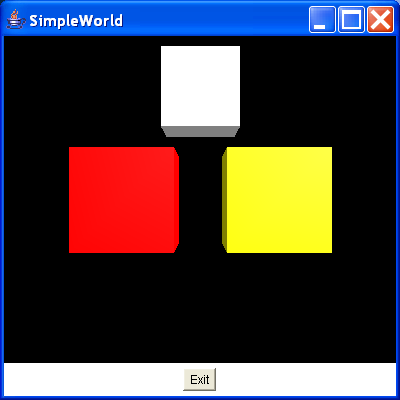
The use of two collision detectors to overcome the
import java.awt.BorderLayout;
import java.awt.Button;
import java.awt.Frame;
import java.awt.Panel;
import java.awt.event.ActionEvent;
import java.awt.event.ActionListener;
import java.util.Enumeration;

import javax.media.j3d.AmbientLight;
import javax.media.j3d.Appearance;
import javax.media.j3d.Behavior;
import javax.media.j3d.BoundingSphere;
import javax.media.j3d.Bounds;
import javax.media.j3d.BranchGroup;
import javax.media.j3d.Canvas3D;
import javax.media.j3d.DirectionalLight;
import javax.media.j3d.IndexedQuadArray;
import javax.media.j3d.Locale;
import javax.media.j3d.Material;
import javax.media.j3d.PhysicalBody;
import javax.media.j3d.PhysicalEnvironment;
import javax.media.j3d.Shape3D;
import javax.media.j3d.Transform3D;
import javax.media.j3d.TransformGroup;
import javax.media.j3d.View;
import javax.media.j3d.ViewPlatform;
import javax.media.j3d.VirtualUniverse;
import javax.media.j3d.WakeupCriterion;
import javax.media.j3d.WakeupOnCollisionEntry;
import javax.media.j3d.WakeupOnCollisionExit;
import javax.media.j3d.WakeupOnCollisionMovement;
import javax.media.j3d.WakeupOr;
import javax.vecmath.Color3f;
import javax.vecmath.Point3d;
import javax.vecmath.Point3f;
import javax.vecmath.Vector3d;
import javax.vecmath.Vector3f;

import com.sun.j3d.utils.picking.behaviors.PickTranslateBehavior;

/**
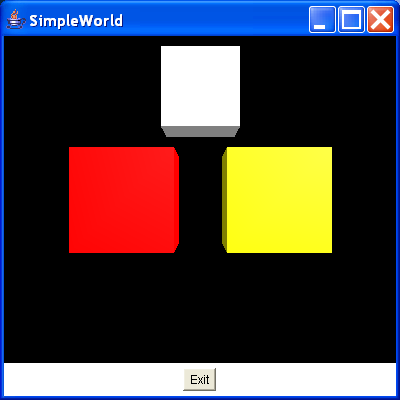
 * This class demonstrates the use of two collision detectors to overcome the
 * problem of an object colliding with more than one object at a time. The white
 * cube is movable by dragging it with the right mouse button.
 *
 * @see CollisionDetector2
 * @author I.J.Palmer
 * @version 1.0
 */
public class SimpleCollision2 extends Frame implements ActionListener {
  protected Canvas3D myCanvas3D = new Canvas3D(null);

  protected Button exitButton = new Button("Exit");

  protected BoundingSphere bounds = new BoundingSphere(new Point3d(0.0, 0.0,
      0.0), 100.0);

  /** Transform for the left cube. */
  protected TransformGroup leftGroup;

  /** Transform for the right cube */
  protected TransformGroup rightGroup;

  /**
   * Transform for the movable cube. This has read, write and pick reporting
   * capabilities enabled.
   */
  protected TransformGroup moveGroup;

  /** The left static cube. */
  protected Shape3D leftCube;

  /** The right static cube. */
  protected Shape3D rightCube;

  /** The movable cube that will collide with the other two cubes */
  protected Shape3D moveCube;

  /**
   * This builds the view branch of the scene graph.
   *
   * @return BranchGroup with viewing objects attached.
   */
  protected BranchGroup buildViewBranch(Canvas3D c) {
    BranchGroup viewBranch = new BranchGroup();
    Transform3D viewXfm = new Transform3D();
    viewXfm.set(new Vector3f(0.0f, 0.0f, 10.0f));
    TransformGroup viewXfmGroup = new TransformGroup(viewXfm);
    ViewPlatform myViewPlatform = new ViewPlatform();
    PhysicalBody myBody = new PhysicalBody();
    PhysicalEnvironment myEnvironment = new PhysicalEnvironment();
    viewXfmGroup.addChild(myViewPlatform);
    viewBranch.addChild(viewXfmGroup);
    View myView = new View();
    myView.addCanvas3D(c);
    myView.attachViewPlatform(myViewPlatform);
    myView.setPhysicalBody(myBody);
    myView.setPhysicalEnvironment(myEnvironment);
    return viewBranch;
  }

  /**
   * This adds some lights to the content branch of the scene graph.
   *
   * @param b
   *            The BranchGroup to add the lights to.
   */
  protected void addLights(BranchGroup b) {
    Color3f ambLightColour = new Color3f(0.5f, 0.5f, 0.5f);
    AmbientLight ambLight = new AmbientLight(ambLightColour);
    ambLight.setInfluencingBounds(bounds);
    Color3f dirLightColour = new Color3f(1.0f, 1.0f, 1.0f);
    Vector3f dirLightDir = new Vector3f(-1.0f, -1.0f, -1.0f);
    DirectionalLight dirLight = new DirectionalLight(dirLightColour,
        dirLightDir);
    dirLight.setInfluencingBounds(bounds);
    b.addChild(ambLight);
    b.addChild(dirLight);
  }

  /**
   * Creates the content branch of the scene graph.
   *
   * @return BranchGroup with content attached.
   */
  protected BranchGroup buildContentBranch() {
    //First create a different appearance for each cube
    Appearance app1 = new Appearance();
    Appearance app2 = new Appearance();
    Appearance app3 = new Appearance();
    Color3f ambientColour1 = new Color3f(1.0f, 0.0f, 0.0f);
    Color3f ambientColour2 = new Color3f(1.0f, 1.0f, 0.0f);
    Color3f ambientColour3 = new Color3f(1.0f, 1.0f, 1.0f);
    Color3f emissiveColour = new Color3f(0.0f, 0.0f, 0.0f);
    Color3f specularColour = new Color3f(1.0f, 1.0f, 1.0f);
    Color3f diffuseColour1 = new Color3f(1.0f, 0.0f, 0.0f);
    Color3f diffuseColour2 = new Color3f(1.0f, 1.0f, 0.0f);
    Color3f diffuseColour3 = new Color3f(1.0f, 1.0f, 1.0f);
    float shininess = 20.0f;
    app1.setMaterial(new Material(ambientColour1, emissiveColour,
        diffuseColour1, specularColour, shininess));
    app2.setMaterial(new Material(ambientColour2, emissiveColour,
        diffuseColour2, specularColour, shininess));
    app3.setMaterial(new Material(ambientColour3, emissiveColour,
        diffuseColour3, specularColour, shininess));

    //Build the vertex array for the cubes. We can use the same
    //data for each cube so we just define one set of data
    IndexedQuadArray indexedCube = new IndexedQuadArray(8,
        IndexedQuadArray.COORDINATES | IndexedQuadArray.NORMALS, 24);
    Point3f[] cubeCoordinates = { new Point3f(1.0f, 1.0f, 1.0f),
        new Point3f(-1.0f, 1.0f, 1.0f),
        new Point3f(-1.0f, -1.0f, 1.0f),
        new Point3f(1.0f, -1.0f, 1.0f), new Point3f(1.0f, 1.0f, -1.0f),
        new Point3f(-1.0f, 1.0f, -1.0f),
        new Point3f(-1.0f, -1.0f, -1.0f),
        new Point3f(1.0f, -1.0f, -1.0f) };
    Vector3f[] cubeNormals = { new Vector3f(0.0f, 0.0f, 1.0f),
        new Vector3f(0.0f, 0.0f, -1.0f),
        new Vector3f(1.0f, 0.0f, 0.0f),
        new Vector3f(-1.0f, 0.0f, 0.0f),
        new Vector3f(0.0f, 1.0f, 0.0f), new Vector3f(0.0f, -1.0f, 0.0f) };
    int cubeCoordIndices[] = { 0, 1, 2, 3, 7, 6, 5, 4, 0, 3, 7, 4, 5, 6, 2,
        1, 0, 4, 5, 1, 6, 7, 3, 2 };
    int cubeNormalIndices[] = { 0, 0, 0, 0, 1, 1, 1, 1, 2, 2, 2, 2, 3, 3,
        3, 3, 4, 4, 4, 4, 5, 5, 5, 5 };
    indexedCube.setCoordinates(0, cubeCoordinates);
    indexedCube.setNormals(0, cubeNormals);
    indexedCube.setCoordinateIndices(0, cubeCoordIndices);
    indexedCube.setNormalIndices(0, cubeNormalIndices);

    //Create the three cubes
    leftCube = new Shape3D(indexedCube, app1);
    rightCube = new Shape3D(indexedCube, app2);
    moveCube = new Shape3D(indexedCube, app3);

    //Define some user data so that we can print meaningful messages
    leftCube.setUserData(new String("left cube"));
    rightCube.setUserData(new String("right cube"));

    //Create the content branch and add the lights
    BranchGroup contentBranch = new BranchGroup();
    addLights(contentBranch);

    //Set up the transform to position the left cube
    Transform3D leftGroupXfm = new Transform3D();
    leftGroupXfm.set(new Vector3d(-1.5, 0.0, 0.0));
    leftGroup = new TransformGroup(leftGroupXfm);

    //Set up the transform to position the right cube
    Transform3D rightGroupXfm = new Transform3D();
    rightGroupXfm.set(new Vector3d(1.5, 0.0, 0.0));
    rightGroup = new TransformGroup(rightGroupXfm);

    //Create the movable cube's transform with a scale and
    //a translation. Set up the
    //capabilities so it can be moved by the behaviour
    Transform3D moveXfm = new Transform3D();
    moveXfm.set(0.7, new Vector3d(0.0, 2.0, 1.0));
    moveGroup = new TransformGroup(moveXfm);
    moveGroup.setCapability(TransformGroup.ALLOW_TRANSFORM_WRITE);
    moveGroup.setCapability(TransformGroup.ALLOW_TRANSFORM_READ);
    moveGroup.setCapability(TransformGroup.ENABLE_PICK_REPORTING);
    //Create the behaviour to move the movable cube
    PickTranslateBehavior pickTranslate = new PickTranslateBehavior(
        contentBranch, myCanvas3D, bounds);
    contentBranch.addChild(pickTranslate);

    //Create and add the two colision detectors
    CollisionDetector2 myColDetLeft = new CollisionDetector2(leftCube,
        bounds);
    contentBranch.addChild(myColDetLeft);
    CollisionDetector2 myColDetRight = new CollisionDetector2(rightCube,
        bounds);
    contentBranch.addChild(myColDetRight);

    //Set up the scene graph
    contentBranch.addChild(moveGroup);
    contentBranch.addChild(leftGroup);
    contentBranch.addChild(rightGroup);
    moveGroup.addChild(moveCube);
    leftGroup.addChild(leftCube);
    rightGroup.addChild(rightCube);

    return contentBranch;

  }

  /** Process exit button's action to quit */
  public void actionPerformed(ActionEvent e) {
    if (e.getSource() == exitButton) {
      dispose();
      System.exit(0);
    }
  }

  public SimpleCollision2() {
    VirtualUniverse myUniverse = new VirtualUniverse();
    Locale myLocale = new Locale(myUniverse);
    myLocale.addBranchGraph(buildViewBranch(myCanvas3D));
    myLocale.addBranchGraph(buildContentBranch());
    setTitle("SimpleWorld");
    setSize(400, 400);
    setLayout(new BorderLayout());
    Panel bottom = new Panel();
    bottom.add(exitButton);
    add(BorderLayout.CENTER, myCanvas3D);
    add(BorderLayout.SOUTH, bottom);
    exitButton.addActionListener(this);
    setVisible(true);
  }

  public static void main(String[] args) {
    SimpleCollision2 sw = new SimpleCollision2();
  }
}

/**
 * A simple collision detector class. This responds to a collision event by
 * printing a message with information about the type of collision event and the
 * object involved. This is a variation of the CollisionDetector class that
 * prints information about the object that is associated with this behaviour
 * rather than the object that has been collided with. An example of its use is
 * given in the SimpleCollision2 class.
 *
 * @author I.J.Palmer
 * @version 1.0
 * @see CollisionDetector
 * @see SimpleCollision2
 */

class CollisionDetector2 extends Behavior {
  /** The shape that is being watched for collisions. */
  protected Shape3D collidingShape;

  /** The separate criteria that trigger this behaviour */
  protected WakeupCriterion[] theCriteria;

  /** The result of the 'OR' of the separate criteria */
  protected WakeupOr oredCriteria;

  /**
   * @param theShape
   *            Shape3D that is to be watched for collisions.
   * @param theBounds
   *            Bounds that define the active region for this behaviour
   */
  public CollisionDetector2(Shape3D theShape, Bounds theBounds) {
    collidingShape = theShape;
    setSchedulingBounds(theBounds);
  }

  /**
   * This sets up the criteria for triggering the behaviour. It creates an
   * entry, exit and movement trigger, OR's these together and then sets the
   * OR'ed criterion as the wake up condition.
   */
  public void initialize() {
    theCriteria = new WakeupCriterion[3];
    WakeupOnCollisionEntry startsCollision = new WakeupOnCollisionEntry(
        collidingShape);
    WakeupOnCollisionExit endsCollision = new WakeupOnCollisionExit(
        collidingShape);
    WakeupOnCollisionMovement moveCollision = new WakeupOnCollisionMovement(
        collidingShape);
    theCriteria[0] = startsCollision;
    theCriteria[1] = endsCollision;
    theCriteria[2] = moveCollision;
    oredCriteria = new WakeupOr(theCriteria);
    wakeupOn(oredCriteria);
  }

  /**
   * This is where the work is done. This identifies the type of collision
   * (entry, exit or movement) and prints a message stating that an object has
   * collided with this object. The userData field of the shape associated
   * with this collision detector # is used to identify the object. Finally,
   * the wake up condition is set to be the OR'ed criterion again.
   */
  public void processStimulus(Enumeration criteria) {
    while (criteria.hasMoreElements()) {
      WakeupCriterion theCriterion = (WakeupCriterion) criteria
          .nextElement();
      if (theCriterion instanceof WakeupOnCollisionEntry) {
        System.out.println("Collided with "
            + collidingShape.getUserData());
      } else if (theCriterion instanceof WakeupOnCollisionExit) {
        System.out.println("Stopped colliding with  "
            + collidingShape.getUserData());
      } else {
        System.out.println("Moved whilst colliding with "
            + collidingShape.getUserData());
      }
    }
    wakeupOn(oredCriteria);
  }
}
Related examples in the same category