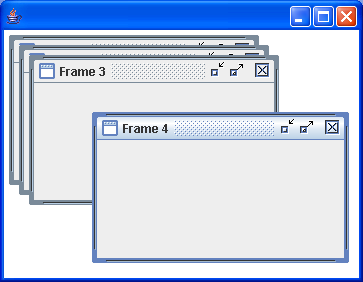
JDesktopPane Cascade Demo
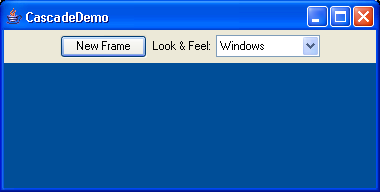
import java.beans.PropertyVetoException;
import javax.swing.*;
import java.awt.event.*;
import java.awt.*;

public class CascadeDemo extends JFrame implements ActionListener{
  private static ImageIcon EARTH;
  private int m_count;
  private int m_tencount;
  private JButton m_newFrame;
  private JDesktopPane m_desktop;
  private JComboBox m_UIBox;
  private UIManager.LookAndFeelInfo[] m_infos;

  public CascadeDemo() {
    super("CascadeDemo");
    EARTH = new ImageIcon("earth.jpg");
    m_count = m_tencount = 0;

    m_desktop = new JDesktopPane();
    m_desktop.putClientProperty("JDesktopPane.dragMode","outline");
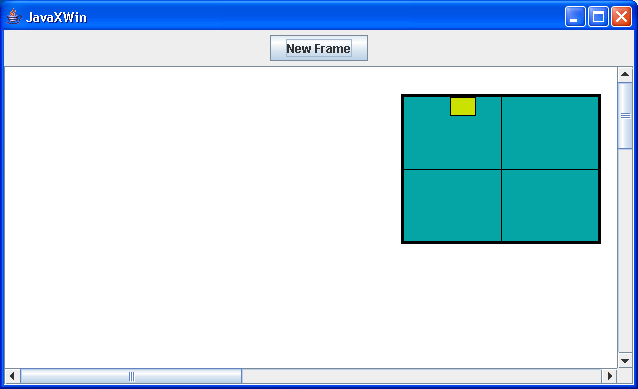
    m_newFrame = new JButton("New Frame");
    m_newFrame.addActionListener(this);

    m_infos = UIManager.getInstalledLookAndFeels();
    String[] LAFNames = new String[m_infos.length];
    for(int i=0; i<m_infos.length; i++) {
      LAFNames[i] = m_infos[i].getName();
    }
    m_UIBox = new JComboBox(LAFNames);
    m_UIBox.addActionListener(this);

    JPanel topPanel = new JPanel(true);
    topPanel.add(m_newFrame);
    topPanel.add(new JLabel("Look & Feel:",SwingConstants.RIGHT));
    topPanel.add(m_UIBox);

    getContentPane().setLayout(new BorderLayout());
    getContentPane().add("North", topPanel);
    getContentPane().add("Center", m_desktop);

    setSize(570,400);
    Dimension dim = getToolkit().getScreenSize();
    setLocation(dim.width/2-getWidth()/2,
      dim.height/2-getHeight()/2);
    setVisible(true);
    WindowListener l = new WindowAdapter() {
      public void windowClosing(WindowEvent e) {
        System.exit(0);
      }
    };
    addWindowListener(l);
  }

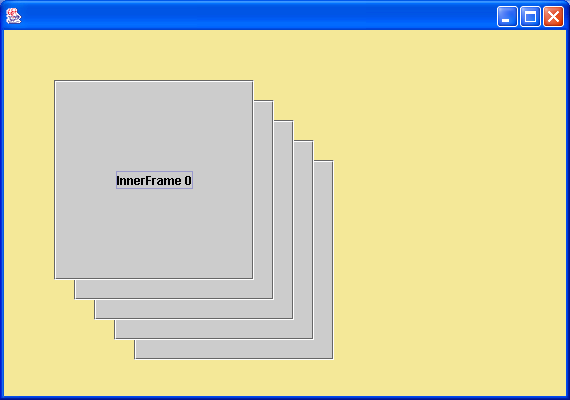
  public void newFrame() {
    JInternalFrame jif = new JInternalFrame("Frame " + m_count,
      true, true, true, true);
    jif.setBounds(20*(m_count%10) + m_tencount*80,
      20*(m_count%10), 200, 200);

    JLabel label = new JLabel(EARTH);
    jif.getContentPane().add(new JScrollPane(label));

    m_desktop.add(jif);
    try {
      jif.setSelected(true);
    }
    catch (PropertyVetoException pve) {
      System.out.println("Could not select " + jif.getTitle());
    }

    m_count++;
    if (m_count%10 == 0) {
      if (m_tencount < 3)
        m_tencount++;
      else
        m_tencount = 0;
    }
  }

  public void actionPerformed(ActionEvent e) {
    if (e.getSource() == m_newFrame)
      newFrame();
    else if (e.getSource() == m_UIBox) {
      m_UIBox.hidePopup(); // BUG WORKAROUND
      try {
        UIManager.setLookAndFeel(m_infos[m_UIBox.getSelectedIndex()].getClassName());
        SwingUtilities.updateComponentTreeUI(this);
      }
      catch(Exception ex) {
        System.out.println("Could not load " +
          m_infos[m_UIBox.getSelectedIndex()].getClassName());
      }
    }
  }

  public static void main(String[] args) {
    new CascadeDemo();
  }
}
Related examples in the same category