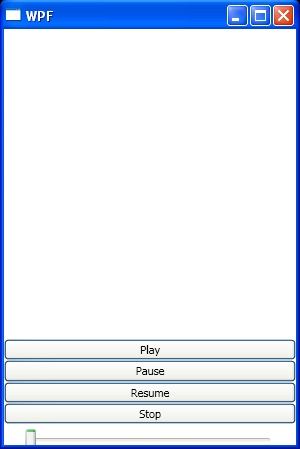
Play video with MediaElement
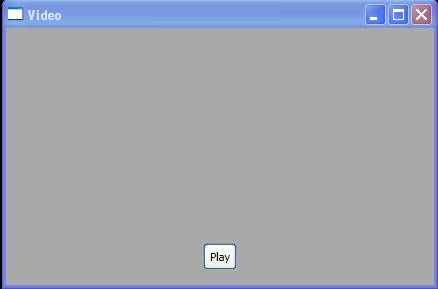
<Window x:Class="SoundAndVideo.Video"
    xmlns="http://schemas.microsoft.com/winfx/2006/xaml/presentation"
    xmlns:x="http://schemas.microsoft.com/winfx/2006/xaml"
    Title="Video" Height="649" Width="436" Background="DarkGray">
    <Grid Margin="15" HorizontalAlignment="Center">
    <Grid.RowDefinitions>
      <RowDefinition Height="Auto"></RowDefinition>
      <RowDefinition></RowDefinition>
      <RowDefinition Height="Auto"></RowDefinition>
    </Grid.RowDefinitions>
    <Grid.ColumnDefinitions>
      <ColumnDefinition Width="Auto"></ColumnDefinition>
    </Grid.ColumnDefinitions>

    <Border BorderBrush="DarkGray" BorderThickness="1" CornerRadius="2">
      <MediaElement x:Name="video" Source="test.mpg" LoadedBehavior="Manual" Stretch="Fill"></MediaElement>
    </Border>

    <Border Grid.Row="1" BorderBrush="DarkGray" BorderThickness="1" CornerRadius="2">
      <Rectangle VerticalAlignment="Stretch" Stretch="Uniform">
      <Rectangle.Fill>
        <VisualBrush Visual="{Binding ElementName=video}">
          <VisualBrush.RelativeTransform>
            <ScaleTransform ScaleY="-1" CenterY="0.5"></ScaleTransform>
          </VisualBrush.RelativeTransform>
        </VisualBrush>
      </Rectangle.Fill>

      <Rectangle.OpacityMask>
        <LinearGradientBrush StartPoint="0,0" EndPoint="0,1">
          <GradientStop Color="Black" Offset="0"></GradientStop>
          <GradientStop Color="Transparent" Offset="0.6"></GradientStop>
        </LinearGradientBrush>
      </Rectangle.OpacityMask>
      </Rectangle>
    </Border>

      <Button Grid.Row="2" Padding="3" Click="cmdPlay_Click">Play</Button>
  </Grid>
</Window>

//File:Window.xaml.vb
Imports System
Imports System.Collections.Generic
Imports System.Text
Imports System.Windows
Imports System.Windows.Controls
Imports System.Windows.Data
Imports System.Windows.Documents
Imports System.Windows.Input
Imports System.Windows.Media
Imports System.Windows.Media.Imaging
Imports System.Windows.Shapes

Namespace SoundAndVideo
  Public Partial Class Video
    Inherits System.Windows.Window
    Public Sub New()

      InitializeComponent()
    End Sub

    Private Sub cmdPlay_Click(sender As Object, e As RoutedEventArgs)
      video.Position = TimeSpan.Zero
      video.Play()
    End Sub

  End Class
End Namespace
Related examples in the same category