Play with MediaPlayer
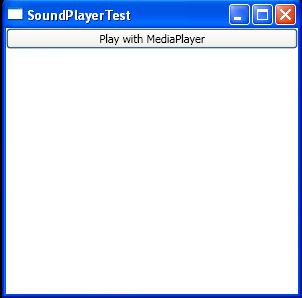
<Window x:Class="SoundAndVideo.SoundPlayerTest"
    xmlns="http://schemas.microsoft.com/winfx/2006/xaml/presentation"
    xmlns:x="http://schemas.microsoft.com/winfx/2006/xaml"
    Title="SoundPlayerTest" Height="300" Width="300" Closed="window_Closed">
    <StackPanel>
          <Button Click="cmdPlayWithMediaPlayer_Click">Play with MediaPlayer</Button>
    </StackPanel>
</Window>

//File:Window.xaml.vb
Imports System
Imports System.Collections.Generic
Imports System.Text
Imports System.Windows
Imports System.Windows.Controls
Imports System.Windows.Data
Imports System.Windows.Documents
Imports System.Windows.Input
Imports System.Windows.Media
Imports System.Windows.Media.Imaging
Imports System.Windows.Shapes
Imports System.Media
Imports System.ComponentModel
Imports System.IO

Namespace SoundAndVideo
  Public Partial Class SoundPlayerTest
    Inherits System.Windows.Window
    Private player As New MediaPlayer()

    Public Sub New()
      InitializeComponent()
    End Sub
    Private Sub cmdPlayWithMediaPlayer_Click(sender As Object, e As RoutedEventArgs)
      player.Open(New Uri("test.mp3", UriKind.Relative))
      player.Play()
    End Sub

    Private Sub window_Closed(sender As Object, e As EventArgs)
      player.Close()
    End Sub
  End Class
End Namespace
Related examples in the same category