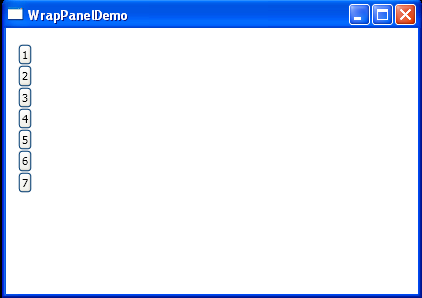
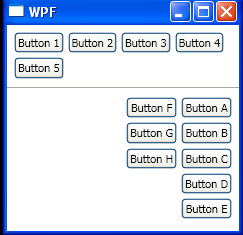
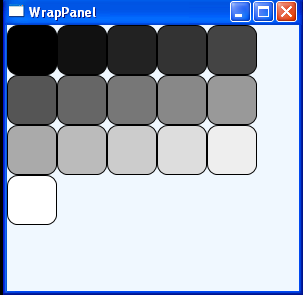
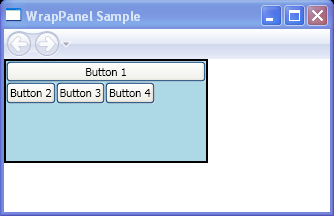
Wrap Buttons to WrapPanel
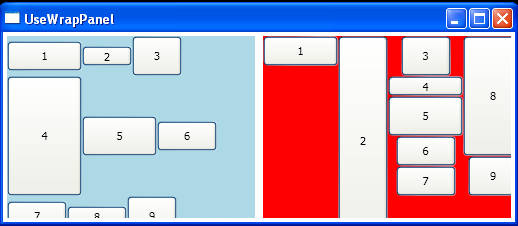
<Window x:Class="Window1"
    xmlns="http://schemas.microsoft.com/winfx/2006/xaml/presentation"
    xmlns:x="http://schemas.microsoft.com/winfx/2006/xaml"
    Title="UseWrapPanel" Height="224" Width="520">
    <Grid>
        <Grid.ColumnDefinitions>
            <ColumnDefinition Width="50*" />
            <ColumnDefinition Width="50*" />
        </Grid.ColumnDefinitions>
        <WrapPanel Background="LightBlue" Margin="4,4,4,4" Name="WrapPanel1" Grid.Column="0" VerticalAlignment="Top">
            <Button Height="30" Name="Button1" Width="75">1</Button>
            <Button Height="20" Name="Button2" Width="50">2</Button>
            <Button Height="40" Name="Button3" Width="50">3</Button>
            <Button Height="120" Name="Button4" Width="75">4</Button>
            <Button Height="40" Name="Button5" Width="75">5</Button>
            <Button Height="30" Name="Button6" Width="60">6</Button>
            <Button Height="30" Name="Button7" Width="60">7</Button>
            <Button Height="20" Name="Button8" Width="60">8</Button>
            <Button Height="40" Name="Button9" Width="50">9</Button>
        </WrapPanel>
        <WrapPanel Background="Red" Name="WrapPanel2" Grid.Column="1" Margin="4,4,4,4" Grid.ColumnSpan="1" Orientation="Vertical">
            <Button Height="30" Name="Button10" Width="75">1</Button>
            <Button Height="210" Name="Button11" Width="50">2</Button>
            <Button Height="40" Name="Button12" Width="50">3</Button>
            <Button Height="20" Name="Button13" Width="75">4</Button>
            <Button Height="40" Name="Button14" Width="75">5</Button>
            <Button Height="30" Name="Button15" Width="60">6</Button>
            <Button Height="30" Name="Button16" Width="60">7</Button>
            <Button Height="120" Name="Button17" Width="60">8</Button>
            <Button Height="40" Name="Button18" Width="50">9</Button>
        </WrapPanel>
    </Grid>
</Window>
Related examples in the same category